Introduction
Thank you for choosing the Westpoint WPSN8217T2 Double Glass Door Refrigerator. This manual provides essential information for the safe and efficient operation, installation, and maintenance of your appliance. Please read these instructions carefully before use and retain them for future reference.
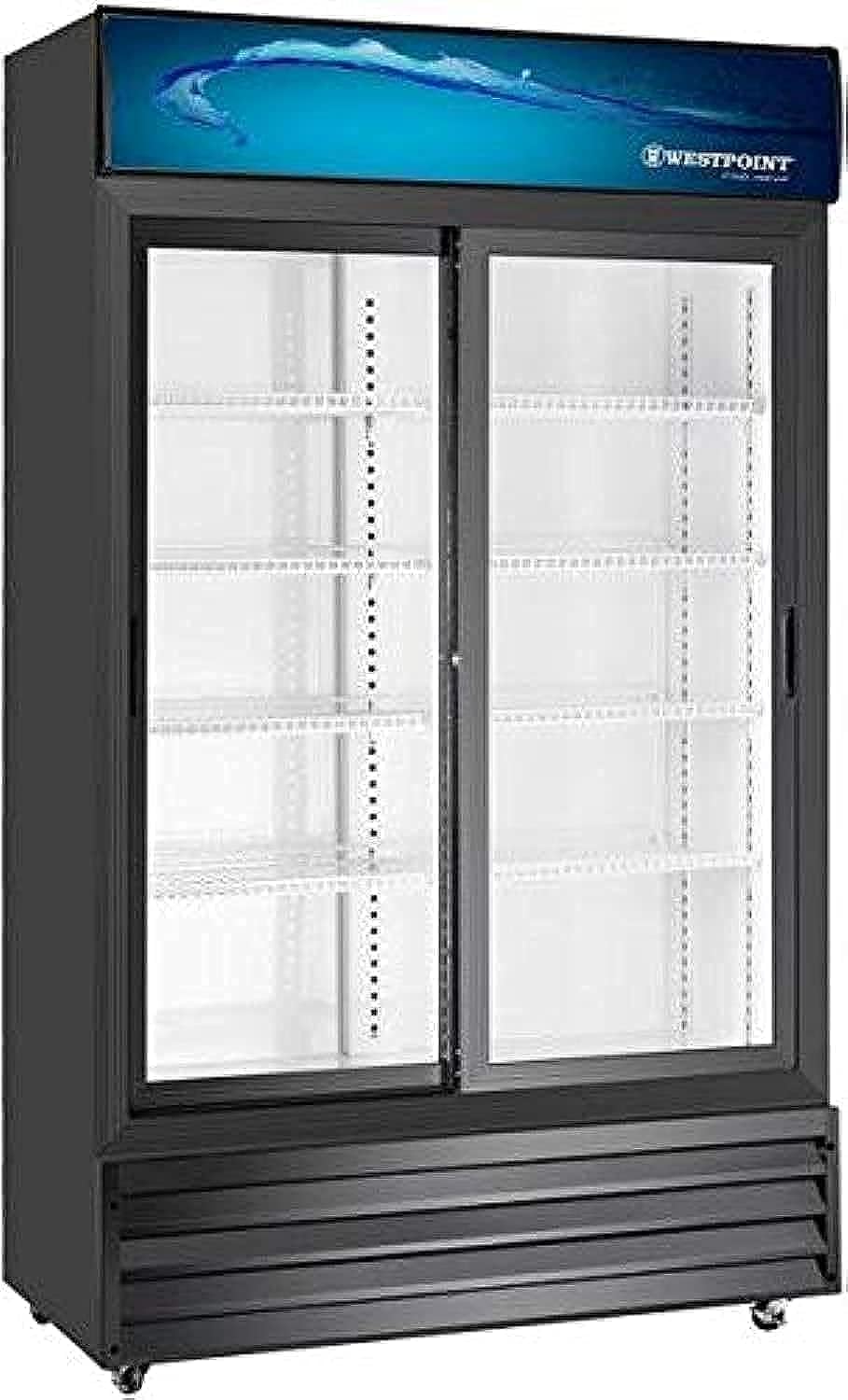
Image: Front view of the Westpoint WPSN8217T2 Double Glass Door Refrigerator, showcasing its black finish and transparent doors.
Safety Information
To reduce the risk of fire, electric shock, or injury when using your refrigerator, follow these basic precautions:
- Ensure the power supply voltage matches the rating label on the appliance.
- Do not use extension cords or ungrounded (two-prong) adapters.
- Unplug the refrigerator before cleaning or performing any maintenance.
- Keep ventilation openings clear of obstruction.
- Do not store explosive substances such as aerosol cans with a flammable propellant in this appliance.
- This appliance is not intended for use by persons (including children) with reduced physical, sensory or mental capabilities, or lack of experience and knowledge, unless they have been given supervision or instruction concerning use of the appliance by a person responsible for their safety.
- Children should be supervised to ensure that they do not play with the appliance.
Setup
Unpacking
Carefully remove all packaging materials, including foam and adhesive tape. Inspect the refrigerator for any damage during transit. Keep packaging materials out of reach of children.
Placement
Place the refrigerator on a firm, level surface that can support its weight (approximately 115 kg). Ensure adequate ventilation around the unit. Allow at least 10 cm of space at the back and sides for proper air circulation. Avoid placing the refrigerator in direct sunlight or near heat sources like ovens or radiators. The dimensions of the unit are approximately 1900 mm (Height) x 1120 mm (Width) x 565 mm (Depth).
Electrical Connection
Before plugging in, ensure the power outlet is properly grounded. The refrigerator operates on a 220-240 Volt, 50 Hz power supply. Do not overload the circuit. Allow the refrigerator to stand upright for at least 2-4 hours before connecting it to power to allow the refrigerant to settle.
Initial Cleaning
Before first use, clean the interior and exterior of the refrigerator with a soft cloth and a mild detergent solution. Rinse with clean water and dry thoroughly.
Operating Instructions
Temperature Control
Your refrigerator is equipped with temperature control elements. Locate the thermostat control, usually inside the compartment, and adjust it to your desired cooling level. A medium setting is often suitable for general use. Allow several hours for the temperature to stabilize after adjustment.
Food Storage Guidelines
Arrange items to allow for proper air circulation. Do not block the air vents. Store food in sealed containers to prevent moisture loss and odor transfer. Avoid placing hot food directly into the refrigerator; allow it to cool down first.
Defrosting
This refrigerator features a No Frost system, which automatically prevents ice buildup. Manual defrosting is generally not required. If ice accumulation occurs due to improper use (e.g., frequently open doors), ensure door seals are intact and close doors promptly.
Maintenance
Cleaning the Interior
Clean the interior regularly with a solution of mild detergent and warm water. Remove shelves and drawers for easier cleaning. Dry all surfaces thoroughly before replacing components and restarting the unit.
Cleaning the Exterior
Wipe the exterior surfaces with a soft, damp cloth. For stubborn stains, use a mild, non-abrasive cleaner. Ensure no water enters the electrical components.
Door Seal Care
Regularly check and clean the door seals to ensure they are free from food particles and debris. A clean and intact seal ensures efficient operation and prevents cold air loss.
Power Saving Tips
- Avoid placing hot food inside.
- Do not open the doors too frequently or for extended periods.
- Ensure the refrigerator is not placed near heat sources.
- Keep the condenser coils at the back clean for optimal efficiency.
Troubleshooting
Before contacting service, check the following common issues:
| Problem | Possible Cause | Solution |
|---|---|---|
| Refrigerator does not operate | No power supply; power cord loose; fuse blown or circuit breaker tripped. | Check power connection; check household fuse/circuit breaker. |
| Temperature is not cold enough | Thermostat setting too high; door opened too frequently; warm food placed inside; poor ventilation. | Adjust thermostat to a lower setting; minimize door openings; allow food to cool before storing; ensure adequate space around the unit. |
| Excessive noise | Refrigerator not level; parts loose; items vibrating inside. | Adjust leveling feet; check for loose parts; rearrange items inside. |
| Water on floor | Drain tube blocked or dislodged. | Clear the drain tube; ensure it is correctly positioned. |
Specifications
| Feature | Specification |
|---|---|
| Brand | Westpoint |
| Model Number | WPSN8217T2 |
| Capacity | 800 Liters |
| Color | Black |
| Number of Doors | 2 (Double Glass Door, Self-Closing) |
| Defrost Type | No Frost |
| Refrigerant | R134a CFC Free |
| Material | Metal |
| Dimensions (H x W x D) | 1900 mm x 1120 mm x 565 mm |
| Item Weight | 115 kg |
| Power Supply | 220-240 Volt, 50 Hz |
| Power Consumption | 560 Watt |
| Shelves | 4 |
| Temperature Control | Yes |
Warranty and Support
The Westpoint WPSN8217T2 Refrigerator comes with a comprehensive warranty:
- Full Compressor Warranty: 1 Year
- General Appliance Warranty: 5 Years
For technical support, service, or warranty claims, please contact your authorized Westpoint dealer or customer service center. Ensure you have your purchase receipt and model number (WPSN8217T2) available when contacting support.


