1. Introduction
This manual provides instructions for the Grundig Essential Oil Diffuser, Model 2830407. This ultrasonic aroma diffuser features an RGB LED mood light, designed to create a relaxing atmosphere through gentle fragrances and color changes. It can be powered via USB or batteries, offering versatility for various environments.

Image 1.1: The Grundig Essential Oil Diffuser in its standard white appearance.
2. Package Contents
The Grundig Essential Oil Diffuser package includes the following items:
- One (1) Grundig Essential Oil Diffuser unit
- One (1) USB power cable (power adapter not included)
- One (1) 10ml bottle of essential oil (fragrance may vary)
3. Setup Instructions
Follow these steps to set up your essential oil diffuser for first use:
- Prepare the Diffuser: Gently remove the top cover of the diffuser by lifting it upwards.
- Add Essential Oil: Locate the small tray or compartment designed for essential oil. Add a few drops of your preferred essential oil into this designated area. Do not overfill.
- Power Connection: Choose your preferred power method:
- USB Power: Connect the provided USB cable to the diffuser's USB port and then to a compatible USB power source (e.g., a USB wall adapter, computer USB port).
- Battery Power: Alternatively, insert two (2) AA batteries (not included) into the battery compartment located at the base of the diffuser, ensuring correct polarity.
- Replace Cover: Carefully place the top cover back onto the diffuser, ensuring it is securely fitted.

Image 3.1: The diffuser with the side tray for essential oil access.
4. Operating Instructions
Once set up, operate your Grundig Essential Oil Diffuser as follows:
- Power On: Press the power button, typically located on the front of the unit, to turn on the diffuser and activate the LED light. The power button is often indicated by a droplet icon.
- Aroma Diffusion: The diffuser will begin to release a gentle fragrance into the air using ultrasonic technology, ensuring quiet operation.
- LED Light Function: The integrated RGB LED light will automatically cycle through various colors, creating a mood-enhancing ambiance. The light function operates automatically when the diffuser is on.
- Power Off: Press the power button again to turn off the diffuser and the LED light.
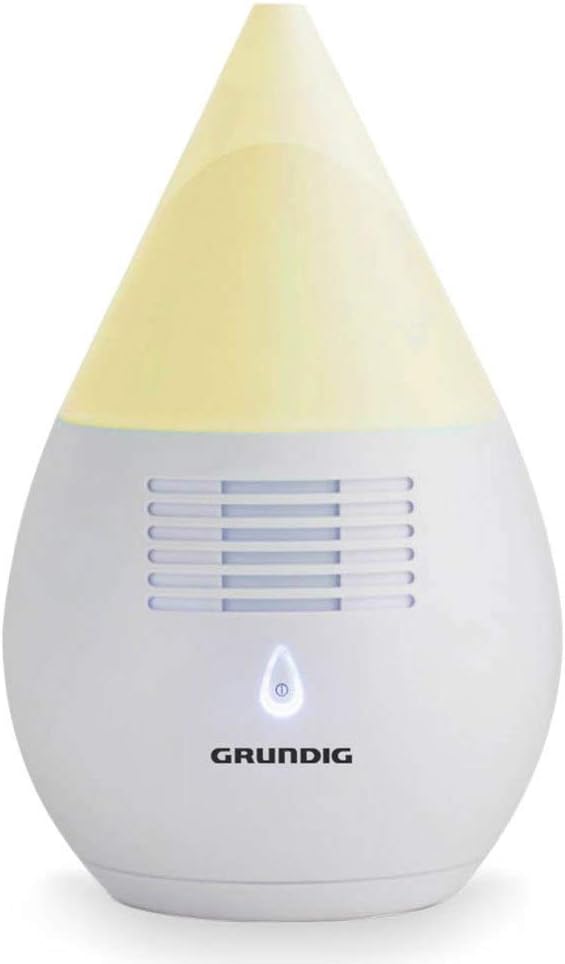
Image 4.1: Diffuser with green light.

Image 4.2: Diffuser with yellow light.

Image 4.3: Diffuser with purple light.

Image 4.4: Diffuser with blue light.

Image 4.5: Diffuser with orange light.
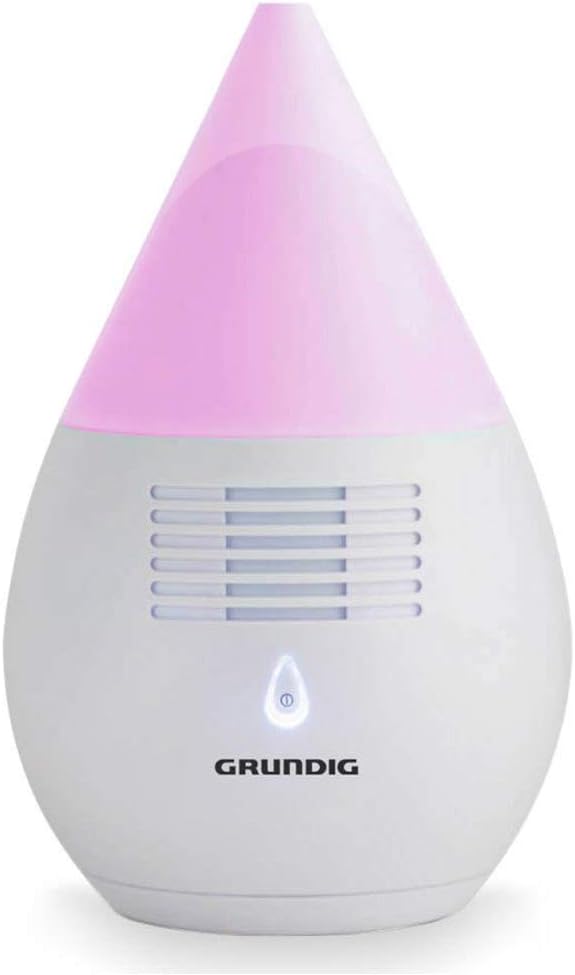
Image 4.6: Diffuser with pink light.
5. Maintenance
To ensure optimal performance and longevity of your Grundig Essential Oil Diffuser, follow these maintenance guidelines:
- Cleaning: Regularly wipe the exterior of the diffuser with a soft, dry cloth to remove dust and oil residue.
- Oil Tray/Filter: If your model features a removable oil tray or filter, clean it periodically. While the product description mentions a filter that may need changing, specific replacement instructions or availability are not provided in this manual. Inspect the tray for any buildup and clean as necessary.
- Storage: When not in use for extended periods, ensure the diffuser is clean and dry before storing it in a cool, dry place away from direct sunlight.
6. Troubleshooting
This section addresses common issues you might encounter with your Grundig Essential Oil Diffuser:
- No Aroma Diffusion:
- Ensure essential oil has been added to the designated compartment.
- Verify the diffuser is powered on and connected correctly to a power source (USB or batteries).
- LED Light Not Working:
- Check the power connection.
- Ensure the diffuser is turned on.
- No Power:
- If using USB, ensure the cable is securely connected to both the diffuser and a working USB power source.
- If using batteries, check that the batteries are correctly inserted and are not depleted. Replace with fresh batteries if necessary.
For issues not covered here, please refer to the manufacturer's support channels.
7. Specifications
| Feature | Detail |
|---|---|
| Brand | Grundig |
| Model Number | 2830407 |
| Color | Multicolor (LED light) |
| Product Dimensions (L x W x H) | 11 x 11 x 17.5 cm |
| Weight | 500 grams |
| Capacity | 10 Milliliters (oil bottle) |
| Material | Plastic |
| Special Feature | Silent operation |
| Power Source | USB or 2x AA Batteries (not included) |
| Recommended Use | Office, Home |
| Floor Area Coverage | 3 square meters |
8. Safety Warnings
Please observe the following safety warnings to prevent injury or damage:
- Direct Skin Contact: Avoid direct skin contact with undiluted essential oils. Always handle essential oils with care.
- Children and Pets: Keep the diffuser and essential oils out of reach of children and pets.
- Ventilation: Ensure adequate ventilation in the area where the diffuser is used.
- Water Contact: Do not immerse the diffuser in water or other liquids. Clean with a damp cloth only.
- Power Source: Use only the provided USB cable or appropriate batteries (2 x AA) as specified. Do not use incompatible power sources.
- Intended Use: Use this product only for its intended purpose as an essential oil diffuser.
9. Warranty and Support
Information regarding product warranty and customer support is not available in the provided product data. Please refer to the product packaging or the manufacturer's official website for details on warranty coverage and how to contact customer support.


