
FITHOOD CS-CFA466MD
Contents
FITHOOD Battery Replacement Instruction Manual
Model: CS-CFA466MD
Compatible with CEFAR Myo 4 Max, MYO REH AB4, Rehab 4
Introduction
This manual provides essential instructions for the safe and effective use, installation, and maintenance of your FITHOOD replacement battery, model CS-CFA466MD. This battery is designed as a compatible replacement for specific CEFAR muscle stimulator models.
Important Safety Information
WARNING: Read all safety instructions before use. Failure to follow these instructions may result in fire, electric shock, or serious injury.
- Do not disassemble, open, or attempt to service the battery pack.
- Do not crush, puncture, short external contacts, or dispose of in fire or water.
- Do not expose to temperatures above 60°C (140°F).
- Use only the charger specified by the original equipment manufacturer for the CEFAR device.
- Keep the battery away from children.
- Dispose of used batteries according to local regulations.
The battery pack includes a warranty void if label is removed. Do not remove this label.

Image: The FITHOOD replacement battery showing various warning labels and specifications printed on its casing.
Compatibility
This FITHOOD battery is a replacement for the following CEFAR muscle stimulator models:
- CEFAR Myo 4 Max
- CEFAR MYO REH AB4
- CEFAR Rehab 4
It is compatible with original battery part numbers:
- 120466
- BATT/110466
Before installation, verify that your device model and original battery part number match the compatibility list above.
Setup and Installation
Follow these steps to safely replace the battery in your CEFAR muscle stimulator. Refer to your device's original manual for specific instructions on opening the battery compartment.
- Power Off Device: Ensure the CEFAR muscle stimulator is completely powered off and disconnected from any power source.
- Locate Battery Compartment: Identify and open the battery compartment on your CEFAR device. This typically involves unscrewing a cover or releasing a latch.
- Remove Old Battery: Carefully disconnect the old battery from its connector. Note the orientation of the connector to ensure correct installation of the new battery.
- Insert New Battery: Connect the FITHOOD replacement battery (Model CS-CFA466MD) to the device's battery connector. Ensure the connection is secure and correctly oriented.
- Position Battery: Place the new battery securely within the battery compartment. Ensure no wires are pinched.
- Close Compartment: Close and secure the battery compartment cover.
- Initial Charge: It is recommended to fully charge the new battery before its first use.
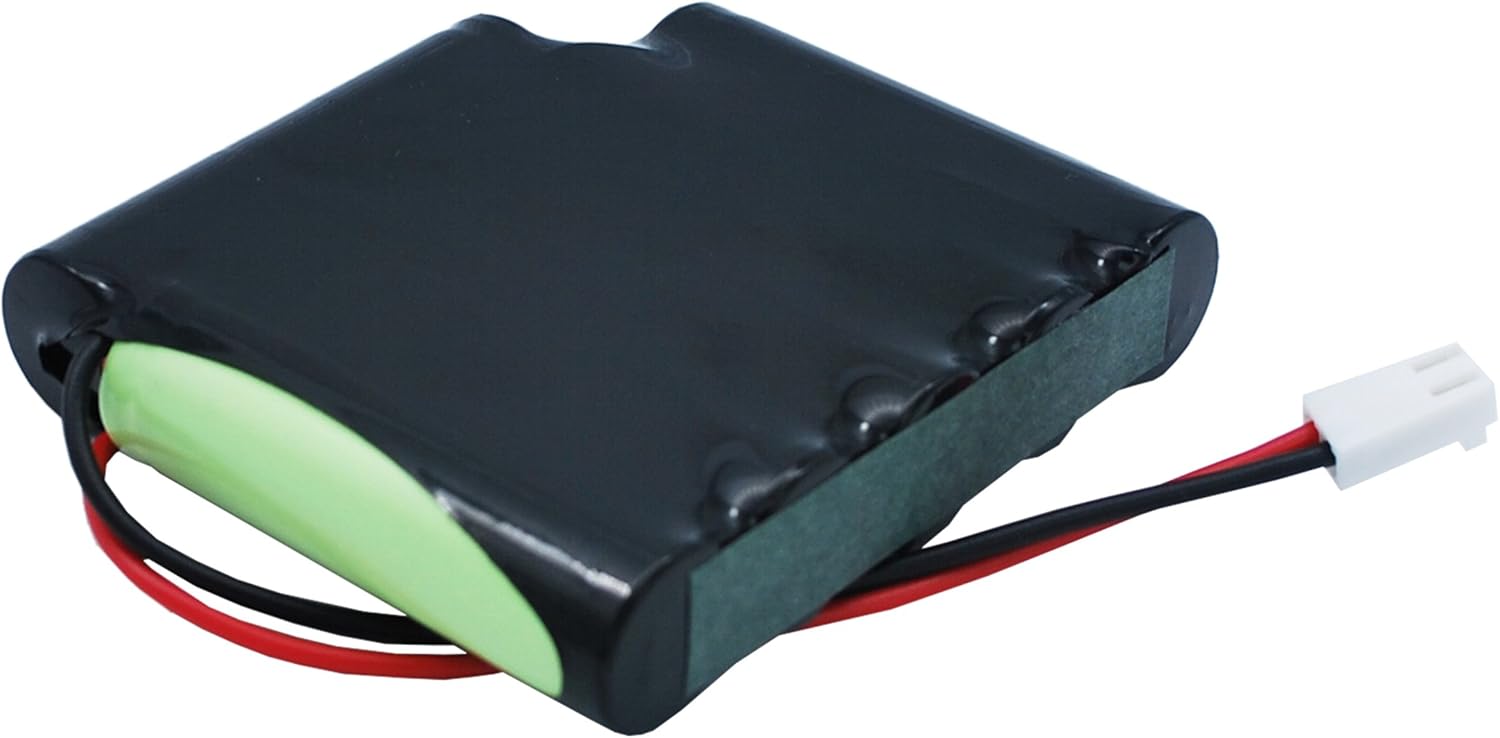
Image: The FITHOOD replacement battery showing the white connector plug and red/black wires.

Image: The FITHOOD replacement battery viewed from an angle, showing its compact form factor.
Operating Instructions
Once installed, the FITHOOD replacement battery operates identically to the original battery in your CEFAR muscle stimulator. Refer to your device's user manual for specific operating instructions.
Charging the Battery
- Use only the charger supplied with your CEFAR muscle stimulator.
- Connect the device to its charger as per the original device's instructions.
- Allow the battery to charge fully before disconnecting. Charging indicators are typically found on the CEFAR device itself.
- Avoid overcharging by disconnecting the device once fully charged, especially for older Ni-MH battery technologies.
Maintenance
- Storage: If storing the battery for an extended period, ensure it is charged to approximately 50% capacity and stored in a cool, dry place. Avoid extreme temperatures.
- Cleaning: Keep battery contacts clean and dry. Use a dry cloth to wipe away any dust or debris.
- Cycle Life: Ni-MH batteries benefit from occasional full discharge/recharge cycles to maintain optimal performance.
- Disposal: Do not dispose of batteries in household waste. Consult local regulations for proper battery recycling and disposal.
Troubleshooting
| Problem | Possible Cause | Solution |
|---|---|---|
| Device does not power on after battery replacement. | Battery not properly connected; Battery not charged; Incorrect battery model. | Ensure battery connector is secure. Charge the battery fully. Verify battery compatibility with your device. |
| Battery does not hold a charge or drains quickly. | Battery not fully charged; Battery nearing end of life; Charger malfunction. | Ensure full charge cycle. If new, contact support. Test with another charger if possible. |
| Battery compartment does not close. | Battery not seated correctly; Wires pinched. | Re-seat the battery, ensuring all wires are clear of the closing mechanism. |
Specifications
- Model: CS-CFA466MD
- Battery Type: Ni-MH
- Voltage: 7.2V
- Capacity: 2000mAh / 14.40Wh
- Dimensions: 71.30 x 64.00 x 14.50mm (2.81 x 2.52 x 0.57 inches)
- Weight: Approximately 8.8 ounces
- Compatible Part Numbers: 120466, BATT/110466
Warranty and Support
FITHOOD offers a one-month free replacement or full refund if any product problems arise. For warranty claims or technical support, please contact your retailer or the FITHOOD customer service department.
Please retain your proof of purchase for warranty purposes.
Documents and downloads
Ask a question about this manual
Ask about setup, troubleshooting, compatibility, parts, safety, or missing instructions. Manuals+ will review the question and use this page’s manual context to help answer it.