
GE APPLIANCES GTW465ASNWW
GE APPLIANCES GTW465ASNWW Top Load Washer Instruction Manual
Model: GTW465ASNWW | Brand: GE APPLIANCES
Introduction
This manual provides essential information for the safe and efficient operation of your GE 4.5 cuft DOE Top Load Washer, model GTW465ASNWW. Please read all instructions carefully before use.
Key Features
- GE 4.5 cuft DOE Top Load Washer White
- Model Number: GTW465ASNWW
- Item Package Dimension: 45.0" L x 40.0" W x 70.0" H
- Item Package Weight: 200.0 lb
Setup and Installation
Proper installation is crucial for the performance and safety of your washing machine. Ensure the unit is placed on a level surface and connected to appropriate water and power sources.
Dimensions: 1"D x 1"W x 1"H (Product Dimensions) - Note: Package dimensions are 45.0" L x 40.0" W x 70.0" H.
Weight: 147 pounds (Item Weight) - Note: Package weight is 200.0 lb.
For detailed installation instructions, including water hook-up, leveling, and electrical requirements, please refer to the comprehensive installation guide provided with your appliance.
Operating Instructions
Your GE Top Load Washer features intuitive knob controls for easy cycle selection and customization. Below are key aspects of its operation:
Control Panel Overview
The control panel features rotary knobs for Water Level, Temperature, Colors/Whites cycles, Options, and Auto Soak. Indicator lights show the current cycle status (Sensing/Fill, Soak, Wash, Rinse, Spin).

Figure 1: Detailed view of the washer's control panel, showing settings for water level, temperature, wash cycles, and options.
Loading the Washer
Load items loosely around the agitator for best cleaning results. Avoid overfilling the tub to ensure proper water circulation and agitation.
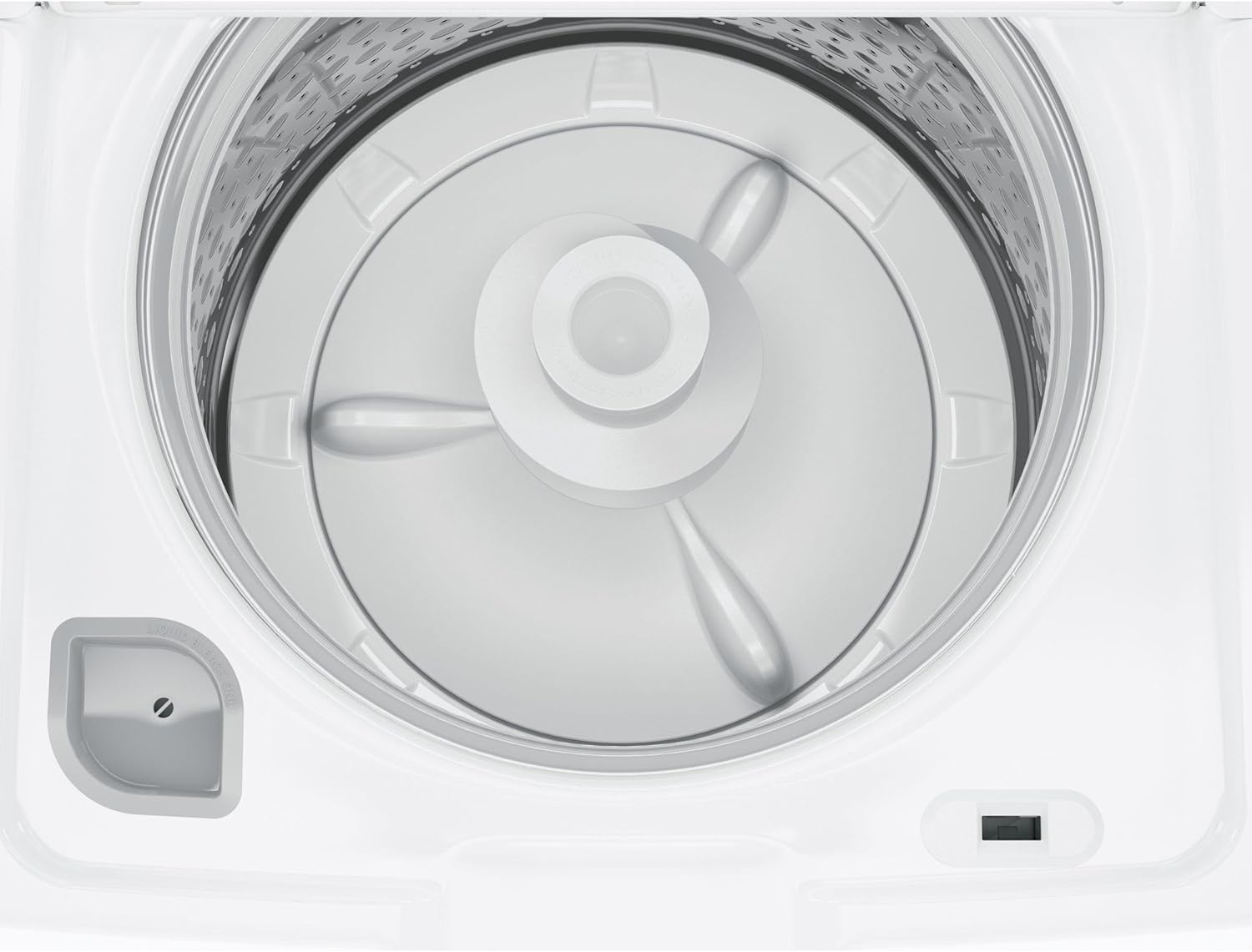
Figure 2: The spacious stainless steel drum with the agitator, designed for efficient washing.
Cycle Selection
Turn the central 'Colors' or 'Whites' knob to select from 14 standard cycles including DeepClean, Normal, Light, Delicates, Casuals, Speed Wash, Drain & Spin, Active Wear, Towels/Sheets, Jeans, and Bulky Items. Choose the cycle that best suits your laundry type.
Water Level and Temperature
- Water Level: Select Low, Medium, High, or Max. The Precise Fill option automatically adjusts water levels based on load size.
- Temperature: Choose from Tap Cold, Cold, Cool, Colors, Warm, or Hot. All cold rinses are available.
Options and Auto Soak
- Options: Includes 2nd Rinse, Extra Spin, 2nd Rinse + Extra Spin, Deep Rinse (select when adding fabric softener), and +2nd Rinse.
- Auto Soak: Set for 15 Min, 30 Min, 1 Hr, or 2 Hr to pre-soak heavily soiled items.
Start/Pause
Press the 'Start/Pause' button to begin or temporarily stop a cycle. Hold for 3 seconds to stop the cycle completely. The 'Lid Locked' indicator will illuminate when the lid is securely locked during operation.
Maintenance
Regular maintenance ensures the longevity and optimal performance of your washing machine.
Cleaning the Washer
- Exterior: Wipe down the exterior surfaces with a soft, damp cloth. Avoid abrasive cleaners.
- Interior: Periodically run a 'Deep Clean' cycle with a washer cleaner or bleach (following product instructions) to prevent odor and residue buildup in the stainless steel basket.
- Dispenser: Clean the fabric softener and bleach dispensers regularly to prevent clogging.
Troubleshooting
If you encounter issues with your washer, consider the following common solutions:
- Washer not starting: Ensure the power cord is securely plugged in and the lid is fully closed and locked. Check if the 'Start/Pause' button was pressed.
- Excessive vibration/noise: Verify the washer is level and all four leveling legs are making firm contact with the floor. Redistribute the laundry load evenly around the agitator.
- Clothes not clean/too wet: Ensure you are using the correct amount of detergent for your load size and water hardness. Select an appropriate wash cycle and consider using the 'Deep Rinse' or 'Extra Spin' options for heavily soiled or bulky items. Avoid overloading the washer.
- Water level too low: If using Precise Fill, the washer senses the load size. For maximum water, select the 'Max' water level setting.
For more detailed troubleshooting steps or persistent issues, please refer to the complete user manual or contact customer support.
Specifications
| Attribute | Value |
|---|---|
| Brand Name | GE APPLIANCES |
| Model Info | GTW465ASNWW |
| Item Weight | 147 pounds |
| Product Dimensions | 1 x 1 x 1 inches |
| Efficiency | High Efficiency |
| Capacity | 4.5 Cubic Feet |
| Max Spin Speed | 700 RPM |
| Installation Type | Freestanding |
| Color | White |
| Control Console | Knob |
| Standard Cycles | 14 |
| Access Location | Top Load |
| Voltage | 120 Volts |
| Material Type | Stainless Steel |
| Date First Available | April 9, 2019 |
Warranty and Support
This product comes with a manufacturer's warranty covering parts and labor. Please refer to the official documentation included with your appliance for specific warranty terms and conditions, as well as details on how to register your product.
For customer support, technical assistance, or service requests, please consult the contact information provided in your product's user manual or visit the official GE Appliances website.
Related documentsGTW465ASNWW


Ask a question about this manual
Ask about setup, troubleshooting, compatibility, parts, safety, or missing instructions. Manuals+ will review the question and use this page’s manual context to help answer it.