
1. Introduction
Thank you for choosing the ANCHEER 3D Vibration Plate. This manual provides essential information for the safe and effective use of your new fitness equipment. Please read this manual thoroughly before operation and retain it for future reference.
2. Important Safety Information
To reduce the risk of serious injury, please observe the following safety precautions:
- Consult your physician before starting any new exercise program, especially if you have pre-existing medical conditions.
- Keep children and pets away from the equipment during operation.
- Place the vibration plate on a flat, stable surface.
- Ensure adequate space around the equipment for safe use.
- Do not use the equipment if you are pregnant, have a pacemaker, or suffer from severe osteoporosis, epilepsy, or acute thrombosis.
- Stop exercising immediately if you feel dizzy, nauseous, or experience any pain.
- Always hold onto a stable support if you feel unsteady during use.
- Unplug the unit from the power outlet when not in use or before cleaning.
3. Package Contents
Verify that all components are present in the package:
- 1 x ANCHEER 3D Vibration Plate
- 2 x Resistance Bands
- 1 x Remote Control
- 1 x Power Cord
- 1 x Instruction Manual (this document)

Image 3.1: The ANCHEER 3D Vibration Plate shown with its included accessories: remote control, power cord, and two resistance bands.
4. Product Overview
Key Features
- 3D Vibration Technology: Provides powerful oscillating whole-body vibration to stimulate muscles.
- Efficient Exercise: 15 minutes of vibration is designed to be equivalent to 30 minutes of jogging.
- Stable and Quiet Operation: Features an ultra-flat wide surface and 4 non-slip suction cups for stability, operating silently.
- Customizable Workouts: Offers 5 automatic programs, 1 manual mode, and various foot placement options for different intensity levels.
- Slim and Portable Design: Equipped with side wheels for easy movement and storage.
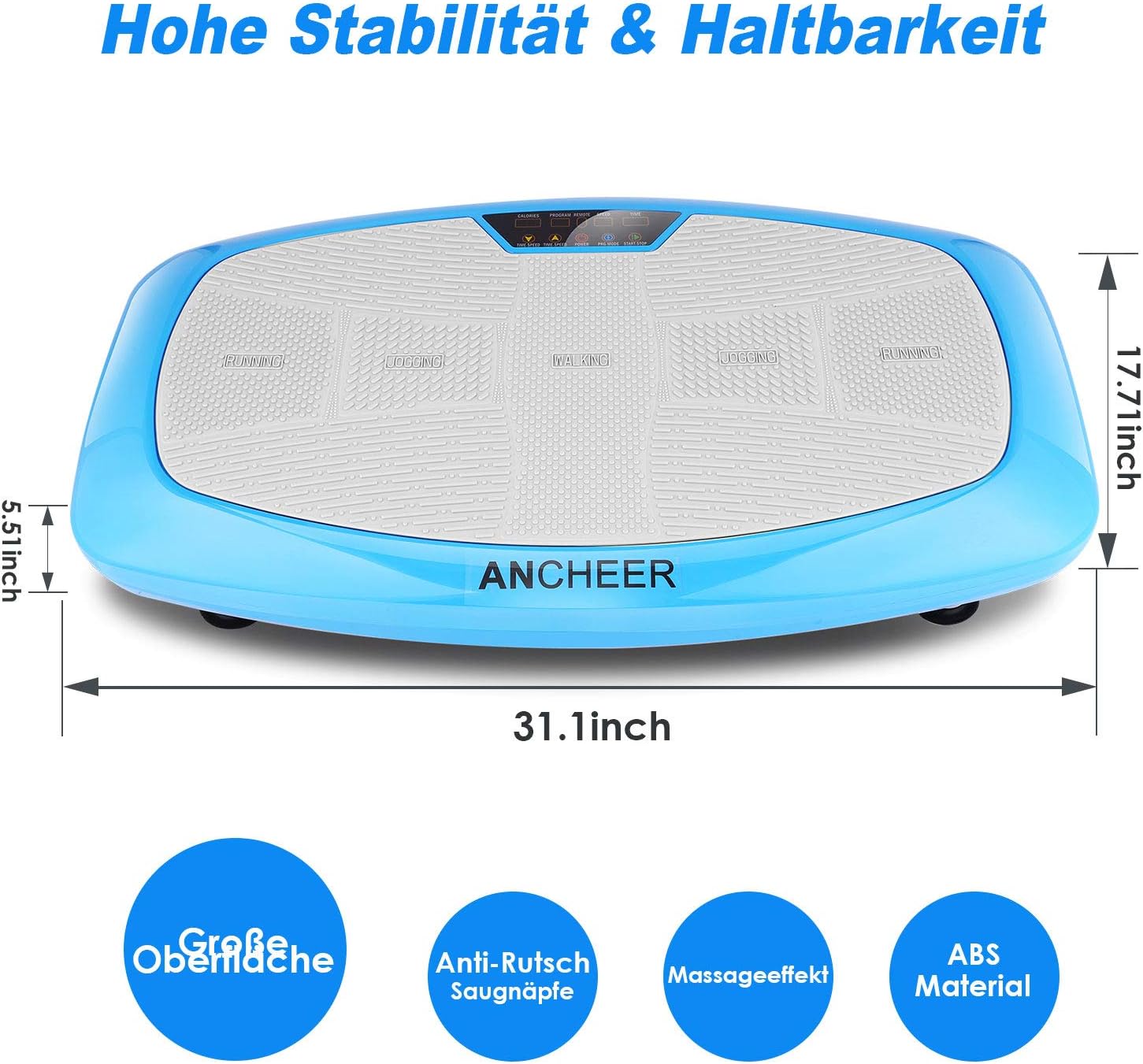
Image 4.1: Overview of the ANCHEER 3D Vibration Plate, highlighting its dimensions (approximately 31.1 inches long, 17.71 inches wide, 5.51 inches high) and key attributes such as high stability, large surface, anti-slip suction cups, massage effect, and ABS material construction.
5. Setup and Assembly
5.1 Unpacking
Carefully remove all components from the packaging. Inspect the unit for any damage that may have occurred during shipping. If any damage is found, do not use the product and contact customer support.
5.2 Placement
Place the vibration plate on a firm, level surface. Ensure there is sufficient clear space around the unit for safe movement during exercise. The non-slip suction cups on the base will help secure the unit during use.
5.3 Connecting Power
Insert the power cord into the power inlet on the side of the vibration plate, then plug the other end into a standard electrical outlet.
5.4 Attaching Resistance Bands
If desired, attach the resistance bands to the designated anchor points on the sides of the vibration plate. These bands can be used for upper body exercises while standing on the plate.
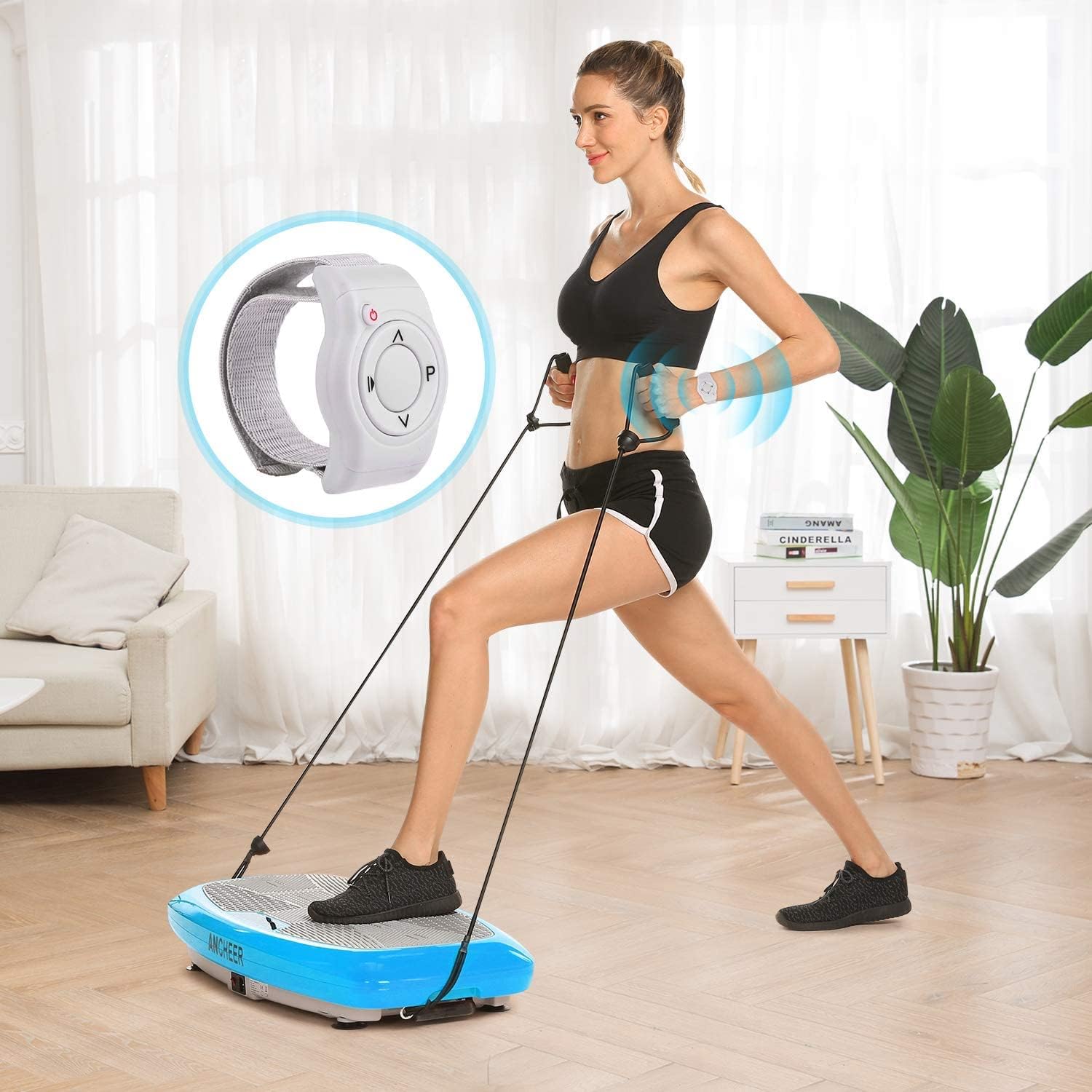
Image 5.1: A user demonstrating the ANCHEER 3D Vibration Plate with resistance bands attached, performing an exercise that engages both lower and upper body.
6. Operating Instructions
6.1 Powering On/Off
Press the power button on the control panel or remote control to turn the unit on or off.
6.2 Using the Control Panel
The integrated control panel on the vibration plate allows you to select programs, adjust intensity levels, and set time. Refer to the display for current settings.
6.3 Using the Remote Control
The included remote control provides convenient access to all functions, allowing you to adjust settings without interrupting your workout. Ensure the remote has working batteries.
6.4 Understanding Modes and Programs
The ANCHEER 3D Vibration Plate offers multiple workout options:
- Automatic Programs (P1-P5): Pre-set programs with varying vibration patterns and intensities. Select a program based on your fitness goals.
- Manual Mode: Allows you to manually adjust the vibration intensity and duration to your preference.
6.5 Foot Positions for Different Intensities
The intensity of the vibration can be varied by changing your foot position on the plate:
- Walking Zone (Center): Lower intensity, suitable for beginners or warm-ups.
- Jogging Zone (Middle): Medium intensity, for moderate workouts.
- Running Zone (Outer Edges): Highest intensity, for advanced users or intense workouts.
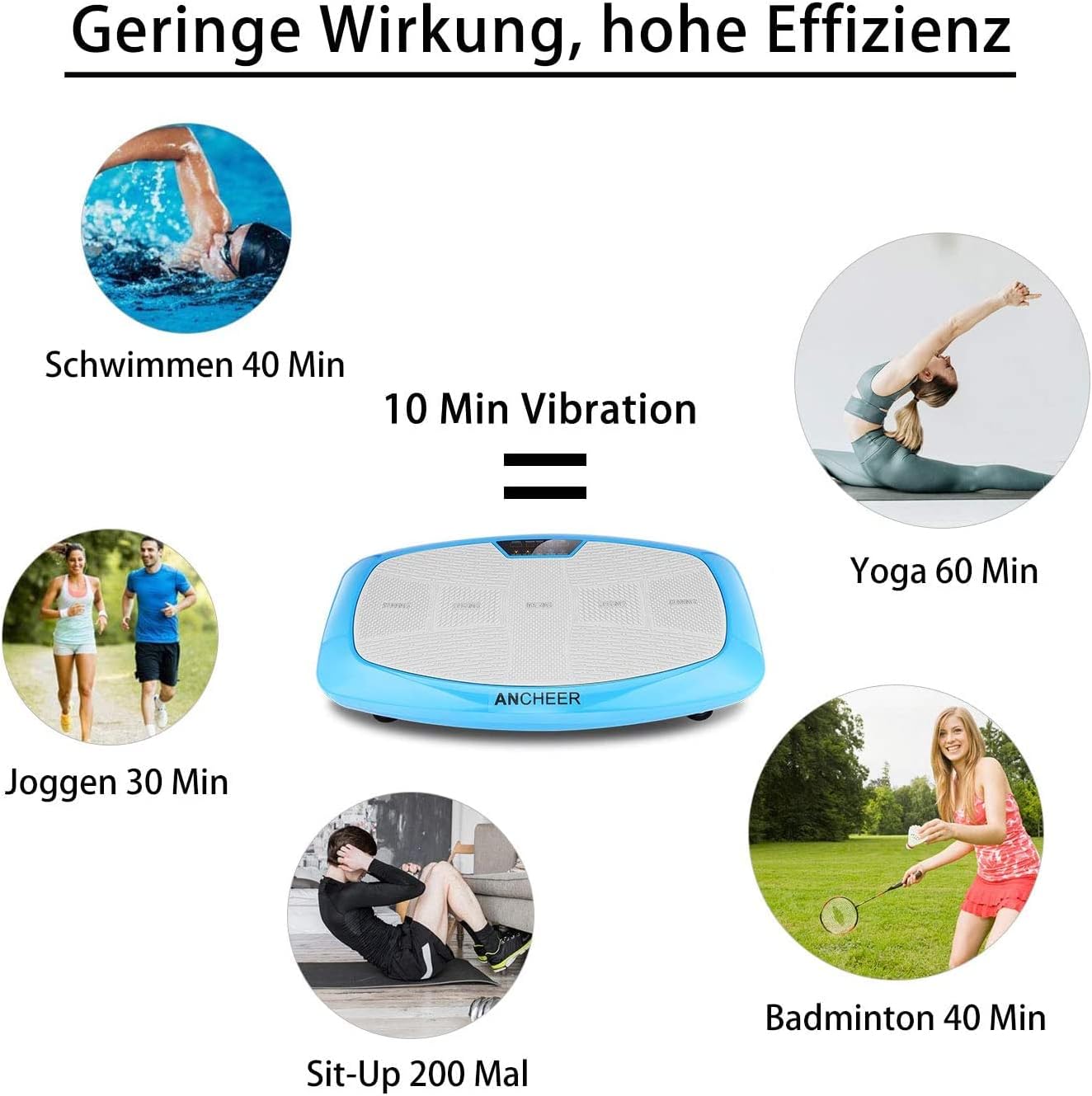
Image 6.1: Illustration of different foot placement zones on the vibration plate, indicating how to achieve varying exercise intensities from walking to running.

Image 6.2: An infographic illustrating the comparative efficiency of 10 minutes on the vibration plate versus other activities, such as 40 minutes of swimming, 60 minutes of yoga, 30 minutes of jogging, 200 sit-ups, or 40 minutes of badminton.
7. Exercise Guidelines
Begin with short sessions (5-10 minutes) at lower intensity and gradually increase duration and intensity as your body adapts. Maintain proper posture and engage your core muscles during exercises. The resistance bands can be used to incorporate upper body and arm exercises.
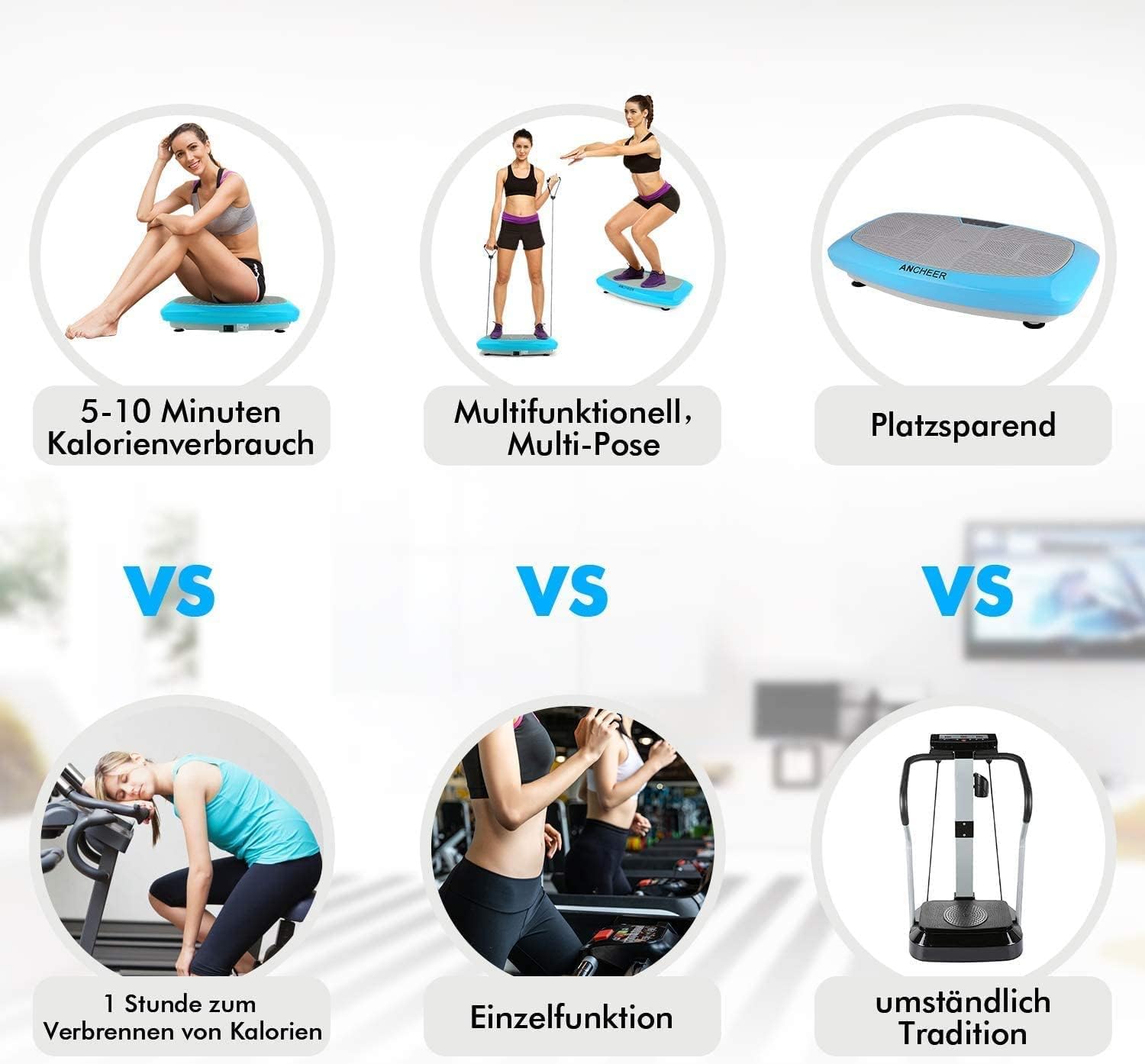
Image 7.1: A woman demonstrating a full-body workout on the ANCHEER 3D Vibration Plate, utilizing the resistance bands for upper body engagement.
8. Maintenance and Storage
8.1 Cleaning
Wipe the surface of the vibration plate with a soft, damp cloth after each use. Do not use abrasive cleaners or solvents. Ensure the unit is unplugged before cleaning.
8.2 Storage
Store the vibration plate in a cool, dry place away from direct sunlight and moisture. The slim design and integrated wheels allow for easy movement and storage under furniture or in a closet.

Image 8.1: A user demonstrating the slim profile of the ANCHEER 3D Vibration Plate, highlighting its ease of storage and portability.

Image 8.2: The ANCHEER 3D Vibration Plate positioned near a sleeping baby, illustrating its quiet motor and operation.
9. Troubleshooting
If you encounter any issues with your ANCHEER 3D Vibration Plate, please refer to the following table:
| Problem | Possible Cause | Solution |
|---|---|---|
| Unit does not power on. | Power cord not properly connected. No power from outlet. | Ensure power cord is securely plugged into both the unit and a working electrical outlet. Check circuit breaker. |
| Vibration is weak or inconsistent. | Incorrect program/intensity selected. Unit overloaded. | Adjust intensity settings. Ensure user weight does not exceed maximum capacity (refer to specifications). |
| Remote control not working. | Batteries are dead or incorrectly inserted. | Replace batteries in the remote control. Ensure correct polarity. |
| Unit makes unusual noise. | Loose components. Unit not on a level surface. | Check for any loose parts. Ensure the unit is placed on a flat, stable surface. If noise persists, discontinue use and contact support. |
10. Product Specifications
| Feature | Specification |
|---|---|
| Brand | ANCHEER |
| Model | B07P9WYF81 |
| Product Dimensions | 82 x 49 x 18 cm (approx. 32.3 x 19.3 x 7.1 inches) |
| Weight | 16.9 kg (approx. 37.2 lbs) |
| Material | Aluminium |
| Number of Programs | 6 (5 automatic, 1 manual) |
| Controls Type | Remote |
| Power Source | Corded Electric |
| ASIN | B07P9WYF81 |
| UPC | 194349016317 |
11. Warranty and Customer Support
For information regarding warranty coverage or if you require technical assistance, please refer to the warranty card included with your product or contact ANCHEER customer support through the retailer where the product was purchased. Please have your model number (B07P9WYF81) and purchase date available when contacting support.