
SanDisk SDSQXA1-1T00-GN6MA
Contents
SanDisk Extreme microSDXC UHS-I Memory Card
Model: SDSQXA1-1T00-GN6MA
Brand: SanDisk
Introduction
The SanDisk Extreme 1TB microSD UHS-I Memory Card is engineered to deliver exceptional speed and performance for your digital devices. Designed for demanding applications such as 4K UHD video recording, high-resolution photography, and fast app performance, this card provides reliable storage and rapid data transfer. Its robust construction ensures durability in various environments, making it an ideal choice for Android smartphones, action cameras, drones, and other compatible devices.
Key Features
- High-Speed Performance: Achieves read speeds of up to 160MB/s and write speeds of up to 90MB/s, facilitating quick transfers of high-resolution images and 4K UHD videos.
- 4K UHD and Full HD Ready: Features UHS Speed Class 3 (U3) and Video Speed Class 30 (V30) ratings, ensuring smooth and consistent performance for high-definition video recording.
- A2-Rated for App Performance: Optimized for faster loading and in-app performance on compatible devices, enhancing your smartphone experience.
- Extreme Durability: Built to withstand harsh conditions, including temperature extremes, water, shock, and X-rays, protecting your valuable data.
- Versatile Compatibility: Ideal for use with Android smartphones, action cameras, drones, and other devices requiring high-capacity, high-speed storage.
Specifications
| Brand | SanDisk |
| Model Name | Extreme |
| Model Number | SDSQXA1-1T00-GN6MA |
| Memory Storage Capacity | 1 TB |
| Flash Memory Type | Micro SD, Micro SDXC |
| Read Speed | Up to 160 MB/s |
| Write Speed | Up to 90 MB/s |
| Hardware Interface | microSDXC |
| Secure Digital Association Speed Class | Class 10, U3, V30, A2 |
| Special Features | Drop Proof, Temperature Proof, Water Proof, X-Ray Proof |
| Compatible Devices | Camera, Smartphone, Action Cameras, Drones |
| Item Weight | 0.16 Ounces |
| Product Dimensions | 0.04"L x 0.59"W x 0.43"H |
Setup
Before using your SanDisk Extreme microSDXC card, ensure your device is compatible with microSDXC cards and supports the desired capacity. Most modern smartphones, action cameras, and drones are compatible.
Inserting the microSD Card:
- Locate the microSD card slot on your device. This is often found under the battery cover, on the side of the device, or within a dedicated tray.
- Orient the SanDisk Extreme microSDXC card correctly, aligning the gold contacts with the contacts in the device's slot.
- Gently push the card into the slot until it clicks into place. Do not force the card, as this may damage it or the device.
- If your device uses an SD adapter (included with some SanDisk Extreme cards), insert the microSD card into the adapter first, then insert the adapter into a standard SD card slot on devices like laptops or cameras.
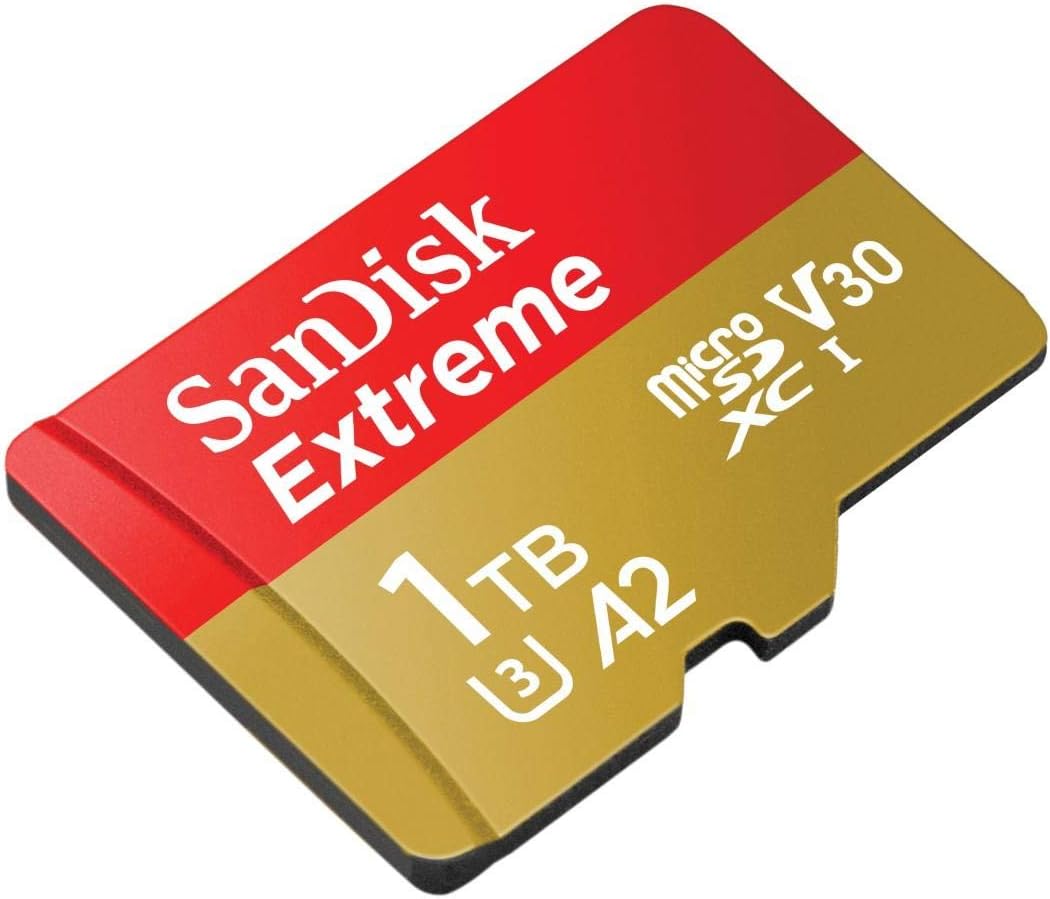
Image: The SanDisk Extreme 1TB microSDXC card, featuring its distinctive red and gold design. This card is designed for high-speed data transfer and storage in compatible devices.
Formatting the Card (Optional but Recommended):
For optimal performance and compatibility, it is recommended to format the card within the device you intend to use it with. Formatting will erase all data on the card, so ensure any important files are backed up beforehand.
- Access your device's settings or menu.
- Navigate to storage or memory settings.
- Select the option to format the SD card or external storage.
- Confirm the formatting process.
Operating the Memory Card
Recording and Storing Data:
Once inserted and formatted, your SanDisk Extreme microSDXC card is ready for use. Your device will automatically detect the card and allow you to save photos, videos, and other files directly to it. For high-bitrate recordings like 4K UHD video, ensure your device's settings are configured to utilize the card's full speed capabilities.

Image: A person using a camera to shoot 4K video, demonstrating the SanDisk Extreme microSDXC card's suitability for high-resolution video recording.
Transferring Data:
To transfer files from the card to a computer or other storage device, you can either connect your device directly to the computer or remove the microSD card and use a compatible card reader (or the included SD adapter). The high read speeds of the SanDisk Extreme card will ensure quick transfer times.
App Performance (A2 Rating):
The A2 rating of this card means it is optimized for faster application performance. When used with compatible Android devices, apps stored on the card will launch and run more smoothly, providing a better user experience. Ensure your device supports A2-rated cards for this benefit.
Maintenance
- Physical Care: Keep the card clean and free from dust, dirt, and moisture. Avoid touching the gold contacts. Store the card in its protective case when not in use.
- Environmental Protection: While the card is designed to be temperature proof, water proof, shock proof, and X-ray proof, prolonged exposure to extreme conditions should be avoided to ensure longevity.
- Safe Removal: Always safely eject the card from your device or computer before physically removing it to prevent data corruption.
- Regular Backups: Periodically back up important data from your memory card to another storage device (e.g., computer hard drive, cloud storage) to prevent data loss.
Troubleshooting
- Card Not Recognized:
- Ensure the card is fully inserted into the slot.
- Try inserting the card into a different compatible device or card reader to rule out a device issue.
- Check if the card is locked (if using an SD adapter, ensure the lock switch is in the unlocked position).
- Reboot your device.
- Slow Performance:
- Ensure your device supports the card's speed classes (U3, V30, A2). Older devices may not fully utilize the card's speed.
- Format the card within your device.
- Check for device firmware updates.
- Avoid filling the card to its absolute maximum capacity, as this can sometimes affect performance.
- Data Corruption or Loss:
- Always safely eject the card before removal.
- Avoid removing the card or powering off the device during read/write operations.
- In case of accidental deletion or corruption, SanDisk offers RescuePRO Deluxe data recovery software (download and installation required, terms and conditions apply) to help recover files.
Warranty and Support
The SanDisk Extreme microSDXC UHS-I Memory Card comes with a Lifetime Warranty. For detailed warranty information, terms, conditions, and to access customer support, please visit the official SanDisk website. Keep your proof of purchase for warranty claims.
For further assistance or to download drivers and software, please visit: www.sandisk.com/support
Ask a question about this manual
Ask about setup, troubleshooting, compatibility, parts, safety, or missing instructions. Manuals+ will review the question and use this page’s manual context to help answer it.