
Tekpower TP8582D
Tekpower TP8582D 2-in-1 Soldering and Hot Air Rework Station User Manual
Model: TP8582D
1. Introduction
Thank you for purchasing the Tekpower TP8582D 2-in-1 Soldering Iron and Hot Air Rework Station. This compact benchtop unit combines a high-performance 70W soldering iron and a 750W hot air rework station, offering micro-computer intelligent control for precise temperature management. It is an essential tool for various applications, including electronics repair, DIY projects, and professional soldering tasks.
This manual provides detailed instructions for the safe and effective operation, setup, and maintenance of your new station. Please read it thoroughly before use and keep it for future reference.

An overview of the Tekpower TP8582D unit, showing the main control station, soldering iron, hot air gun, and various nozzles.
2. Safety Information
Always observe the following safety precautions to prevent injury or damage to the unit:
- Electrical Safety: Ensure the unit is connected to a properly grounded 110V/60Hz power outlet. Do not operate with wet hands or in damp environments.
- Heat Hazard: The soldering iron tip and hot air gun nozzle reach very high temperatures. Avoid direct contact with skin or flammable materials. Use the provided stands and holders.
- Fumes: Soldering produces fumes. Always work in a well-ventilated area or use a fume extractor.
- Nozzles: Hot air nozzles can remain hot for a period after use. Handle with care.
- Cooling: The unit features an intelligent cooling system. Allow the hot air gun to cool down completely before turning off the main power switch or storing the unit.
- Children and Pets: Keep the unit out of reach of children and pets.
- Maintenance: Disconnect power before performing any maintenance or changing accessories.
3. Package Contents
Please check the box for the following items:
- 2-in-1 Soldering Station Unit
- Soldering Iron
- Hot Air Gun
- Soldering Handle Bracket
- Clean Sponge
- Hot Air Nozzles: 1 of each (4.4mm, 8mm, 10mm, and 12mm)
- Power Cord
- User manual (this document)
4. Setup
- Unpacking: Carefully remove all components from the packaging.
- Placement: Place the main unit on a stable, heat-resistant, and non-flammable surface. Ensure adequate ventilation around the unit.
- Connect Soldering Iron: Plug the soldering iron's connector into the designated port on the front panel (usually labeled 'IRON'). Secure it by tightening the collar. Place the soldering iron in its metal holder.
- Connect Hot Air Gun: Plug the hot air gun's connector into the designated port on the front panel (usually labeled 'AIR GUN'). Secure it by tightening the collar. Place the hot air gun in its side-mounted holder.
- Sponge Preparation: Wet the cleaning sponge with water and wring it out until it is damp, not dripping. Place it in the sponge tray of the soldering iron holder.
- Power Connection: Connect the power cord to the back of the unit and then plug it into a grounded 110V/60Hz power outlet.
5. Operating Instructions
5.1 General Operation
- Turn on the main power switch located on the front panel. The digital displays will illuminate.
- The unit has separate power switches and temperature controls for the soldering iron and hot air gun.
5.2 Soldering Iron Operation

The soldering iron component of the TP8582D station, featuring its tip and connector cable.
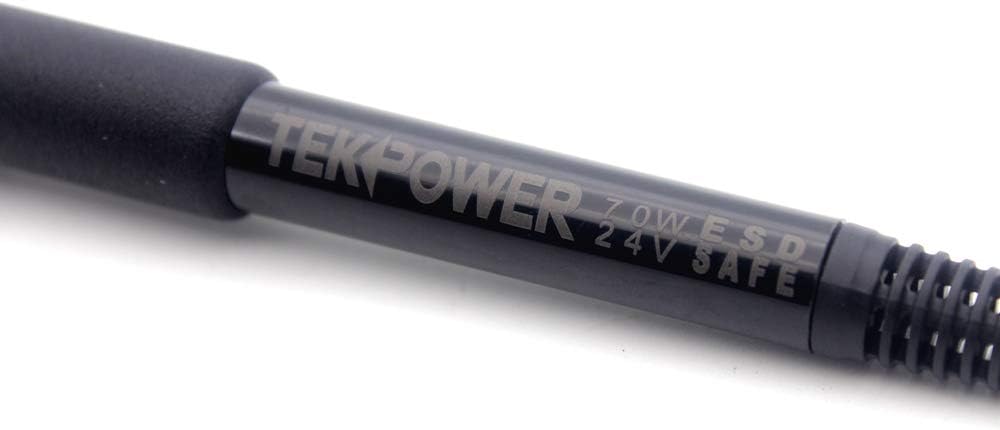
A detailed view of the soldering iron handle, highlighting the Tekpower branding and ESD safety markings.
- Turn on the soldering iron power switch.
- Adjust the temperature using the dedicated knob for the soldering iron. The digital display will show the set temperature. The temperature range is 392°F to 896°F (200°C to 480°C).
- Allow the iron to heat up to the desired temperature. The display will show the current temperature.
- Before soldering, clean the tip on the damp sponge or brass wool. Apply a small amount of solder to 'tin' the tip.
- After use, turn off the soldering iron power switch.
5.3 Hot Air Gun Operation

The hot air gun component of the TP8582D station, showing its nozzle and handle.
- Select the appropriate nozzle for your application and attach it to the hot air gun.
- Turn on the hot air gun power switch.
- Adjust the temperature using the dedicated knob for the hot air gun. The temperature range is 212°F to 896°F (100°C to 480°C).
- Adjust the airflow using the airflow control knob. The maximum airflow is 120 liters per minute.
- When finished, place the hot air gun back into its holder. The unit will automatically activate its intelligent cooling system, blowing cool air until the temperature drops to a safe level, then it will shut off. Do not turn off the main power switch until the cooling cycle is complete.
6. Maintenance
- Soldering Tip Cleaning: Regularly clean the soldering tip using the damp sponge or brass wool to remove oxidation and old solder. This helps maintain tip longevity and soldering performance.
- Tip Tinning: Always tin the soldering tip with a fresh layer of solder before and after use, and during prolonged idle periods, to prevent oxidation.
- Unit Cleaning: Wipe the main unit and handles with a soft, dry cloth. Do not use abrasive cleaners or solvents.
- Nozzle Cleaning: Ensure hot air nozzles are clear of debris. Clean them when cool.
- Storage: Store the unit in a dry, dust-free environment when not in use.
7. Troubleshooting
| Problem | Possible Cause | Solution |
|---|---|---|
| No power to the unit. | Power cord not connected; main power switch off; blown fuse. | Check power cord connection; ensure main power switch is ON; check and replace fuse if necessary. |
| Soldering iron not heating up. | Soldering iron power switch off; faulty heating element/tip; loose connection. | Turn on soldering iron power switch; check connection; replace tip or contact support if heating element is faulty. |
| Hot air gun not blowing or heating. | Hot air gun power switch off; nozzle blocked; faulty heating element/fan. | Turn on hot air gun power switch; check for nozzle blockages; contact support if internal components are faulty. |
| Temperature display is erratic. | Sensor issue; loose connection. | Ensure connections are secure. If problem persists, contact support. |
| Hot air gun does not turn off immediately after placing in holder. | Normal cooling cycle. | This is normal. The intelligent cooling system will run until the temperature is safe, then shut off automatically. Do not disconnect power during this cycle. |
8. Specifications

Diagram illustrating the physical dimensions of the Tekpower TP8582D main unit.
Hot Air Gun
- Input Voltage: 110V/60Hz
- Maximum Power: 750W
- Temperature Stability: ± 2 °C
- Airflow: 120L/min (max)
- Temperature Control: 212 – 896 °F (100 – 480 °C)
- Nozzle to Ground Voltage: <2mv
- Nozzle to Ground Impedance: <2Ω
Soldering Iron
- Input Voltage: 110V/60Hz
- Maximum Power: 70W
- Temperature Stability: ± 1 °C
- Temperature Control: 392 – 896 °F (200 – 480 °C)
- Nozzle to Ground Voltage: <2mv
- Nozzle to Ground Impedance: <2Ω
- Iron Design: ESD (Electrostatic Discharge) safe
- Heater Material: Nichrome
General
- Model Number: TP8582D
- Item Weight: 5.68 pounds
- Product Dimensions: 8.5 x 7.75 x 4 inches
- Material: Metal
- Power Source: AC
9. Warranty and Support
The Tekpower TP8582D comes with a 1-year manufacturer’s warranty from the date of purchase. This warranty covers defects in materials and workmanship under normal use.
For technical support, warranty claims, or replacement parts, please contact Tekpower customer service. Refer to the contact information provided on the product packaging or the official Tekpower website.
Please retain your proof of purchase for warranty validation.
Ask a question about this manual
Ask about setup, troubleshooting, compatibility, parts, safety, or missing instructions. Manuals+ will review the question and use this page’s manual context to help answer it.