
Introduction
This manual provides instructions for the Marvel Legends Series Endgame Power Gauntlet Electronic Fist. This electronic gauntlet is designed to replicate the iconic item from the Marvel Cinematic Universe, featuring articulated fingers, light effects, and sound effects. Please read these instructions carefully before use to ensure proper operation and longevity of the product.
Product Features
- Pulsating Infinity Stone Glow Light Effect: The six Infinity Stones on the gauntlet pulsate with glowing light when activated.
- Avengers: Endgame Movie-Inspired Sound Effects: Pressing the central Infinity Stone activates sound effects inspired by the movie.
- Fist-Lock Display Mode: The gauntlet's highly articulated fingers can be locked into a clenched fist position for display.
- Articulated Electronic Fingers: Individual finger articulation allows for dynamic posing and interaction.
Setup
1. Battery Installation
The Power Gauntlet requires 6 AA batteries (not included) for its electronic functions. Follow these steps to install the batteries:
- Locate the battery compartment on the underside of the gauntlet.
- Using a Phillips head screwdriver, unscrew the battery compartment cover.
- Insert 6 new AA batteries, ensuring correct polarity (+/-) as indicated inside the compartment.
- Replace the battery compartment cover and secure it with the screw.
2. Wearing the Gauntlet
Carefully slide your hand into the gauntlet. Ensure your fingers align with the internal finger controls for proper articulation. The gauntlet is designed for adult hands.

Figure 1: Proper way to wear the Power Gauntlet and articulate fingers.
Operating Instructions
1. Activating Lights and Sounds
To activate the pulsating light effects of the Infinity Stones and the movie-inspired sound effects:
- Locate the central Infinity Stone on the back of the gauntlet (typically the Time Stone, yellow/orange).
- Press this central Infinity Stone firmly. The stones will light up and sound effects will play.
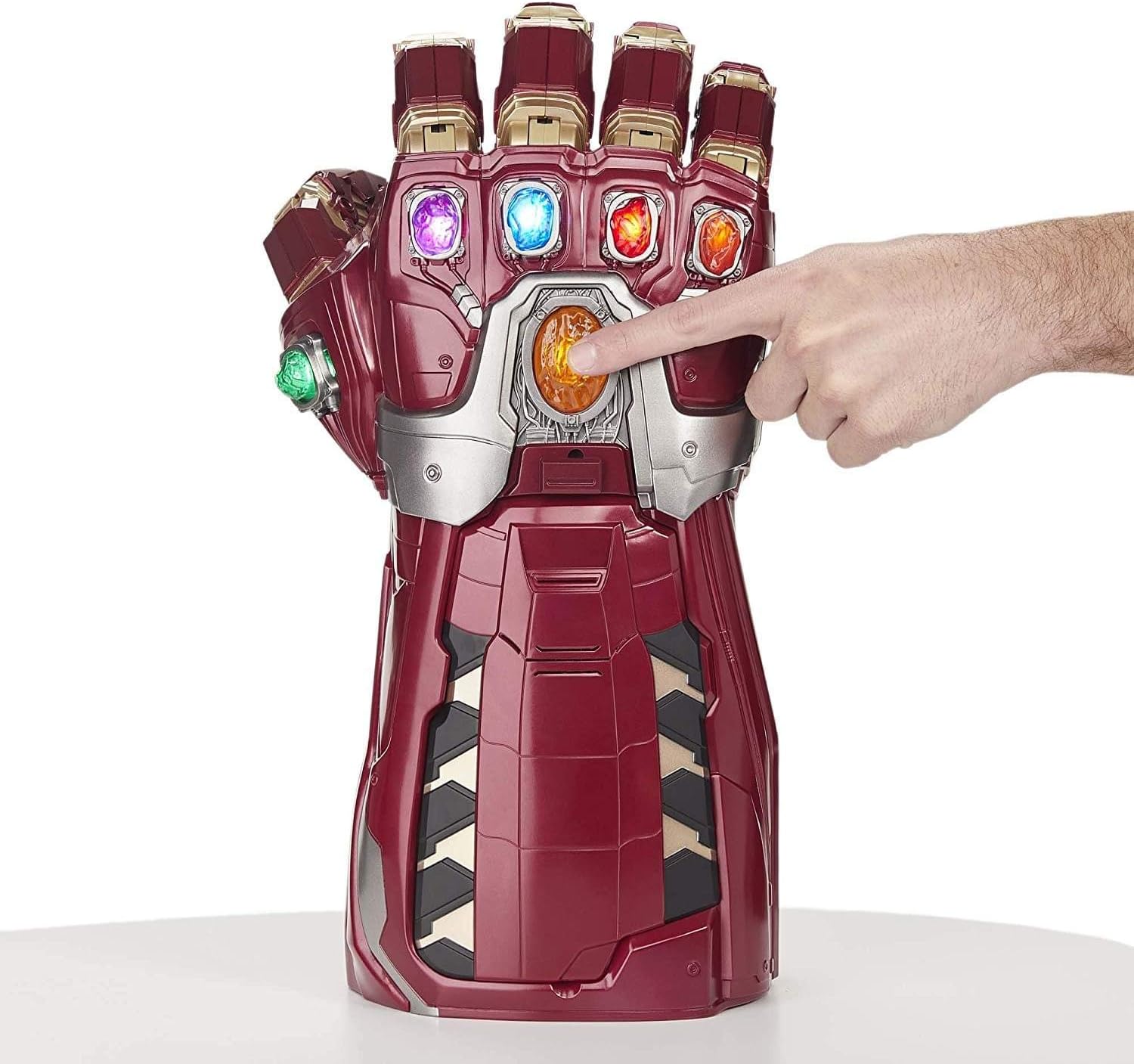
Figure 2: Pressing the central Infinity Stone to activate effects.
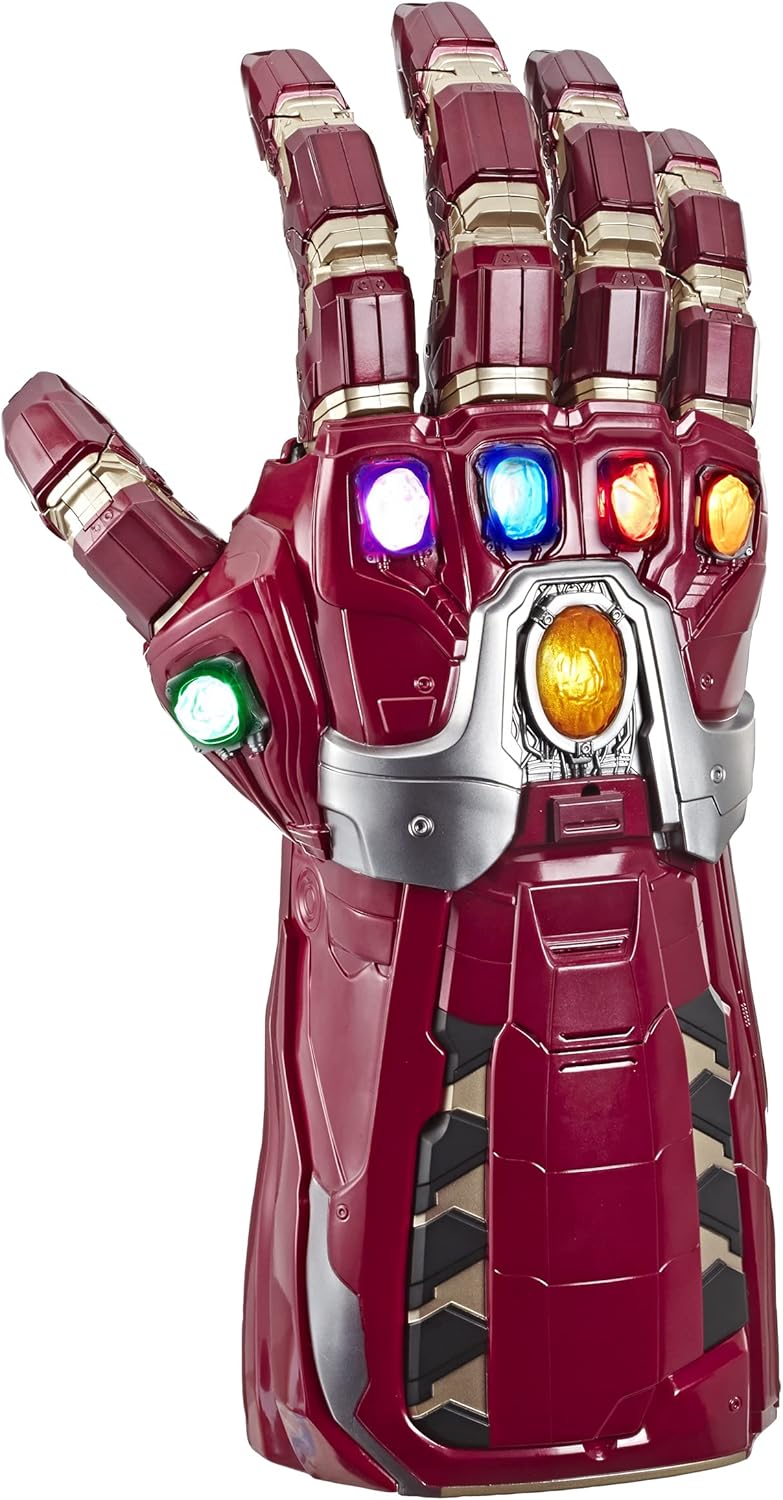
Figure 3: The Power Gauntlet with activated pulsating light effects.
2. Finger Articulation and Lock Mode
The gauntlet features internal controls that allow you to articulate the fingers. To lock the fingers into a clenched fist position for display:
- Manipulate the internal finger controls to achieve the desired clenched fist pose.
- Locate the finger-lock mechanism (refer to product diagrams if available, typically a button or lever near the wrist or palm area).
- Engage the lock mechanism to hold the fingers in place.
- To release, disengage the lock mechanism.
Video 1: Demonstration of the Power Gauntlet's articulated fingers and electronic features.
Maintenance
Cleaning
To clean the gauntlet, wipe it with a soft, dry cloth. Do not use abrasive cleaners or immerse the product in water. Keep the gauntlet away from excessive moisture and direct sunlight.
Storage
When not in use, store the gauntlet in a cool, dry place. If storing for an extended period, remove the batteries to prevent leakage.
Troubleshooting
- No Power/Lights/Sounds:
- Ensure batteries are installed correctly with proper polarity.
- Replace old batteries with new ones.
- Check that the battery compartment cover is securely closed.
- Fingers Not Articulating Properly:
- Ensure your hand is positioned correctly within the gauntlet, aligning with the internal controls.
- Check for any obstructions or debris in the articulation joints.
Specifications
| Attribute | Detail |
|---|---|
| Product Dimensions | 8 x 22 x 12.5 inches |
| Item Weight | 3.31 pounds |
| Item Model Number | E6253 |
| Manufacturer Recommended Age | 18 years and up |
| Batteries Required | 6 AA batteries (not included) |
| Release Date | August 14, 2019 |
| Manufacturer | Hasbro |
Warranty and Support
For warranty information or technical support, please refer to the manufacturer's official website or contact their customer service department. Keep your proof of purchase for any warranty claims.


