
BLACK+DECKER IR06VC
BLACK+DECKER Easy Steam Compact Iron Instruction Manual
Model: IR06VC
Important Safety Instructions
PLEASE READ AND SAVE THIS USE AND CARE BOOK.
When using your iron, basic safety precautions should always be followed, including the following:
READ ALL INSTRUCTIONS BEFORE USING.
- Use iron only for its intended use.
- To protect against a risk of electric shock, do not immerse the iron in water or other liquids.
- The iron should always be turned to the minimum (min) setting before plugging or unplugging from outlet. Never pull on the cord to disconnect from the outlet; instead grasp plug and pull to disconnect.
- Do not allow cord to touch hot surfaces. Let iron cool completely before putting away. Loop cord loosely around iron when storing.
- Always disconnect iron from electrical outlet when filling with water or emptying, and when not in use.
- Do not operate iron if it has been dropped, if there are visible signs of damage to the iron or its cord, or if it is leaking. To avoid the risk of electric shock, do not disassemble the iron. Call the appropriate toll-free number in this manual. Incorrect reassembly can cause a risk of electric shock when the iron is used.
- Close supervision is necessary for any appliance being used by or near children. Do not leave iron unattended while connected or on an ironing board.
- Burns can occur from touching hot metal parts, hot water or steam. Use caution when you turn a steam iron upside down or use the surge of steam – there may be hot water in the reservoir.
- Avoid rapid movement of iron to minimize hot water spillage.
- This appliance is not intended for use by persons (including children) with reduced physical, sensory or mental capabilities, or lack of experience and knowledge, unless they have been given supervision or instruction concerning use of the appliance by a person responsible for their safety.
- Children should be supervised to ensure that they do not play with the appliance.
- The iron must be used and rested on a stable surface.
SPECIAL INSTRUCTIONS
- To avoid a circuit overload, do not operate another high-wattage appliance on the same circuit.
- If an extension cord is absolutely necessary, use a cord rated to 15-ampere or higher. A cord rated for less amperage could result in a risk of fire or electric shock due to overheating. Care should be taken to arrange the cord so that it cannot be pulled or tripped over.
SAVE THESE INSTRUCTIONS.
This product is for household use only.
POLARIZED PLUG
This appliance has a polarized plug (one blade is wider than the other). To reduce the risk of electric shock, this plug is intended to fit into a polarized outlet only one way. If the plug does not fit fully into the outlet, reverse the plug. If it still does not fit, contact a qualified electrician. Do not attempt to modify the plug in any way.
TAMPER-RESISTANT SCREW
Warning: This appliance is equipped with a tamper-resistant screw to prevent removal of the outer cover. To reduce the risk of fire or electric shock, do not attempt to remove the outer cover. There are no user-serviceable parts inside. Repair should be done only by authorized service personnel.
NOTE:
If the power cord is damaged, it must be replaced by the manufacturer, its service agent or similarly qualified person in order to avoid a hazard. Please call the appropriate toll-free number listed in the warranty section of this brochure.
Product Overview
The BLACK+DECKER Easy Steam Compact Iron is designed for efficient and convenient ironing. It features a non-stick soleplate for smooth gliding and smart steam controls for various fabric types.

Image: Side view of the BLACK+DECKER Easy Steam Compact Iron, showcasing its sleek design and water tank.

Image: Front view of the BLACK+DECKER Easy Steam Compact Iron, highlighting the precision tip and water fill opening.
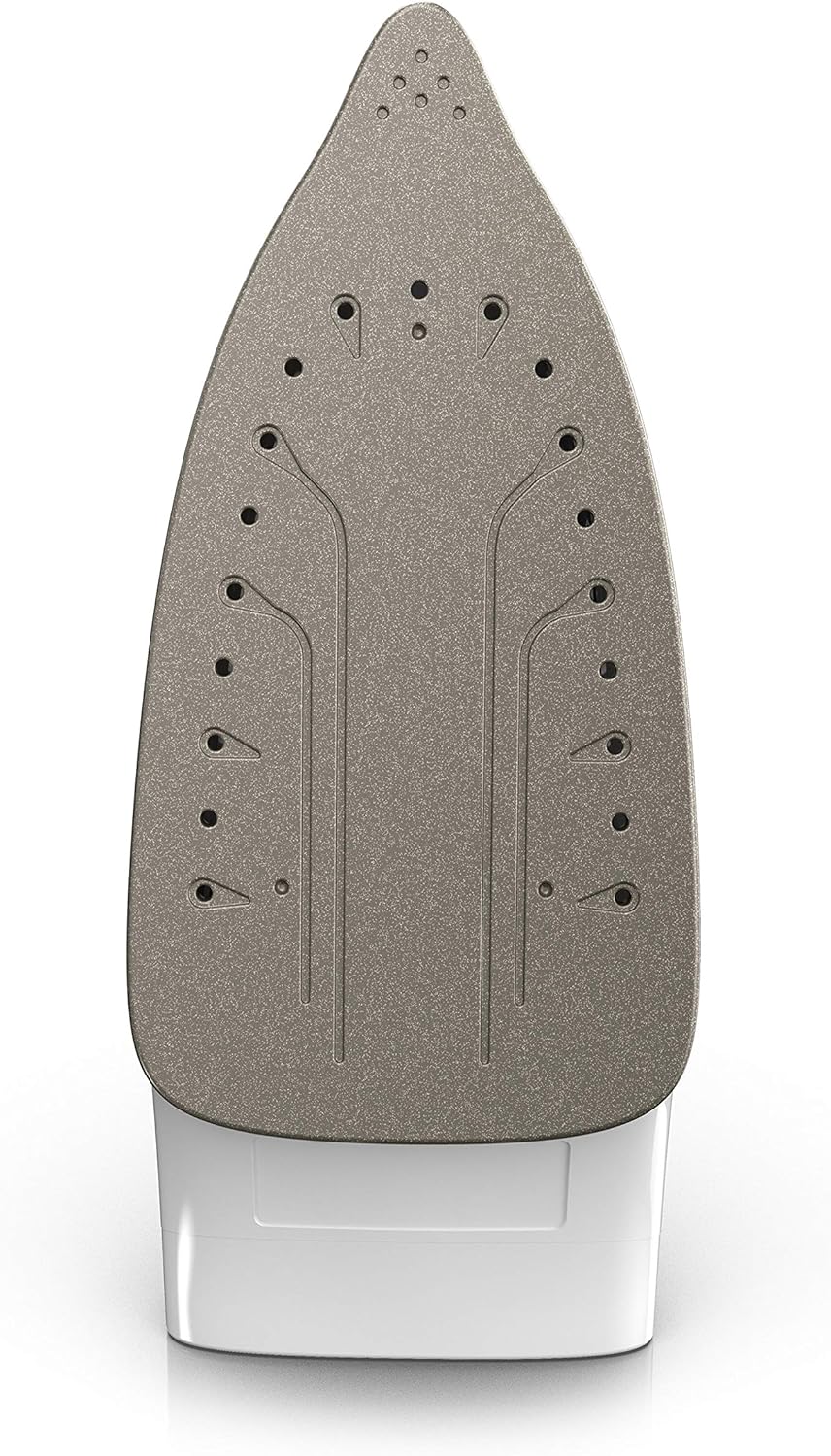
Image: Underside view of the BLACK+DECKER Easy Steam Compact Iron, showing the non-stick soleplate with steam vents.
Setup
Filling the Water Tank
- With the iron on a flat surface, soleplate down, open the water-fill cover.
- Tilt the iron slightly. Using a clean measuring cup, pour water into opening until water reaches the "MAX" level mark on the side of the water tank. Do not overfill. Close the water-fill cover securely.
Tip:
This iron is designed to use normal tap water. If your water is very hard, use 50% tap water and 50% distilled water. Do not use water with additives or to avoid build-up. It is not recommended to use water with perfumes or scented additives.
Tip:
To refill at any time during the ironing process, unplug the iron and follow the above procedure.
Operating Instructions
Using Your Iron
- Plug the iron into an outlet. The red power indicator light will illuminate, indicating the iron is heating up.
- Read the manufacturer's fabric label for clothing care recommendations to help select the correct temperature setting.
Tip:
Since it takes the iron longer to cool down than heat up, organizing your clothing from Low to High temperature can cut down your ironing time.
- Turn the Smart Steam dial to automatically select the desired steam level based on the fabric setting.
- Allow the iron to heat for 2 minutes to heat up to the desired temperature.
Tip:
To dry iron (no steam) use SmartSteam™ settings 1–3, or for high heat simply empty the water tank. Once preheated, press the Burst of Steam button for an extra burst of steam to help remove stubborn wrinkles. When finished ironing, turn the dial to the MIN setting, unplug iron from the outlet, and allow to cool before storing.
Burst of Steam
To help remove stubborn wrinkles, fill tank and select a setting from 4–6, then press Steam Burst button.
Anti Drip System
This iron is engineered to prevent water spotting at lower temperatures.
Vertical Steaming
Hold iron vertically and press the Burst of Steam button to steam garments right on the hanger or to steam drapes and curtains.
Spray Mist
Press the Spray Mist button to dampen tough wrinkles while ironing. This setting works at any SmartSteam™ dial setting. Do not spray silk.
Maintenance
CLEANING AND CARE
This product contains no user serviceable parts. Refer to qualified service personnel.
CLEANING OUTSIDE SURFACES
- Make sure the iron is unplugged and has completely cooled.
- Wipe the soleplate and outer surface with a soft, damp cloth. Water and small amounts of gentle household soaps, such as dishwashing liquid, can be used. Never use heavy-duty cleaners, vinegar or abrasive scouring pads. Do not immerse the iron in water.
- After the iron has been thoroughly dried, turn the iron back on and lightly iron over an old cloth. This will help remove any residue left in the steam holes.
- When you are done cleaning, turn off and allow time to cool before storing.
STORING YOUR IRON
- Check that the iron is on the MIN setting, unplugged and completely cool.
- Always store the iron vertically on its heel to prevent water leaking from the soleplate.
Troubleshooting
| Problem | Possible Cause | Solution |
|---|---|---|
| Iron does not heat up. | Iron is not plugged in or power outlet is not working. | Ensure iron is securely plugged into a working electrical outlet. Check circuit breaker. |
| No steam or insufficient steam. | Water tank is empty or temperature setting is too low for steam. | Fill water tank. Increase temperature setting to a steam-appropriate level (4-6). |
| Water leaks from soleplate. | Temperature is too low for steam, or tank is overfilled. | Increase temperature setting. Do not overfill water tank. Ensure water-fill cover is closed securely. |
| Iron sticks to fabric. | Soleplate is dirty or temperature is too high for fabric type. | Clean soleplate as per maintenance instructions. Adjust temperature setting according to fabric type. |
Specifications
| Feature | Detail |
|---|---|
| Brand | BLACK+DECKER |
| Model Name | Easy Steam Compact Iron |
| Model Number | IR06VC |
| Special Feature | Non-stick, Travel-ready |
| Recommended Uses | Wrinkles |
| Base Material | Aluminum |
| Frequency | 50 Hz |
| Product Dimensions | 4.44 x 10.63 x 5.7 inches |
| Item Weight | 2.09 pounds |
| UPC | 050875822429 |
Warranty and Support
HOW TO GET SERVICE
For service, repair or any questions regarding your appliance, call the appropriate 800 number listed in this section. Please DO NOT return the product to the place of purchase. Also, please DO NOT mail product back to manufacturer, nor bring it to a service center. You may also want to consult the website listed on the cover of this manual.
Two-Year Limited Warranty (Applies only in the United States and Canada)
For warranty claims or general inquiries, please visit www.prodprotect.com/blackanddecker to register your warranty.
This product is for household use only.
Getting Started
Remove all packing material, any stickers, and the plastic band around the power plug and all labels, tags and stickers attached to the body, cord, or soleplate of the iron.
Clean the soleplate with a soft cloth before first use.
Related documentsIR06VC


Ask a question about this manual
Ask about setup, troubleshooting, compatibility, parts, safety, or missing instructions. Manuals+ will review the question and use this page’s manual context to help answer it.