1. Introduction
The Carrera 181066 RC Official Licensed Kart Mach 8 Mario is a 1:18 scale remote control car designed for children aged 6 years and over. This RC vehicle features a dynamic figure motion where Mario leans into turns, enhancing the racing experience. It operates on a 2.4 GHz digital frequency system, allowing up to 16 vehicles to race simultaneously without interference. The car is powered by a rechargeable LiFePO4 battery, offering approximately 20 minutes of driving time per 50-minute charge. Its full function technology ensures easy and precise steering, making it an ideal choice for fans of Mario Kart and remote-controlled vehicles.
2. What's in the Box
- Remote Control Vehicle (Mario Kart Mach 8 - Mario)
- LiFePO4 Rechargeable Battery
- Remote Controller
- Controller Batteries (AAA)
- USB Charging Cable

Figure 2.1: Included components: Mario Kart Mach 8 RC car, 2.4 GHz controller, 3.2V 700mAh battery, USB charging cable, and 8x AAA alkaline batteries for the controller.
3. Setup
3.1 Battery Installation (Controller)
- Locate the battery compartment on the back of the remote controller.
- Using a small Phillips head screwdriver, unscrew the battery compartment cover.
- Insert the provided AAA batteries, ensuring correct polarity (+/-).
- Replace the cover and secure it with the screw.
3.2 Charging the Vehicle Battery
- Locate the battery compartment on the underside of the RC vehicle.
- Using a small Phillips head screwdriver, unscrew the battery compartment cover.
- Carefully disconnect the LiFePO4 battery from the vehicle's internal connector.
- Connect the battery to the provided USB charging cable.
- Plug the USB charging cable into a compatible USB power source (e.g., computer, USB wall adapter).
- The battery typically charges in approximately 50 minutes. Once fully charged, disconnect the battery from the USB cable.
- Reconnect the charged battery to the vehicle's internal connector, replace the cover, and secure it with the screw.

Figure 3.1: Underside of the vehicle showing the battery compartment. The battery is rechargeable via the included USB cable.
4. Operating Instructions
4.1 Powering On
- Ensure both the vehicle and the remote controller have charged batteries.
- Turn on the remote controller using the ON/OFF switch. An indicator light will illuminate.
- Turn on the RC vehicle using the ON/OFF switch located on its side. An indicator light will illuminate.
- The vehicle and controller will automatically pair.
Video 4.1: Official Carrera RC video demonstrating the Mario Kart Mach 8 and Scooter RC vehicles in action, including powering on and basic controls.
4.2 Basic Controls
- Forward/Backward: Use the left joystick/trigger on the remote controller to move the vehicle forward or backward.
- Steering (Left/Right): Use the right joystick/trigger on the remote controller to steer the vehicle left or right.
- Dynamic Figure Motion: Mario's figure will dynamically lean into turns as the vehicle steers, adding to the realistic racing experience.
- 2.4 GHz Technology: The advanced 2.4 GHz frequency allows for interference-free operation, enabling multiple Carrera RC vehicles (up to 16) to race simultaneously.

Figure 4.1: The Mario Kart Mach 8 RC car and its remote controller, ready for action.
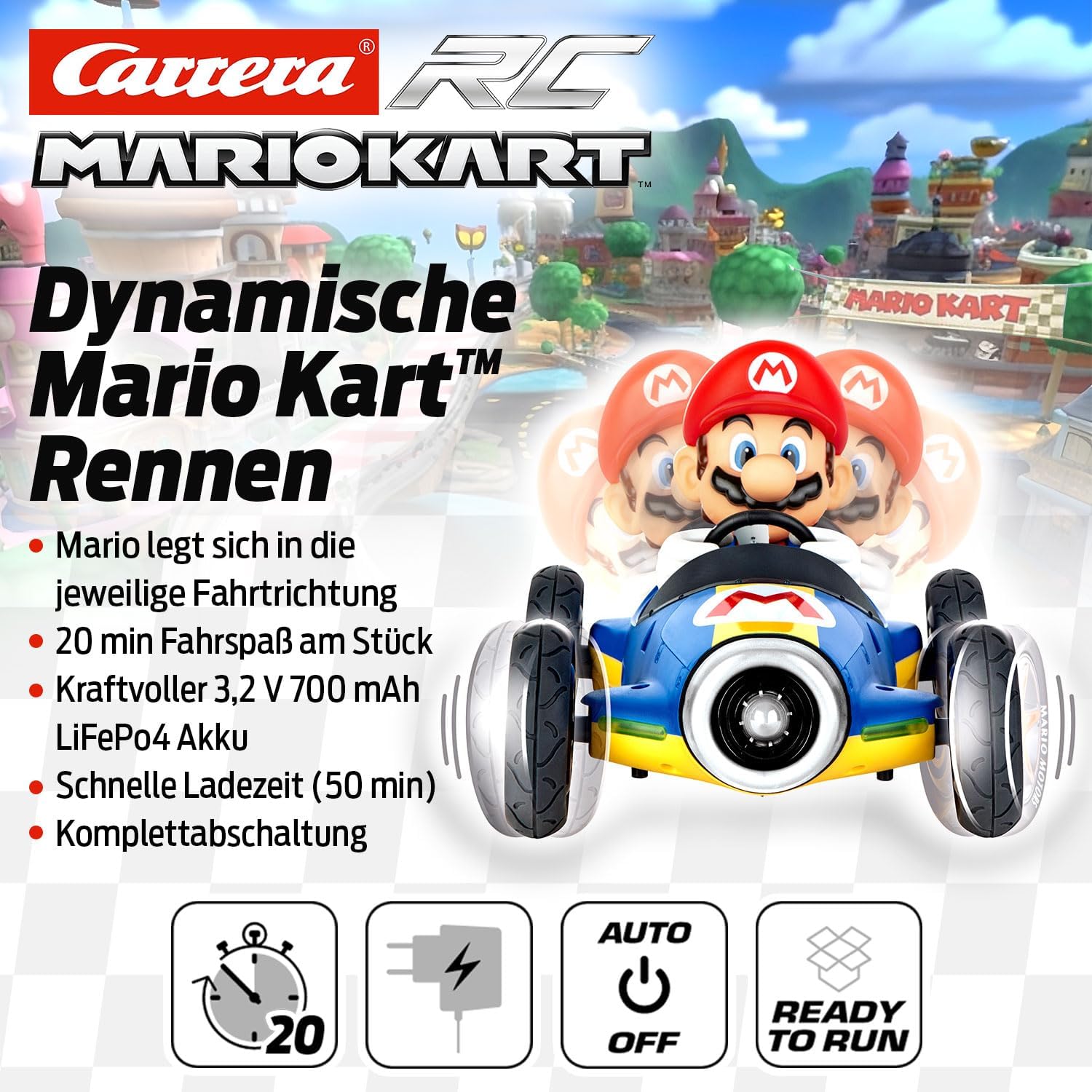
Figure 4.2: Mario's dynamic motion feature, where he leans into the direction of travel.
5. Maintenance
- Cleaning: Use a soft, dry cloth to wipe down the vehicle and controller. Avoid using water or harsh chemicals.
- Storage: Store the vehicle and controller in a cool, dry place away from direct sunlight and extreme temperatures. Remove batteries from the controller if storing for extended periods.
- Battery Care: Always fully charge the LiFePO4 battery before first use and after each play session for optimal performance and longevity. Do not overcharge.
6. Troubleshooting
- Vehicle not responding:
- Ensure both the vehicle and controller are turned ON.
- Check if batteries in both the vehicle and controller are fully charged and correctly installed.
- Verify that the vehicle and controller are within range (2.4 GHz technology provides a good range, but extreme distances or obstacles can affect performance).
- Short Playtime:
- Ensure the LiFePO4 battery is fully charged (approx. 50 minutes for 20 minutes playtime).
- Driving on rough surfaces or continuously at high speeds can reduce battery life.
- Interference:
- While 2.4 GHz technology minimizes interference, strong electromagnetic fields or other 2.4 GHz devices nearby might cause issues. Try moving to a different location.
7. Specifications
| Feature | Detail |
|---|---|
| Product Dimensions | 10.24 x 5 x 4 inches |
| Item Weight | 1.7 pounds |
| Scale | 1:18 |
| Model Number | 370181066 |
| Recommended Age | 6 years and up |
| Battery Type (Vehicle) | 1 Lithium Metal (LiFePO4) rechargeable battery |
| Battery Type (Controller) | AAA batteries (included) |
| Max Speed | Up to 5.6 mph (9 km/h) |
| Driving Time | Approx. 20 minutes |
| Charging Time | Approx. 50 minutes |
| Frequency | 2.4 GHz (supports up to 16 vehicles) |
| Manufacturer | Carrera |
8. Safety Information
Warning: Choking Hazard - Small Parts. Not for children under 3 years.
- Always supervise children during play.
- Do not operate the vehicle near people, pets, or fragile objects.
- Avoid operating in wet conditions or on public roads.
- Do not attempt to modify or disassemble the vehicle or controller.
- Use only the specified batteries and charging cable.
9. Warranty and Support
Specific warranty information for this product is not provided in the available data. For warranty claims, technical support, or replacement parts, please contact Carrera customer service directly or refer to the official Carrera website for detailed information.
You may also refer to the official user manual (PDF) available for download: User Manual (PDF)


