
1. Introduction
This manual provides comprehensive instructions for the Huawei P Smart Plus 2019 smartphone. It covers essential information regarding product features, setup, operation, maintenance, and troubleshooting to ensure optimal use of your device. Please read this manual thoroughly before using your smartphone.
2. Product Overview
Familiarize yourself with the physical components of your Huawei P Smart Plus 2019 smartphone.
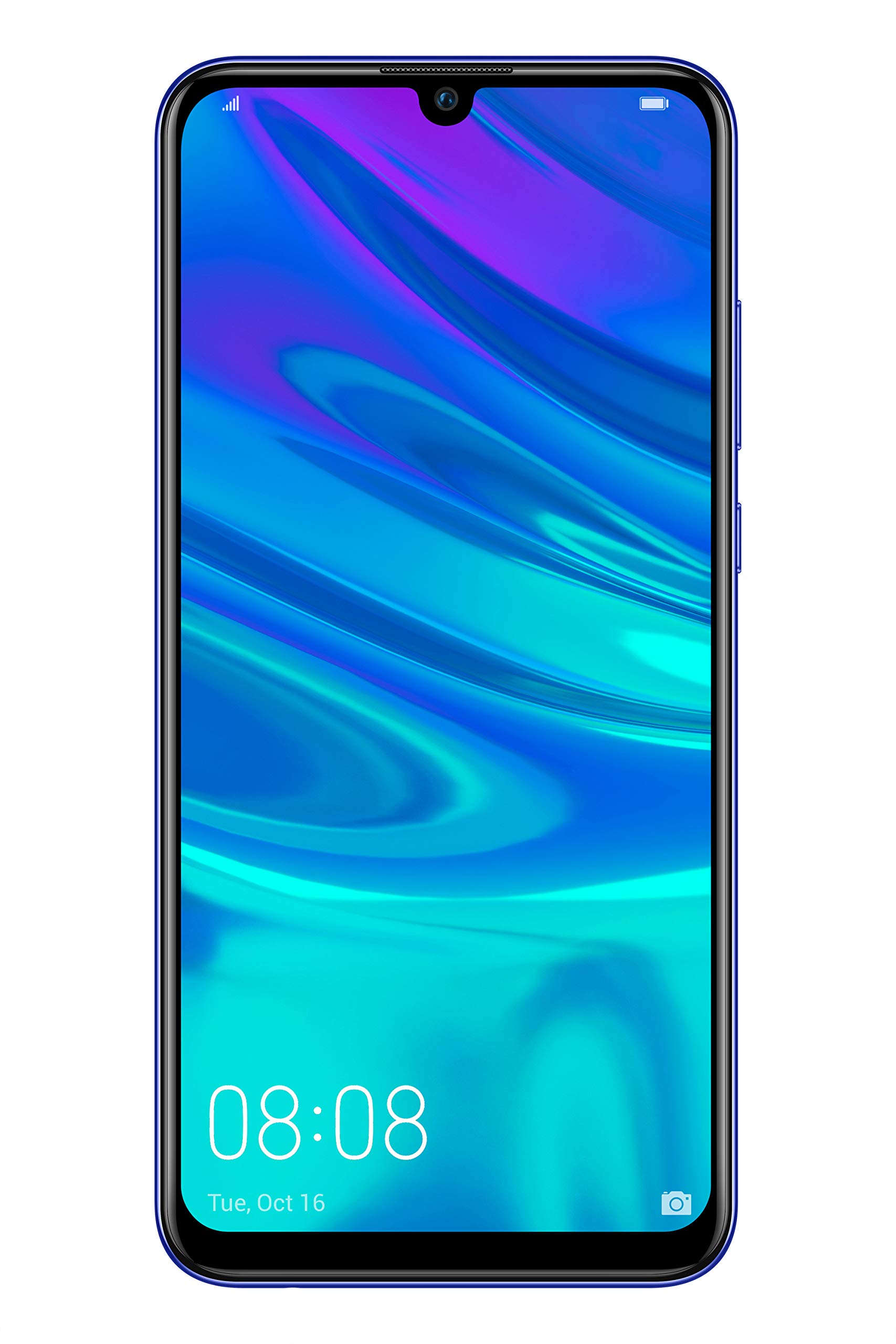
Figure 2.1: Rear view of the Huawei P Smart Plus 2019 smartphone, showing the triple camera module, fingerprint sensor, and HUAWEI branding.
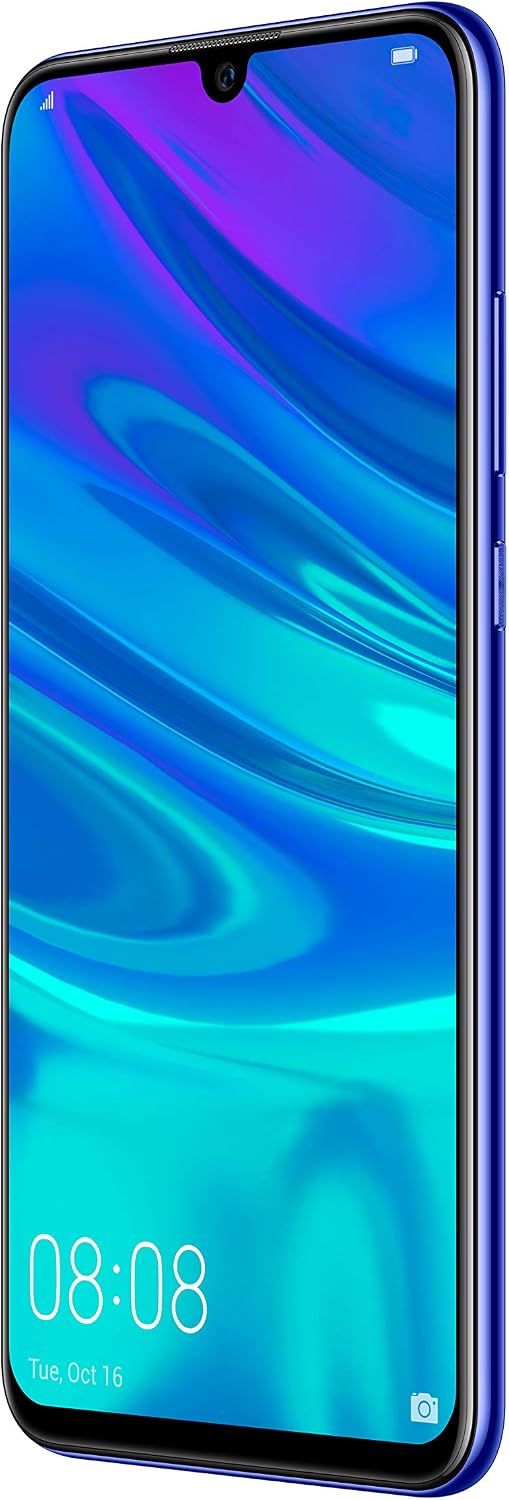
Figure 2.2: Front view of the Huawei P Smart Plus 2019 smartphone, displaying the 6.21-inch screen with a small notch for the front camera.

Figure 2.3: Side view of the Huawei P Smart Plus 2019 smartphone, highlighting the power and volume buttons.
Key Components:
- Display: 6.21-inch FHD+ LCD screen.
- Front Camera: Located in the display notch.
- Rear Cameras: Triple camera module on the back.
- Fingerprint Sensor: Circular sensor on the rear panel.
- Power Button: On the right side of the device.
- Volume Buttons: Above the power button on the right side.
- SIM/MicroSD Card Slot: Typically on the left side or top edge.
- Charging Port: USB Type-C, usually at the bottom.
- Speaker/Microphone: Located at the bottom.
3. Setup
3.1 Inserting SIM and MicroSD Cards
- Locate the SIM card tray on the side of your device.
- Insert the SIM ejector tool into the small hole next to the tray to open it.
- Place your Nano-SIM card(s) and/or microSD card into the tray, ensuring correct orientation as indicated on the tray. This device supports Dual SIM functionality and expandable storage up to 512GB.
- Carefully push the tray back into the slot until it is flush with the device.
3.2 Initial Power On and Charging
- To power on, press and hold the Power button until the HUAWEI logo appears.
- Follow the on-screen prompts to complete the initial setup, including language selection, Wi-Fi connection, and Google account setup.
- Before first use, it is recommended to fully charge the device. Connect the provided USB Type-C cable to the phone's charging port and the other end to a power adapter.
4. Operating Instructions
4.1 Basic Functions
- Power On/Off/Restart: Press and hold the Power button. Select the desired option from the menu.
- Screen Lock/Unlock: Press the Power button to lock/unlock the screen. Use Face Recognition or the Fingerprint Sensor for secure unlocking.
- Calls and Messages: Use the Phone and Messaging applications for communication.
- Network Connectivity: Access Wi-Fi settings from the Quick Settings panel or Settings app. Enable mobile data for internet access via your SIM card.
4.2 Camera Usage
The Huawei P Smart Plus 2019 features a versatile camera system.
- Rear Camera: The triple camera setup includes a 24MP main sensor, a 16MP ultra-wide sensor, and a 2MP bokeh sensor. Open the Camera app and select modes like Automatic, Portrait, or Sport.
- Front Camera: An 8MP front camera is available for selfies and video calls. Switch to the front camera within the Camera app.
- AI Features: The camera utilizes AI to optimize scene recognition and enhance photo quality.
4.3 Storage and Memory
Your device comes with 64GB of internal storage, which can be expanded up to 512GB using a microSD card. It has 3GB of RAM for smooth multitasking.
4.4 Battery Management
The device is equipped with a 3400 mAh Lithium-Polymer battery. To optimize battery life, manage background apps, adjust screen brightness, and utilize power-saving modes available in the Settings app.
4.5 Operating System
The smartphone runs on Android 9 (Pie) with Huawei's EMUI 9 interface, offering a range of features and customization options.
5. Maintenance
5.1 Cleaning Your Device
Use a soft, lint-free cloth to gently wipe the screen and body of your phone. Avoid using harsh chemicals or abrasive materials, which can damage the device's finish or screen coating.
5.2 Software Updates
Regularly check for and install software updates to ensure your device has the latest features, security patches, and performance improvements. You can usually find this option in Settings > System > Software update.
5.3 Battery Care
To prolong battery lifespan, avoid extreme temperatures. Do not leave the phone fully charged or fully discharged for extended periods. Use only approved chargers and cables.
5.4 Data Backup
Regularly back up your important data (photos, contacts, documents) to a cloud service or a computer to prevent data loss.
6. Troubleshooting
This section addresses common issues you might encounter with your Huawei P Smart Plus 2019.
6.1 Device Not Turning On
- Ensure the battery is charged. Connect the charger and wait a few minutes before attempting to power on.
- Press and hold the Power button for at least 10-15 seconds to force a restart.
6.2 Poor Battery Life
- Close unused applications running in the background.
- Reduce screen brightness and set a shorter screen timeout.
- Disable Wi-Fi, Bluetooth, and GPS when not in use.
- Check battery usage in Settings to identify power-hungry apps.
6.3 Network Issues (No Signal/Wi-Fi Disconnection)
- Restart your device.
- Ensure your SIM card is correctly inserted and your mobile data plan is active.
- For Wi-Fi, try restarting your router. Forget the network on your phone and reconnect.
6.4 Apps Crashing or Freezing
- Force close the app and reopen it.
- Clear the app's cache and data in Settings > Apps.
- Ensure the app is updated to its latest version.
- If the issue persists, consider uninstalling and reinstalling the app.
6.5 Factory Reset (Last Resort)
If other troubleshooting steps fail, a factory reset may resolve persistent issues. Warning: This will erase all data on your device. Back up your data before proceeding. Go to Settings > System > Reset > Factory data reset.
7. Specifications
| Feature | Detail |
|---|---|
| Model Number | POT-LX1T, 51093RVX |
| Display | 6.21 inches, LCD, FHD+ (2340 x 1080 pixels), 415 PPI |
| Processor | Kirin 710 Octa-core (4 x 2.2 GHz, 4 x 1.7 GHz) |
| RAM | 3 GB |
| Internal Storage | 64 GB |
| Expandable Storage | MicroSD up to 512 GB |
| Rear Camera | Triple: 24 MP (main) + 16 MP (ultra-wide) + 2 MP (bokeh) |
| Front Camera | 8 MP |
| Battery | 3400 mAh Lithium-Polymer |
| Operating System | Android 9 (Pie) with EMUI 9 |
| SIM Card Type | Nano-SIM (Dual SIM support) |
| Connectivity | LTE, GSM, Wi-Fi, Bluetooth, USB Type-C |
| Biometric Security | Fingerprint Sensor, Face Recognition |
| Dimensions | 8 x 155 x 73 mm |
| Weight | 160 grams |
| Average Battery Life | 25 hours |
8. Safety Information
Please observe the following safety guidelines to prevent injury or damage to your device:
- Do not expose the device to extreme temperatures, direct sunlight, or moisture.
- Use only approved chargers and accessories.
- Avoid dropping or subjecting the device to severe impact.
- Do not attempt to disassemble or repair the device yourself. Refer to authorized service personnel.
- Keep the device away from medical devices to avoid interference.
- Dispose of the device and its battery responsibly according to local regulations.
9. Warranty and Support
Your Huawei P Smart Plus 2019 smartphone is covered by a limited warranty. For detailed warranty terms and conditions, please refer to the warranty card included in the product packaging or visit the official HUAWEI website.
For technical support, service, or further assistance, please contact HUAWEI customer service or visit an authorized service center. Contact information can typically be found on the official HUAWEI support website.