
Introduction
This manual provides detailed instructions for the proper setup, operation, and maintenance of your Gosky 20-60x80 Dual Focusing Spotting Scope. Please read this manual thoroughly before using the product to ensure optimal performance and longevity.

Image: The Gosky 20-60x80 Dual Focusing Spotting Scope, showcasing its angled design and green/black finish.
Product Components
Your Gosky 20-60x80 Spotting Scope package includes the following items:
- Gosky 20-60x80 Spotting Scope
- Tripod
- Carrying Bag
- Smartphone Adapter
- Eyepiece and Objective Lens Protection Covers
- Cleaning Cloth

Image: All components included with the Gosky 20-60x80 Spotting Scope: the scope itself, a tripod, a carrying bag, and a smartphone adapter.
Setup Instructions
- Attach the Tripod: Extend the legs of the included tripod and secure the spotting scope to the tripod mount collar. Ensure the scope is stable.
- Remove Lens Covers: Carefully remove the protective covers from both the eyepiece and the objective lens.
- Adjust Sunshade: The objective lens features a retractable sunshade. Extend it by pulling it forward to reduce glare and protect the lens from rain or dust.
- Eyepiece Rotation: Loosen the small knob near the eyepiece to rotate the eyepiece housing. This allows for comfortable viewing from various angles. Tighten the knob once the desired position is achieved.

Image: Labeled diagram of the spotting scope, indicating the objective lens, retractable sunshade, focus knobs, magnification wheel, and eyepiece.
Operating Instructions
1. Adjusting Magnification
Rotate the magnification zoom wheel on the eyepiece to adjust the magnification from 20x to 60x. Start with lower magnification (20x) to locate your target, then increase as needed for more detail.

Image: The eyepiece with the magnification ring, allowing adjustment between 20x and 60x zoom.
2. Focusing
The scope features a dual-speed focus system:
- Fast Focus Knob: Use the larger knob for quick adjustments to bring the image into approximate focus.
- Fine Focus Knob: Use the smaller knob for precise, sharp focusing.

Image: The dual focus knobs, designed for both rapid and precise focusing.
3. Using the Smartphone Adapter
To capture photos or videos through the spotting scope, attach your smartphone using the provided adapter:
- Securely mount your smartphone into the adapter.
- Align your phone's camera lens with the eyepiece of the spotting scope.
- Adjust the adapter to ensure the camera is centered and stable over the eyepiece.
- Use your phone's camera app to view and capture images or videos.

Image: The spotting scope with a smartphone mounted via the adapter, demonstrating its digiscoping capability.

Image: Comparison of views at 20x, 40x, and 60x magnification, illustrating the detail visible at different zoom levels.
Applications
The Gosky 20-60x80 Spotting Scope is suitable for a variety of outdoor activities:
- Target Shooting
- Hunting
- Bird Watching
- Wildlife Observation
- Scenery Viewing
- Moon Observation

Image: Examples of the spotting scope's versatility, including bird watching, hunting, landscape observation, and lunar viewing.
Care and Maintenance
- Cleaning Lenses: Use the provided cleaning cloth or a soft, lint-free cloth to gently wipe the lenses. Avoid using abrasive materials or excessive force. For stubborn spots, a small amount of lens cleaning fluid designed for optics can be applied to the cloth, not directly to the lens.
- Waterproof and Fog-proof: The spotting scope is nitrogen purged and O-ring sealed, making it waterproof and fog-proof. This protects against moisture, dust, and debris. However, avoid submerging the scope in water.
- Storage: When not in use, store the spotting scope in its carrying bag with all lens covers in place to protect it from dust and physical damage. Store in a cool, dry place.
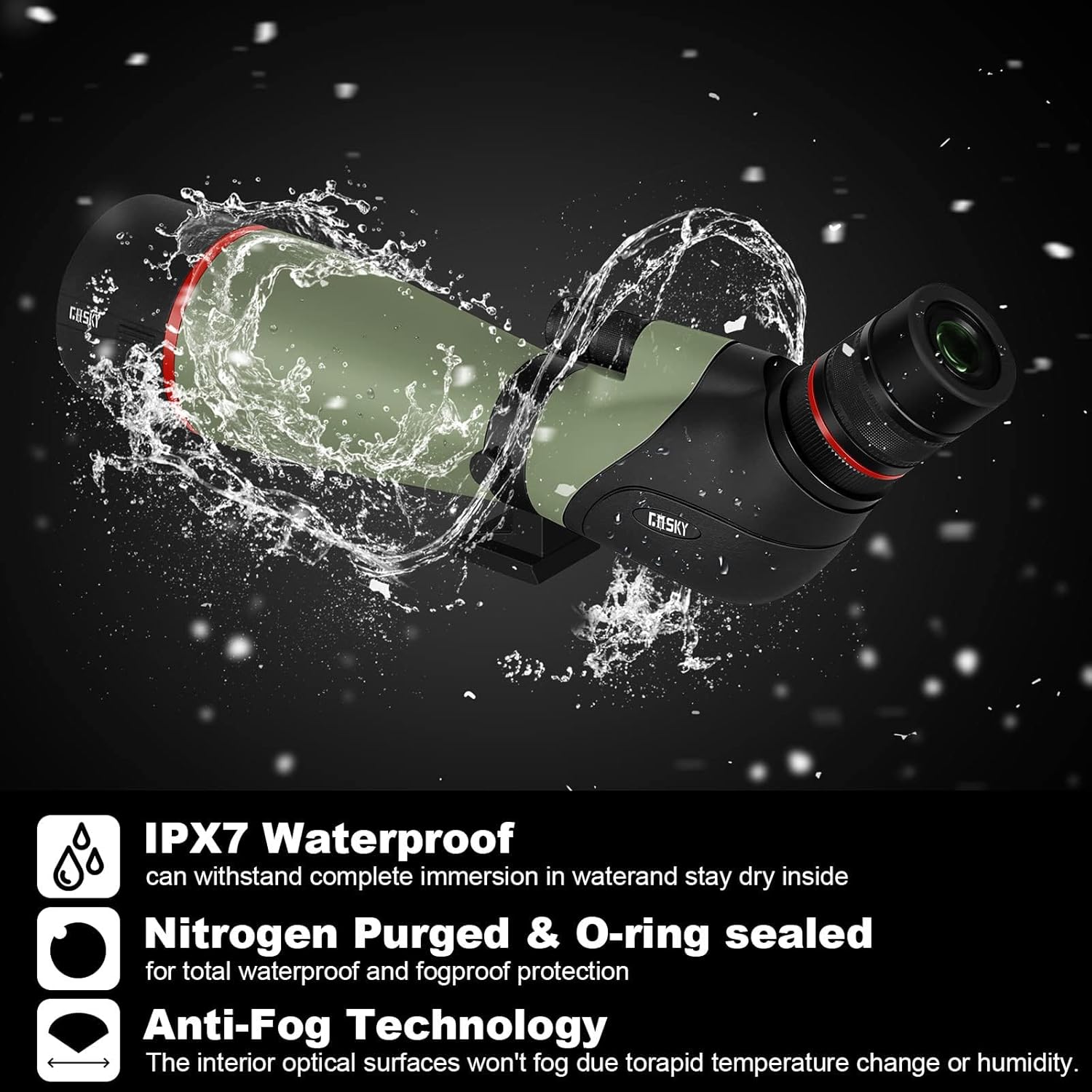
Image: The spotting scope demonstrating its waterproof capabilities, highlighting its durability in various weather conditions.
Troubleshooting
| Problem | Possible Cause | Solution |
|---|---|---|
| Image is blurry or out of focus. | Incorrect focus adjustment. | Adjust the fast focus knob for approximate focus, then use the fine focus knob for sharp clarity. Ensure the magnification is set appropriately. |
| Dark edges or vignetting when using smartphone adapter. | Smartphone camera not perfectly aligned with the eyepiece. | Re-align the smartphone camera precisely over the center of the eyepiece. Adjust the adapter's position until the dark edges disappear or are minimized. |
| Image appears dim. | Low light conditions or high magnification. | Use the scope in brighter conditions if possible. Lower the magnification, as higher magnification reduces brightness. Ensure lenses are clean. |
| Difficulty adjusting magnification. | Stiff magnification ring. | Gently rotate the magnification ring. If it remains stiff, ensure no debris is obstructing it. Avoid forcing the mechanism. |
Specifications
| Feature | Detail |
|---|---|
| Brand | Gosky |
| Model Name | 20-60x80 |
| Optical Tube Length | 50 Millimeters |
| Eyepiece Lens Description | Kellner or Erflle |
| Objective Lens Diameter | 80 Millimeters |
| Telescope Mount Description | Altazimuth Mount |
| Product Dimensions | 17.5"D x 4.7"W x 6.6"H |
| Focus Type | Manual Focus |
| Power Source | Manual |
| Finderscope | Reflex |
| Mount | Altazimuth Mount |
| Compatible Devices | Smartphone |
| Coating | Multi-Coated |
| Focal Length Description | 20-60 millimeters |
| Field Of View | 0.48 Degrees |
| Zoom Ratio | 20-60 |
| Additional Features | Smartphone adapter for digiscoping |
| Item Weight | 1.1 Kilograms |
| Exit Pupil Diameter | 1.33 Millimeters |
| UPC | 711102627513 |
| Model Number | QHSP033 |
Warranty and Support
The Gosky 20-60x80 Dual Focusing Spotting Scope comes with a 1-year warranty from the manufacturer. For warranty claims, technical support, or any inquiries regarding your product, please contact Gosky customer service through their official channels.
Please retain your proof of purchase for warranty validation.