
Introduction
The COMICA CVM-V02C is a cardioid XLR lavalier microphone designed for professional audio recording. It features a metal body for enhanced shielding and requires 48V phantom power for operation. This manual provides essential information for setting up, operating, and maintaining your microphone.
Key Features
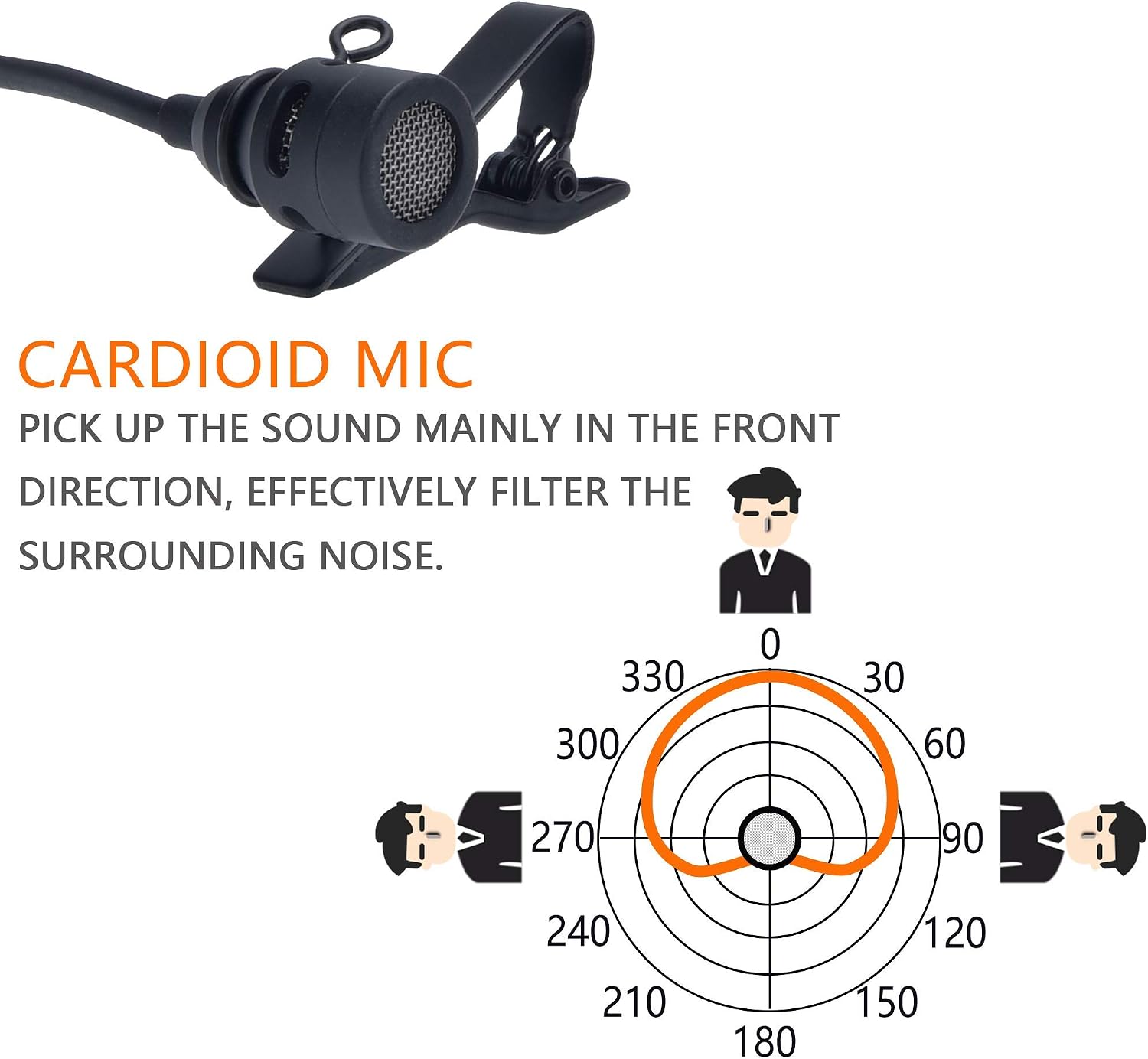
- Cardioid Polar Pattern: Primarily captures sound from the front, effectively reducing ambient noise.
- 48V Phantom Power: Operates without internal batteries, powered directly by your device.
- Low Distortion: Flat frequency response for clear, natural sound reproduction.
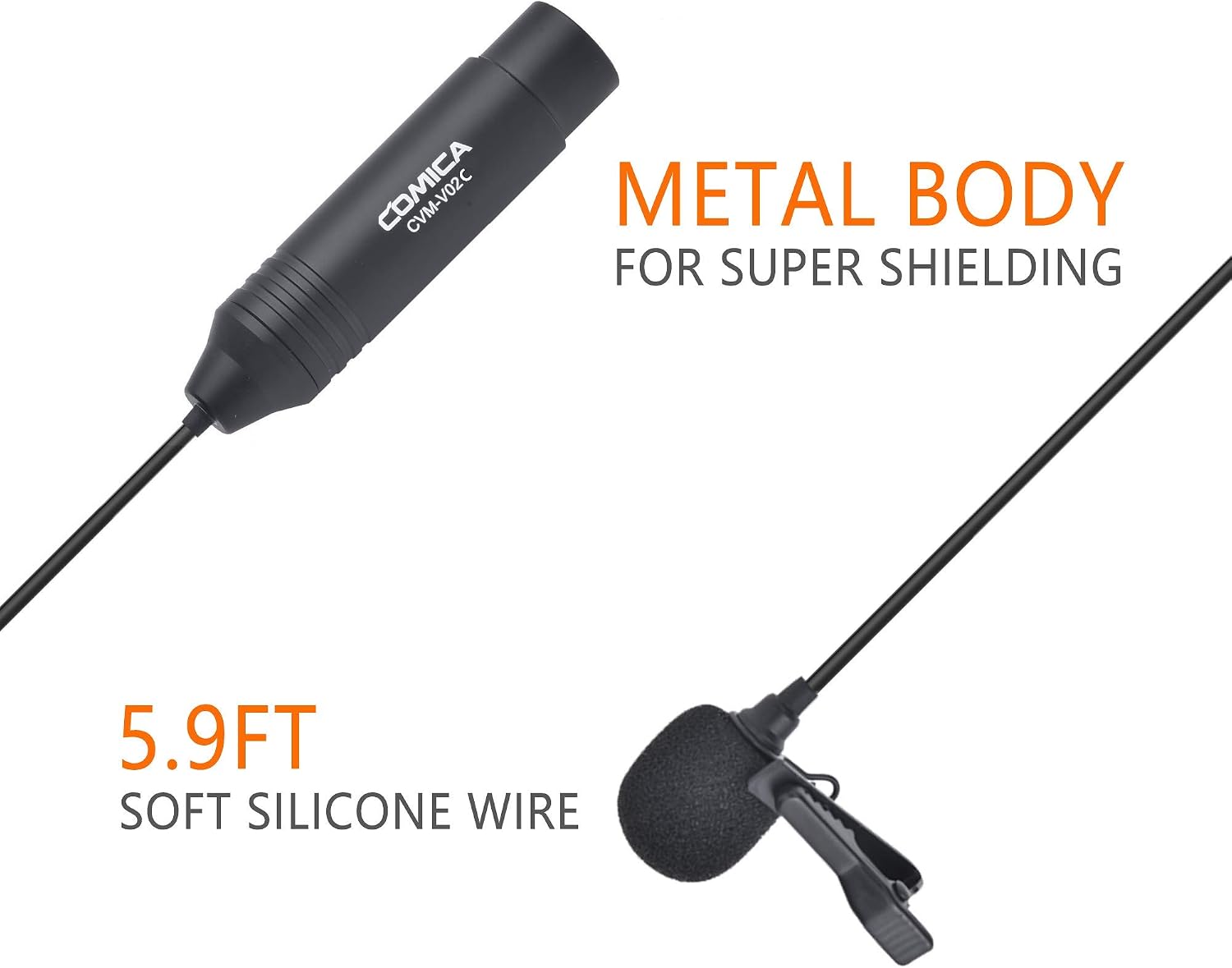
- Durable Metal Construction: CNC-processed metal body for superior shielding and longevity.
- Flexible Cable: 5.9-foot (1.8m) soft silicone wire for comfortable use and easy adjustment.
- XLR Connector: Standard 3-pin XLR for balanced audio output.
Package Contents
Verify that all items are present in your package:
- COMICA CVM-V02C XLR Cardioid Lavalier Microphone
- Wind Muff (Furry Windscreen)
- Foam Windscreen
- Lapel Clip
- User Manual / Warranty Card

Product Overview
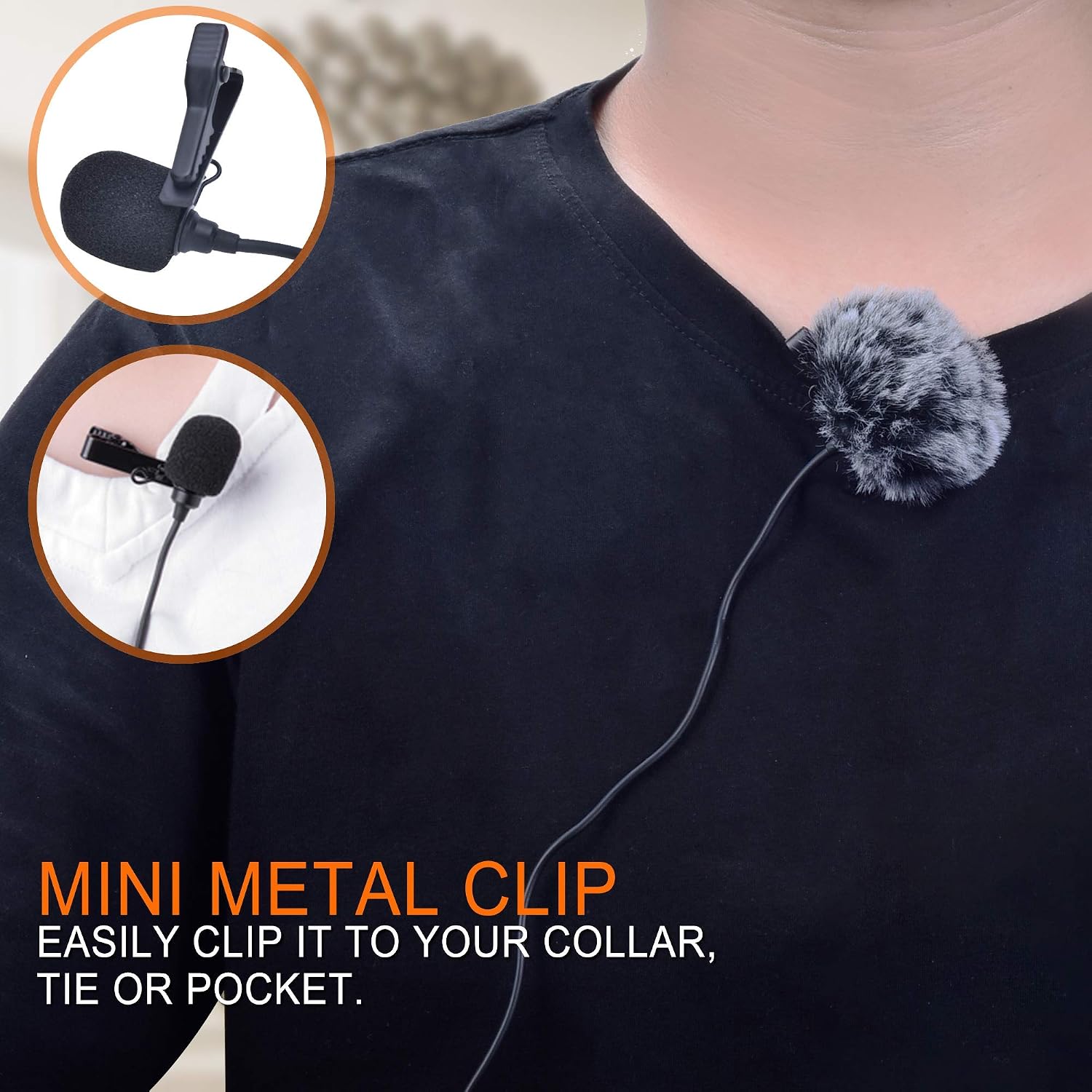
The CVM-V02C microphone consists of a compact lavalier microphone head, a 5.9-foot (1.8m) soft silicone cable, and a robust XLR connector module. The microphone head is designed for discreet placement and comes with a mini metal clip for attachment to clothing.
Setup
- Attach the Microphone: Secure the lavalier microphone to your clothing using the provided clip. Position it approximately 6-8 inches (15-20 cm) from your mouth for optimal sound capture.
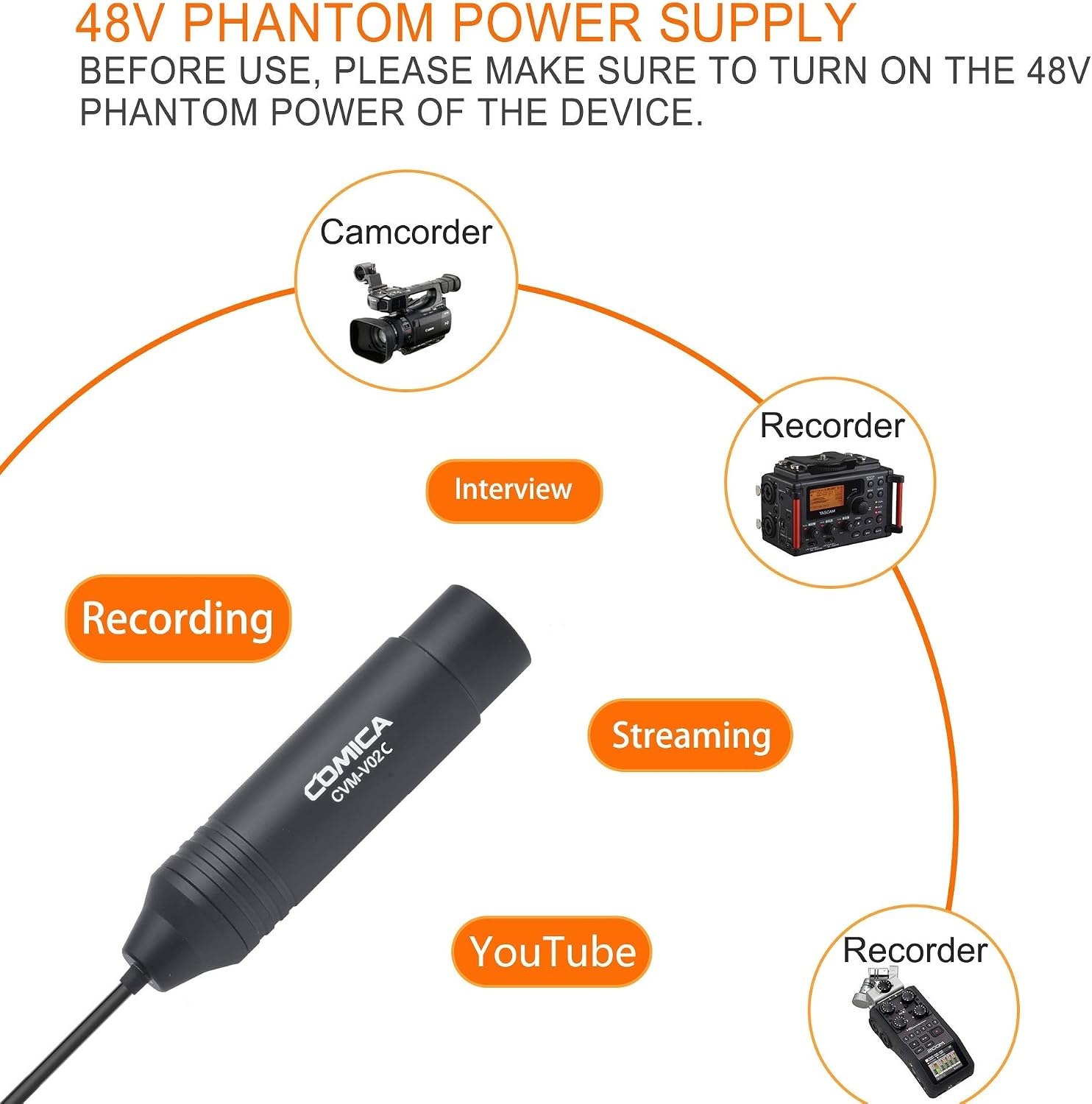
- Connect to Device: Plug the 3-pin XLR connector of the CVM-V02C microphone into the XLR input of your compatible recording device (e.g., camcorder, audio recorder, mixer).
- Activate Phantom Power: The CVM-V02C requires 48V phantom power. Ensure that the 48V phantom power function on your recording device is turned ON before use. The microphone will not function without phantom power.

Operating Instructions
Once connected and phantom power is active, the microphone is ready for use. The cardioid polar pattern is designed to capture sound primarily from the front, minimizing background noise.
- Positioning: For best results, ensure the microphone head is facing the sound source.
- Wind Protection: Use the included foam windscreen or furry wind muff to reduce wind noise during outdoor recordings.
- Monitoring: If your recording device allows, monitor the audio output with headphones to ensure optimal sound levels and quality.

Important Notes and Safety Warnings
- Always ensure 48V phantom power is enabled on your device before using the microphone.
- This product is a high-precision instrument; avoid dropping or colliding it.
- Do not use this equipment near heat sources or strong interference sources.
- Do not expose the equipment to rain or damp environments.
- Wireless devices can interfere with sound quality; consider turning them off or keeping them at a distance during recording.

Specifications
| Feature | Description |
|---|---|
| Model | CVM-V02C |
| Polar Pattern | Cardioid (Unidirectional) |
| Connectivity | XLR (3-pin) |
| Frequency Range | 100Hz - 12KHz |
| Sensitivity | -35dB ± 3dB |
| Signal-to-Noise Ratio | 74 dB |
| Impedance | 1000 Ohms |
| Power Source | 48V Phantom Power |
| Cable Length | 5.9 feet (1.8 meters) |
| Material | Silica gel + Plastic + Metal |
| Dimensions (Main Body) | 97mm (length) x 21mm (diameter) |
| Compatible Devices | Camcorders, Audio Recorders (e.g., Zoom H4n, H5, H6, Tascam DR-40, DR-100) |

Troubleshooting
- No Sound or Low Volume:
- Ensure 48V phantom power is activated on your recording device.
- Check all cable connections to ensure they are secure.
- Verify the input level on your recording device is set appropriately.
- Confirm the microphone is connected to an XLR input that supports phantom power.
- Distorted or Unclear Sound:
- Adjust the microphone's distance from the sound source. Too close can cause distortion.
- Check for strong electromagnetic interference from nearby electronic devices (e.g., mobile phones, Wi-Fi routers).
- Ensure the microphone is not exposed to excessive wind; use the wind muff if necessary.
- Verify that the input gain on your recording device is not set too high, causing clipping.
- Excessive Background Noise:
- Due to its cardioid pattern, ensure the microphone is pointed directly at the desired sound source.
- Minimize ambient noise in the recording environment.
- Consider using acoustic treatment in your recording space if possible.
Maintenance
- Cleaning: Use a soft, dry cloth to clean the microphone body. Do not use liquid cleaners or solvents.
- Storage: Store the microphone in a dry, cool place, away from direct sunlight and extreme temperatures.
- Handling: Handle the microphone with care to avoid physical damage. Do not pull on the cable forcefully.
- Wind Muffs: Regularly clean or replace foam windscreens and furry wind muffs to maintain acoustic transparency and hygiene.
Warranty and Support
COMICA products are designed for reliability and performance. For warranty information, technical support, or service inquiries, please refer to the warranty card included in your package or visit the official COMICA website.
Official Website: www.comica-audio.com


