
soundmaster ICD2020
Soundmaster ICD2020 Network Music Centre
Model: ICD2020 | Brand: Soundmaster
1. Introduction
The Soundmaster ICD2020 is a versatile Network Music Centre designed to provide a comprehensive audio experience. It integrates multiple audio sources including Internet Radio, DAB+ digital radio, FM RDS, CD player, and Bluetooth streaming. With its intuitive controls and robust sound output, it serves as a central hub for your home audio needs.
Key features include:
- Internet WLAN radio with access to thousands of stations.
- DAB+ digital radio and FM RDS with 40 preset stations each.
- Integrated CD player supporting CD-MP3, CD-R, and CD-RW formats.
- Bluetooth function for wireless audio streaming from compatible devices.
- Dual alarm times for convenient scheduling.
- Powerful 2 x 15 Watt RMS audio output.
2. Package Contents
Please check that all items are present and in good condition upon unpacking:
- Soundmaster ICD2020 Network Music Centre Unit
- Remote Control
- Power Adapter
- User Manual (this document)
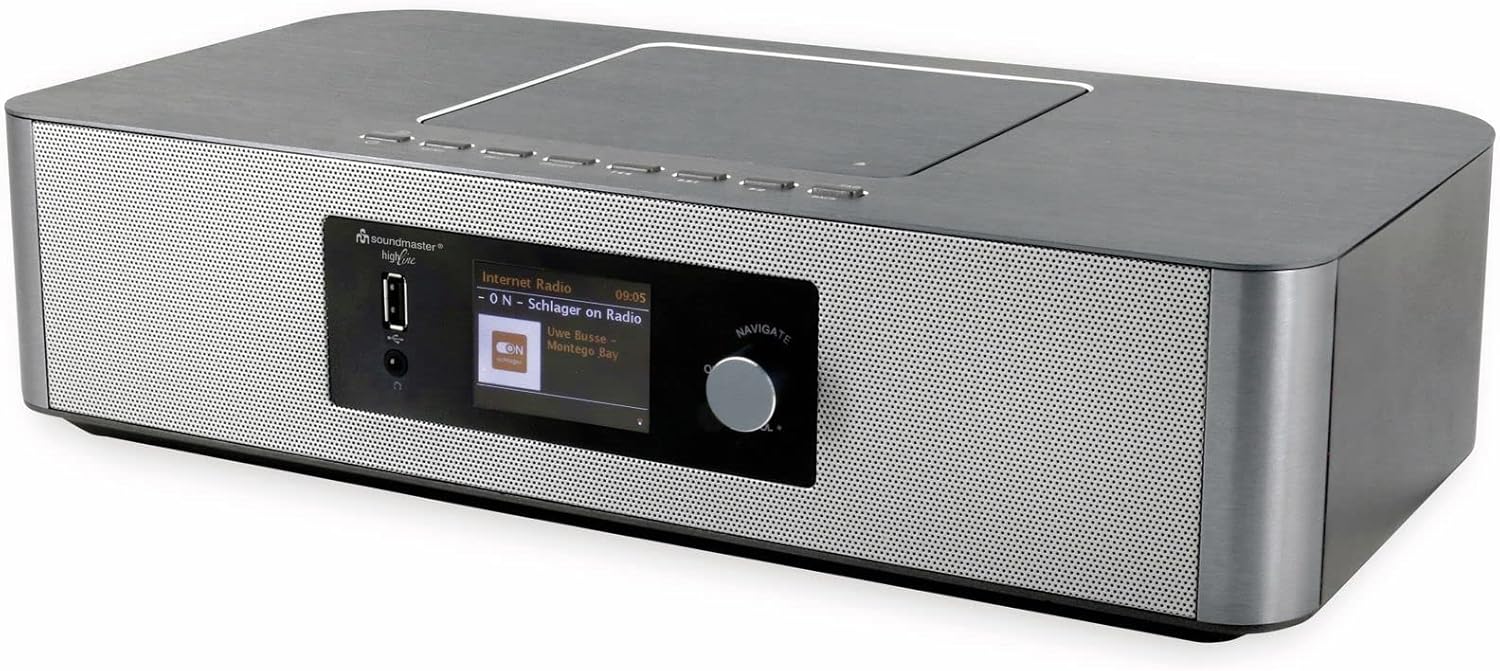
Image: The Soundmaster ICD2020 Network Music Centre, showing its sleek silver design and front display.
3. Product Overview and Controls
Familiarize yourself with the main components and controls of your ICD2020 unit.

Image: Front view of the Soundmaster ICD2020, highlighting the central display and control knob.
Front Panel
- Display Screen: Shows current mode, station information, track details, and menu options.
- USB Port: For playing audio files from USB storage devices.
- Headphone Jack: For private listening.
- Navigate/Select Knob: Rotate to browse menus and press to confirm selections.
- Control Buttons (Top Panel): Power, Mode, Play/Pause, Skip, Volume.

Image: The remote control for the Soundmaster ICD2020, showing various function buttons for easy operation.
Remote Control
The included remote control provides full functionality for operating the unit from a distance. It requires 2 AAA batteries (not included).
- Power Button: Turns the unit on/off.
- Mode Button: Switches between different audio sources (Internet Radio, DAB, FM, CD, Bluetooth, USB, AUX).
- Navigation Buttons: Up, Down, Left, Right, Enter for menu navigation.
- Volume +/-: Adjusts the audio output level.
- Playback Controls: Play/Pause, Stop, Skip Forward/Backward for CD and USB playback.
- Preset Buttons: Access stored radio stations.
4. Setup Guide
4.1 Power Connection
- Connect the power adapter to the DC IN port on the rear of the ICD2020.
- Plug the power adapter into a wall outlet.
- The unit will enter standby mode. Press the Power button on the unit or remote to turn it on.
4.2 Antenna Setup
For optimal DAB+ and FM radio reception, extend the telescopic antenna fully and adjust its position.

Image: The Soundmaster ICD2020 with its telescopic antenna extended for improved radio signal reception.
4.3 Network Connection (Wi-Fi)
To access Internet Radio and other network features, connect the unit to your Wi-Fi network.
- From the main menu, navigate to "Settings" or "Network".
- Select "Wi-Fi Network" or "Network Wizard".
- The unit will scan for available networks. Select your network from the list.
- Enter your Wi-Fi password (WPA/WPA2 key) using the navigation knob and display.
- Confirm the connection. Once connected, the Wi-Fi icon will appear on the display.
5. Operating Instructions
5.1 Internet Radio
Access thousands of radio stations from around the world via your internet connection.
- Press the "Mode" button until "Internet Radio" is selected.
- Use the "Navigate" knob to browse categories (e.g., Location, Genre, Popular Stations).
- Press the knob to select a category and then a station.
- To save a station as a preset, refer to the "Saving Presets" section.
5.2 DAB+ Digital Radio
Enjoy high-quality digital radio broadcasts.
- Press the "Mode" button until "DAB Radio" is selected.
- The unit will automatically scan for available DAB stations on first use or if a scan is initiated from the menu.
- Use the "Navigate" knob to scroll through the list of available stations.
- Press the knob to select a station.
5.3 FM RDS Radio
Tune into traditional FM radio stations.
- Press the "Mode" button until "FM Radio" is selected.
- Rotate the "Navigate" knob to manually tune to a frequency, or press and hold to auto-scan for the next available station.
- RDS (Radio Data System) information, such as station name, will be displayed if available.
5.4 CD Player
Play audio CDs, CD-R/RW, and MP3 CDs.

Image: The Soundmaster ICD2020 with its top-loading CD player lid open, revealing the disc tray.
- Gently open the CD compartment lid on the top of the unit.
- Place a CD with the label side facing up onto the spindle.
- Close the CD compartment lid.
- Press the "Mode" button until "CD" is selected. The unit will begin playing automatically.
- Use the playback control buttons (Play/Pause, Skip) on the unit or remote to manage playback.
5.5 Bluetooth Streaming
Wirelessly stream audio from your smartphone, tablet, or other Bluetooth-enabled devices.
- Press the "Mode" button until "Bluetooth" is selected. The unit will enter pairing mode, indicated on the display.
- On your Bluetooth device, enable Bluetooth and search for "Soundmaster ICD2020".
- Select "Soundmaster ICD2020" from the list of found devices to pair.
- Once paired, you can play audio from your device, and it will be output through the ICD2020.
5.6 USB Playback
Play audio files directly from a USB flash drive.
- Insert a USB flash drive into the USB port on the front of the unit.
- Press the "Mode" button until "USB" is selected.
- The unit will read the files on the USB drive. Use the "Navigate" knob to browse folders and tracks.
- Press the knob to select and play a track.
5.7 Alarm Clock Function
Set up to two independent alarms.
- From the main menu, navigate to "Alarm" or "Clock Settings".
- Select "Alarm 1" or "Alarm 2".
- Set the desired alarm time, source (Buzzer, Internet Radio, DAB, FM), and volume.
- Choose the alarm frequency (Daily, Once, Weekdays, Weekends).
- Ensure the alarm is set to "On".
6. Maintenance
To ensure the longevity and optimal performance of your Soundmaster ICD2020, follow these maintenance guidelines:
- Cleaning: Use a soft, dry cloth to wipe the exterior of the unit. Do not use abrasive cleaners, waxes, or solvents as they may damage the finish.
- CD Player Care: Handle CDs by their edges to avoid fingerprints and scratches. If the CD lens needs cleaning, use a specialized CD lens cleaner disc.
- Ventilation: Ensure the unit has adequate ventilation. Do not block any ventilation openings.
- Placement: Place the unit on a stable, flat surface away from direct sunlight, heat sources, and excessive dust or moisture.
- Power Off: If the unit will not be used for an extended period, unplug it from the power outlet.
7. Troubleshooting
If you encounter issues with your Soundmaster ICD2020, please refer to the following common problems and solutions before seeking professional assistance.
| Problem | Possible Cause | Solution |
|---|---|---|
| No power | Power cable not connected; Power outlet faulty. | Ensure power cable is securely connected. Try a different power outlet. |
| No sound | Volume too low; Mute function active; Incorrect source selected. | Increase volume. Check if mute is active. Select the correct audio source (CD, Bluetooth, Radio). |
| Poor radio reception (DAB/FM) | Antenna not extended/positioned correctly; Weak signal area. | Fully extend and adjust the telescopic antenna. Try relocating the unit to an area with better signal. |
| Internet Radio not connecting | Incorrect Wi-Fi password; Router issues; Unit too far from router. | Verify Wi-Fi password. Restart your Wi-Fi router. Move the unit closer to the router. |
| CD not playing | CD inserted incorrectly; Disc is dirty or scratched; Unsupported disc format. | Ensure CD is inserted correctly (label side up). Clean the disc. Check if the disc format is supported (audio CD, CD-R/RW, MP3 CD). |
| Bluetooth pairing failed | Bluetooth not enabled on device; Unit not in pairing mode; Device already paired with another unit. | Ensure Bluetooth is enabled on your device. Put the ICD2020 into Bluetooth pairing mode. Disconnect from other Bluetooth devices. |
8. Technical Specifications
Detailed specifications for the Soundmaster ICD2020 Network Music Centre.
- Model: ICD2020
- Brand: Soundmaster
- Product Dimensions (L x W x H): 37 x 23 x 10 cm
- Weight: 3.5 kg
- Power Output: 2 x 15 Watt RMS
- Connectivity: Wi-Fi, Bluetooth, USB
- Radio Tuners: Internet Radio, DAB+, FM RDS
- CD Player: Supports CD-MP3, CD-R, CD-RW
- Alarm Function: Dual alarm times
- Display: Digital display (Visible screen diagonal: 3" / 6 cm)
- Included Accessories: Remote control
- Batteries for Remote: 2 x AAA (not included)
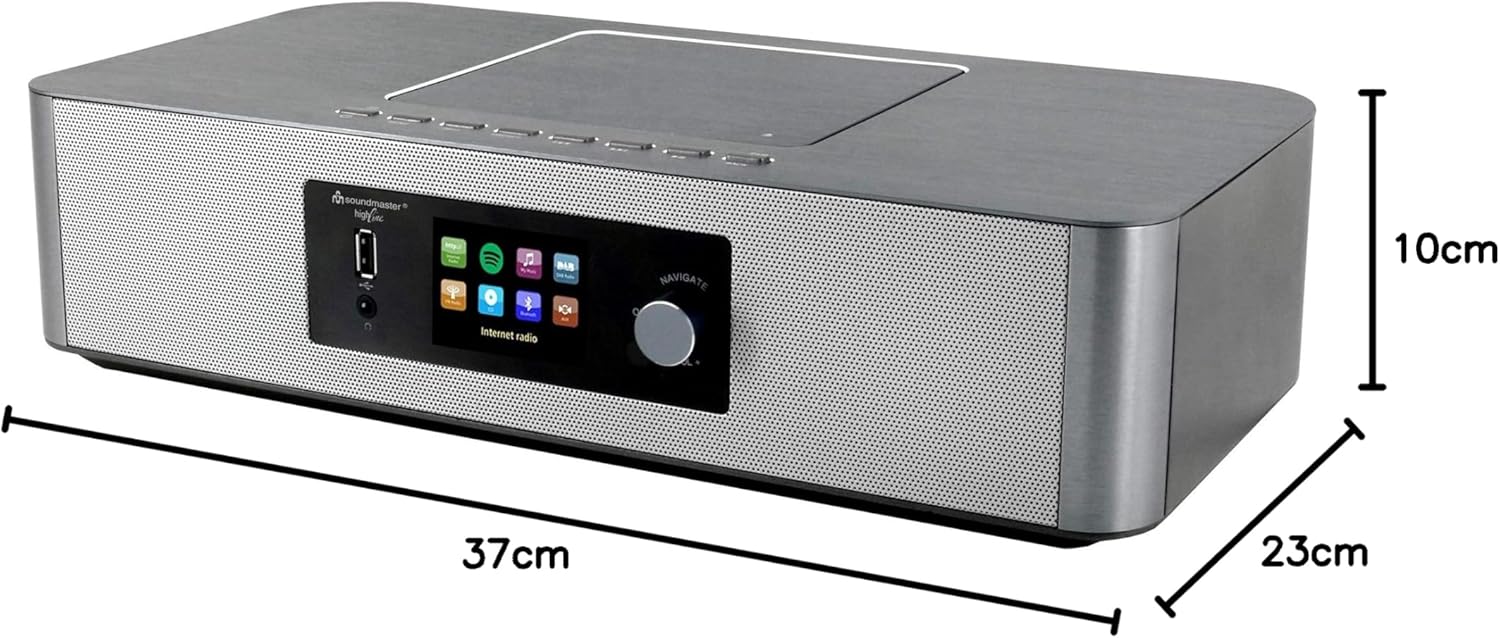
Image: The Soundmaster ICD2020 unit with its dimensions clearly marked: 37cm length, 23cm width, and 10cm height.
9. Warranty and Support
Soundmaster products are manufactured to high quality standards. For information regarding warranty coverage and customer support, please refer to the warranty card included with your product or visit the official Soundmaster website. Keep your proof of purchase for any warranty claims.
For further assistance, please contact Soundmaster customer service.
Related documentsICD2020


Ask a question about this manual
Ask about setup, troubleshooting, compatibility, parts, safety, or missing instructions. Manuals+ will review the question and use this page’s manual context to help answer it.