1. Introduction
This manual provides essential information for the safe and efficient operation of your Sony XBR-X850G 85-Inch 4K Ultra HD LED TV. Please read this manual thoroughly before using the television and retain it for future reference. This television delivers enhanced detail, brightness, and contrast with HDR and 4K UHD resolution, optimized for natural, realistic imaging. The TRILUMINOS Display creates a broader spectrum of vibrant colors, and Motionflow XR technology ensures smooth on-screen action with minimal blur. Acoustic technology syncs sound with on-screen motion for a captivating audio experience.
2. Safety Information
- Power Supply: Ensure the television is connected to a power source within the specified voltage range.
- Ventilation: Do not block ventilation openings. Allow adequate space around the television for proper airflow to prevent overheating.
- Liquid Exposure: Keep the television away from water or moisture. Do not place objects filled with liquids on the television.
- Cleaning: Disconnect the power cord before cleaning. Use a soft, dry cloth. Avoid liquid cleaners or aerosol sprays.
- Placement: Place the television on a stable, level surface or mount it securely to a wall using a compatible bracket.
- Children: Supervise children to prevent them from climbing on the television or stand.
3. What's in the Box
Upon unpacking, verify that all the following items are included:
- Sony XBR-X850G 85-Inch 4K Ultra HD LED TV
- TV Stand components
- Remote Control
- Batteries for Remote Control
- Power Cord
- IR Blaster
- Start Guide
- Instruction Manual (this document)
4. Setup
4.1. Unpacking
Carefully remove the television and all accessories from the packaging. It is recommended to have at least two people for handling the 85-inch television due to its size and weight.
4.2. Stand Installation
If you choose to use the included stand, follow the instructions provided in the separate Start Guide for proper assembly and attachment to the television. Ensure all screws are tightened securely.
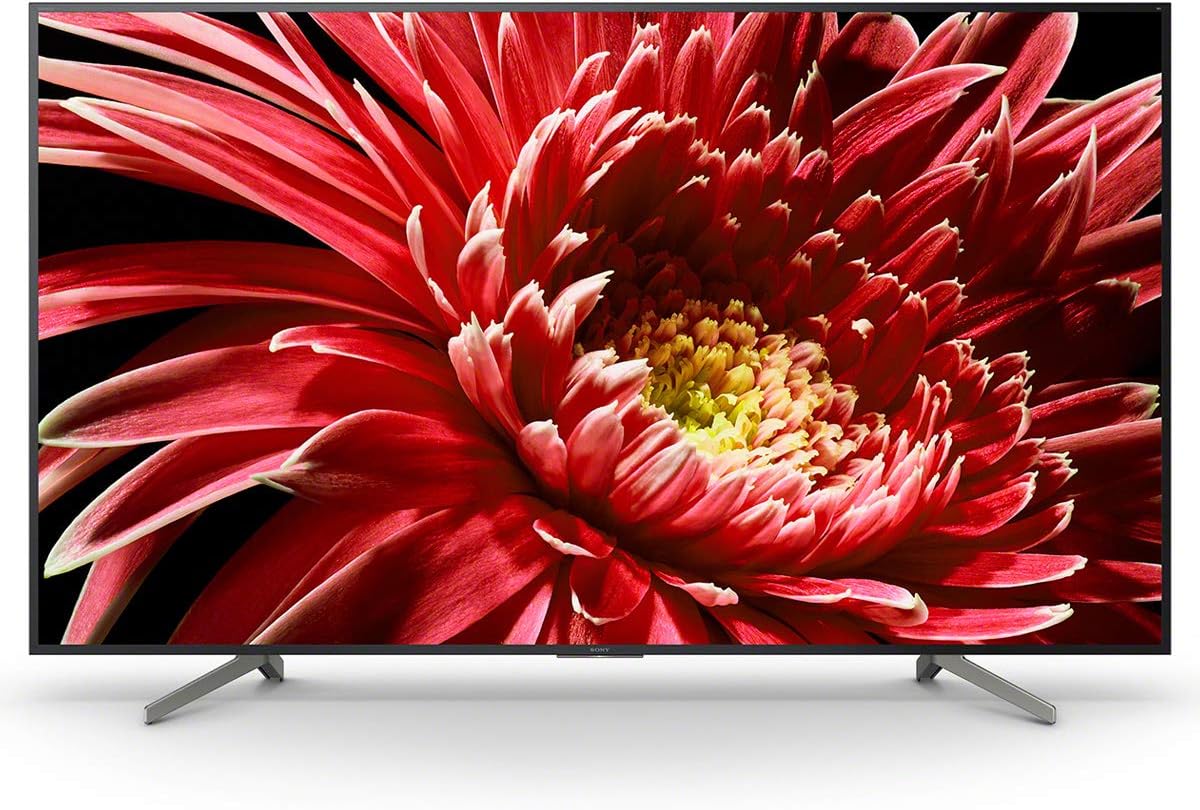
Figure 1: Front view of the Sony XBR-X850G TV with its stand installed.
4.3. Wall Mounting
If you intend to wall-mount the television, use a VESA-compatible wall-mount bracket (sold separately) and consult a professional installer. Refer to the wall-mount bracket's instructions for safe installation. Ensure the wall can support the television's weight.

Figure 2: Side profile of the Sony XBR-X850G TV, highlighting its slim design.
4.4. Connecting Peripherals
Connect your external devices (e.g., cable box, Blu-ray player, gaming console) to the appropriate ports on the television. The XBR-X850G features multiple HDMI inputs, USB ports, and other connectivity options.
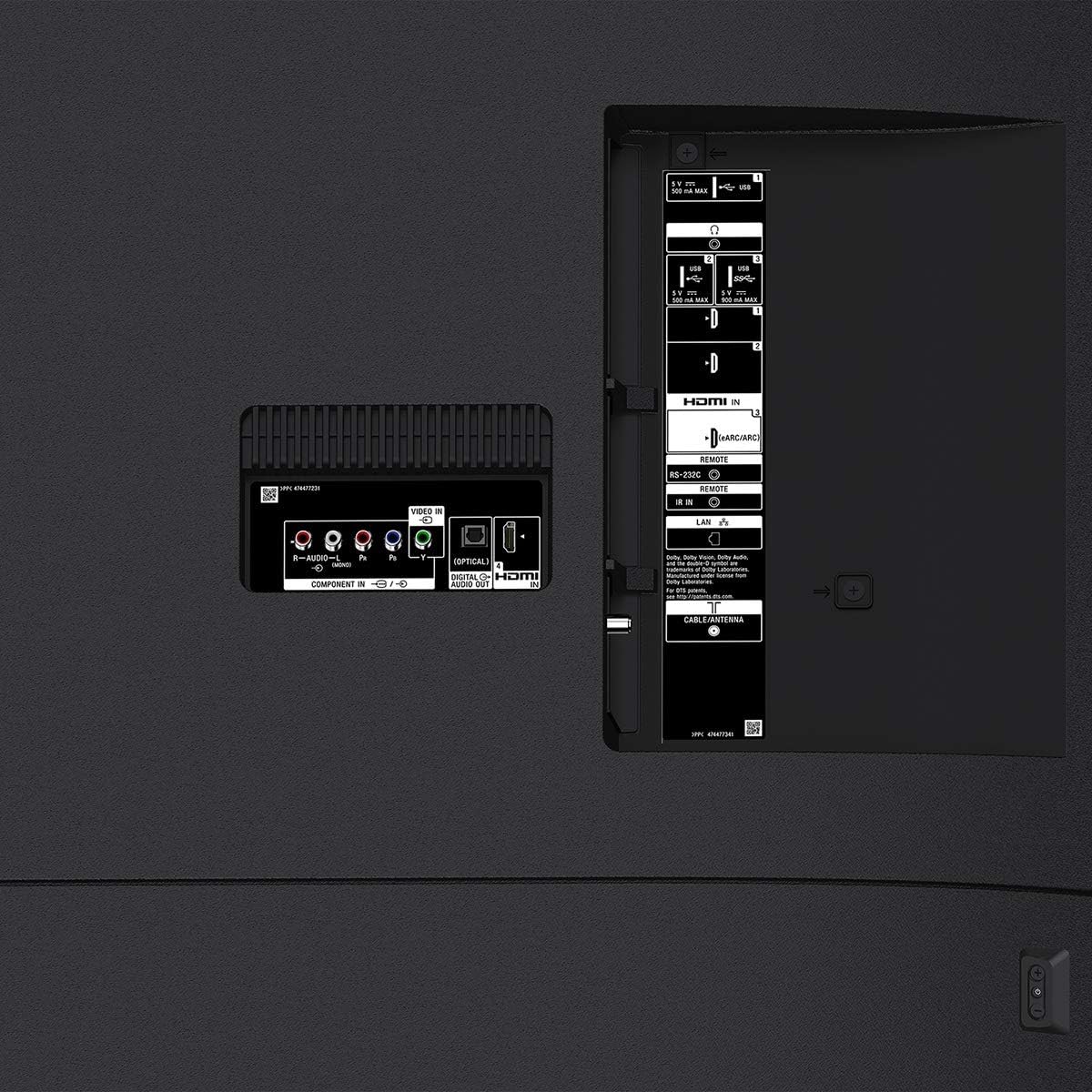
Figure 3: Detailed view of the connectivity ports on the rear of the television.
For optimal 4K HDR performance, use high-speed HDMI cables. Connect the power cord to the television and then to a wall outlet.
5. Operating Instructions
5.1. Power On/Off
Press the power button on the remote control or on the television itself to turn the unit on or off.
5.2. Remote Control Functions
The included remote control allows you to navigate menus, adjust volume, change channels, and access smart TV features. Familiarize yourself with the button layout for easy operation.
5.3. Smart TV Features (Android TV)
Your Sony XBR-X850G is an Android TV with Google Assistant built-in. This allows for voice control, access to a wide range of apps from the Google Play Store, and seamless integration with other smart home devices. It is also compatible with Alexa and Google Home, and supports Apple AirPlay 2 and HomeKit for effortless content streaming and smart home management.
5.4. Picture Settings
Access the picture settings menu to customize your viewing experience. Key features include:
- 4K HDR X1 Processor: Enhances detail, brightness, and contrast.
- TRILUMINOS Display: Produces a wider, more vibrant color spectrum.
- Dynamic Contrast Enhancement: Optimizes contrast for realistic images.
- Motionflow XR: Reduces motion blur for smooth action scenes.
- Picture Modes: Select from Vivid, Standard, Custom, Theater Pro, Theater Home, Sports, Animation, Photo-Vivid, Photo-Standard, Photo-Custom, Game, and Graphics modes.
5.5. Audio Settings
The television features 'Sound-from Picture Reality' technology, which synchronizes acoustics with on-screen motion for an immersive audio experience. Adjust audio settings in the menu to suit your preferences.
5.6. Connectivity
The television supports Bluetooth connectivity for wireless audio devices and Wi-Fi for internet access. Use Apple AirPlay 2 to stream content directly from your iPhone or other Apple devices.
6. Maintenance
- Screen Cleaning: Gently wipe the screen with a soft, lint-free cloth. For stubborn marks, lightly dampen the cloth with water.
- Dusting: Regularly dust the television's frame and stand with a dry, soft cloth.
- Software Updates: Ensure your television's software is up-to-date for optimal performance and new features. Updates can typically be found in the TV's settings menu.
7. Troubleshooting
- No Power: Check if the power cord is securely connected to both the TV and the wall outlet. Ensure the outlet is functional.
- No Picture/Sound: Verify that the correct input source is selected. Check all cable connections to external devices.
- Remote Not Working: Replace the batteries in the remote control. Ensure there are no obstructions between the remote and the TV's IR sensor.
- Poor Picture Quality: Adjust picture settings. Ensure the content source is high-quality (e.g., 4K content for 4K resolution).
- Network Connectivity Issues: Check your Wi-Fi router and internet connection. Reconnect the TV to the Wi-Fi network.
8. Specifications
| Feature | Specification |
|---|---|
| Brand Name | Sony |
| Model Number | XBR85X850G |
| Screen Size | 85 Inches |
| Display Technology | LED |
| Resolution | 4K (3840 x 2160) |
| Refresh Rate | 120 Hz |
| Aspect Ratio | 16:9 |
| Connectivity Technology | Bluetooth |
| Speaker Type | Built-In |
| Item Weight | 46.5 Kilograms (102.3 pounds) |
| Product Dimensions (D x W x H) | 17.12"D x 75.25"W x 46.37"H |
| Power Consumption (Operation) | 253 watts |
| Power Consumption (Standby) | 0.5 watts |
9. Official Product Video
Watch the official product video for an overview of the Sony XBR-85X850G 85-Inch 4K Ultra HD LED TV (2019 Model).
Video: Official overview of the Sony XBR-85X850G 85-Inch 4K Ultra HD LED TV, showcasing its features and design.
10. Warranty and Support
For warranty information and customer support, please refer to the warranty card included with your product or visit the official Sony support website. Contact details for technical assistance and service centers can be found there.


