1. Introduction
Thank you for choosing the HUGO BOSS GEAR Black/Silver Fountain Pen. This writing instrument is crafted from high-quality stainless steel, designed for a perfectly balanced feel and an optimal writing experience. This manual provides essential information for the proper setup, operation, and maintenance of your fountain pen to ensure its longevity and performance.
2. Setup
2.1 Unpacking
Carefully remove your HUGO BOSS GEAR Fountain Pen from its gift box. Inspect the pen for any visible damage. The package should contain the fountain pen and any included ink cartridges or a converter.

Image: The HUGO BOSS GEAR Fountain Pen presented in its elegant black gift box, ready for unboxing.
2.2 Installing an Ink Cartridge or Converter
- Unscrew the barrel from the grip section of the pen.
- If using an ink cartridge: Insert the narrow end of the ink cartridge firmly into the feed nipple located at the back of the nib section. You may hear a small click as the cartridge punctures.
- If using a converter (sold separately or included): Twist or push the converter into the feed nipple. To fill, submerge the nib into an ink bottle and operate the converter's mechanism (twist or push) to draw ink into the reservoir.
- Reattach the barrel to the grip section, screwing it on securely.
- Allow a few moments for the ink to flow down to the nib. Gently shake the pen or lightly touch the nib to a piece of paper to encourage ink flow.
3. Operating
3.1 Writing with Your Fountain Pen
Fountain pens require a light touch. Avoid pressing down hard, as this can damage the nib. Hold the pen at a comfortable angle (typically 45-55 degrees to the paper) and allow the ink to flow smoothly onto the page.

Image: A hand demonstrates the proper grip and angle for writing with the HUGO BOSS GEAR Fountain Pen.
3.2 Capping and Uncapping
To prevent the nib from drying out, always cap your fountain pen when not in use. The cap should be removed and replaced with a gentle pull or push, depending on the pen's design. Avoid twisting the cap forcefully.
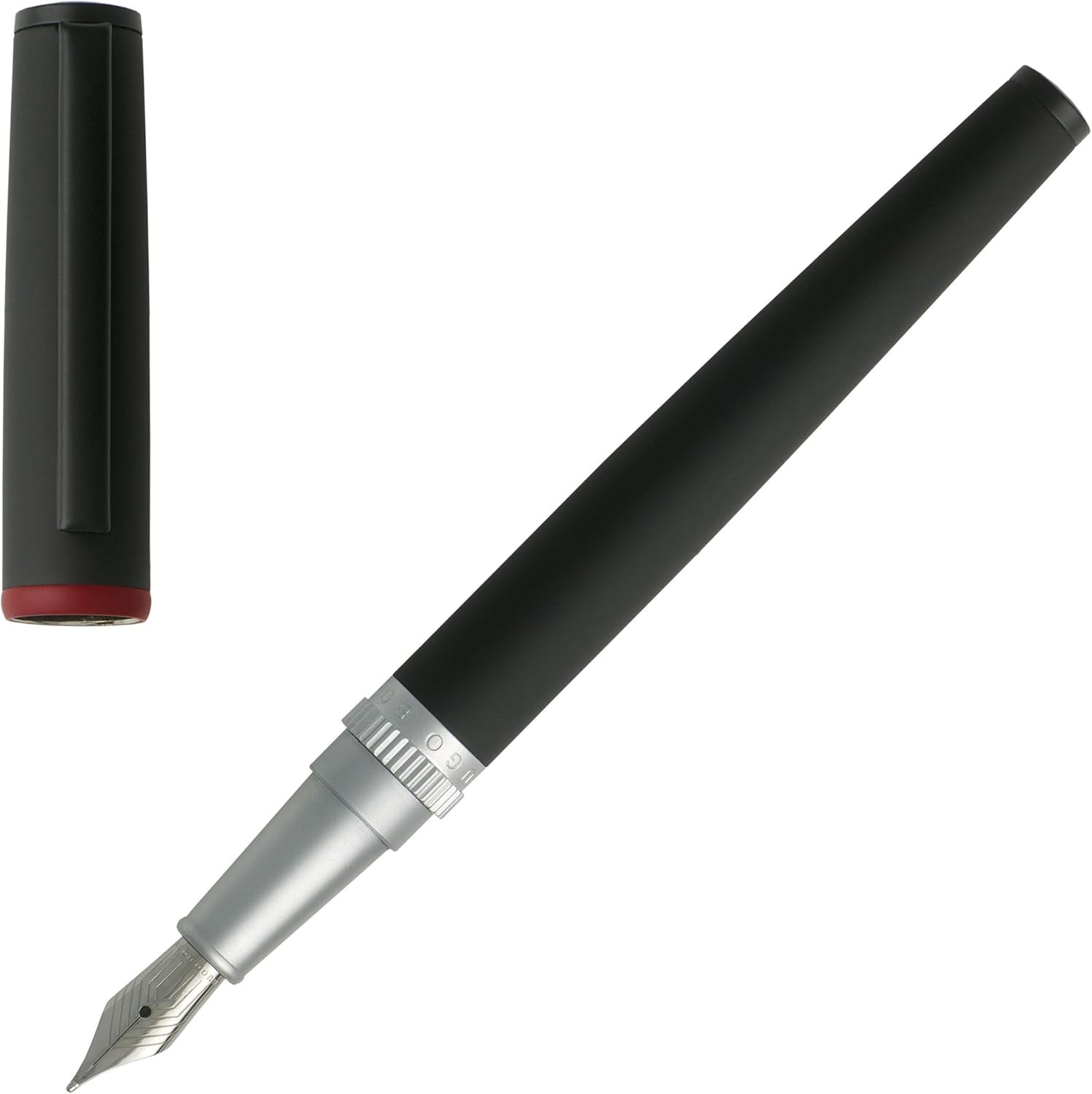
Image: The HUGO BOSS GEAR Fountain Pen with its cap removed, highlighting the fine stainless steel nib and silver grip section.
4. Maintenance
4.1 Cleaning the Nib and Feed
Regular cleaning helps maintain optimal ink flow and prevents clogging. It is recommended to clean your pen when changing ink colors or if the pen has not been used for an extended period.
- Remove the ink cartridge or converter.
- Rinse the nib and grip section under cool, running water until the water runs clear.
- If using a converter, repeatedly draw and expel clean water through the nib until no ink residue is visible.
- Gently dry the nib and grip section with a soft, lint-free cloth. Allow to air dry completely before reassembling or inserting a new ink cartridge.
4.2 Ink Refilling and Cartridge Replacement
Replace ink cartridges as described in Section 2.2. If using a converter, refill it from an ink bottle when the ink level is low.
4.3 Storage
Store your fountain pen capped and, if possible, nib-up to prevent ink from drying in the feed. For long-term storage, it is advisable to clean the pen thoroughly and store it empty.
5. Troubleshooting
- Ink not flowing or skipping:
- Ensure the ink cartridge is properly seated or the converter is filled.
- Clean the nib and feed as described in Section 4.1.
- Check if the ink has dried in the nib; a quick dip in water can sometimes resolve this.
- Hard starts:
- This often occurs if the pen has been uncapped for too long. Recap the pen for a few minutes.
- Ensure the nib is clean and free of debris.
- Leaking ink:
- Ensure all parts (barrel, grip section) are screwed on tightly.
- Avoid extreme temperature changes, which can cause ink expansion/contraction.
- Use only recommended ink cartridges or bottled ink suitable for fountain pens.
6. Specifications
| Brand | Hugo Boss |
| Model Number | HSG8022A |
| Material | Stainless Steel |
| Color | Black/Silver |
| Item Weight | 1.38 ounces (approx. 39 grams) |
| Product Dimensions | 5.39 x 0.52 x 0.52 inches (approx. 13.7 x 1.3 x 1.3 cm) |
| Point Type | Fine |
| Line Size | 0.5mm |
| Ink Color (Included) | Black |
7. Warranty and Support
For warranty information and customer support, please refer to the documentation included with your purchase or contact the retailer where the pen was acquired. You may also visit the official Hugo Boss website for further assistance.
Please retain your proof of purchase for any warranty claims.


