Product Overview
The Proscenic 807C Air Humidifier is designed to improve air quality and comfort in your home. It features smart control options, a large water capacity, and an aromatherapy function. This manual provides detailed instructions for its safe and efficient use.
Key Features:
- App Control: Adjust humidity and misting via a smartphone application (supports 2.4GHz Wi-Fi).
- Large Capacity: 5.5L water tank provides up to 36 hours of continuous operation.
- Aromatherapy Function: Add essential oils to the aroma container for a pleasant fragrance.
- Intelligent Constant Humidity: Built-in sensors automatically adjust mist output to maintain desired humidity levels.
- Scheduled Humidification: Program operating times and modes via the app or remote control.
- HEPA Filter: Filters incoming air for cleaner output.

Image: Overview of Proscenic 807C Humidifier features, including warm mist, 36-hour use, scheduled humidification, aroma diffuser, app control, and large capacity water tank.
Setup
- Unpack the Humidifier: Carefully remove all packaging materials. Ensure all components are present.
- Install the HEPA Filter: The HEPA filter is located at the air inlet. Remove it from its plastic bag before installation. Failure to do so will prevent the humidifier from operating correctly.
- Fill the Water Tank:
- Remove the water tank from the base.
- Unscrew the cap at the bottom of the tank.
- Fill the tank with clean, cool water. The 5.5L capacity allows for extended use.
- Securely replace the cap and place the water tank back onto the base.

Image: The 5.5L large capacity water tank of the Proscenic 807C Humidifier, visible through its transparent section.
- Connect to Power: Plug the power cord into a suitable electrical outlet.
- Initial Power On: Press the power button on the control panel or remote control to turn on the unit.
Operating Instructions
The Proscenic 807C Humidifier can be operated via its touch control panel, remote control, or the dedicated smartphone app.
Control Panel and Remote Control:
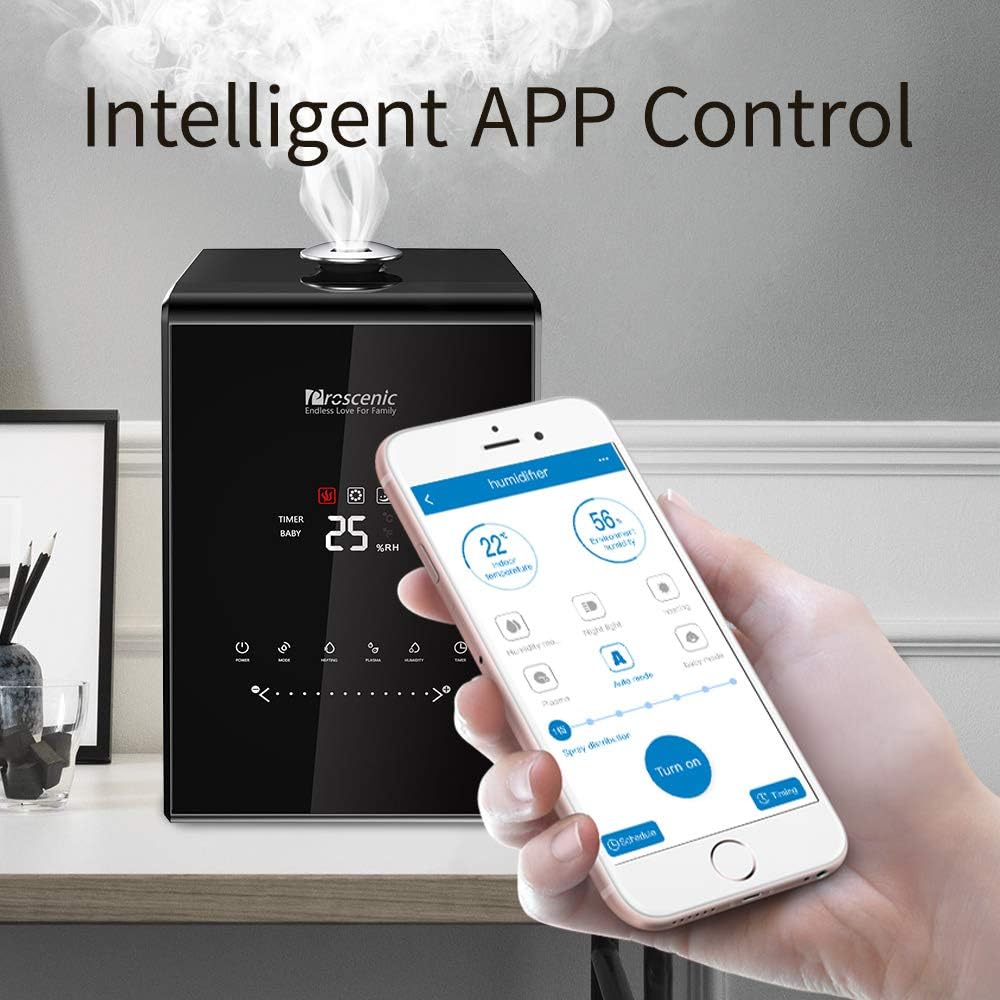
Image: The Proscenic 807C Humidifier's front panel with digital display and touch controls for power, mode, heating, anion, humidity, and timer.
- Power On/Off: Press the Power button.
- Mode Selection: Cycle through available modes (Constant Humidity, Baby Mode, Auto Mode) using the Mode button.
- Mist Level Adjustment: Use the slide touch button or corresponding remote control buttons to select from 7 mist levels.
- Heating Function: Activate warm mist with the Heating button.

Image: The humidifier demonstrating both warm mist (indicated by steam and a warm mist icon) and cool mist (indicated by a cool mist icon).
- Anion Function: Activate the negative ion function with the Anion button.
- Humidity Setting: In Constant Humidity mode, use the Humidity button to set your desired humidity level. The unit will automatically adjust output.
- Timer: Set an automatic shut-off timer using the Timer button.
App and Alexa Control:
The humidifier can be controlled remotely via the Proscenic app or Amazon Alexa. Ensure your device is connected to a 2.4GHz Wi-Fi network for app functionality.
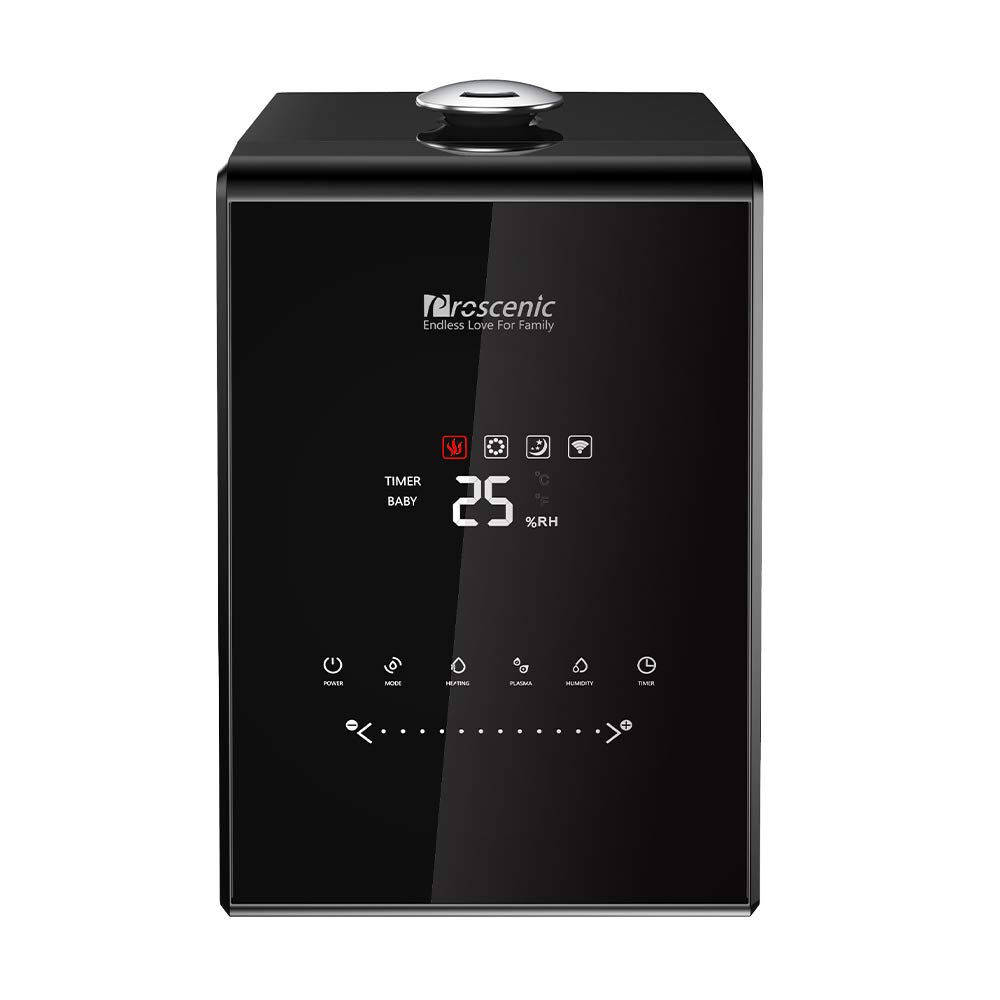
Image: A smartphone displaying the Proscenic app interface, controlling the humidifier's settings such as temperature, humidity, and mist level.
- Download the App: Search for the "Proscenic" app on your smartphone's app store.
- Pairing: Follow the in-app instructions to pair your humidifier with your smartphone.
- Remote Control: Adjust all settings, including mist level, mode, humidity target, and timer, directly from the app.
- Scheduled Humidification: Create custom schedules for the humidifier to turn on/off or change settings at specific times.
- Alexa Integration: Enable the Proscenic skill in the Alexa app to control your humidifier with voice commands.
Aromatherapy Function:
To use the aromatherapy function:
- Locate the aroma container at the base of the unit.
- Add a few drops of your preferred essential oil to the aroma pad within the container.
- Do not add essential oils directly into the water tank, as this can cause leakage and damage the machine.

Image: Detailed view of the aroma box on the side of the humidifier, with essential oil being added to the pad.
Maintenance
Regular cleaning and maintenance ensure optimal performance and longevity of your humidifier.
- Water Tank Cleaning: Clean the water tank regularly to prevent mineral buildup and bacterial growth. Use a soft cloth and mild detergent. Rinse thoroughly.
- Base Cleaning: Wipe the base clean with a damp cloth. Do not immerse the base in water.
- HEPA Filter Replacement: The HEPA filter should be checked periodically and replaced as needed to maintain air purification effectiveness.
- Aroma Pad Cleaning: Replace or clean the aroma pad in the essential oil box regularly.
- Storage: If storing the humidifier for an extended period, ensure it is clean and dry. Store in a cool, dry place.
Troubleshooting
Refer to this section for common issues and their solutions.
| Problem | Possible Cause | Solution |
|---|---|---|
| No mist or low mist output |
|
|
| Water leakage from base |
|
|
| App connectivity issues |
|
|
| Inaccurate humidity readings |
|
|
Specifications
| Feature | Detail |
|---|---|
| Brand | Proscenic |
| Model Name | 807C |
| Color | Black |
| Operation Mode | Vaporizer |
| Room Type | Bedrooms, Living Rooms, Nurseries |
| Special Feature | Remote Control, App & Alexa Control, Constant Temperature and Humidity, Aromatherapy Function |
| Capacity | 5.5 Liters |
| Product Dimensions | 11 x 11 x 15.8 inches |
| Item Weight | 10.48 pounds |
| Batteries Required | 1 AAA (for remote, included) |
Product Videos
Proscenic 807C Humidifiers, with App and Alexa Control
Video: This official product video demonstrates the key features of the Proscenic 807C Humidifier, including its app and Alexa control capabilities, water tank filling, essential oil addition, and various operational modes. It highlights the ease of use and smart functionalities.
Warranty and Support
For warranty information, technical support, or service inquiries, please refer to the contact details provided in your product packaging or visit the official Proscenic website. Keep your purchase receipt for warranty claims.