
Introduction
This manual provides essential information for the safe and effective use of your Pride Mobility Victory LX Sport 4-Wheel Scooter. Please read this manual thoroughly before operating the scooter to ensure proper understanding of its features, operation, and maintenance requirements. Retain this manual for future reference.
Safety Information
Your Victory LX Sport scooter is classified as an FDA Class II Medical Device, designed to assist individuals with mobility impairments. Adherence to all safety guidelines is crucial for preventing injury and ensuring optimal performance.
Proposition 65 Warning: This product may contain chemicals known to the State of California to cause cancer and birth defects or other reproductive harm. For more information, visit www.P65Warnings.ca.gov.
- Always operate the scooter on stable, level surfaces.
- Avoid sudden stops or turns, especially at higher speeds.
- Ensure the battery is fully charged before extended use.
- Consult a healthcare professional if you have any medical conditions that may affect your ability to operate the scooter safely.
- Do not exceed the maximum weight capacity specified in the specifications section.
Product Overview
The Pride Mobility Victory LX Sport is a 4-wheel scooter designed for enhanced outdoor mobility and comfort. Key features include:
- CTS Suspension: Adjustable shocks provide a smooth and comfortable ride over varied terrain.
- Convenient Charging: A charger port is easily accessible on the tiller for straightforward battery charging.
- Delta Tiller: Ergonomic wraparound handles allow for one-hand operation and wrist support.
- Clear Voltmeter: An easy-to-read display indicates battery charge level.
- Rearview Mirror: A single rearview mirror is included for improved situational awareness.
- Full Light Package: Features an LED headlight, rear lights, directional signals, and an under-tiller courtesy light for visibility.
Component Identification
Familiarize yourself with the various parts of your scooter:

Figure 1: Front-left view of the Victory LX Sport scooter. This image highlights the overall design, including the front basket, tiller controls, comfortable seat, and robust 4-wheel base.

Figure 2: Front-right view of the Victory LX Sport scooter. This perspective shows the scooter from the opposite front angle, detailing the wheel design and suspension components.

Figure 3: Rear view of the Victory LX Sport scooter. This image focuses on the rear section, including the taillights, seat back, and rear wheel assembly.
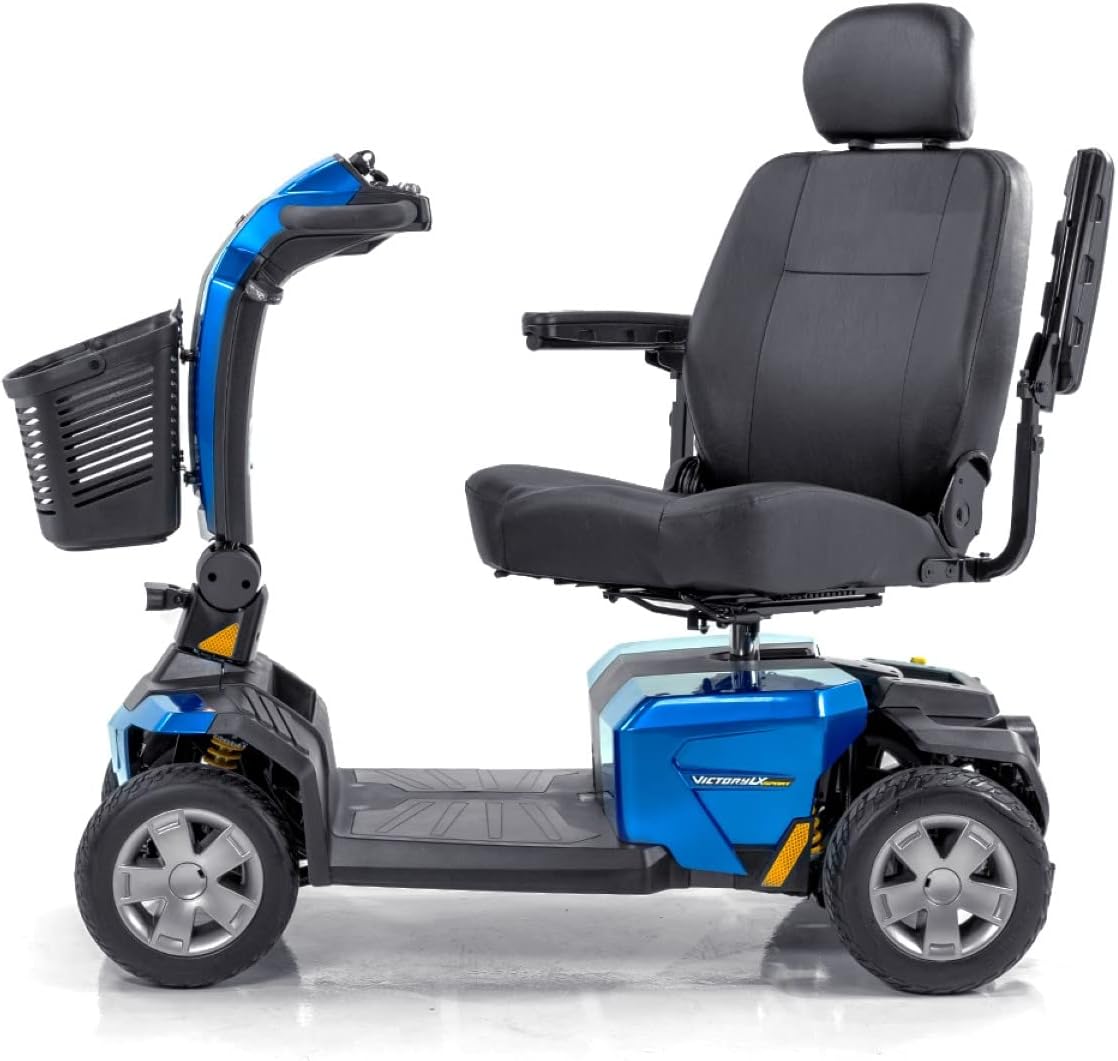
Figure 4: Side view of the Victory LX Sport scooter. This profile view illustrates the scooter's length, ground clearance, and the positioning of the seat relative to the tiller.

Figure 5: Side view of the Victory LX Sport scooter with the seat folded. This image demonstrates how the seat can be folded forward, which is useful for transport or storage.
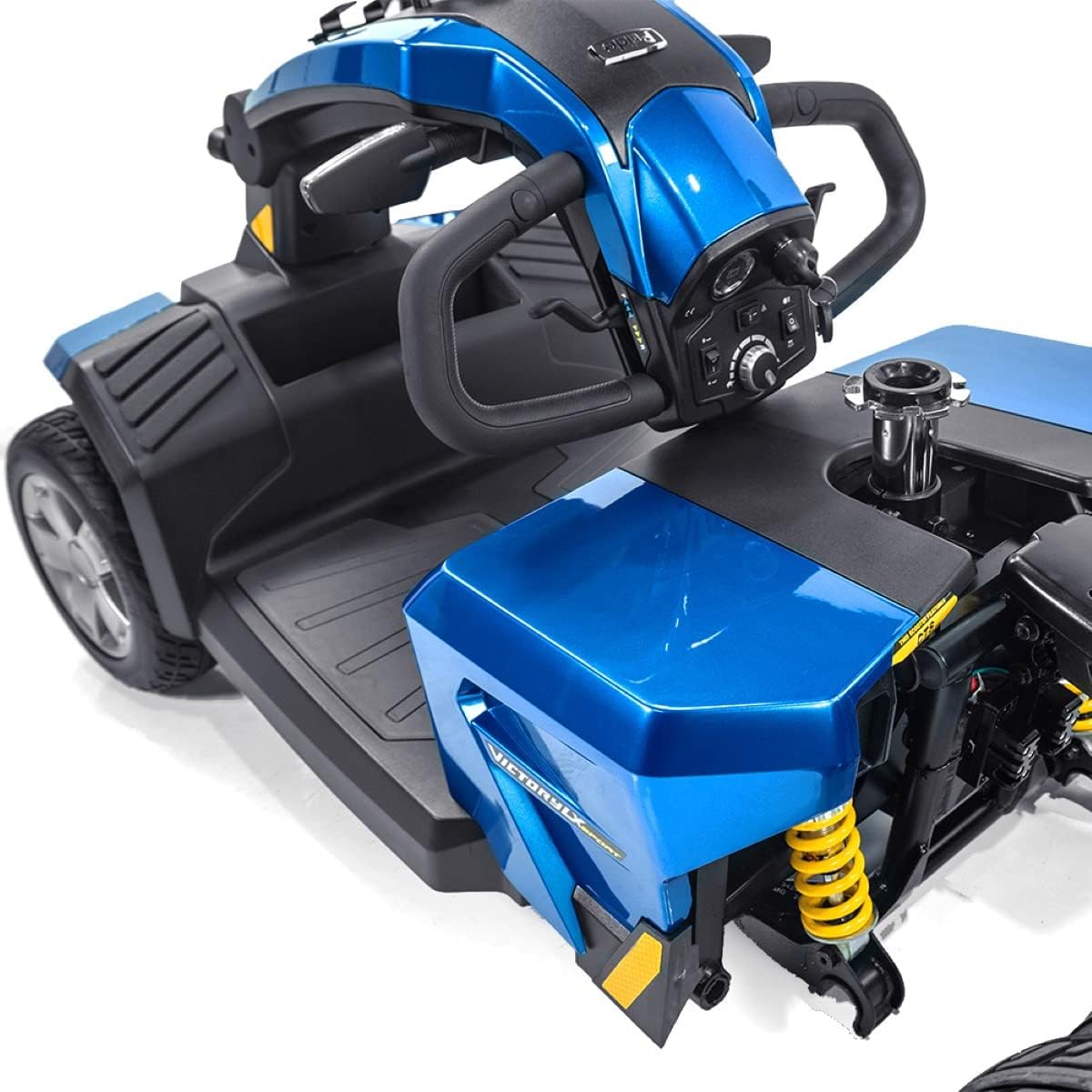
Figure 6: Close-up of the tiller and front basket. This detail shows the attachment point of the basket and the lower part of the tiller column.

Figure 7: Close-up of the control panel. This image provides a clear view of the key switch, battery gauge, speed adjustment dial, and controls for lights and horn.

Figure 8: Disassembly of the rear section. This image illustrates the process of separating the rear drive unit from the main chassis, often for transport.

Figure 9: Disassembly of the front section. This image shows the separation of the front chassis from the main body, further aiding in portability.
Setup
Assembly
Your Victory LX Sport scooter may require some assembly upon arrival. Refer to the provided diagrams (Figures 8 and 9) for guidance on connecting the front and rear sections. Ensure all locking mechanisms are securely engaged before use. The seat can be easily installed by aligning it with the seat post and securing it in place.
Battery Charging
Before initial use, fully charge the scooter's batteries. The charger port is conveniently located on the tiller. Connect the charger to the port and then to a standard electrical outlet. The battery indicator on the tiller will show the charging status. A full charge typically takes 8-14 hours. Do not interrupt the charging cycle until complete.
Operating Instructions
Controls
- Key Switch: Insert the key and turn it to the "ON" position to power on the scooter.
- Speed Adjustment Dial: Located on the tiller, this dial allows you to set the maximum speed of the scooter. Rotate clockwise for higher speeds, counter-clockwise for lower speeds.
- Delta Tiller: Use the wraparound handles to steer the scooter. Push the left lever for reverse, and the right lever for forward motion.
- Battery Gauge: The easy-to-read voltmeter on the tiller displays the current battery charge level. Monitor this regularly to avoid unexpected power loss.
- Light Controls: Buttons on the tiller activate the LED headlight, rear lights, and directional signals. Use directional signals when turning to alert others.
- Horn: Press the horn button to alert pedestrians or other operators.
Driving
Always start at a low speed setting until you are comfortable with the scooter's operation. Maintain a safe distance from obstacles and other individuals. When navigating inclines or uneven terrain, reduce your speed and maintain a stable posture. The CTS Suspension is designed to provide a smooth ride, but caution is still advised on rough surfaces.
Maintenance
Cleaning
Clean your scooter regularly with a damp cloth and mild soap. Avoid using abrasive cleaners or solvents. Do not spray water directly onto electrical components.
Battery Care
- Charge batteries fully after each use, even if only used for a short period.
- Store the scooter with fully charged batteries if it will not be used for an extended period. Recharge monthly during storage.
- Replace batteries when they no longer hold a charge effectively. Use only approved replacement batteries.
Tire Maintenance
Check tire pressure regularly and inflate to the recommended PSI (pounds per square inch) as indicated on the tire sidewall. Inspect tires for wear and tear, and replace them if necessary.
Troubleshooting
If you encounter issues with your scooter, refer to the following common troubleshooting steps:
- Scooter Not Powering On:
- Ensure the key is fully inserted and turned to the "ON" position.
- Check battery connections and ensure they are secure.
- Verify that the batteries are charged.
- Scooter Not Moving:
- Confirm the scooter is powered on and the speed dial is not set to zero.
- Check if the freewheel lever is engaged (disengaged for driving).
- Ensure the battery charge is sufficient.
- Reduced Range or Speed:
- This often indicates low battery charge or aging batteries. Fully charge the batteries or consider replacement.
- Check tire pressure; underinflated tires can reduce efficiency.
For persistent issues or problems not listed here, contact Pride Mobility customer support or an authorized service technician.
Specifications
| Feature | Detail |
|---|---|
| Model Name | Victory LX Sport |
| Brand | Pride Mobility |
| Item Weight | 130 Pounds |
| Color | Blue |
| Style | Adjustable, Heavy Duty, Sport |
| Seat Height | 18.5 Inches |
| ASIN | B07NWT55WV |
| Date First Available | February 19, 2019 |
| Manufacturer | Pride Mobility |
Warranty and Support
For specific warranty information regarding your Pride Mobility Victory LX Sport scooter, please refer to the documentation included with your purchase or visit the official Pride Mobility website. For technical support, parts, or service, contact Pride Mobility customer service or your authorized dealer. Please have your model number (Victory LX Sport) and ASIN (B07NWT55WV) available when contacting support.
Manufacturer: Pride Mobility