1. Introduction
This manual provides essential instructions for the safe and effective use of your Accessory USA AC/DC Adapter. This power supply is designed to provide reliable power to compatible Swingline Automatic Stapler models, specifically KA12D072080044U, A-41-616, and 211XX series. Please read this manual thoroughly before use and retain it for future reference.
2. Safety Information
Your Accessory USA AC/DC Adapter is designed with safety in mind, featuring OVP (Over Voltage Protection), OCP (Over Current Protection), and SCP (Short Circuit Protection). It is CE, FCC, and RoHS certified, meeting or exceeding OEM specifications. To ensure safe operation, please observe the following:
- Always ensure the adapter's voltage and current specifications match your device's requirements before connecting.
- Do not expose the adapter to water, moisture, or extreme temperatures.
- Avoid dropping or subjecting the adapter to strong impacts.
- Do not attempt to open or modify the adapter. Refer all servicing to qualified personnel.
- Unplug the adapter from the power outlet when not in use for extended periods.
- Keep out of reach of children.
3. Setup
Follow these steps to set up your AC/DC adapter:
- Verify Compatibility: Before connecting, confirm that your Swingline Automatic Stapler model is compatible with this adapter (e.g., KA12D072080044U, A-41-616, 211XX series).
- Connect to Device: Insert the barrel connector end of the adapter firmly into the power input port of your Swingline Automatic Stapler.
- Connect to Power Outlet: Plug the 2-pin main power connector of the adapter into a standard, grounded electrical wall outlet.
- Power On: Once connected, your stapler should receive power. Refer to your stapler's manual for specific power-on procedures.
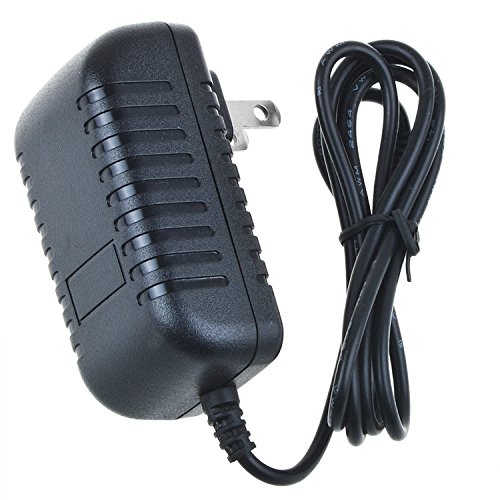
Image showing the Accessory USA AC/DC Adapter, a black power supply unit with a barrel connector, ready for connection.
4. Operating Instructions
The Accessory USA AC/DC Adapter functions as a power source for your compatible Swingline Automatic Stapler. Once properly connected as described in the Setup section, the adapter continuously supplies power to the stapler. There are no operational controls on the adapter itself. For instructions on operating your stapler, please refer to the specific user manual provided with your Swingline Automatic Stapler.
5. Maintenance
Proper maintenance ensures the longevity and safe operation of your adapter:
- Cleaning: Disconnect the adapter from both the power outlet and the device before cleaning. Use a soft, dry cloth to wipe the exterior. Do not use liquid cleaners or abrasive materials.
- Storage: Store the adapter in a cool, dry place away from direct sunlight and moisture when not in use. Avoid tightly coiling the cable to prevent damage.
- Inspection: Periodically inspect the adapter and its cable for any signs of damage, such as cuts, fraying, or bent pins. If damage is observed, discontinue use immediately and replace the adapter.
6. Troubleshooting
If you experience issues with your adapter, consider the following:
- No Power to Device:
- Ensure the adapter is securely plugged into both the wall outlet and the stapler.
- Check if the wall outlet is functional by plugging in another device.
- Verify that the stapler's power switch (if any) is in the 'ON' position.
- Confirm that the adapter model is correct for your stapler.
- Adapter Overheating:
- Unplug the adapter immediately.
- Ensure the adapter is used in a well-ventilated area and not covered.
- If overheating persists, discontinue use and replace the adapter.
If troubleshooting steps do not resolve the issue, please contact Accessory USA customer support.
7. Specifications
| Brand | Accessory USA |
| Compatible Models | Swingline KA12D072080044U, A-41-616, 211XX Automatic Staplers |
| Connector Type | Barrel Connector |
| Main Power Connector Type | 2 Pin |
| Power Source | Corded Electric |
| Special Features | Short Circuit Protection (SCP), Over Voltage Protection (OVP), Over Current Protection (OCP) |
| Certifications | CE, FCC, RoHS |
| UPC | 715537235404 |
8. Warranty and Support
For warranty information or technical support regarding your Accessory USA AC/DC Adapter, please contact Accessory USA directly. Refer to the packaging or the retailer's website for specific contact details. Please have your product model number (KA12D072080044U or A-41-616) and purchase information available when contacting support.


