
Introduction
Thank you for choosing the LEPOWER Solar Security Light. This manual provides detailed instructions for the proper installation, operation, and maintenance of your new solar-powered motion sensor light. Designed for outdoor use, this light offers bright illumination and enhanced security with its adjustable heads and intelligent motion detection capabilities. Please read this manual thoroughly before installation and keep it for future reference.
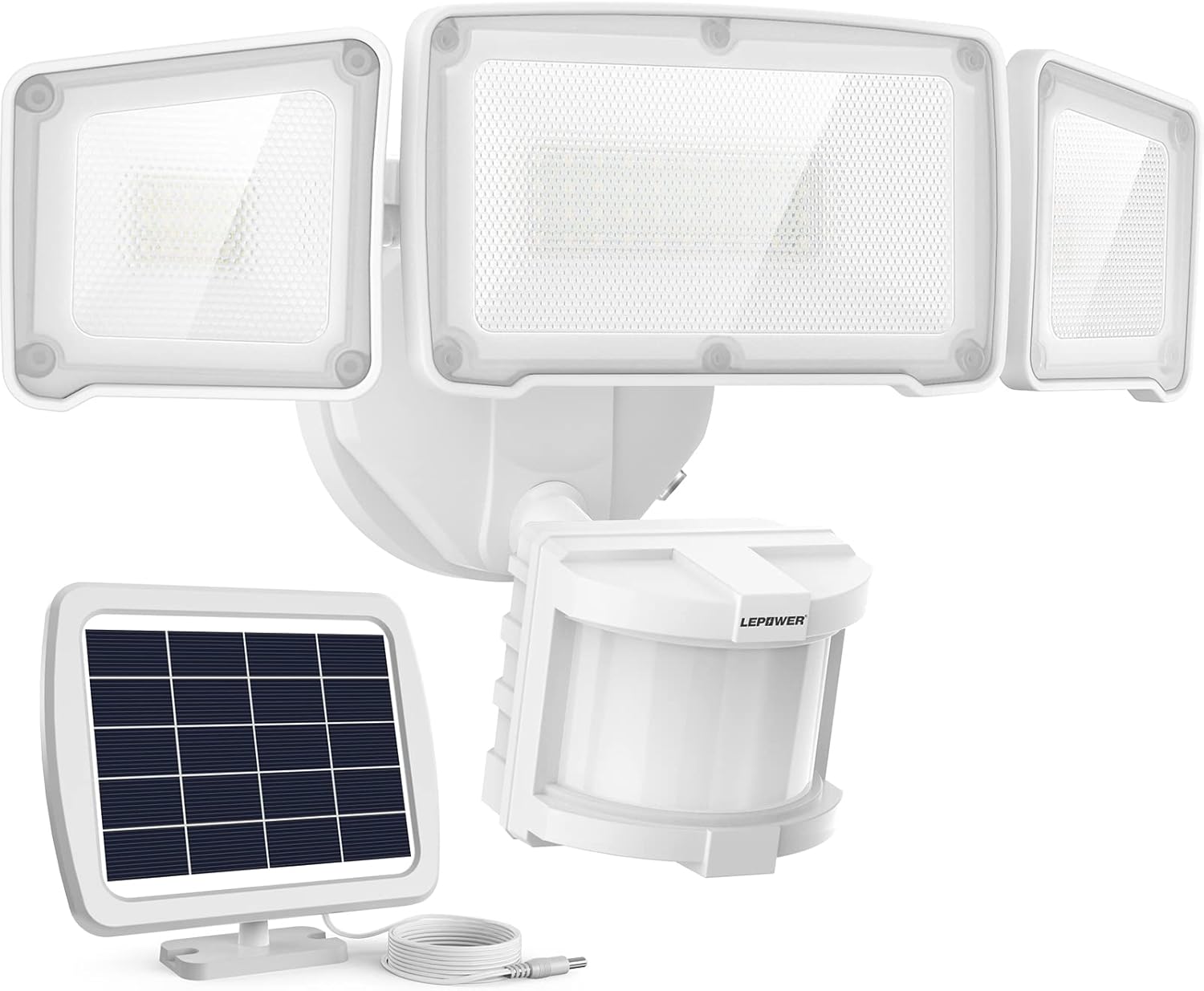
Figure 1: LEPOWER Solar Security Light (Model YY02C-WH)
This image displays the complete LEPOWER Solar Security Light system, including the main light unit with three adjustable LED heads and the separate solar panel connected by a cable. The motion sensor is visible below the central light head.
Safety Information
To ensure safe operation and prevent damage, please observe the following safety precautions:
- Always disconnect the solar panel from the light unit before performing any maintenance or adjustments.
- Do not look directly into the LED lights when they are illuminated, as this may cause eye strain or damage.
- Ensure the mounting surface is stable and can support the weight of the light fixture.
- Keep the solar panel and light unit away from flammable materials.
- Do not attempt to disassemble or modify the product. This will void the warranty and may lead to malfunction or injury.
- Keep out of reach of children.
- Dispose of batteries according to local regulations.
Package Contents
Please check the package contents to ensure all items are present and undamaged:
- LEPOWER Solar Security Light Unit (with 3 adjustable heads and motion sensor)
- Solar Panel with 15-foot connecting cable
- Mounting Screws and Wall Anchors
- User Manual (this document)
Product Overview
The LEPOWER Solar Security Light features a robust design for optimal outdoor performance. Key components include:
- Adjustable LED Light Heads: Three independent light heads can be angled to cover a wide area, providing up to 270° of illumination.
- Motion Sensor: Detects movement within a 180° angle and up to 72 feet, activating the light.
- Solar Panel: Monocrystalline silicon panel efficiently charges the internal battery, even on cloudy days.
- Control Switch: Located on the motion sensor, allows selection of operational modes and adjustment of sensitivity.

Figure 2: Product Dimensions
This image provides detailed measurements for both the main light unit and the solar panel, indicating length, width, and height for proper installation planning.

Figure 3: Adjustable Lighting Angle
This diagram illustrates how the three adjustable light heads can be positioned to achieve a wide 270-degree lighting coverage, illuminating a larger area around your property.
Setup and Installation
Follow these steps for optimal performance and secure installation:
- Choose a Location:
- Select a location for the solar panel that receives at least 6-8 hours of direct sunlight daily. Avoid shaded areas.
- Mount the light unit in the desired area (e.g., yard, garage, driveway, porch) ensuring the motion sensor faces the area you wish to monitor.
- Mount the Solar Panel:
- Using the provided screws and wall anchors, securely mount the solar panel in your chosen sunny location. The 15-foot cable allows flexible placement.

Figure 4: 15-foot Cable for Flexible Installation
This image highlights the generous 15-foot cable connecting the solar panel to the light unit, providing ample length for optimal solar panel placement in direct sunlight, even if the light unit is mounted in a shaded area.
- Mount the Light Unit:
- Attach the light unit to the wall or eave using the appropriate mounting hardware. Ensure it is firmly secured.
- Connect the solar panel cable to the light unit's input port.

Figure 5: Installation Diagram
This diagram illustrates the recommended installation process, showing how to mount both the solar panel and the light fixture on a building. It emphasizes ensuring the motion sensor faces outwards when mounted on an eave for proper detection.
- Adjust Light Heads:
- Manually adjust the three light heads to direct illumination where needed.
Operating Instructions
The LEPOWER Solar Security Light features a stepless adjustable switch for controlling its operational modes and motion sensor sensitivity.
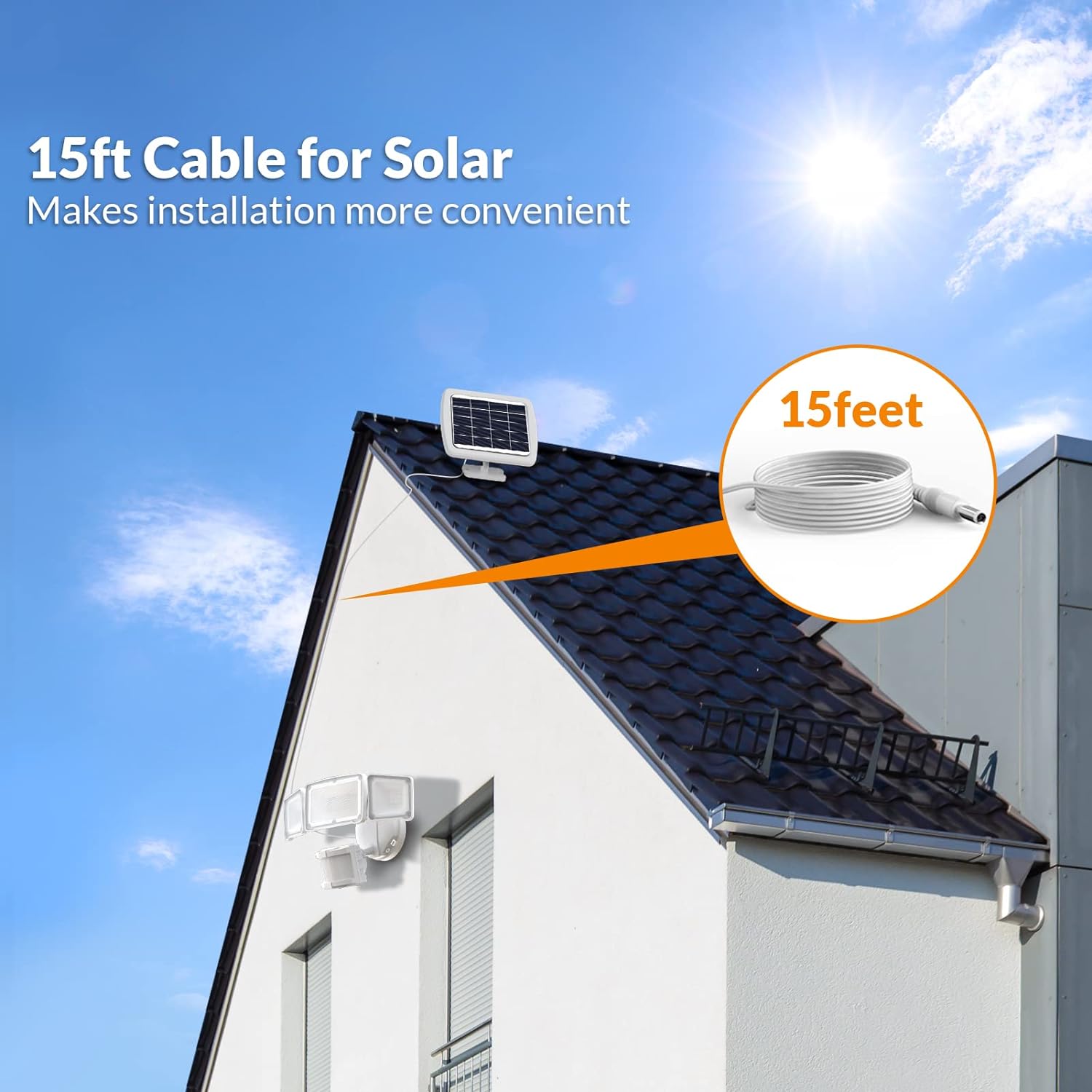
Figure 6: Control Switch and Modes
This image details the control switch on the motion sensor, showing the three operational modes: Test Mode, Auto Mode, and Normally On Mode, along with their respective indicators and functions.
Operational Modes:
- Test Mode:
Quickly adjust and test the light before final installation. In this mode, the light turns on for approximately 7 seconds when motion is detected, regardless of ambient light conditions (day or night). This is useful for verifying sensor coverage.
- Auto Mode:
This is the primary operational mode for security lighting. The light will automatically turn on at night or in dimly lit environments when motion is detected. It will stay illuminated for a duration adjustable between 10 seconds and 120 seconds (maximum) after the last detected motion. The light will turn off when no motion is detected within the set time frame.
- Normally On Mode:
Push the switch to "ON". In this mode, the solar motion light will remain continuously illuminated for approximately 50 minutes after being fully charged. This mode is suitable for situations where continuous light is desired for a period, such as during an outdoor gathering.
Adjusting Motion Sensor Sensitivity:
The motion sensor features a stepless adjustable switch to customize the sensing distance from 0 to 72 feet. Rotate the dial to increase or decrease the detection range according to your needs. A wider detection angle of 180° ensures comprehensive coverage.

Figure 7: Motion Sensor Detection Area
This image illustrates the wide 180-degree detection angle and up to 72-foot range of the motion sensor, capable of detecting humans, cars, and pets within its coverage area.
Maintenance
Regular maintenance ensures the longevity and optimal performance of your LEPOWER Solar Security Light:
- Clean the Solar Panel:
Periodically wipe the solar panel with a soft, damp cloth to remove dust, dirt, leaves, or snow. A clean panel ensures maximum sunlight absorption and efficient charging.
- Clean Light Heads and Sensor:
Gently clean the LED light heads and motion sensor lens with a soft, dry cloth. Avoid abrasive cleaners that could scratch the surfaces.
- Check Connections:
Occasionally inspect the cable connection between the solar panel and the light unit to ensure it is secure and free from damage.
- Battery Care:
The light uses integrated Lithium Ion batteries. While designed for long life, ensure the solar panel receives adequate sunlight to keep the batteries charged. Prolonged periods without charging can reduce battery lifespan.

Figure 8: IP65 Waterproof Rating
This image illustrates the light's IP65 waterproof rating, showing its ability to withstand various weather conditions such as rain, snow, and wind, ensuring reliable outdoor performance.
Troubleshooting
If you encounter issues with your LEPOWER Solar Security Light, refer to the following common problems and solutions:
| Problem | Possible Cause | Solution |
|---|---|---|
| Light does not turn on at night. |
|
|
| Light stays on continuously during the day. |
|
|
| Light is dim or flickers. |
|
|
| Motion sensor range is poor. |
|
|
Specifications
| Feature | Detail |
|---|---|
| Model Name | SL-18 |
| Item Model Number | YY02C-WH |
| Brightness | 1600 Lumens |
| Light Color Temperature | 5500K (White Light) |
| Power Source | Solar Powered |
| Voltage | 3.7 Volts |
| Wattage | 4.44 watts |
| Material | Acrylonitrile Butadiene Styrene, Polycarbonate (ABS+PC) |
| Water Resistance Level | IP65 Waterproof |
| Motion Sensor Range | Up to 72 feet |
| Motion Sensor Angle | 180 degrees |
| Cable Length (Solar Panel) | 15 feet |
| Product Dimensions | 14.09"L x 6.26"W x 7.6"H |
| Item Weight | 2.25 Pounds |
| Batteries | 2 Lithium Ion batteries (included) |
| Installation Type | Wall Mount & Eave Mount |
Warranty and Support
Warranty: The LEPOWER Solar Security Light comes with a 1-year manufacturer's warranty from the date of purchase. This warranty covers defects in materials and workmanship under normal use. Please retain your proof of purchase for warranty claims.
Customer Support: For any questions, technical assistance, or warranty inquiries, please contact LEPOWER customer service. You can find more information and contact details by visiting the official LEPOWER store on Amazon:

