
1. Introduction
This instruction manual provides essential information for the safe and efficient use of your NEDIS Wine Thermometer, model KATH100SS. This digital thermometer is designed to accurately measure the temperature of wine bottles, helping you ensure optimal serving conditions. Please read this manual thoroughly before first use and retain it for future reference.
2. Product Overview
2.1 Features
- Digital LCD display for clear temperature readings.
- Temperature measurement range: 0-50 °C.
- Automatic turn on when attached to a bottle.
- Automatic turn off when removed from a bottle.
- Flexible band design to fit various wine bottle sizes.
- Constructed from durable plastic and aluminium.
2.2 Components
The package includes:
- 1x NEDIS Wine Thermometer (KATH100SS)
- 1x LR54 Battery (pre-installed or included separately)
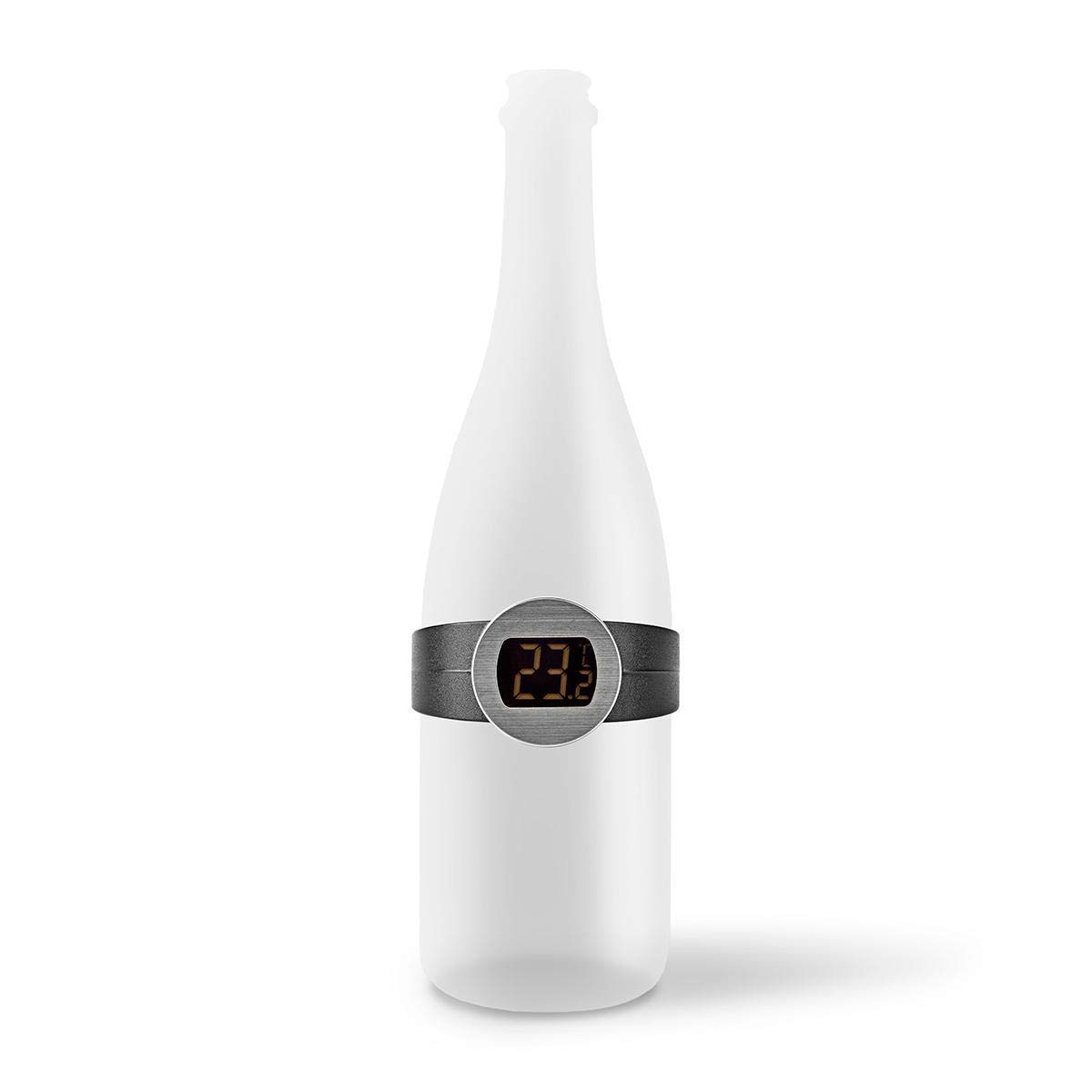
Image 1: NEDIS Wine Thermometer KATH100SS attached to a wine bottle, displaying 23.2 degrees Celsius.

Image 2: The wine thermometer on a bottle, with a wine glass and corkscrew in the background.
3. Setup
3.1 Battery Installation
The NEDIS Wine Thermometer comes with an LR54 battery. In most cases, the battery is pre-installed. If the display does not light up upon first use, or if the display becomes dim, the battery may need to be installed or replaced.
- Locate the battery compartment on the back of the thermometer unit.
- Carefully open the compartment cover.
- Insert the LR54 battery with the correct polarity (+/-) as indicated inside the compartment.
- Close the battery compartment cover securely.

Image 3: Rear view of the thermometer, highlighting the battery compartment.
3.2 Attaching to a Wine Bottle
The thermometer features a flexible band designed to fit various wine bottle sizes.
- Gently expand the flexible band of the thermometer.
- Place the thermometer around the body of the wine bottle, ensuring the digital display faces outwards for easy reading.
- Ensure the thermometer makes good contact with the bottle surface for accurate temperature measurement.

Image 4: Top view of the thermometer, illustrating its flexible design.
4. Operating Instructions
4.1 Measuring Wine Temperature
The NEDIS Wine Thermometer is designed for simple, automatic operation.
- Attach the thermometer to the wine bottle as described in Section 3.2.
- The thermometer will automatically turn on and display the current temperature of the wine in degrees Celsius (°C).
- Allow a few seconds for the reading to stabilize for the most accurate measurement.
- Once you have noted the temperature, you can remove the thermometer from the bottle. It will automatically turn off to conserve battery life.

Image 5: Close-up of the digital display showing a temperature reading.
5. Maintenance
5.1 Cleaning
To maintain the accuracy and appearance of your thermometer:
- Wipe the thermometer clean with a soft, damp cloth.
- Do not immerse the thermometer in water or any other liquids.
- Avoid using abrasive cleaners or solvents, as these can damage the display or finish.
5.2 Battery Replacement
When the display becomes dim or stops functioning, it is time to replace the LR54 battery. Follow the steps outlined in Section 3.1 for battery installation.
5.3 Storage
Store the thermometer in a cool, dry place when not in use. Avoid extreme temperatures or direct sunlight.
6. Troubleshooting
| Problem | Possible Cause | Solution |
|---|---|---|
| Display is blank or dim. | Battery is dead or incorrectly installed. | Replace the LR54 battery or ensure it is installed with correct polarity. |
| Inaccurate temperature reading. | Poor contact with the bottle surface. | Ensure the thermometer band is snug against the wine bottle. |
| Thermometer does not turn on automatically. | Battery issue or sensor obstruction. | Check/replace battery. Ensure the internal sensor (if visible) is clean and unobstructed. |
7. Specifications
| Specification | Detail |
|---|---|
| Brand | NEDIS |
| Model Number | KATH100SS |
| Temperature Range | 0-50 °C |
| Display Type | LCD Digital |
| Power Source | 1x LR54 Battery |
| Material | Aluminium, Plastic |
| Color | Black |
| Product Care | Wipe Clean |
| Item Weight | 0.05 Pounds |
8. Warranty and Support
For warranty information, please refer to the product packaging or the official NEDIS website. If you encounter any issues or require technical assistance, please contact NEDIS customer support through their official channels.
You can visit the official NEDIS store for more information: NEDIS Store on Amazon