
1. Introduction
Thank you for purchasing the VAXCEL Humboldt F0061 Industrial Fandelier Ceiling Fan. This manual provides essential information for the safe installation, operation, and maintenance of your new ceiling fan. Please read all instructions carefully before beginning installation and retain this manual for future reference.
This 21-inch fandelier features an oil rubbed bronze and burnished teak finish, anigre blades, a dimmable LED light kit, and a remote control for convenient operation. It is designed for indoor use and offers 3-speed settings and a manual reverse air flow switch for year-round comfort.
2. Safety Information
- Always disconnect power at the main circuit breaker before installation or servicing.
- Ensure all electrical connections comply with local codes and ordinances, as well as the National Electrical Code (NEC).
- Consult a qualified electrician if you are unsure about wiring or installation procedures.
- The mounting structure must be capable of supporting the fan's weight (approximately 15.4 pounds).
- Do not connect the fan to a dimmer switch unless specifically designed for fan control, as this can damage the motor. The included remote control provides dimming functionality for the light kit.
- Keep hands and objects clear of the fan blades during operation.
- This fan is ETL rated for interior damp locations.
3. Package Contents
Verify that all components are present before beginning installation:
- Ceiling Fan Assembly
- Remote Control (with 9V battery included)
- Bulbs (LED, E26 base)
- Shade (Caged Drum)
- Mounting Hardware
- Instruction Manual
4. Specifications
| Feature | Specification |
|---|---|
| Brand | VAXCEL |
| Model Name | Humboldt F0061 |
| Color | Oil Rubbed Bronze and Burnished Teak |
| Material | Alloy Steel, Glass (Shade) |
| Style | Industrial |
| Product Dimensions | 21-in W x 17-in H x 21-in D (approx. 48"L x 2.75"W x 4"H for fan body) |
| Item Weight | 15.43 pounds |
| Indoor/Outdoor Usage | Indoor |
| Power Source | Hardwired |
| Installation Type | Rod Mount, Sloped Ceiling Compatible (up to 23 degrees) |
| Special Features | 3 Speeds, Dimmable LED Light Kit, Remote Control, Manual Reverse Air Flow |
| Control Method | Remote |
| Light Source Type | LED (Incandescent compatible) |
| Number of Light Sources | 3 |
| Voltage | 120 Volts |
| Brightness | 500 lumens (at highest level) |
| Wattage | 5 watts (LED) |
| Bulb Base | E26 |
| Number of Blades | 3 |
| Air Flow Capacity | 587 Cubic Feet Per Minute |
| Certification | ETL |
5. Installation
Professional installation is recommended for electrical wiring. Ensure the power is OFF at the circuit breaker before starting.
5.1 Mounting Options
The fan can be installed using the provided down rod for low or standard ceiling heights. For higher ceilings, a longer down rod (up to 72 inches) can be used (sold separately). The fan is also compatible with angled or sloped ceilings up to 23 degrees.

Image: Mounting options for standard and sloped ceilings.
5.2 Assembly Steps
- Secure the mounting bracket to the ceiling junction box.
- Assemble the fan motor housing, blades, and light kit according to the detailed diagrams in the included printed manual.
- Connect the electrical wiring from the fan to the household wiring, ensuring proper grounding.
- Attach the fan assembly to the mounting bracket.
- Install the caged drum shade and light bulbs.

Image: Fully assembled VAXCEL Humboldt F0061 Fandelier.

Image: Product dimensions diagram.

Image: Fan dimensions relative to room size and typical furniture.
6. Operating Instructions
Your VAXCEL Humboldt Fandelier is operated via the included remote control. Ensure the 9V battery is correctly installed in the remote.
6.1 Fan Speed Control
The remote control allows you to select from 3 fan speed settings to achieve your desired comfort level.
6.2 Light Control and Dimming
The integrated LED light kit can be turned ON/OFF and dimmed using the remote control. The light kit produces 500 lumens at its highest setting. Dimmable LED bulbs are included for energy efficiency and adjustable lighting.
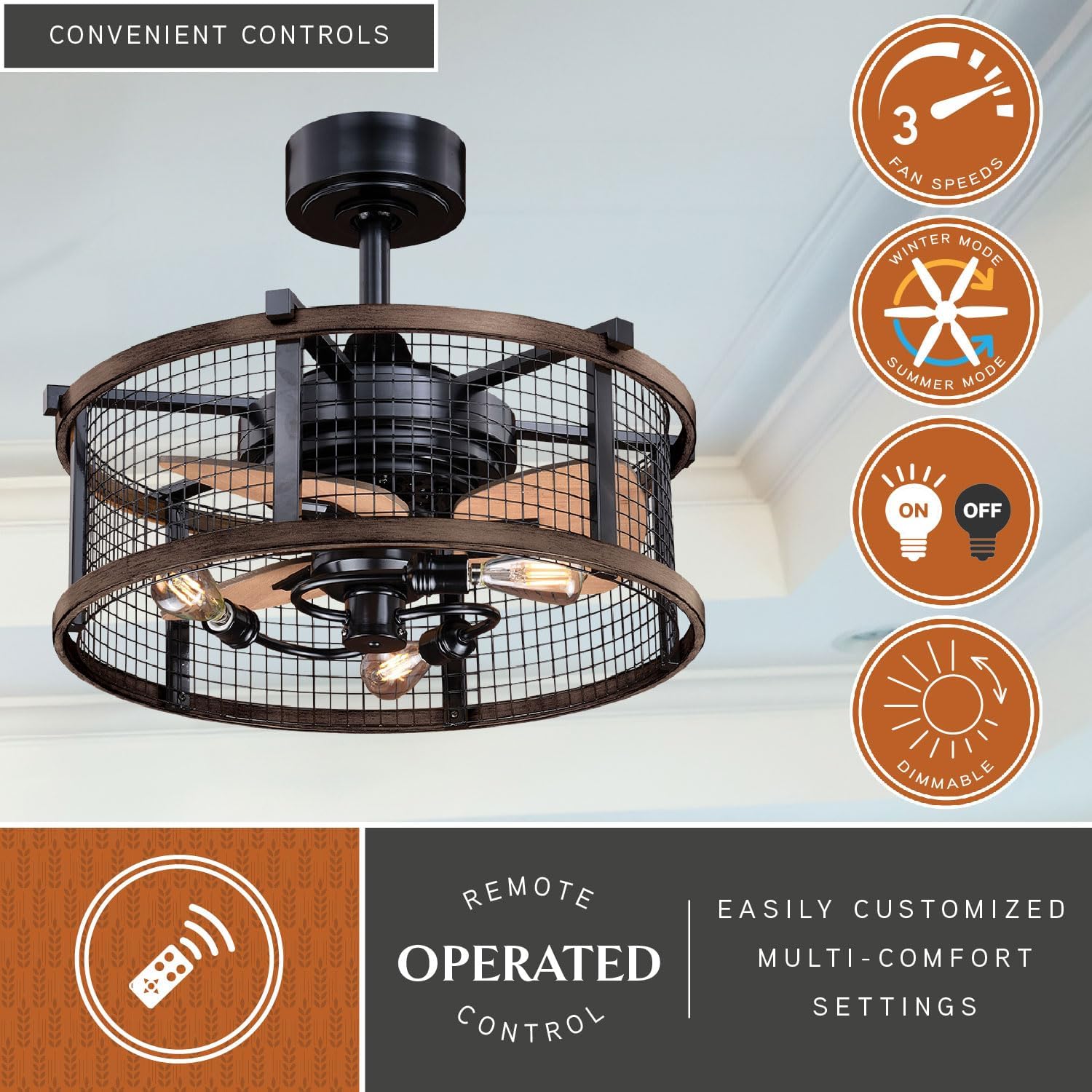
Image: Remote control functions and fan features.

Image: Color Temperature Chart for understanding light output.
6.3 Reverse Air Flow Switch
A manual reverse air flow switch is located on the fan motor housing. This allows you to change the blade direction seasonally:
- Summer Mode: Blades rotate counter-clockwise to push cool air down, creating a cooling effect.
- Winter Mode: Blades rotate clockwise to draw warm air up, distributing it evenly and reducing energy usage.
Always turn off the fan and ensure blades have stopped completely before changing the direction switch.
6.4 Product Video Overview
Video: An overview of Vaxcel Lighting products, showcasing various lighting solutions. This video provides general brand information and may not specifically detail the Humboldt F0061 model.
7. Maintenance
7.1 Cleaning
- Always turn off the power before cleaning.
- Use a soft, damp cloth to clean the fan and light kit. Do not use abrasive cleaners or solvents.
- Periodically check all connections and screws for tightness.
7.2 Bulb Replacement
Ensure the power is off and the bulbs have cooled before attempting to replace them. Use E26 base LED bulbs as replacements.
8. Troubleshooting
| Problem | Possible Cause | Solution |
|---|---|---|
| Fan does not operate | No power, loose wiring, remote battery dead | Check circuit breaker. Verify all wire connections. Replace remote battery. Ensure wall switch (if any) is ON and not a dimmer. |
| Light does not work or flickers | Loose bulb, faulty bulb, wiring issue, incompatible wall dimmer | Tighten or replace bulbs. Check wiring connections. Ensure no wall dimmer is used; use remote for dimming. |
| Excessive wobbling | Loose mounting, unbalanced blades | Ensure mounting bracket is securely fastened. Check all blade screws. |
| Noisy operation | Loose screws, motor issue | Check all screws for tightness. If noise persists, contact customer support. |
9. Warranty and Support
This VAXCEL Humboldt F0061 Fandelier is covered by a manufacturer's warranty. Please refer to the warranty card included with your purchase for specific terms and conditions. For technical support, replacement parts, or warranty claims, please contact VAXCEL customer service.
VAXCEL Customer Service: Refer to your product packaging or the VAXCEL website for current contact information.


