1. Introduction
The PopBabies Portable Blender is designed for convenience and efficiency, allowing you to blend and enjoy your favorite shakes and smoothies anywhere. Its compact and lightweight design makes it ideal for home, office, or travel use.
Key Features:
- Blend & Go: Blend and drink directly from the 14 oz. jar.
- Compact Design: Petite size perfect for portability.
- Safe & Versatile: Dishwasher-safe (jar only) and made from food-grade, BPA-free materials. Ideal for shakes, smoothies, protein shakers, and baby food.
- Unique Functionality: Capable of blending while charging.
- Powerful Performance: Strong enough to crush ice cubes, frozen fruits, and seeds.
2. Included Components
Your PopBabies Portable Blender package includes the following items:
- PopBabies Portable Blender Unit (Base with motor and blade, and 14 oz. jar)
- Ice Cube Tray
- Funnel
- Recipe Book
- User Manual
- USB Charging Cable

Figure 1: All components included in the PopBabies Portable Blender package.
3. Specifications
| Feature | Detail |
|---|---|
| Brand | PopBabies |
| Model Number | P20 |
| Color | Grey Black |
| Capacity | 14 Fluid Ounces (400 mL) |
| Product Dimensions | 3.2"D x 3.2"W x 10.2"H |
| Item Weight | 14 ounces |
| Power Source | Battery Powered (2 Lithium Ion batteries required) |
| Voltage | 7.4 Volts |
| Blade Material | Aircraft 304 stainless steel |
| Material Type Free | BPA Free |
4. Setup
Initial Charging:
Before first use, ensure your PopBabies Portable Blender is fully charged. Connect the provided USB charging cable to the charging port on the blender base and plug it into a compatible USB power source (e.g., laptop, USB adapter). Charging typically takes 3-5 hours.
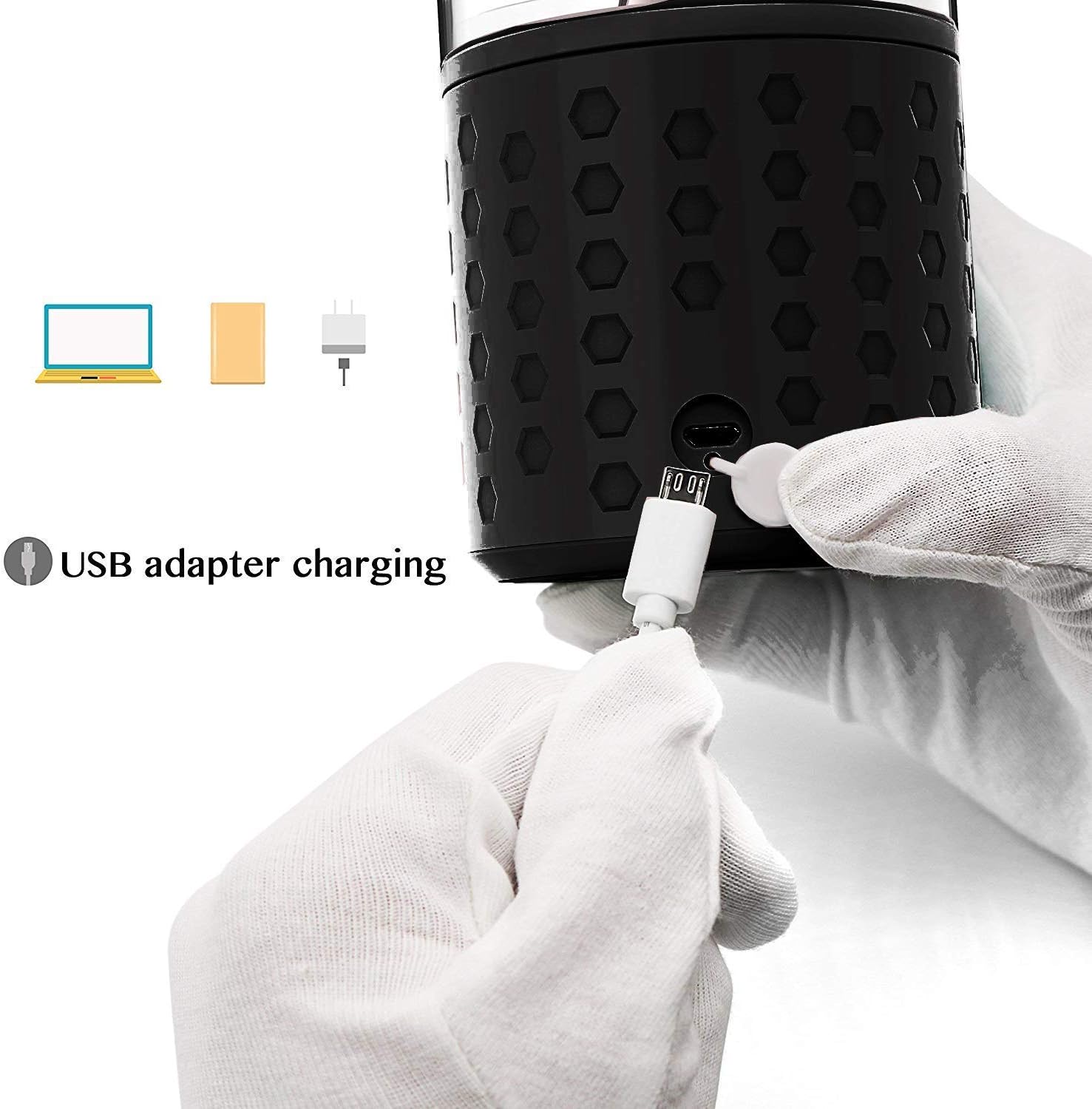
Figure 2: Connecting the USB charging cable to the blender base.
Assembly:
Ensure the blender jar is securely twisted onto the motor base. The blade assembly is integrated into the base for convenience.
5. Operating Instructions
Follow these steps to prepare your favorite beverages with your PopBabies Portable Blender:
- Prepare Ingredients: Cut fruits and vegetables into pieces no bigger than 2 inches to ensure optimal blending.
- Add Liquid: Pour liquid (e.g., water, milk, juice) into the jar, filling approximately 1/5 of the bottle.
- Add Ingredients: Place your prepared fruits, vegetables, protein powder, or other ingredients into the jar. Do not fill more than 2/3 of the bottle to allow for proper blending.
- Secure Lid: Tightly screw on the lid with the integrated handle.
- Blend: For best results, reverse the blender (turn it upside down) before pressing the power button. Once blending starts, return it upright and gently shake to ensure all ingredients are mixed thoroughly. The blender will automatically stop when blending is complete or if ingredients are too thick.

Figure 3: Visual guide for preparing and blending with your PopBabies Portable Blender.

Figure 4: Using the included funnel and ice cube tray for easy preparation.

Figure 5: The compact design allows for versatile use at home, office, or during travel.
Official Product Videos:
How to use PopBabies portable blender to make smoothies
This video demonstrates the step-by-step process of making smoothies using the PopBabies portable blender, from adding ingredients to blending.
Starting today will be super easy to make lovely smoothies
This video showcases the ease of making smoothies with the PopBabies blender, highlighting its convenience for daily use.
Blueberry Banana Smoothie made with portable blender
A demonstration of making a blueberry banana smoothie, illustrating the blender's capability with common fruit combinations.
Makes the perfect smoothies &milkshakes, so quick and easy.
This video highlights the speed and ease of preparing smoothies and milkshakes using the portable blender.
6. Maintenance and Cleaning
- Jar Cleaning: The blender jar is dishwasher safe. Separate it from the motor base before placing it in the dishwasher.
- Base Cleaning: The motor base is NOT dishwasher safe. Wipe it clean with a damp cloth. Do not immerse the base in water.
- No Microwave: The blender jar is NOT microwave safe.
- Immediate Rinse: For best results, rinse the jar immediately after use to prevent food residue from drying and sticking.
- Bottle Brush: A bottle brush can be helpful for thorough cleaning of the inside of the jar.
7. Troubleshooting
If you encounter any issues with your PopBabies Portable Blender, please refer to the following common solutions:
- Blender Stops During Operation:
- The ingredients might be too thick. Add more liquid or reduce the amount of solid ingredients.
- The battery might be low. Recharge the blender for 3-5 hours.
- Ingredients might be too large. Ensure all pieces are no bigger than 2 inches.
- Blades Not Moving:
- Ensure the jar is securely attached to the base.
- Check if the blender is charged.
- Do not overfill the bottle (max 2/3 full).
- Leaking:
- Ensure the lid is tightly screwed on.
- Check if the base is securely attached to the jar.
For more detailed troubleshooting or persistent issues, please consult the included User Manual or contact customer support.
8. Warranty and Support
PopBabies is committed to providing high-quality products and excellent customer service. We value our customers as family members and aim to enhance the quality of daily life with our products.
For any product-related inquiries, warranty claims, or support needs, please refer to the contact information provided in your User Manual or visit the official PopBabies website. Our customer service team is dedicated to responding within 24 hours to assist you.