
1. Introduction
This manual provides essential information for the safe and efficient installation, operation, and maintenance of your Urmet 1042/20 DIN Rail Power Supply. Please read this manual thoroughly before using the product and retain it for future reference.
The Urmet 1042/20 is a 38VA power supply designed for DIN rail mounting, compatible with DIG Easy2wire systems. It provides reliable power for your connected devices.
2. Safety Information
Always observe the following safety precautions to prevent injury and damage to the product:
- Installation must be performed by qualified personnel in accordance with local electrical codes and regulations.
- Ensure the power supply is disconnected from the mains before any installation, wiring, or maintenance work.
- Do not expose the device to moisture, extreme temperatures, or direct sunlight.
- Do not open the casing of the power supply. There are no user-serviceable parts inside.
- Use only specified voltage and current ratings.
3. Package Contents
Verify that all items are present in the package:
- Urmet 1042/20 DIN Rail Power Supply (1 unit)
- Instruction Manual (this document)
4. Product Overview
The Urmet 1042/20 is a compact power supply unit designed for integration into electrical cabinets using a standard DIN rail. It provides a stable 38VA output for compatible systems, particularly those utilizing DIG Easy2wire technology.
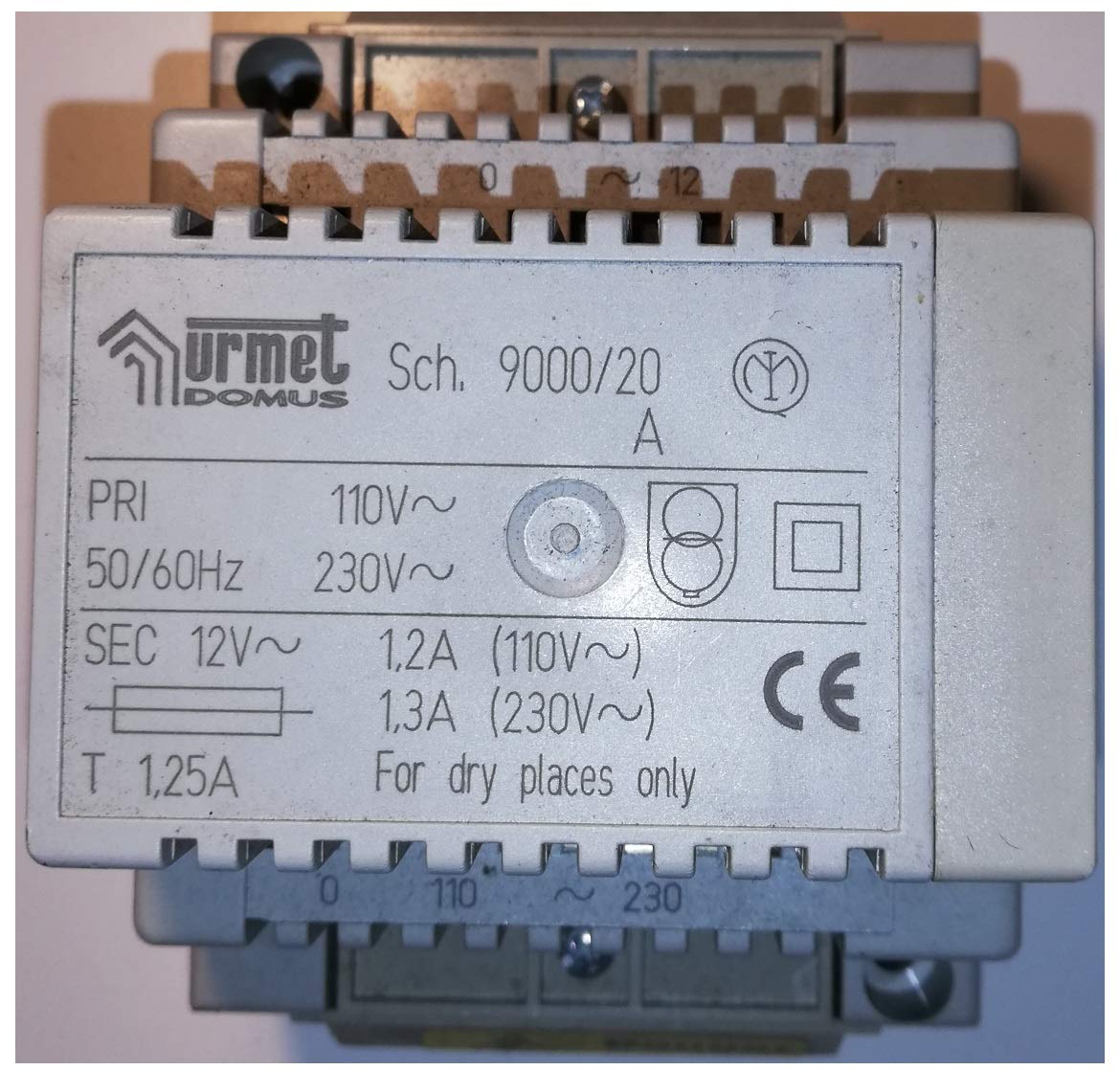
Figure 1: Front view of the Urmet 1042/20 DIN Rail Power Supply. This image shows the compact grey casing with connection terminals and indicators.
5. Setup and Installation
Follow these steps for proper installation:
- Mounting: Securely attach the Urmet 1042/20 power supply to a standard DIN rail within an electrical enclosure. Ensure adequate ventilation around the unit.
- Wiring Input: Connect the mains power supply (e.g., 230V AC) to the designated input terminals. Refer to the wiring diagram on the unit or in the system's main documentation for correct polarity and connections. Ensure the mains power is OFF before connecting.
- Wiring Output: Connect the output terminals of the 1042/20 to your DIG Easy2wire system or other compatible devices requiring 38VA power. Double-check all connections for secure fit and correct wiring.
- Verification: After all connections are made, visually inspect all wiring to ensure there are no loose connections or exposed wires.
Note: Always consult the specific wiring diagrams provided with your overall system for detailed connection instructions.
6. Operating Instructions
Once installed and wired correctly:
- Power On: Restore mains power to the circuit. The power supply unit should activate.
- Indicator Lights: Observe any indicator lights on the unit. A green LED typically indicates normal operation. Refer to your system's documentation for specific indicator meanings.
- System Check: Verify that the connected DIG Easy2wire system or other devices are receiving power and functioning as expected.
The Urmet 1042/20 operates continuously once powered, providing a stable output. No user interaction is typically required during normal operation.
7. Maintenance
The Urmet 1042/20 power supply is designed for minimal maintenance. However, periodic checks are recommended:
- Cleaning: Ensure the unit is free from dust and debris. Use a soft, dry cloth for cleaning. Do not use liquid cleaners.
- Connection Check: Periodically inspect wiring connections for tightness and signs of wear or corrosion. Ensure power is disconnected before performing this check.
- Ventilation: Ensure that ventilation openings (if any) are not obstructed to prevent overheating.
No internal maintenance or component replacement is required or recommended for the user.
8. Troubleshooting
If you encounter issues with your Urmet 1042/20 power supply, consider the following:
- No Power Output:
- Check if the mains power supply to the unit is active.
- Verify all input and output wiring connections are secure and correct.
- Check for tripped circuit breakers or blown fuses in the main electrical panel.
- Indicator Light Off/Red:
- If the indicator light is off, refer to "No Power Output" above.
- If the indicator is red or flashing, it may indicate an overload or fault. Disconnect the load and re-test. If the issue persists, contact technical support.
- Intermittent Power:
- Inspect all wiring for loose connections or damage.
- Ensure the ambient temperature is within the operating range specified in the specifications.
If troubleshooting steps do not resolve the issue, contact Urmet technical support or a qualified electrician.
9. Specifications
| Feature | Specification |
|---|---|
| Brand | Urmet |
| Model Number | 1042/20 |
| Product Type | DIN Rail Power Supply |
| Power Output | 38VA |
| Compatibility | DIG Easy2wire systems |
| Cooling Method | Air |
10. Warranty and Support
For warranty information and technical support, please refer to the documentation provided with your purchase or visit the official Urmet website. Keep your proof of purchase for warranty claims.
Urmet Official Website: www.urmet.com (Example link, actual link may vary)