
1. Introduction
This manual provides detailed instructions for the Bewinner 24V 1.5A AC/DC Power Adapter. This adapter is designed to convert alternating current (AC) from a wall outlet to direct current (DC) suitable for a wide range of electronic devices requiring 24V and up to 1.5A. Please read this manual thoroughly before using the product to ensure proper operation and safety.

Image 1.1: Overview of the Bewinner 24V 1.5A AC/DC Power Adapter, showing the main unit, AC plug, and DC output connector.
2. Product Features
- High Reliability: Equipped with anti-interference performance for stable operation.
- Efficient Power Conversion: Features small DC ripple and high work efficiency (up to 98%).
- Durability: Designed for low operating temperature and extended service life.
- Universal Compatibility: Wide input voltage range (100V-240V AC 50/60Hz) meets global standards.
- Enhanced Safety: Provides good insulation and high electrical strength.
- Integrated Protection: Includes short-circuit, over-current, overload, and over-voltage protection functions.

Image 2.1: The power adapter, highlighting its anti-interference capabilities for reliable performance.
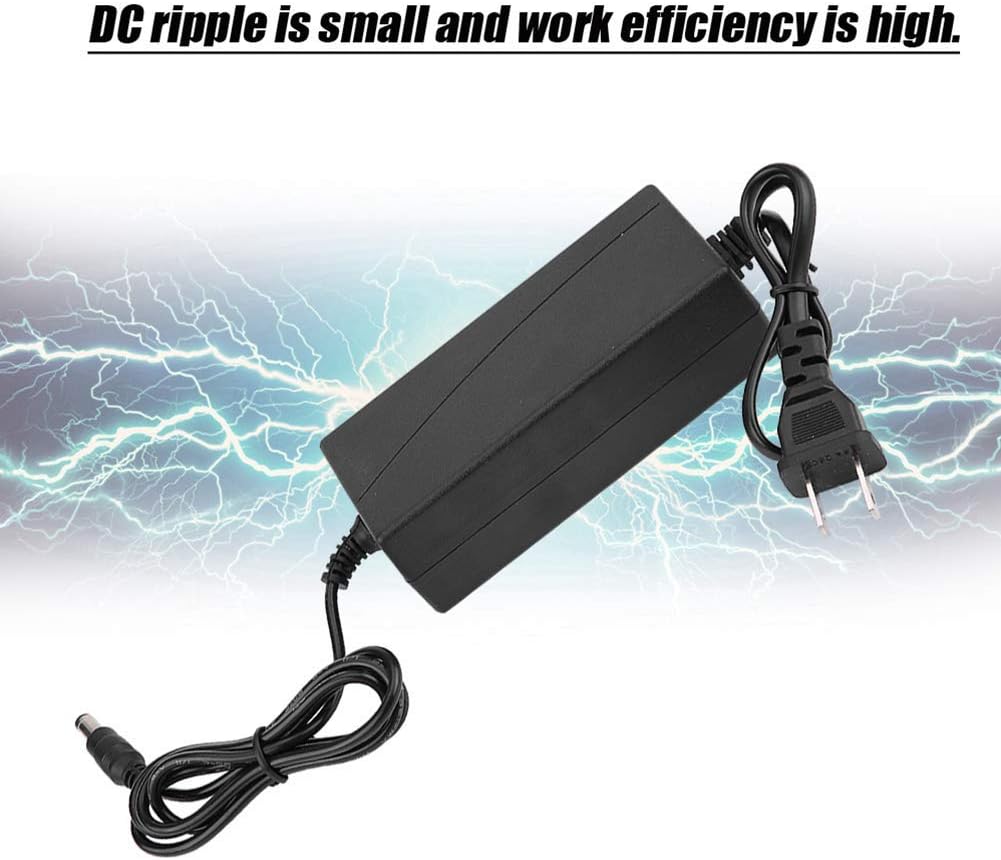
Image 2.2: The power adapter, illustrating its small DC ripple and high work efficiency.
3. Specifications
| Specification | Value |
|---|---|
| Material | ABS |
| Color | Black |
| Input Voltage | 100V-240V AC |
| Input Frequency | 50/60Hz |
| Input Line Length | 0.5 m (19.7 inches) |
| Output Voltage | 24V DC |
| Output Current | 1.5A (1500mA) |
| Output Line Length | 1 m (39.4 inches) |
| Power Interface | 5.5 x 2.5 mm DC Barrel Connector |
| Work Efficiency | 98% |
| Load Adjustment Rate | 4% |
| Voltage Regulation Rate | 4% |
| Working Temperature | 0 ~ 50 °C (32 ~ 122 °F) |
| Adapter Dimensions (L x W x H) | Approx. 11.2 x 5.3 x 3.2 cm (4.4 x 2.1 x 1.3 inches) |
| Full Length (Adapter + Cables) | Approx. 1.5 m (59.1 inches) |
| Item Weight | 5.9 ounces |
| Wattage | 24 watts |
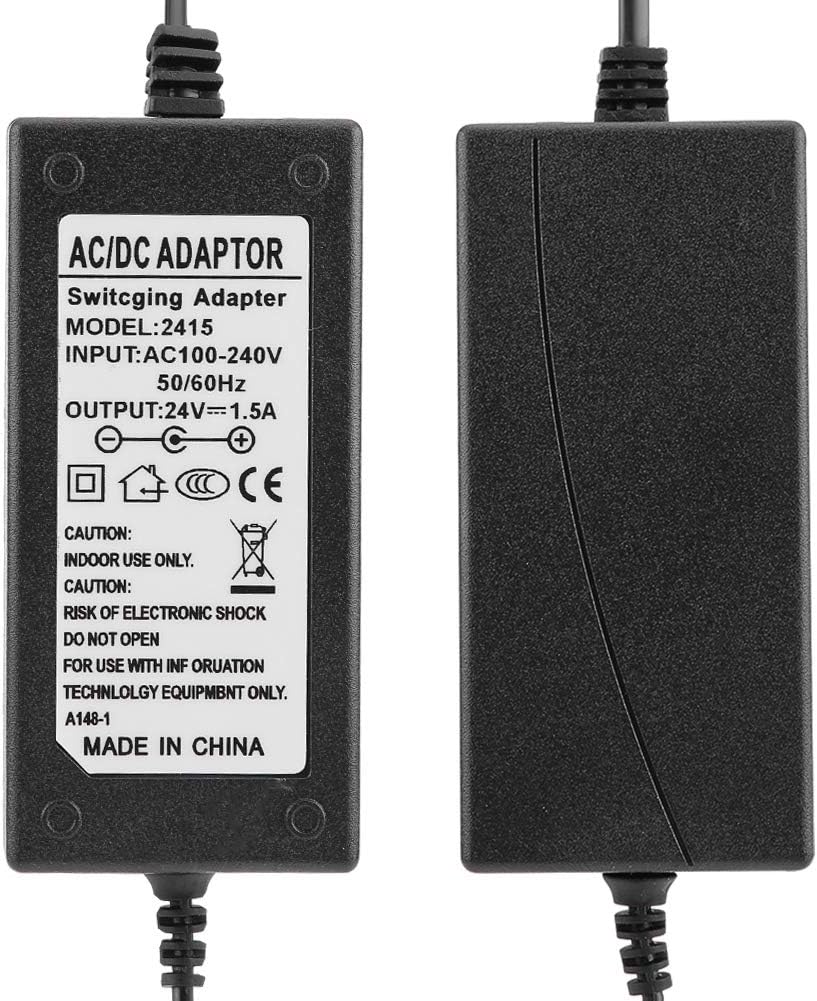
Image 3.1: Close-up view of the adapter's label, displaying detailed electrical specifications and safety markings.
4. Setup
- Verify Device Compatibility: Ensure your device requires a 24V DC input and its current draw does not exceed 1.5A. Also, confirm that your device's power input port is compatible with a 5.5 x 2.5 mm DC barrel connector.
- Connect to Device: Insert the DC barrel connector of the power adapter firmly into the power input port of your electronic device.
- Connect to Power Outlet: Plug the AC power cord of the adapter into a standard 100V-240V AC wall outlet.
- Power On: Once connected, your device should receive power. Turn on your device if it has a power switch.

Image 4.1: Detailed view of the AC plug and the DC barrel connector, illustrating the connection points.
5. Operating Instructions
The Bewinner 24V 1.5A AC/DC Power Adapter is designed for straightforward operation. Once properly connected, it will continuously supply power to your device. No additional user interaction is typically required for its basic function.
- Always ensure the adapter is used within its specified voltage and current limits.
- Avoid bending or crimping the cables excessively to prevent internal damage.
- Disconnect the adapter from the wall outlet when not in use for extended periods.
6. Applications
This power adapter is suitable for a wide array of household and portable electronic devices that require a 24V DC power supply with a 5.5 x 2.5 mm DC input. Common applications include, but are not limited to:
- Mini TVs
- 2.5-inch Mobile Hard Drives
- Mobile DVDs
- TV Boxes
- Audio and Video Equipment
- Charging Equipment
- Small Lamps
- Routers
- Switches
- Game Consoles
- Telephones
- Colored Lights
- Cameras
- Surveillance Equipment
- Controllers

Image 6.1: The power adapter, illustrating its broad range of compatible devices and applications.
7. Safety Information
To ensure safe operation and prevent damage to the adapter or connected devices, please observe the following safety guidelines:
- Indoor Use Only: This adapter is designed for indoor use. Do not expose it to rain, moisture, or extreme temperatures.
- Proper Ventilation: Ensure adequate ventilation around the adapter. Do not cover it or place it in enclosed spaces that could lead to overheating.
- Avoid Overload: Do not connect devices that draw more than 1.5A of current, as this can damage the adapter and the connected device.
- Correct Voltage: Only connect to power outlets providing 100V-240V AC.
- Handle with Care: Avoid dropping or subjecting the adapter to strong impacts.
- Keep Away from Children: Store the adapter out of reach of children.
- No Disassembly: Do not attempt to open or repair the adapter. Refer all servicing to qualified personnel. Risk of electric shock.
- Inspect Regularly: Periodically check the adapter and cables for any signs of damage. Discontinue use if damage is found.
8. Maintenance
The Bewinner power adapter requires minimal maintenance to ensure its longevity and performance.
- Cleaning: Use a soft, dry cloth to clean the exterior of the adapter. Do not use liquid cleaners or solvents.
- Storage: When not in use, store the adapter in a cool, dry place, away from direct sunlight and extreme temperatures.
- Cable Management: Avoid tightly winding the cables, which can cause stress and damage over time.
9. Troubleshooting
If you encounter issues with your Bewinner power adapter, refer to the following common problems and solutions:
- No Power to Device:
- Ensure the AC plug is fully inserted into the wall outlet.
- Verify the DC connector is securely plugged into your device.
- Check if the wall outlet is functional by plugging in another device.
- Confirm your device's power switch is in the 'ON' position.
- Ensure your device's power requirements (voltage and current) match the adapter's specifications.
- Adapter Overheating:
- Ensure the adapter has adequate ventilation and is not covered.
- Verify that the connected device does not exceed the adapter's maximum current output of 1.5A.
- Disconnect the adapter and allow it to cool down before re-connecting. If overheating persists, discontinue use.
- Intermittent Power:
- Check for loose connections at both the AC outlet and the DC input of your device.
- Inspect the cables for any visible damage or fraying.
If these steps do not resolve the issue, please contact customer support.
10. Warranty and Support
Bewinner is committed to providing quality products and customer satisfaction. If you experience any quality problems or have questions regarding this product, our professional customer service team is available to assist you.
- Customer Service: For support, please contact Bewinner customer service. Our team is available 24 hours online to help resolve any issues promptly.
- Warranty Information: Specific warranty details may vary. Please refer to your purchase documentation or contact customer service for comprehensive warranty information.