
JEKCA ST19PT26-M06
JEKCA Labrador Retriever 01S-M06 Building Blocks Instruction Manual
Model: ST19PT26-M06
Introduction
Thank you for choosing the JEKCA Labrador Retriever 01S-M06 Building Blocks set. This manual provides detailed instructions for assembling your model, ensuring a sturdy and enjoyable building experience. JEKCA building blocks utilize a patented interlocking brick-through system for enhanced stability.
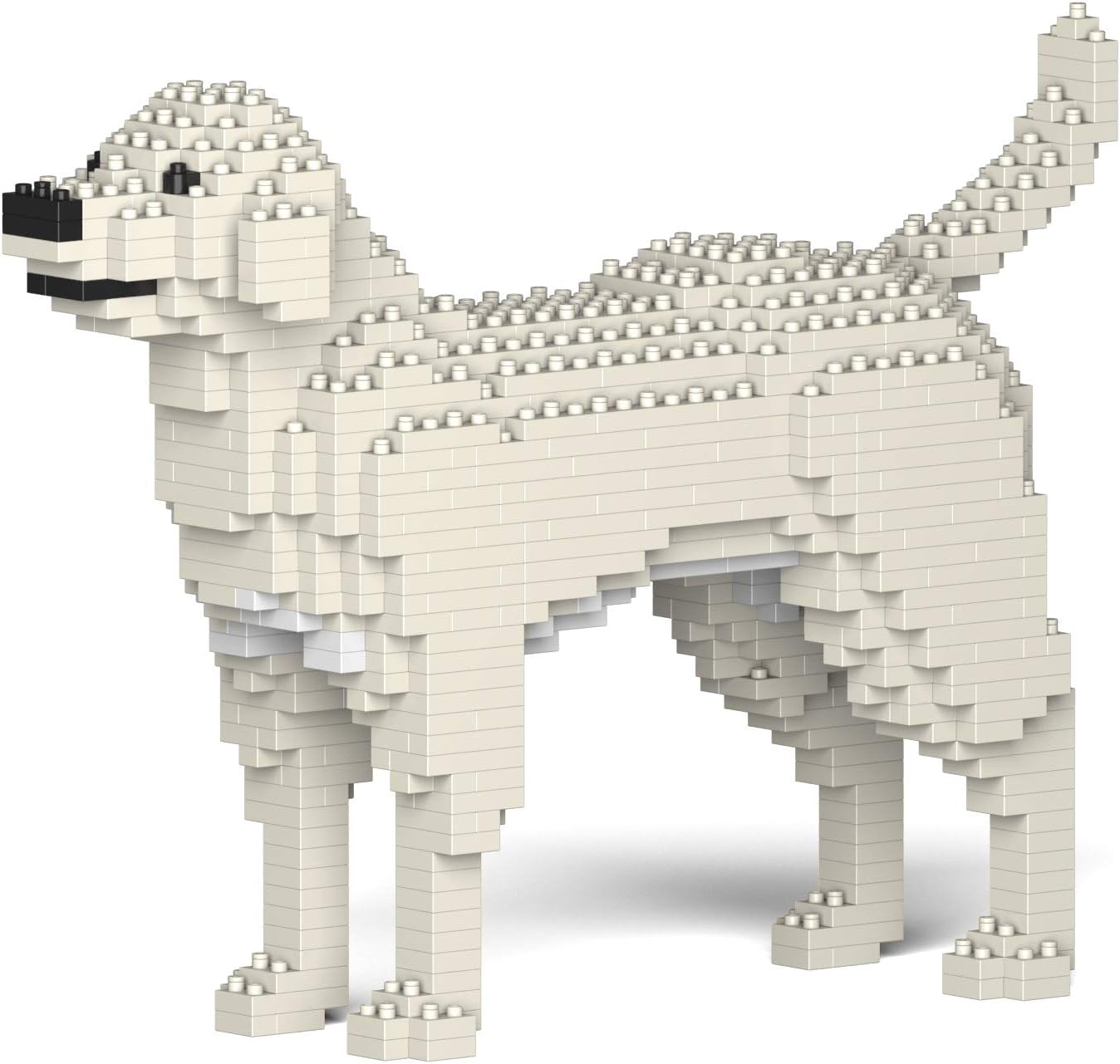
Image: Fully assembled JEKCA Labrador Retriever 01S-M06 model.
Safety Information
WARNING: CHOKING HAZARD - Small Parts. This product contains small parts and is not suitable for children under 3 years of age. Recommended for individuals 14 years and above.
Package Contents
Please verify that all components are present before beginning assembly:
- Instruction Manual
- Bricks (over 770 pieces)
- Pins
- Pin Driver
- Quick Guide
Assembly Instructions
Follow the step-by-step diagrams and instructions provided in the included Quick Guide and this manual. The JEKCA system uses pins to secure bricks, creating a robust structure.
Understanding the Interlocking System

Image: Illustration of the JEKCA patented interlocking brick-through system. Bricks are connected using pins, which are then turned 90 degrees with a pin driver to secure them.
The unique JEKCA interlocking system involves inserting pins through the bricks and then rotating them 90 degrees using the provided pin driver. This method ensures a strong and stable connection, making your model sturdy and less prone to falling apart.
General Assembly Steps
- Sort Bricks: Before starting, sort your bricks by color and type to easily locate them during assembly.
- Follow Layer-by-Layer Instructions: The manual guides you layer by layer. Pay close attention to the orientation and placement of each brick.
- Insert Pins: For each connection point indicated, insert a pin through the designated holes in the bricks.
- Secure Pins: Use the pin driver to turn the inserted pins 90 degrees. This locks the bricks together. Ensure pins are fully turned for maximum stability.
- Verify Placement: Double-check each layer against the instructions before proceeding to the next to avoid errors.
Assembly Demonstration Video
Video: A demonstration of how to assemble JEKCA building blocks, showing the sorting, placement, and pinning process.
Visual Guide for Layer Assembly

Image: Step-by-step visual guide for connecting JEKCA bricks using pins and the pin driver.
Operating the Model (Display)
Once assembled, your JEKCA Labrador Retriever model is designed for display. Its sturdy construction allows for handling, but avoid excessive force or dropping to prevent disassembly. The model does not require any power or interactive operation.

Image: Front-side view of the assembled JEKCA Labrador Retriever model.
Maintenance
To maintain the appearance of your JEKCA model:
- Cleaning: Dust the model regularly with a soft, dry cloth or a soft brush. For stubborn dirt, a slightly damp cloth can be used, but avoid excessive moisture.
- Storage: Store the model in a stable location away from direct sunlight and extreme temperatures to prevent material degradation or discoloration.
- Disassembly: If you need to disassemble the model, carefully use the pin driver to rotate the pins back to their original position before separating the bricks.
Troubleshooting
Here are solutions to common issues you might encounter:
- Missing Bricks/Pins: Carefully check all packaging materials. If components are genuinely missing, please contact JEKCA customer support with your product details.
- Bricks Not Connecting Securely: Ensure the pins are fully inserted and rotated 90 degrees with the pin driver. Sometimes, applying gentle, even pressure can help bricks snap into place.
- Model Appears Unstable: Re-check the connections of the lower layers. An improperly secured pin in an early stage can affect the stability of the entire model.
- Difficulty Following Instructions: Review the visual diagrams carefully. If a step is unclear, try to visualize the completed section and work backward. The assembly video can also provide additional clarity.
Product Specifications
| Feature | Detail |
|---|---|
| Product Name | JEKCA Labrador Retriever 01S-M06 Building Blocks |
| Model Number | ST19PT26-M06 |
| Brand | JEKCA |
| Product Dimensions | 10.83 x 3.19 x 7.72 inches |
| Item Weight | 1.67 pounds |
| Number of Pieces | >770 pieces |
| Recommended Age | 14 years and up |
| Manufacturer | JEKCA Limited |

Image: JEKCA Labrador Retriever 01S-M06 model displaying its dimensions.
Warranty and Support
For warranty information, missing parts, or technical support, please contact JEKCA customer service. Refer to the contact details provided on the product packaging or visit the official JEKCA website.
Online Resources:
Additional Product Videos
Explore more JEKCA products and assembly tips through these videos:
Larcele 2025 Dog Collection Building Blocks Set
Video: Showcases various dog models from the Larcele 2025 Building Blocks collection, demonstrating the range of available designs.
Larcele Micro Building Block, Dog Series
Video: Features different dog models from the Larcele Micro Building Block Dog Series, highlighting their intricate details and variety.
780 Pieces Golden Retriever Dog Micro Brick Set
Video: Presents the Golden Retriever Dog Micro Brick Set, showcasing the completed model and its detailed design.
Ask a question about this manual
Ask about setup, troubleshooting, compatibility, parts, safety, or missing instructions. Manuals+ will review the question and use this page’s manual context to help answer it.