
1. Product Overview
The ZOTAC Gaming GeForce GTX 1660 Ti is a high-performance graphics card designed for gaming and demanding graphical tasks. Based on the NVIDIA Turing architecture, it features 6GB of GDDR6 ultra-fast memory, providing excellent performance for 1080p gaming and beyond. Its super compact design ensures compatibility with a wide range of PC systems.
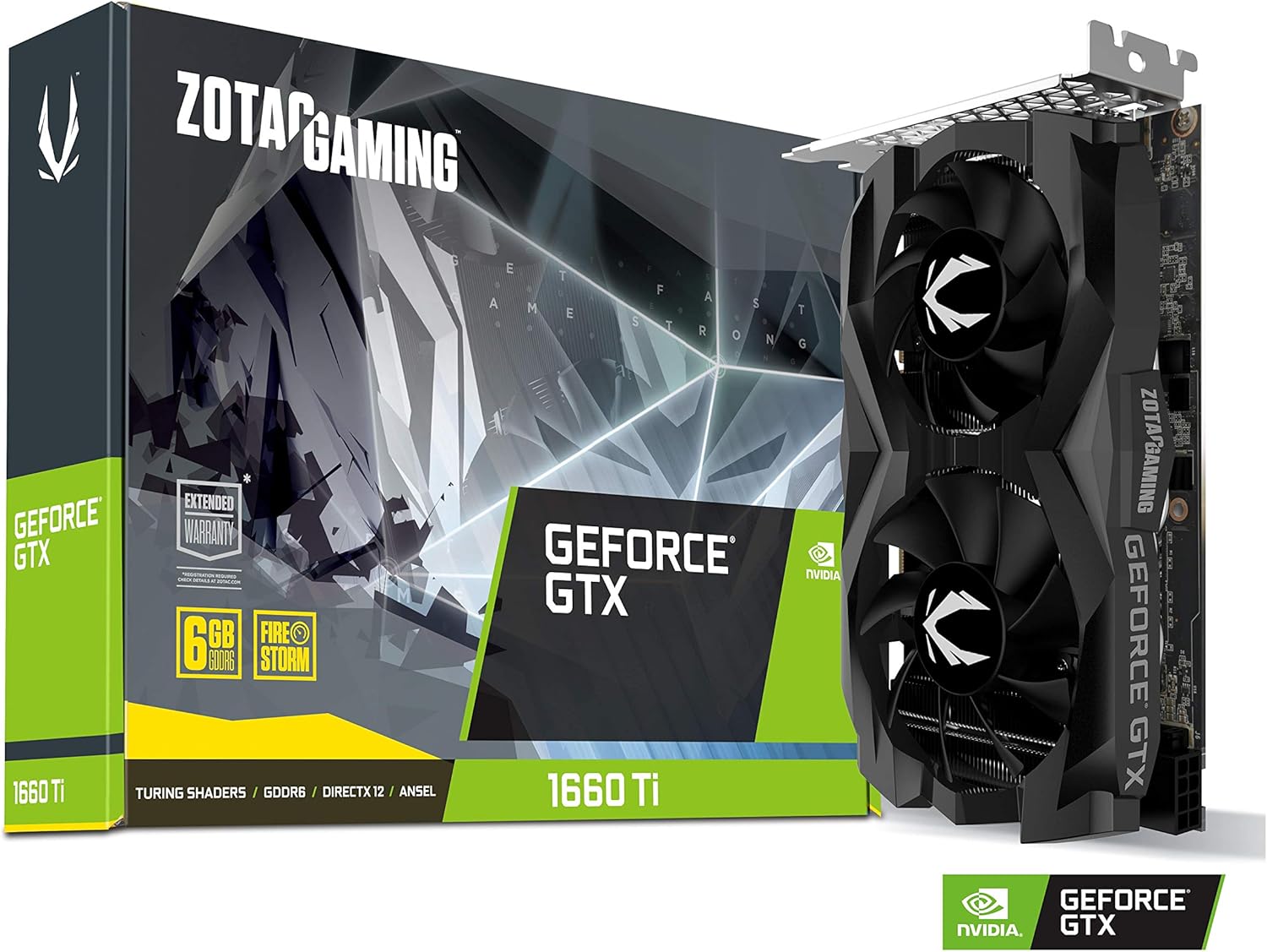
Image: ZOTAC Gaming GeForce GTX 1660 Ti graphics card in its retail box.
Key Features:
- New Turing architecture
- 6GB 192-bit GDDR6 memory
- Super Compact 8.3-Inch card, fits 99% of systems
- Dual slot design, 4K ready, IceStorm 2.0 cooling
- 3 x DisplayPort 1.4, 1 x HDMI 2.0b outputs
- Boost Clock 1860 MHz
2. Setup and Installation
Before You Begin:
- Ensure your power supply unit (PSU) meets the recommended 450-watt requirement. The card has a maximum power consumption of 120 watts.
- Verify your system has a PCI Express 3.0 x16 slot available.
- Ensure your operating system is Microsoft Windows 10/7 x64.
- Gather necessary tools: Phillips head screwdriver.
Physical Installation:
- Power off your computer and unplug all cables.
- Open your computer case.
- Locate an available PCI Express 3.0 x16 slot on your motherboard.
- Remove the corresponding expansion slot covers from your case.
- Carefully insert the graphics card into the PCIe slot until it is firmly seated.
- Secure the graphics card to the case with screws.
- Connect the 8-pin PCIe power connector from your PSU to the graphics card.
- Close your computer case.

Image: Dimensions and port layout of the ZOTAC Gaming GeForce GTX 1660 Ti graphics card, showing its compact size (6.83 x 4.38 x 1.39 inches) and 8-pin PCIe power input.

Image: ZOTAC Gaming GeForce GTX 1660 Ti graphics card installed in a compact PC system, demonstrating its small form factor and compatibility with various builds.
Driver Installation:
After physical installation, connect your display to the graphics card and power on your computer. You will need to install the latest NVIDIA Game Ready Drivers for optimal performance and stability. These can be downloaded from the official NVIDIA website (www.nvidia.com/drivers).
3. Operating Your Graphics Card
Connections:
The ZOTAC Gaming GeForce GTX 1660 Ti supports quad simultaneous display output. Available ports include:
- 3 x DisplayPort 1.4
- 1 x HDMI 2.0b
Software Compatibility:
This graphics card is compatible with the following software and APIs:
- Game Ready Drivers
- Microsoft DirectX 12 API
- Vulkan API
- OpenGL 4.5
4. Cooling and Performance
The ZOTAC Gaming GeForce GTX 1660 Ti features the IceStorm 2.0 cooling system, designed for efficient heat dissipation and quiet operation. This system includes:
- 3 x 6mm Copper Heatpipes: Direct copper contact for maximum heat extraction from the GPU.
- Wide Array Aluminum Heatsink: A full body heatsink for maximum heat dissipation across the card.
- Curved Fan Blades: Static pressure optimized design to improve airflow and maintain cooling power.
- Wide Fan Blades: Maximized airflow for effective cooling.

Image: Internal cooling components of the ZOTAC Gaming GeForce GTX 1660 Ti, highlighting the 3x 6mm copper heatpipes and wide array aluminum heatsink for efficient heat management.

Image: Close-up view of the curved and wide fan blades on the ZOTAC Gaming GeForce GTX 1660 Ti, designed for optimized airflow and static pressure to enhance cooling performance.
5. Maintenance
To ensure the longevity and optimal performance of your ZOTAC Gaming GeForce GTX 1660 Ti graphics card, consider the following maintenance tips:
- Keep it Clean: Regularly clean dust from the fans and heatsink using compressed air. Ensure the system is powered off and unplugged before cleaning.
- Ensure Good Airflow: Make sure your PC case has adequate airflow to prevent heat buildup. Keep cables tidy and ensure intake and exhaust fans are unobstructed.
- Update Drivers: Periodically check for and install the latest NVIDIA drivers to benefit from performance improvements and bug fixes.
- Monitor Temperatures: Use monitoring software to keep an eye on your GPU temperatures, especially during heavy loads, to ensure it operates within safe limits.
6. Troubleshooting
If you encounter issues with your graphics card, try the following troubleshooting steps:
- No Display Output:
- Ensure the display cable is securely connected to both the graphics card and the monitor.
- Verify the 8-pin PCIe power connector is properly seated in the graphics card.
- Try a different display output port on the graphics card or a different cable.
- Ensure your monitor is set to the correct input source.
- Low Frame Rates/Performance:
- Ensure you have the latest NVIDIA Game Ready Drivers installed.
- Check in-game graphics settings and lower them if necessary.
- Monitor GPU temperatures to ensure it's not thermal throttling. Improve case airflow if temperatures are high.
- Verify your system meets the game's minimum requirements.
- Driver Crashes/Errors:
- Perform a clean installation of the graphics drivers. Use Display Driver Uninstaller (DDU) in Safe Mode to remove old drivers before installing new ones.
- Ensure your operating system is up to date.
- System Instability:
- Check your power supply unit (PSU) to ensure it provides sufficient and stable power.
- Ensure the graphics card is properly seated in the PCIe slot.
7. Technical Specifications
| Feature | Specification |
|---|---|
| GPU | NVIDIA GeForce GTX 1660 Ti |
| CUDA Cores | 1536 |
| Video Memory | 6GB GDDR6 |
| Memory Bus | 192-bit |
| Engine Boost Clock | 1770 MHz (Reference), 1860 MHz (Boost) |
| Memory Clock | 12.0 Gbps |
| PCI Express | 3.0 |
| Display Outputs | 3 x DisplayPort 1.4, 1 x HDMI 2.0b |
| Multi Display Support | Quad Simultaneous Display Capable |
| Recommended Power Supply | 450W |
| Power Consumption | 120W Max |
| Dimensions (LxWxH) | 6.83 x 4.38 x 1.39 inches (173.4mm x 111.15mm x 35.3mm) |
| Item Weight | 1.54 pounds |
| Operating System Support | Microsoft Windows 10/7 x64 |
8. Warranty Information
ZOTAC products are covered by a limited warranty. For detailed information regarding your product's warranty period and terms, please refer to the official ZOTAC website or the warranty card included with your product. This product may be eligible for an extended warranty upon registration.
Image: ZOTAC Quick Installation Guide cover, indicating Extended Warranty. For full details, please refer to the official documentation.
9. Support
For further assistance, technical support, or to download the latest drivers and utilities, please visit the official ZOTAC website:
- ZOTAC Official Website: www.zotac.com
- ZOTAC Store on Amazon: Visit the ZOTAC Store
- User Manual (PDF): Download PDF