
1. Introduction
The Montarbo MC-R8FX is a compact unpowered mixer designed for various audio applications. It features a comprehensive set of signal sends and returns, along with intuitive controls for immediate utilization. The mixer incorporates a dual Montarbo stereo effects processor, powered by a 56-bit DSP, offering 205 high-quality programs with 24-bit conversion for excellent sound quality. Its switch-mode power supply contributes to minimal weight and high efficiency, reducing heat emission and enhancing system reliability and longevity.
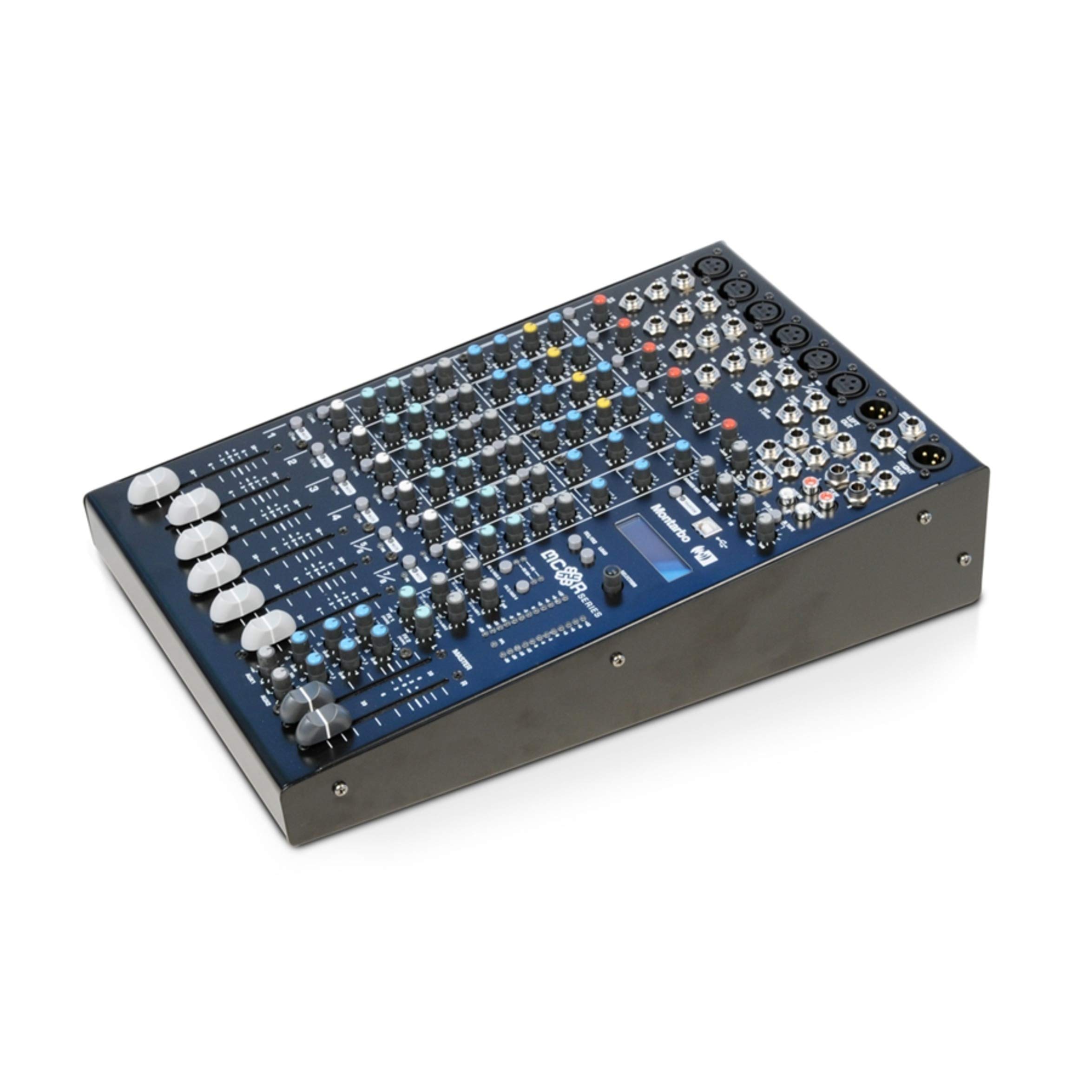
Figure 1: Montarbo MC-R8FX Unpowered Mixer
2. Setup
This section outlines the basic steps for setting up your MC-R8FX mixer.
2.1 Power Connection
- Ensure the mixer's power switch is in the OFF position.
- Connect the provided power cable to the AC inlet on the rear panel of the mixer.
- Plug the other end of the power cable into a suitable electrical outlet.
- Turn the power switch to the ON position. The power indicator will illuminate.
2.2 Input and Output Connections
The MC-R8FX features 8 inputs across 6 channels (4 mono, 2 stereo).
- Mono Channels: Connect microphones via balanced XLR inputs or line-level instruments/devices via 1/4-inch jack inputs. Phantom power is available for condenser microphones.
- Stereo Channels: Connect microphones via balanced XLR inputs or stereo line-level devices via two 1/4-inch jack inputs.
- Main Outputs: Connect the L/R master outputs to your amplifier or powered speakers using appropriate cables.
- Aux Sends: Connect external effects processors or monitor systems to the aux send outputs.
- Inserts: Use the insert points on mono channels for connecting external signal processors like compressors or gates.
2.3 Rack Mounting (Optional)
The compact size of the MC-R8FX allows for mounting in a standard rack using optional adapters (sold separately). Refer to the adapter's instructions for proper installation.
3. Operating Instructions
This section details the functions of the various controls on your MC-R8FX mixer.

Figure 2: Top view of the MC-R8FX controls
3.1 Mono Channel Controls (Channels 1-4)
- Gain Control: Adjusts the input sensitivity for the microphone (XLR) or line (jack) input.
- Insert: A send/return point for connecting external signal processors.
- Channel Direct Out: Provides a direct output of the channel's signal.
- High-Pass Filter (HPF): Engages a filter to remove low-frequency rumble.
- 3-Band Equalizer with Semi-Parametric MF: Adjusts high, mid, and low frequencies. The mid-frequency control allows sweeping for precise tonal shaping.
- Aux Sends (1-4): Controls the level of the channel's signal sent to the four auxiliary outputs. Aux 1 and 2 can be switched between pre-fader (for monitors) and post-fader (for effects).
- Pan Control: Positions the channel's signal within the stereo field (left to right).
- Mute Switch: Silences the channel's output.
- PFL (Pre-Fader Listen) Switch: Routes the channel's signal to the headphone output for monitoring before the fader.
- Peak Level Indicator: Illuminates when the input signal is too high, indicating potential clipping.
- 60mm Volume Fader: Adjusts the overall output level of the channel.
3.2 Stereo Channel Controls (Channels 5/6)
- Gain Control: Adjusts the input sensitivity for the microphone (XLR) or line (jack) inputs.
- 3-Band Equalizer: Adjusts high, mid, and low frequencies for the stereo input.
- Aux Sends (1-4): Controls the level of the channel's signal sent to the four auxiliary outputs. Aux 1 and 2 can be switched between pre-fader and post-fader.
- Balance Control: Adjusts the relative level between the left and right signals of the stereo channel.
- Mute Switch: Silences the channel's output.
- PFL (Pre-Fader Listen) Switch: Routes the channel's signal to the headphone output for monitoring before the fader.
- Peak Level Indicator: Illuminates when the input signal is too high.
- 60mm Volume Fader: Adjusts the overall output level of the stereo channel.
3.3 Dual Stereo Multi-Effects Processor
The MC-R8FX features two independent stereo multi-effects processors, each offering 205 high-quality programs. These processors are based on a 56-bit internal DSP with 24-bit conversion, providing versatile and clear effects for your audio.
- Program Selection: Use the dedicated controls to select from the 205 available effects programs for each processor.
- Parameter Adjustment: Adjust specific parameters for each effect to fine-tune the sound.
- Effect Send/Return: Route signals from channels to the effects processors via aux sends and return the processed signal to the main mix.
3.4 Master Outputs
- L/R Master Outputs: These are the main stereo outputs of the mixer.
- Level Indicators: Provide visual feedback on the output level of the L/R master mix. Adjust the master fader to control the overall volume.
4. Maintenance
Proper maintenance ensures the longevity and optimal performance of your Montarbo MC-R8FX mixer.
- Cleaning: Regularly wipe the mixer's surface with a soft, dry cloth. For stubborn dirt, use a slightly damp cloth and mild detergent, then dry thoroughly. Avoid abrasive cleaners or solvents.
- Dust Protection: Keep the mixer covered when not in use to prevent dust accumulation, especially in faders and knobs.
- Storage: Store the mixer in a cool, dry place away from direct sunlight, extreme temperatures, and high humidity.
- Ventilation: Ensure adequate ventilation around the mixer to prevent overheating. Do not block ventilation openings.
- Cable Management: Use proper cable management to prevent strain on connectors and accidental disconnections.
5. Troubleshooting
This section provides solutions to common issues you might encounter with your MC-R8FX mixer.
5.1 No Sound Output
- Check Power: Ensure the mixer is powered on and the power indicator is lit.
- Master Fader: Verify the L/R master fader is raised.
- Channel Fader/Gain: Ensure the individual channel fader is raised and the gain control is set appropriately.
- Mute Buttons: Check that no channel or master mute buttons are engaged.
- Connections: Confirm all input and output cables are securely connected to the correct ports.
- External Equipment: Ensure your amplifier or powered speakers are turned on and functioning correctly.
5.2 Distorted Sound
- Gain Staging: Reduce the input gain on the channel if the peak indicator is frequently lighting up. Also, check the gain on any connected microphones or instruments.
- Master Output: Lower the master fader if the L/R master level indicators are consistently in the red.
- Cable Integrity: Inspect all audio cables for damage or loose connections.
- External Equipment: Check for distortion originating from connected amplifiers or speakers.
5.3 Effects Not Working
- Effect Send Levels: Ensure the aux send controls on the individual channels are turned up to send signal to the effects processor.
- Effect Return Levels: Verify that the effect return levels are raised to bring the processed signal back into the main mix.
- Program Selection: Confirm that an effect program is selected on the multi-effects processor.
6. Specifications
| Feature | Description |
|---|---|
| Model | MC-R8FX |
| Brand | Montarbo |
| Number of Channels | 6 (4 Mono, 2 Stereo) |
| Inputs | 8 (XLR, 1/4-inch Jack) |
| Connectivity Technology | Auxiliary |
| Power Source | Corded Electric (Switch-mode power supply) |
| Audio Input Type | Physical Audio Inputs (XLR, Jack) |
| Mono Channel Features | Balanced Mic (XLR with Phantom Power) & Line (Jack) inputs, Adjustable Gain, Insert, Channel Direct Out, High-Pass Filter, 3-Band EQ with Semi-Parametric MF, 4 Aux Sends (2 switchable Pre-post Fade), Pan, Mute, PFL, Peak Indicator, 60mm Fader |
| Stereo Channel Features | Balanced Mic (XLR) & Line (Jack) inputs, Adjustable Gain, 3-Band EQ, 4 Aux Sends (2 switchable Pre-post Fade), Balance, Mute, PFL, Peak Indicator, 60mm Fader |
| Effects Processor | Dual Stereo Multi-Effects Processor (56-bit DSP, 24-bit conversion), 2 x 205 high-quality programs |
| Master Outputs | L/R Master Outputs with Level Indicators |
7. Warranty and Support
For warranty information, technical support, or service inquiries, please refer to the documentation provided with your purchase or contact your authorized Montarbo dealer or distributor. You may also visit the official Montarbo website for further assistance.
