Download PDFFree PDF. The Save button below keeps a bookmark and private notes in your account.
Electrohome Kingston RR75C 7-in-1 Stereo System User Manual
Model: RR75C
Introduction
This manual provides detailed instructions for the setup, operation, and maintenance of your Electrohome Kingston RR75C 7-in-1 Vintage Vinyl Record Player Stereo System. This versatile system combines classic aesthetics with modern audio technologies, allowing you to enjoy music from various sources including vinyl records, Bluetooth devices, AM/FM radio, CDs, auxiliary input, and USB playback/recording.
The Electrohome Kingston RR75C offers multiple playback options including Vinyl, Bluetooth, USB, CD, Aux, and AM/FM radio.
Package Contents
Before you begin, please ensure all items are present in the package:
Electrohome Kingston RR75C Stereo System
45 RPM Adapter
Remote Control
Power Cord
2 x AAA Batteries (for remote control)
User Manual (this document)
Quick Start Guide
Manufacturer's Warranty Information
Included accessories with the Electrohome Kingston RR75C system.
Setup
Unpacking: Carefully remove the stereo system and all accessories from the packaging. Retain the packaging for future transport or storage.
Placement: Place the unit on a stable, level surface away from direct sunlight, heat sources, and excessive dust or moisture. Ensure adequate ventilation around the unit.
Power Connection: Connect the power cord to the AC inlet on the back of the unit and then to a standard wall outlet.
Remote Control Batteries: Insert the included 2 AAA batteries into the remote control, observing the correct polarity (+/-).
Turntable Preparation:
Remove any protective packaging or twist ties from the tonearm.
Ensure the turntable platter is seated correctly.
Remove the stylus protector from the needle.
Operating Instructions
Power On/Off
Press the POWER button on the unit or remote control to turn the system on or off.
Selecting a Source
Press the SOURCE button on the unit or remote control repeatedly to cycle through available input sources: PHONO (Vinyl), BLUETOOTH, CD, AM, FM, AUX, USB.
Turntable Operation (PHONO)
Select the PHONO source.
Open the dust cover.
Place a vinyl record on the turntable platter. If playing a 45 RPM single, use the included 45 RPM adapter.
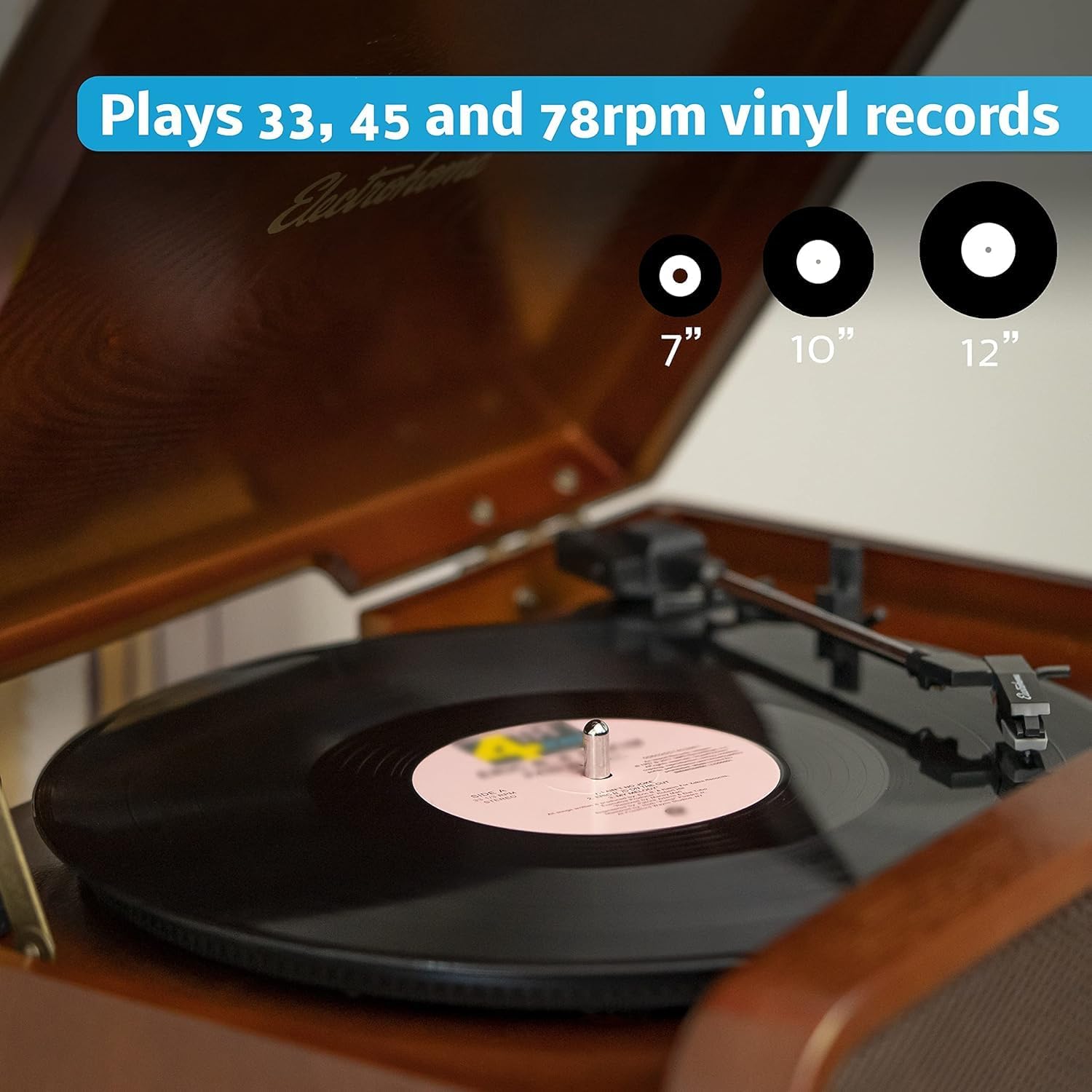
Select the correct speed (33, 45, or 78 RPM) using the speed selector switch located on the turntable deck.
Release the tonearm lock.
Lift the tonearm using the cueing lever and position it over the desired track on the record.
Lower the tonearm gently onto the record using the cueing lever. The platter will begin to spin automatically.
At the end of the record, the turntable may stop automatically (Auto-Stop feature). Lift the tonearm and return it to its rest, then engage the tonearm lock.
The turntable supports 33, 45, and 78 RPM vinyl records of various sizes.
Bluetooth Playback
Select the BLUETOOTH source. The display will show "BT" and flash, indicating it's in pairing mode.
On your Bluetooth-enabled device (smartphone, tablet), enable Bluetooth and search for available devices.
Select "Electrohome RR75C" from the list. Once paired, the "BT" indicator will stop flashing and remain solid.
You can now play audio from your device through the stereo system. Use your device or the system's controls for playback.
Stream music wirelessly from your smartphone or tablet via Bluetooth.
CD Player Operation
Select the CD source.
Press the OPEN/CLOSE button to open the CD tray.
Place a CD with the label side facing up into the tray.
Press the OPEN/CLOSE button again to close the tray. The system will read the CD.
Press PLAY/PAUSE to start playback. Use the SKIP buttons to navigate tracks.
AM/FM Radio
Select the AM or FM source.
Extend the FM antenna for better reception.
Use the TUNING knob or SEEK buttons to find radio stations.
To save a preset station, press and hold the PRESET button until the preset number flashes, then use the SKIP buttons to select a preset number and press PRESET again to confirm.
Auxiliary Input (AUX IN)
Select the AUX source.
Connect an external audio device (e.g., MP3 player, smartphone) to the AUX IN port on the front of the unit using a 3.5mm audio cable (not included).
Play audio from your connected device. Control playback and volume primarily from the external device.
The Aux In port allows connection of external audio devices, while RCA Out connects to external speakers.
USB Playback & MP3 Recording
USB Playback:
Insert a USB flash drive into the USB port.
Select the USB source. The system will automatically detect and play compatible MP3 files.
Use the playback controls to navigate tracks.
MP3 Recording (Vinyl/CD to USB):
Insert a USB flash drive into the USB port.
Select either the PHONO or CD source.
Begin playing the vinyl record or CD track you wish to record.
Press the RECORD button on the unit or remote. The recording indicator will light up.
Press RECORD again to stop recording. The recorded MP3 file will be saved to the USB drive.
The USB port allows for MP3 playback and recording of vinyl or CD audio.
RCA Output (RCA OUT)
The RCA OUT ports on the back of the unit allow you to connect the stereo system to external powered speakers or a home audio receiver for enhanced sound. Use standard RCA cables (not included) to make this connection.
Headphone Output
Connect standard 3.5mm headphones to the headphone jack on the front of the unit for private listening. When headphones are connected, the internal speakers will be muted.
Remote Control
The included remote control provides full functionality to operate the system from a distance, including power, source selection, volume, playback controls, and EQ settings.
The remote control provides convenient access to all system functions.
Maintenance
Cleaning the Unit: Use a soft, dry cloth to wipe the exterior of the unit. Do not use abrasive cleaners, waxes, or solvents.
Dust Cover: Keep the dust cover closed when the turntable is not in use to prevent dust accumulation on the platter and stylus.
Stylus Care:
Handle the stylus carefully to avoid bending or breaking it.
Clean the stylus periodically with a soft brush, brushing from back to front.
Replace the stylus when sound quality deteriorates or if the stylus is visibly damaged.
Record Care: Keep records clean and free of dust. Store them vertically in their sleeves to prevent warping.
CD Care: Handle CDs by their edges. Clean with a soft, lint-free cloth, wiping from the center outwards.
Troubleshooting
Problem
Possible Cause
Solution
No power
Power cord not connected; Power outlet not active.
Ensure power cord is securely plugged in. Test the outlet with another device.
No sound
Volume too low; Incorrect source selected; Headphones connected.
Increase volume. Select the correct input source. Disconnect headphones.
Turntable not spinning
Speed selector incorrect; Tonearm not lifted; Auto-stop engaged.
Ensure correct speed is selected. Lift the tonearm onto the record. If auto-stop is on, the platter only spins when the tonearm is over the record.
Bluetooth not pairing
Device too far; Bluetooth not enabled on device; Unit not in pairing mode.
Ensure device is within range. Enable Bluetooth on your device. Select BLUETOOTH source on the unit to enter pairing mode.
Poor radio reception
Antenna not extended; Interference.
Fully extend the FM antenna. Reposition the unit or antenna to improve reception.
Specifications
Feature
Detail
Model Number
RR75C
Brand
Electrohome
Product Dimensions (L x W x H)
34.3 x 43.9 x 31.1 cm (13.5 x 17.3 x 12 inches)
Item Weight
10.77 kg
Power Source
Corded Electric
Wattage
50 watts
Connectivity Technology
Auxiliary, Bluetooth, RCA
Speaker Type
Stereo (4 high performance speakers included)
Supported Standards
Bluetooth, CD, USB, AUX
Supported Audio Format
CD, MP3
Turntable Speeds
33, 45, 78 RPM
Batteries
2 AAA batteries required (included for remote)
Country of Origin
China
UPC
061783269480
Warranty and Support
Your Electrohome Kingston RR75C Stereo System comes with a 1 Year Full Manufacturer's Direct Warranty. For warranty claims or technical assistance, please contact Electrohome customer support.
Manufacturer Contact Information: Niagara Falls, Ontario, Canada
For additional support and resources, please visit the official Electrohome website or refer to the Quick Start Guide included with your product.
Ask about setup, troubleshooting, compatibility, parts, safety, or missing instructions. Manuals+ will review the question and use this page’s manual context to help answer it.