
Introduction
This manual provides detailed instructions for the installation, operation, and maintenance of your Garmin GC 200 Marine IP Camera. Please read this manual thoroughly before using the device to ensure proper functionality and safety.
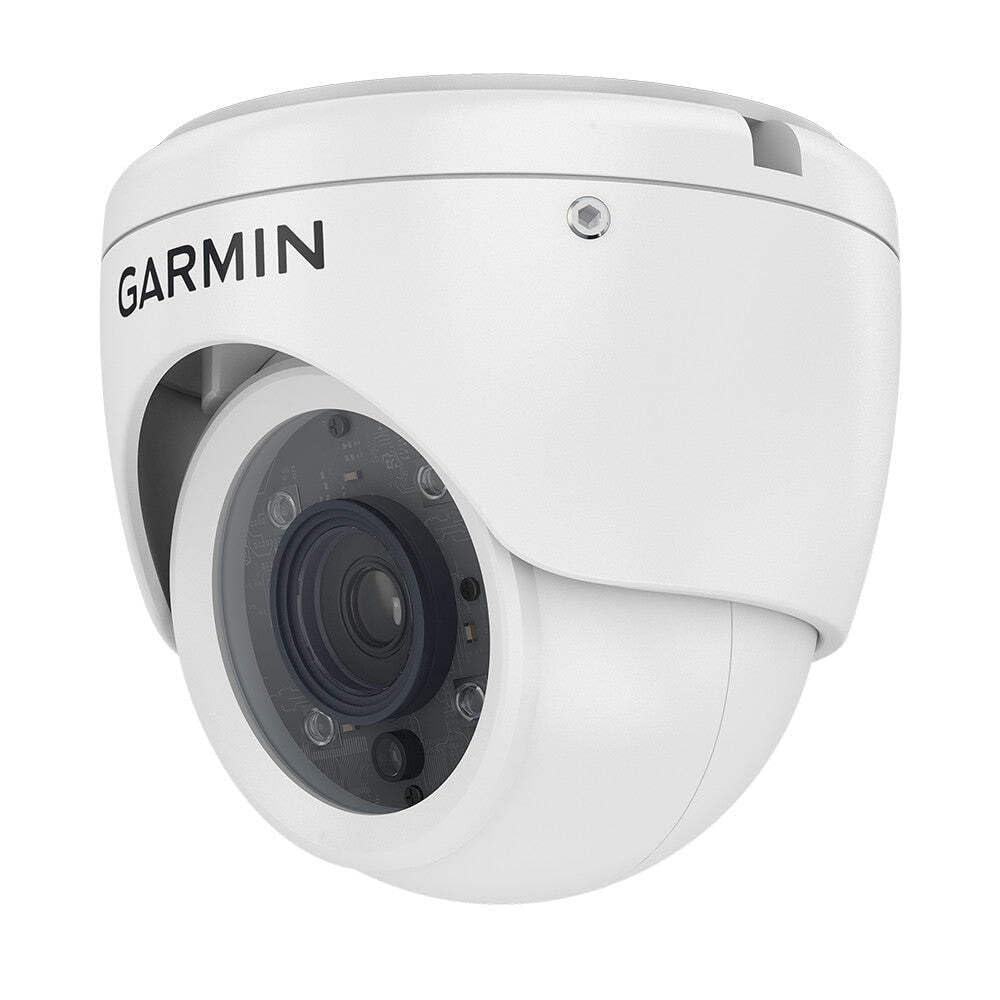
Figure 1: Garmin GC 200 Marine IP Camera. This image displays the compact dome design of the camera, suitable for marine environments.
Setup
Package Contents
Verify that all items are present in the package:
- Garmin GC 200 Marine IP Camera
- Mounting hardware kit
- Documentation (this manual)
Mounting the Camera
The GC 200 camera is designed for wall mounting. Select a suitable location that provides the desired field of view and is protected from direct impact. Ensure the mounting surface is stable and can support the camera's weight.
- Position the camera in the desired mounting location.
- Mark the drill holes using the camera base as a template.
- Drill pilot holes appropriate for the mounting hardware.
- Secure the camera to the mounting surface using the provided screws.
Wiring and Connectivity
The GC 200 uses Ethernet for connectivity. Ensure your marine network is properly configured to accept IP camera inputs.
- Connect an Ethernet cable from the camera to your marine network switch or compatible chartplotter.
- Ensure the power source (AC/DC) is connected to the camera as per the power requirements listed in the specifications.
- Verify all connections are secure and waterproof.
Operating Instructions
Powering On
Once properly wired, the camera will power on automatically when power is supplied. The camera may take a few moments to initialize and connect to the network.
Accessing the Camera Feed
The camera feed can be viewed on compatible Garmin chartplotters or other network-connected displays. Refer to your chartplotter's manual for specific instructions on adding and viewing IP camera feeds.
- Navigate to the camera input section on your display.
- Select the GC 200 camera from the list of available devices.
Adjusting Settings
Camera settings such as image orientation (reverse or rotate) can typically be adjusted through the connected chartplotter's interface. Consult your chartplotter's documentation for detailed steps on modifying camera display options.
Maintenance
Cleaning the Camera
To maintain optimal image quality, regularly clean the camera lens and housing. Use a soft, damp cloth and mild soap if necessary. Avoid abrasive cleaners or solvents that could damage the lens or housing.
Firmware Updates
Garmin periodically releases firmware updates to improve performance and add features. Check the Garmin website for the latest firmware for your GC 200 camera and follow the provided instructions for updating.
Troubleshooting
This section addresses common issues you might encounter with your GC 200 Marine IP Camera.
| Problem | Possible Cause | Solution |
|---|---|---|
| No image on display | No power; Loose Ethernet connection; Incorrect network settings | Check power supply; Ensure Ethernet cable is securely connected; Verify network configuration on chartplotter. |
| Poor image quality | Dirty lens; Low light conditions; Incorrect display settings | Clean the camera lens; Ensure adequate lighting or verify night vision (IR) is active; Adjust display settings on chartplotter. |
| Camera not detected on network | Faulty Ethernet cable; Network switch issue; Camera IP address conflict | Try a different Ethernet cable; Check network switch status; Consult network administrator or Garmin support for IP configuration. |
Specifications
Technical specifications for the Garmin GC 200 Marine IP Camera:
| Feature | Detail |
|---|---|
| Model Number | 010-02164-00 |
| Connectivity Protocol | Ethernet |
| Video Capture Resolution | Up to 1920 x 1080 pixels |
| International Protection Rating | IP67 |
| Power Source | AC/DC |
| Wattage | 5 watts |
| Item Dimensions (L x W x H) | 3.94 x 3.62 x 0.98 inches |
| Item Weight | 1.32 pounds (0.6 Kilograms) |
| Low Light Technology | Night Color (IR LEDs for night use) |
| Form Factor | Dome |
| Mounting Type | Wall Mount |
| Recommended Uses | Security, monitoring areas inside and around a vessel |
Warranty and Support
The Garmin GC 200 Marine IP Camera comes with a standard manufacturer's warranty. For specific warranty terms and conditions, please refer to the warranty card included with your product or visit the official Garmin website. For technical support, product registration, or to find authorized service centers, please visit www.garmin.com/support.