
Roland GO-61P
Contents
Roland GO:PIANO 61-key Digital Piano Keyboard User Manual
Model: GO-61P | Brand: Roland
1. Introduction
The Roland GO:PIANO is a portable 61-key digital piano keyboard designed for musicians of all levels. It features Roland's acclaimed piano sounds, integrated Bluetooth speakers for audio streaming and MIDI connectivity, and a compact, lightweight design for easy transport and storage. This manual provides essential information for setting up, operating, and maintaining your GO:PIANO.
2. Key Features
- Premium piano performance in a compact and affordable instrument.
- 61-note keyboard with standard full-size keys and authentic touch response.
- Bluetooth audio/MIDI support for connecting with your smartphone or tablet.
- Onboard high-quality Bluetooth speakers for wireless smartphone connection.
- Compact and lightweight for playing and storing anywhere.
- Fully wireless operation with battery power and Bluetooth connectivity.
- Features Roland acclaimed piano sounds with 128-voice polyphony.
- Includes electric pianos, organs, and other sounds for exploring different styles.
3. Setup
3.1 Powering On
The GO:PIANO can be powered using the included AC adapter or six AA batteries for portable use. Ensure the power source is securely connected before turning on the instrument.
3.2 Connecting Accessories
Connect a sustain pedal (sold separately) to the PEDAL jack for expressive playing. Headphones can be connected to the PHONES/OUTPUT jack for private practice. This jack also serves as the main audio output.

Figure 3.2.1: Rear panel connections of the GO:PIANO, including power, USB, pedal, and audio output.
3.3 Bluetooth Pairing
To connect your smartphone or tablet via Bluetooth for audio streaming or MIDI control, activate Bluetooth on your device and select "GO:PIANO" from the list of available devices. Refer to your device's manual for specific Bluetooth pairing instructions.
4. Operating Instructions
4.1 Basic Operation
Press the POWER button to turn the instrument on or off. Use the VOLUME knob to adjust the overall sound level. Select different instrument sounds using the dedicated sound selection buttons or the navigation controls on the front panel.

Figure 4.1.1: Front panel layout of the GO:PIANO, highlighting the keys and control interface.
4.2 Using Bluetooth Features
Once paired, you can stream audio from your device through the GO:PIANO's built-in speakers. This allows you to play along with your favorite songs or educational content. The Bluetooth MIDI functionality enables the GO:PIANO to act as a MIDI controller for music apps on your smartphone or tablet.
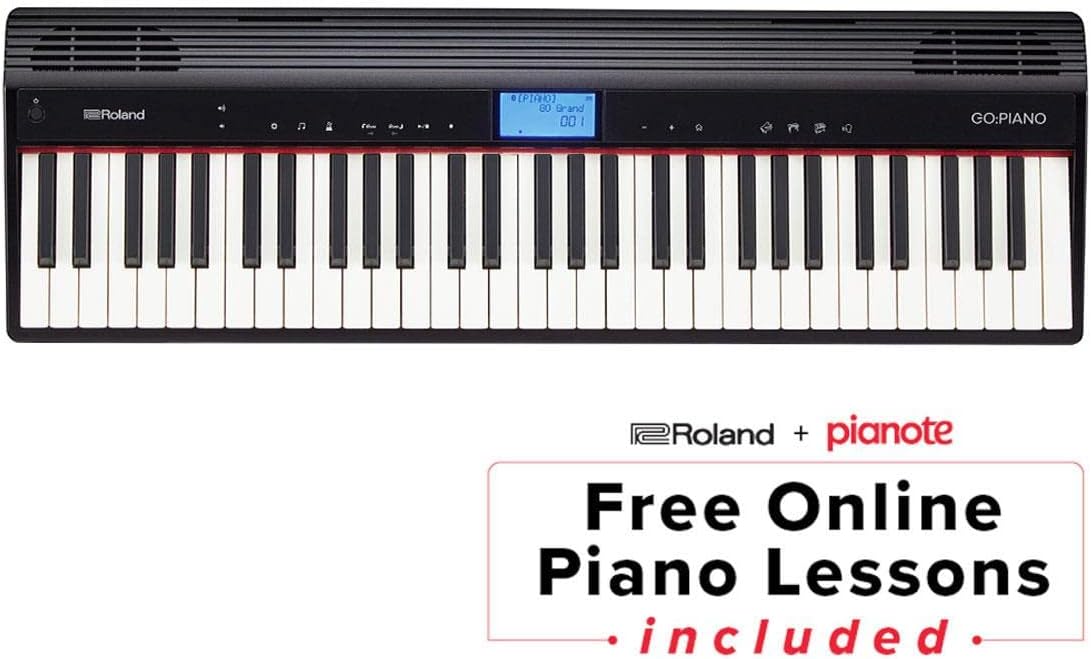
Figure 4.2.1: The GO:PIANO supports online learning platforms, often including access to lessons.
5. Maintenance
To ensure the longevity of your Roland GO:PIANO, follow these maintenance guidelines:
- Clean the surface with a soft, dry cloth. Avoid abrasive cleaners or solvents.
- Do not expose the instrument to direct sunlight, extreme temperatures, or high humidity.
- When not in use, store the GO:PIANO in a dust-free environment, ideally covered.
- Avoid placing heavy objects on the keyboard.
6. Troubleshooting
If you encounter issues with your GO:PIANO, refer to the following common troubleshooting tips:
| Problem | Possible Cause / Solution |
|---|---|
| No sound from speakers/headphones. |
|
| Bluetooth connection issues. |
|
| Sustain pedal not working correctly. |
|
| Keys feel unresponsive or sound inconsistent. |
|
7. Specifications
| Attribute | Detail |
|---|---|
| Model Name | GO-61P |
| Number of Keys | 61 |
| Dimensions (D x W x H) | 38.5" x 15" x 7.1" |
| Item Weight | 8.62 Pounds (approx. 3.9 kg) |
| Connectivity Technology | Bluetooth |
| Power Source | Battery Powered (6x AA) / AC Adapter |
| Polyphony | 128 voices |
| Skill Level | Beginner |
| Color | Black |

Figure 7.1.1: Physical dimensions and weight of the GO:PIANO.
8. Warranty and Support
For detailed warranty information, please refer to the warranty card included with your product or visit the official Roland website. For additional support, frequently asked questions, and software updates, please visit the Roland support page.
A comprehensive User Manual in PDF format is available for download: Download User Manual (PDF)
Documents and downloads
Ask a question about this manual
Ask about setup, troubleshooting, compatibility, parts, safety, or missing instructions. Manuals+ will review the question and use this page’s manual context to help answer it.