
1. Introduction
The Claymore Capon 40B is an ultra-lightweight, USB-C rechargeable clip-on cap light designed for various outdoor activities and everyday use. This manual provides essential information on the setup, operation, maintenance, and specifications of your Capon 40B light.

Image 1: Claymore Capon 40B Clip-On Cap Light. This image shows the compact design of the Capon 40B light, highlighting its main LED and side LEDs.
Key features include:
- Ultra-Lightweight Design: Weighing approximately 29 grams (0.06 lbs) for comfortable wear.
- USB-C Rechargeable: Equipped with a 400 mAh battery, fully recharges in approximately 1.5 hours.
- Multiple Light Modes: Offers Focused Beam, Flood Light, Red Light, and SOS Strobe modes.
- Adjustable Beam: Features a 180° adjustable beam for versatile lighting angles.
- Durable and Weather Resistant: IP54 rated for dust and water resistance.
- Hands-Free Operation: Designed to clip onto caps, helmets, or flat surfaces, and includes a carabiner for hanging.
2. Package Contents
Please verify that all items are present in your package:
- Claymore Capon 40B Clip-On Cap Light
- USB-C Charging Cable
- Carrier Pouch
- Carabiner
- User Manual
3. Setup
3.1 Initial Charging
Before first use, fully charge the Capon 40B. Connect the provided USB-C charging cable to the light's USB-C port and to a compatible USB power source (e.g., wall adapter, power bank, computer USB port). The charging indicator will show the charging status. A full charge takes approximately 1.5 hours.

Image 2: USB-C Charging. The image illustrates the Capon 40B connected to a power bank via a USB-C cable for charging.
3.2 Attaching the Light
The Capon 40B offers versatile attachment options:
- Clip-On: Slide the integrated clip onto the brim of a cap, helmet visor, or any suitable flat surface. Ensure the clip is securely fastened.
- Carabiner: Use the included carabiner to hang the light from a hook, loop, or string for area lighting.

Image 3: Easy-Clip Versatility. This image demonstrates three ways to attach the Capon 40B: simple clip-on to a hat, hanging with a carabiner hook, and clipping onto a backpack strap.
3.3 Adjusting the Beam Angle
The light unit can be adjusted up to 180 degrees to direct the beam precisely where needed. Simply tilt the light body relative to the clip.

Image 4: Flexible Angle Lighting. The image shows the Capon 40B clipped to a surface with its light head tilted to demonstrate the 180-degree adjustment capability.
4. Operating Instructions
4.1 Controls Overview
The Capon 40B features intuitive button controls for power, mode selection, and brightness adjustment.

Image 5: Easy Control Diagram. This diagram illustrates the location and function of the power and mode buttons on the Capon 40B.
- Power On/Off: Press the Power button briefly to turn the unit on or off.
- Change Modes: While the light is on, short press the Mode button to cycle through the available light modes.
- Adjust Brightness (Dimming): While the light is on, press and hold the Power button to adjust the brightness. The light will blink once when it reaches maximum or minimum brightness.
- SOS Mode: The Capon 40B includes a built-in SOS safety beacon mode. (Activated via mode button cycling)
4.2 Light Modes
The Capon 40B offers three primary light modes:

Image 6: Three Light Modes. This image displays the three distinct light modes: Spot focused light, Diffused red light, and Diffused top light.
- Spot Focused Light (16-230 lumens): Provides a concentrated beam for long-range visibility, useful for identifying distant objects.
- Diffused Red Light (1-20 lumens): Emits minimal light, ideal for preserving night vision, signaling, or activities like fishing where subtle illumination is preferred.
- Diffused Light (Top, 16-230 lumens): Spreads light evenly, functioning as a small lantern for general area illumination, such as inside a tent.
The Capon 40B is equipped with a memory function. When powered on after being turned off, it will resume the last used brightness setting and mode.
5. Maintenance
5.1 Cleaning
Wipe the light with a soft, damp cloth. Do not use harsh chemicals or abrasive cleaners, as these can damage the surface or internal components.
5.2 Water and Dust Resistance
The Capon 40B has an IP54 rating, meaning it is protected against dust ingress and splashing water from any direction. It is not designed for submersion. Avoid exposing the device to heavy rain or prolonged water contact.
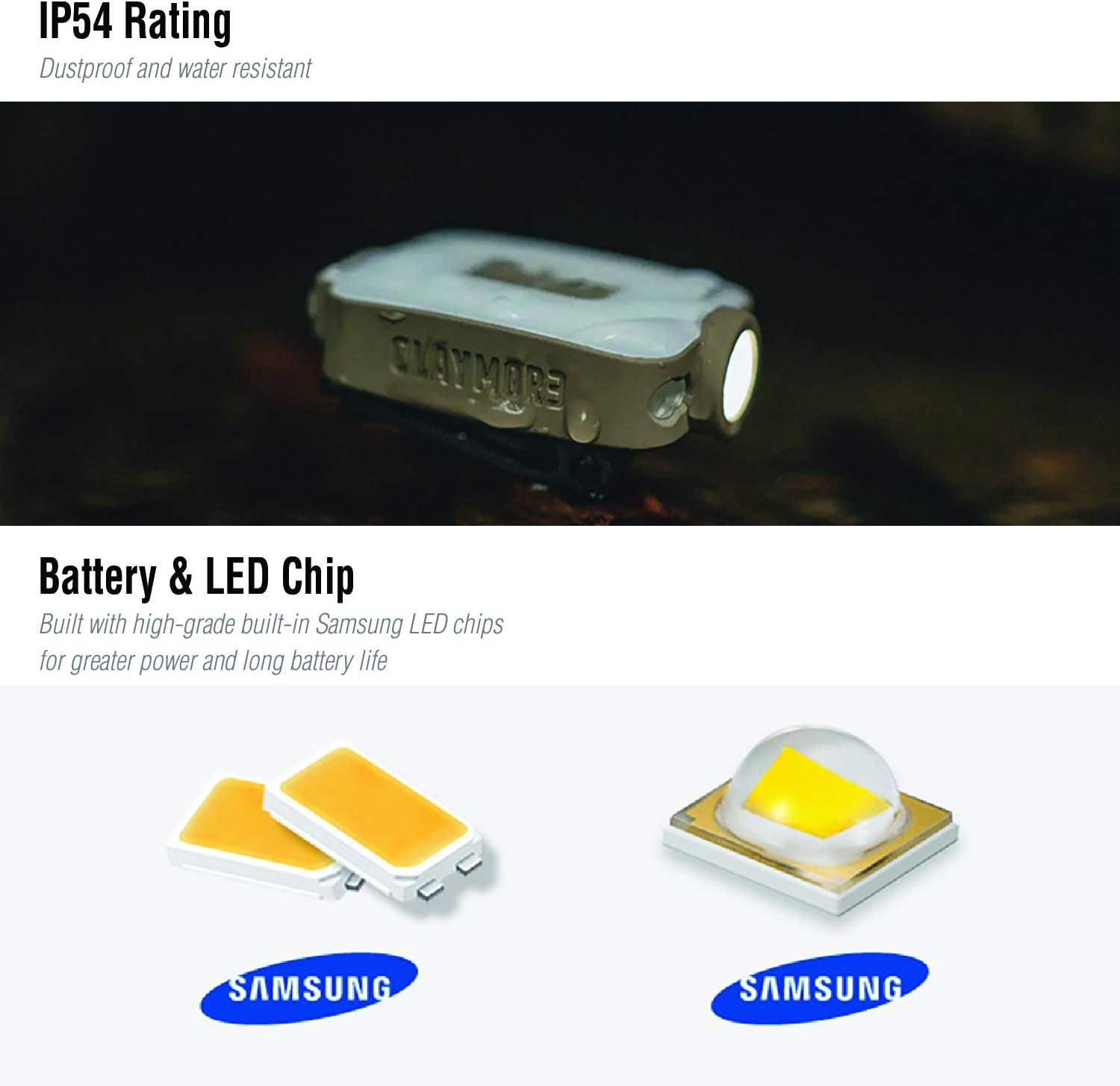
Image 7: IP54 Rating and LED Chip. This image shows the Capon 40B in a wet environment, illustrating its water resistance, and details the Samsung LED chips used.
5.3 Battery Care
To prolong battery life, avoid fully discharging the battery frequently. Recharge the device when the battery level is low. If storing the device for an extended period, charge it to approximately 50% every few months.
6. Troubleshooting
6.1 Light Not Turning On
- Ensure the battery is charged. Connect the light to a power source using the USB-C cable.
- Verify that the power button is being pressed correctly (brief press for on/off).
6.2 Light Not Charging
- Check the USB-C cable for damage and ensure it is securely connected to both the light and the power source.
- Try a different USB-C cable or power adapter.
- Ensure the power source is functional.
6.3 Inconsistent Brightness or Mode Changes
- Ensure the battery is sufficiently charged. Low battery can affect performance.
- Clean the buttons to ensure no debris is interfering with their operation.
7. Specifications
| Feature | Detail |
|---|---|
| Model Number | CLP-200TN |
| Dimensions (L x W x H) | 54.2mm x 37mm x 24mm (2.13 x 1.45 x 0.94 inches) |
| Weight | 29 grams (0.06 lbs) |
| Max Brightness | 230 Lumens |
| Beam Distance | Up to 50 Meters |
| Battery Type | Li-Polymer 3.7V 400mAh |
| Charging Time | Approx. 1 hour 30 minutes |
| Usage Time | 2 hours (Max Level) to 12 hours (Min Level) |
| Water Resistance | IP54 (Dust and water resistant) |
| Light Source Type | LED |
| Adjustable Angle | 180 Degrees |
| Included Components | Carabiner, Carrier Pouch, Charging Cable |
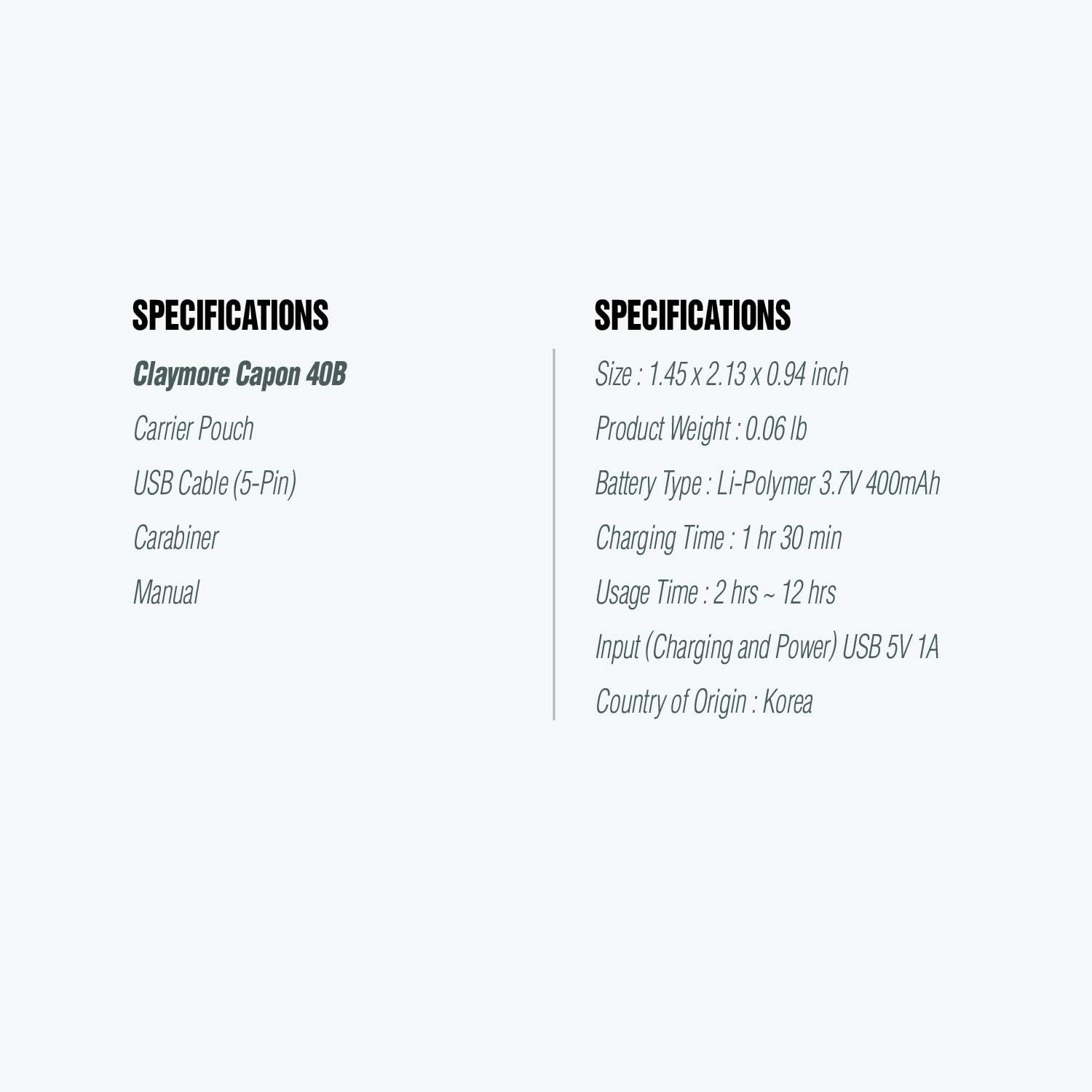
Image 8: Claymore Capon 40B Specifications. This image provides a visual summary of the product's key specifications including size, weight, battery, and usage times.
8. Warranty and Support
The Claymore Capon 40B is manufactured by Prism Co., Ltd. Please note that there is no manufacturer warranty description provided for this product. For any support inquiries, please refer to your retailer or the official Claymore website.