
1. Introduction
Thank you for choosing the Geepas GFH9520 Fan Heater. This electric fan heater is designed to provide efficient heating for your home or office. It features adjustable air settings including hot, warm, and cool air, along with two heat settings of 1000W and 2000W. This manual provides essential information for safe operation, installation, maintenance, and troubleshooting to ensure optimal performance and longevity of your appliance.
2. Important Safety Instructions
Please read all instructions carefully before using this heater and retain them for future reference. Failure to follow these instructions may result in electric shock, fire, or serious injury.
- Do not use this heater in the immediate surroundings of a bath, a shower, or a swimming pool.
- Always ensure the heater is placed on a firm, level surface.
- Do not cover the heater. Covering the heater can cause overheating and a fire risk.
- Keep combustible materials such as furniture, pillows, bedding, papers, clothes, and curtains at least 1 meter (3 feet) from the front and sides of the heater.
- Do not operate any heater with a damaged cord or plug, or after the heater malfunctions or has been dropped or damaged in any manner.
- Do not run power cord under carpeting. Do not cover cord with throw rugs, runners, or similar coverings. Arrange cord away from traffic area and where it will not be tripped over.
- Always unplug the heater when not in use.
- This appliance is not intended for use by persons (including children) with reduced physical, sensory or mental capabilities, or lack of experience and knowledge, unless they have been given supervision or instruction concerning use of the appliance by a person responsible for their safety.
- Children should be supervised to ensure that they do not play with the appliance.
- The heater is equipped with an overheat protection function. If the heater overheats, it will automatically shut off. Unplug the heater and let it cool down for a few minutes. Remove any obstructions before restarting.
3. Product Overview
The Geepas GFH9520 Fan Heater is a compact and portable heating solution. Familiarize yourself with its components and controls:
- Power Indicator Light: Illuminates when the heater is operating.
- Adjustable Thermostat: Allows you to set your desired room temperature.
- Mode Selector Switch: Controls the fan speed and heating modes (Cool, Warm, Hot).
- Air Outlet Grille: Where heated or cooled air is expelled.
- Air Inlet Grille: Where air is drawn into the unit.
- Carry Handle: For easy portability.

Image: Front and side view of the Geepas GFH9520 Fan Heater, highlighting its portable design and warm/cool air options. The model number GFH9520 is visible.

Image: Close-up of the Geepas GFH9520 Fan Heater's control panel, featuring the adjustable thermostat and the two heating power options: 1000W and 2000W.
4. Setup
Follow these steps to set up your fan heater for first use:
- Unpacking: Carefully remove the heater from its packaging. Retain the packaging for storage or future transport.
- Placement: Place the heater on a firm, level, heat-resistant surface. Ensure there is at least 1 meter (3 feet) of clear space around the heater from walls, furniture, and other objects. Do not place it directly below a power outlet.
- Power Connection: Ensure the heater is switched to the 'OFF' position (usually indicated by '0' or a fan symbol without heat). Plug the power cord into a suitable 220-240V, 50/60Hz electrical outlet. The heater is designed for indoor use only.
5. Operating Instructions
Your Geepas GFH9520 Fan Heater offers multiple operating modes:

Image: The Geepas GFH9520 Fan Heater displaying its key features: 2 Heat Settings, Adjustable Thermostat, Overheat Protection, and Warm/Cool Air Option.
5.1. Setting the Heat/Fan Mode
Use the Mode Selector Switch (typically the right knob) to choose your desired setting:
- OFF (0): Turns the heater off.
- FAN (Fan Symbol): Operates the fan without heat, providing cool air circulation.
- LOW HEAT (I - 1000W): Provides 1000 watts of heating power.
- HIGH HEAT (II - 2000W): Provides 2000 watts of heating power for faster heating.
5.2. Adjusting the Thermostat
Once a heat mode (I or II) is selected, use the Adjustable Thermostat knob (typically the left knob) to set the desired room temperature:
- Turn the thermostat knob clockwise to the maximum setting.
- When the room reaches your desired temperature, slowly turn the thermostat knob counter-clockwise until the heater switches off.
- The heater will now cycle on and off to maintain the set temperature.
The power indicator light will illuminate when the heater is actively heating.
6. Maintenance
Regular maintenance ensures efficient and safe operation of your heater.
6.1. Cleaning
- Always unplug the heater from the power outlet and allow it to cool down completely before cleaning.
- Use a soft, damp cloth to wipe the exterior surfaces of the heater. Do not use abrasive cleaners or solvents.
- Use a vacuum cleaner with a brush attachment to remove dust from the air inlet and outlet grilles.
- Never immerse the heater in water or any other liquid.
6.2. Storage
- If the heater is not used for extended periods, store it in its original packaging in a cool, dry place.
- Ensure the power cord is neatly wrapped and secured to prevent damage.
7. Troubleshooting
If you encounter issues with your Geepas GFH9520 Fan Heater, refer to the following common problems and solutions:
| Problem | Possible Cause | Solution |
|---|---|---|
| Heater does not turn on. | No power supply. Overheat protection activated. | Check if the power cord is securely plugged in and the outlet is working. Unplug the heater, let it cool for 10-15 minutes, and remove any obstructions. Then plug it back in. |
| Heater produces cool air only. | Mode selector is set to 'FAN' only. Thermostat setting is too low. | Switch the mode selector to 'LOW HEAT' (I) or 'HIGH HEAT' (II). Turn the thermostat knob clockwise to a higher setting. |
| Heater cycles on and off frequently. | Thermostat setting is too close to room temperature. | Adjust the thermostat to a slightly higher setting if you desire more continuous heat. |
| Unusual noise or smell. | Dust accumulation. Internal malfunction. | Unplug and clean the heater as per maintenance instructions. If the problem persists, discontinue use and contact customer support. |
If the problem persists after trying these solutions, please contact Geepas customer support.
8. Specifications
Technical details for the Geepas GFH9520 Fan Heater:
- Model Number: GFH9520
- Power Source: Corded Electric
- Voltage: 220-240V
- Frequency: 50/60Hz
- Power Output: 1000W / 2000W
- Heating Method: Convection
- Product Dimensions (DxWxH): 12 cm x 24.5 cm x 24 cm
- Item Weight: 1.18 kg
- Color: White
- Mounting Type: Floor Mount
- Special Features: 3 Wind Modes (Cool/Warm/Hot), Power Indicator Light, Portable, Overheat Protection Function, Adjustable Thermostat
- Recommended Uses: Home, Office
- Included Components: User Manual, USB Cable (Note: USB cable inclusion for a heater may be a data entry error, but listed as per product data)
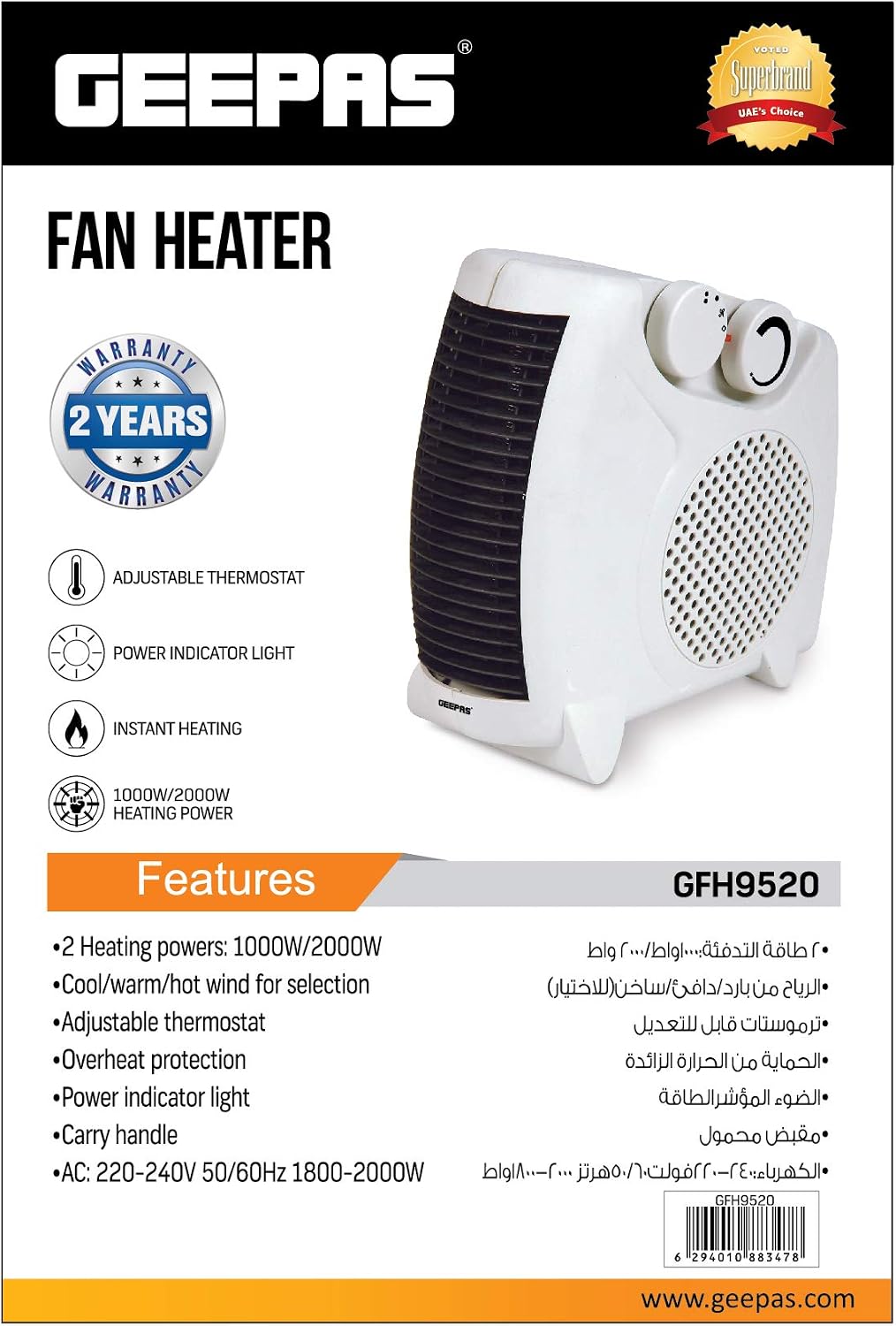
Image: Detailed diagram of the Geepas GFH9520 Fan Heater, illustrating its features, power specifications (220-240V, 50/60Hz, 1800-2000W), and a 2-year warranty.
9. Warranty and Support
Your Geepas GFH9520 Fan Heater comes with a 2-year warranty from the date of purchase, covering manufacturing defects.
For technical support, warranty claims, or any inquiries regarding your product, please visit the official Geepas website or contact their customer service:
Website: www.geepas.com
Please have your model number (GFH9520) and proof of purchase ready when contacting support.