Introduction
This user manual provides comprehensive instructions for the safe and efficient operation, installation, and maintenance of your Amica EBX 943 600 S Built-in Oven. Please read this manual thoroughly before using the appliance and keep it for future reference.
Safety Instructions
Always observe basic safety precautions when using electrical appliances to reduce the risk of fire, electric shock, burns, or injury.
- General Safety: Do not touch hot surfaces. Use oven mitts or pot holders. Ensure proper ventilation.
- Electrical Safety: Ensure the oven is properly grounded. Do not operate the oven with a damaged cord or plug. All electrical connections should be performed by a qualified electrician.
- Child Safety: This appliance is not intended for use by persons (including children) with reduced physical, sensory or mental capabilities, or lack of experience and knowledge, unless they have been given supervision or instruction concerning use of the appliance by a person responsible for their safety. Children should be supervised to ensure that they do not play with the appliance. The oven features a CoolDoor 3 with standard triple glazing to keep the front temperature low, enhancing safety, especially for households with children.

Image: CoolDoor 3 feature, showing a child safely observing the oven interior through the cool-touch door.
Product Overview
The Amica EBX 943 600 S is a modern built-in oven designed for seamless integration into your kitchen. It features a sleek black glass finish and offers a generous 77-liter cooking capacity, providing ample space for various dishes.
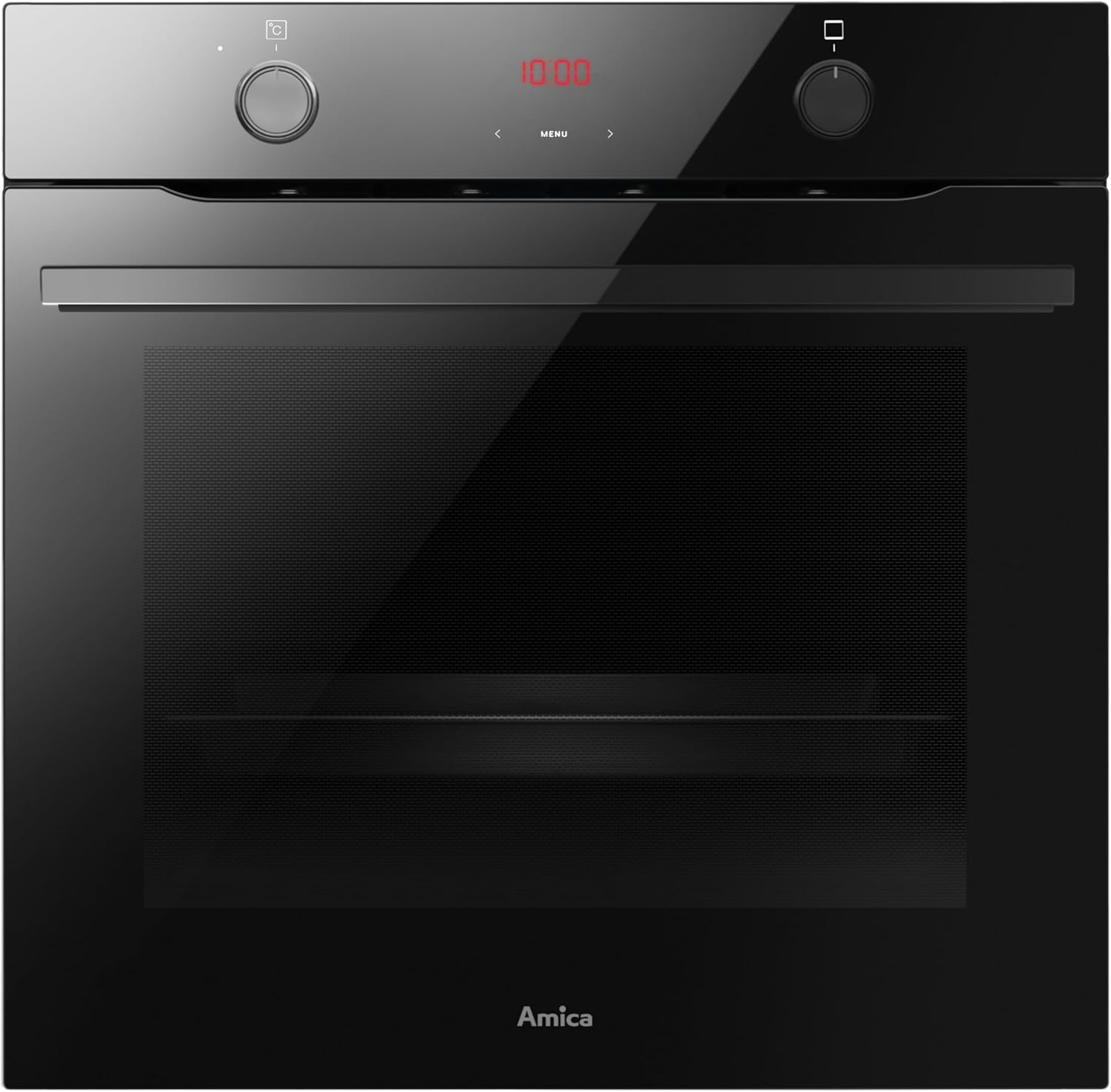
Image: Front view of the Amica EBX 943 600 S Built-in Oven, showcasing its black glass design and control panel.

Image: Interior view of the oven with the door open, revealing the spacious 77-liter cavity and rack supports.

Image: The oven interior filled with multiple trays of cupcakes, illustrating the large 77-liter XXL capacity for flexible cooking.

Image: Close-up of the retractable control knobs, which can be pushed in for a flush surface, aiding in cleaning and preventing accidental adjustments.
Key Features:
- 77 Liter Capacity: Extra-large cooking space for greater flexibility.
- 9 Functions: Versatile cooking modes including Convection, Top/Bottom Heat, and Eco.
- Timer: Integrated timer for precise cooking control and time management.
- Retractable Knobs: Knobs can be pushed in when not in use for a sleek look and easier cleaning.
Setup and Installation
The Amica EBX 943 600 S is designed as a built-in appliance. Proper installation is crucial for safety and optimal performance. It is highly recommended that installation, especially electrical connections, be carried out by a qualified professional.
Installation Requirements:
- Dimensions: Ensure the cabinet opening matches the oven's dimensions. The product dimensions are approximately 56 x 56 x 60 cm (Width x Depth x Height).
- Ventilation: Adequate ventilation around the appliance must be ensured to prevent overheating.
- Power Supply: The oven requires a 230 Volt electrical connection with 3.5 KW power.
- Leveling: The oven must be installed on a level surface to ensure proper operation and stability.
Operating the Oven
Familiarize yourself with the control panel and functions before first use.

Image: Close-up of the oven's control panel, showing the digital display for time and settings, along with the function and temperature knobs.
Control Panel:
- Function Knob (Left): Used to select the desired cooking function (e.g., Convection, Top/Bottom Heat).
- Temperature Knob (Right): Used to set the desired cooking temperature.
- Digital Display: Shows the current time, timer settings, and selected functions.
Oven Functions:
The oven offers 9 distinct cooking functions:
- Convection (Umluft): Ideal for baking and roasting on multiple levels simultaneously.
- Top/Bottom Heat (Ober-/Unterhitze): Traditional heating for baking cakes, bread, and roasting meat.
- Eco: Energy-saving function for specific cooking needs.
- (Refer to your oven's specific symbols for other functions like Grill, Defrost, etc.)
Using the Timer:
The integrated timer allows you to set cooking durations or simply use it as a kitchen timer. Consult the detailed instructions in the full manual for setting specific timer modes (e.g., cooking duration, end time).
Quick Guide on Inner Door:
For convenience, the inner side of the oven door features a quick guide. This guide provides recommended oven functions, temperatures, cooking durations, and shelf positions for various food types.

Image: The inner oven door displaying a quick reference guide for cooking various dishes.
Maintenance and Cleaning
Regular cleaning and maintenance will ensure the longevity and optimal performance of your Amica oven.
SteamClean Function:
The SteamClean function makes cleaning the oven interior effortless, using only water vapor without the need for harsh chemicals or detergents. To use, pour a glass of water into the bottom grease pan, select 50°C Bottom Heat or Top/Bottom Heat, and let it work for 30 minutes. Afterwards, simply wipe the interior with a damp cloth.

Image: Oven interior showing condensation after using the SteamClean function, indicating the steam has loosened food residues.
General Cleaning:
- Interior: After each use, wipe down the interior with a soft cloth and mild detergent once the oven has cooled. For stubborn stains, use oven cleaner specifically designed for enameled surfaces.
- Exterior: Clean the exterior surfaces with a soft, damp cloth and a mild cleaning agent. Avoid abrasive cleaners or scouring pads that could damage the black glass finish.
- Retractable Knobs: The retractable knobs can be pushed in, creating a smooth surface that is easier to wipe clean.
Troubleshooting
Before contacting customer service, please check the following common issues and solutions:
| Problem | Possible Cause | Solution |
|---|---|---|
| Oven does not heat up. | No power supply; incorrect function/temperature setting; fuse tripped. | Check power connection; ensure correct settings; check household fuse box. |
| Timer not working. | Incorrect timer setting; power interruption. | Reset the timer according to the manual; check power supply. |
| Oven light not working. | Light bulb is faulty. | Replace the oven light bulb (ensure oven is cool and unplugged). |
| Uneven cooking results. | Incorrect temperature/function; improper rack position; overloaded oven. | Adjust settings; use recommended rack position; avoid overcrowding. |
If the problem persists after attempting these solutions, please contact Amica customer support or a qualified service technician.
Specifications
Detailed technical specifications for the Amica EBX 943 600 S Built-in Oven:
| Specification | Value |
|---|---|
| Brand | Amica |
| Model Number | EBX 943 600 S |
| Product Dimensions (W x D x H) | 56 x 56 x 60 cm |
| Weight | 33.7 Kilograms |
| Capacity | 77 Liters |
| Energy Efficiency Class | A |
| Energy Efficiency Scale | A+++ to D |
| Noise Emission | 51 dB |
| Installation Type | Built-in |
| Special Features | Timer, Retractable Knobs, SteamClean |
| Heating Type | Convection (Electric) |
| Color | Black |
| Voltage | 230 Volt |
| Wattage | 3.5 KW |
| Defrost System | Electric Defrosting |
| Door Hinge | Reversible |
| Material | Enameled Steel |
| Included Accessories | 1 Baking Tray, 1 Fat Pan, 1 Grill Rack |
Warranty and Support
Your Amica EBX 943 600 S Built-in Oven comes with a manufacturer's warranty. Please refer to the warranty card included with your purchase for specific terms and conditions, including the warranty period and coverage details.
Customer Support:
For technical assistance, spare parts, or warranty claims, please contact Amica customer service. You can typically find contact information on the Amica official website or in the documentation provided with your appliance.
When contacting support, please have your oven's model number (EBX 943 600 S) and serial number ready, as this will help expedite the service process.


