
PKPOWER PK Power AC DC Adapter
Contents
PK Power AC DC Adapter User Manual
For Gravograph M20 Mechanical Engraving Machine
1. Product Overview
This manual provides essential information for the safe and efficient use of your PK Power AC DC Adapter. This adapter is designed to provide reliable power to compatible devices, specifically the Gravograph M20 Mechanical Engraving Machine.

Figure 1: Top view of the PK Power AC DC Adapter, showing the main unit and connected power cord.
2. Safety Information
Always follow these safety guidelines to prevent injury or damage to the adapter or connected devices.
- Ensure the input voltage (100-240V, 50/60Hz) matches the power source.
- Do not expose the adapter to water or excessive moisture.
- Avoid dropping or subjecting the adapter to strong impacts.
- Do not attempt to open or repair the adapter. Refer to qualified service personnel.
- Disconnect the adapter from the power source when not in use.
- Keep out of reach of children.
This product is CE / FCC / RoHS certified, ensuring compliance with safety and environmental standards.
3. Setup
Follow these steps to set up your PK Power AC DC Adapter:
- Unpack: Carefully remove the AC DC adapter from its packaging. Inspect for any visible damage.
- Connect to Device: Locate the power input port on your Gravograph M20 Mechanical Engraving Machine. Insert the barrel connector of the adapter firmly into this port.
- Connect to Power Outlet: Plug the AC power cord of the adapter into a standard wall outlet (100-240V, 50/60Hz).
- Verify Connection: Ensure all connections are secure before powering on your engraving machine.
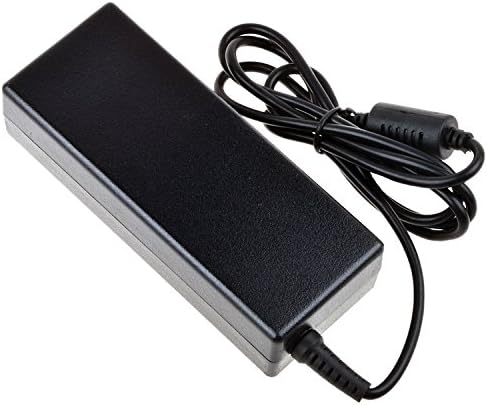
Figure 2: Angled view of the adapter, highlighting the barrel connector and power cord.
4. Operating Instructions
Once the adapter is properly connected, it will supply power to your Gravograph M20 machine. The adapter operates automatically to convert the input AC voltage to the required DC voltage for your device.
- The adapter is designed for continuous operation within its specified voltage and frequency ranges.
- It features OVP (Over Voltage Protection), OCP (Over Current Protection), and SCP (Short Circuit Protection) to safeguard both the adapter and your connected device.
- Always ensure proper ventilation around the adapter to prevent overheating.
5. Maintenance
Minimal maintenance is required for this AC DC adapter. Following these simple steps will help ensure its longevity:
- Cleaning: Disconnect the adapter from the power outlet and the device before cleaning. Use a soft, dry cloth to wipe the exterior. Do not use liquid cleaners or abrasive materials.
- Storage: When not in use for extended periods, store the adapter in a cool, dry place, away from direct sunlight and extreme temperatures.
- Cable Care: Avoid bending or crimping the power cord excessively. Do not place heavy objects on the cord.
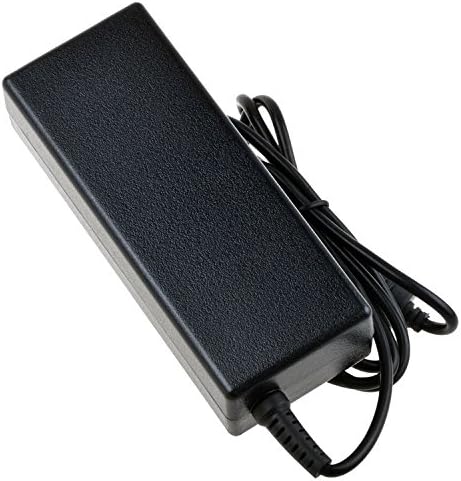
Figure 3: Another angled view of the adapter, showing the compact design.
6. Troubleshooting
If you encounter issues with your adapter, refer to the following common problems and solutions:
| Problem | Possible Cause | Solution |
|---|---|---|
| No power to device | Adapter not plugged in; loose connection; faulty outlet; faulty adapter. | Ensure adapter is securely plugged into both the device and a working wall outlet. Test the outlet with another device. If problem persists, contact support. |
| Device not charging/powering on | Incorrect adapter for device; device issue; adapter issue. | Verify the adapter is compatible with your Gravograph M20. Test the device with another known-good power source if possible. |
| Adapter feels hot | Normal operation; poor ventilation; overload. | A slight warmth is normal. Ensure adequate airflow around the adapter. Disconnect if it becomes excessively hot and contact support. |
7. Specifications
Key technical specifications for the PK Power AC DC Adapter:
- Input: 100-240V AC, 50/60Hz
- Output: Compatible with Gravograph M20 requirements
- Compatibility: Gravograph M20 Mechanical Engraving Machine
- Connector Type: Barrel Connector
- Certifications: CE, FCC, RoHS
- Protection: OVP, OCP, SCP
8. Warranty and Support
PK-Power products are designed for reliability. For any issues or inquiries, please contact our customer service.
- Warranty: Information regarding specific warranty periods may be available on the product packaging or the official PK-Power website.
- Customer Service: Our friendly and reliable customer service will respond to you within 24 hours. For support, please visit the PKPOWER Store on Amazon or refer to the contact information provided with your purchase.
Documents and downloads
Ask a question about this manual
Ask about setup, troubleshooting, compatibility, parts, safety, or missing instructions. Manuals+ will review the question and use this page’s manual context to help answer it.