
1. Product Overview
The KLARUS RS10 is a powerful and versatile rechargeable flashlight designed for various applications, including emergencies, outdoor activities, and general home use. It features a high-lumen spotlight, a COB side light with multiple modes, and a built-in power bank function.
- 800 Lumen Spotlight: Provides a strong, focused beam up to 532 meters.
- COB Side Light: Offers white and red light modes for area illumination and signaling.
- 8000 mAh Power Bank: Recharge your smart devices on the go.
- Durable Construction: Made from high-quality ABS material, shock-resistant, and IPX6 waterproof.

Image 1.1: The KLARUS RS10 rechargeable flashlight, showcasing its robust design.
2. Package Contents
Please check the package for the following items:
- KLARUS RS10 Flashlight
- USB-C Charging Cable
- User Manual
- 1 AAA Battery (pre-installed or included separately)
3. Setup and Charging
3.1 Initial Charge
Before first use, fully charge the KLARUS RS10. The device is equipped with an 8000 mAh battery and charges via a USB-C port.
- Locate the USB-C charging port on the device.
- Connect the provided USB-C cable to the flashlight and to a compatible USB power source (e.g., wall adapter, computer USB port).
- Charging typically takes approximately 4.5 hours for a full charge.
- The charging indicator will show the battery status.

Image 3.1: The KLARUS RS10 connected via USB-C, demonstrating its power bank functionality by charging a smartphone.
3.2 Power Bank Function
The RS10 can be used as a power bank to charge other electronic devices.
- Connect your device's charging cable to the USB output port on the RS10.
- The RS10 will begin charging your device. It provides a USB output of 5V/2A.
4. Operating Instructions
The KLARUS RS10 features two control buttons: one for the front spotlight and one for the side COB light.
4.1 Front Spotlight Operation
The front spotlight has 3 brightness modes.
- Press the dedicated spotlight button once to turn on the light.
- Press the button repeatedly to cycle through the modes: Strong Light > Medium Light > Low Light.
- Press and hold the button to turn off the spotlight.
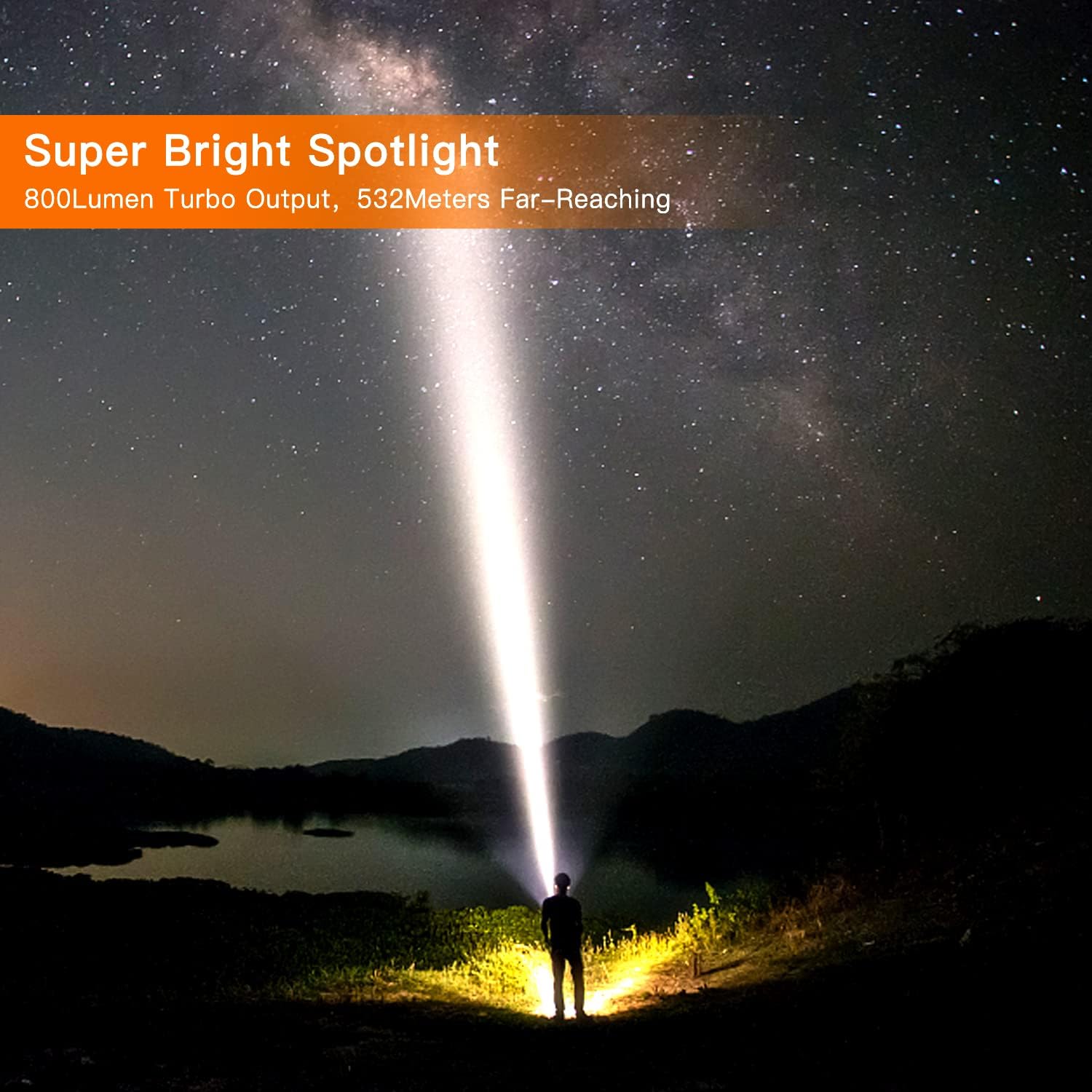
Image 4.1: The KLARUS RS10 spotlight illuminating a wide area at night, demonstrating its powerful beam.
4.2 COB Side Light Operation
The COB side light has 4 modes, including white and red light options.
- Press the dedicated COB light button once to turn on the light.
- Press the button repeatedly to cycle through the modes: Medium White > Strong White > Red Light > Flashing Red.
- Press and hold the button to turn off the COB light.
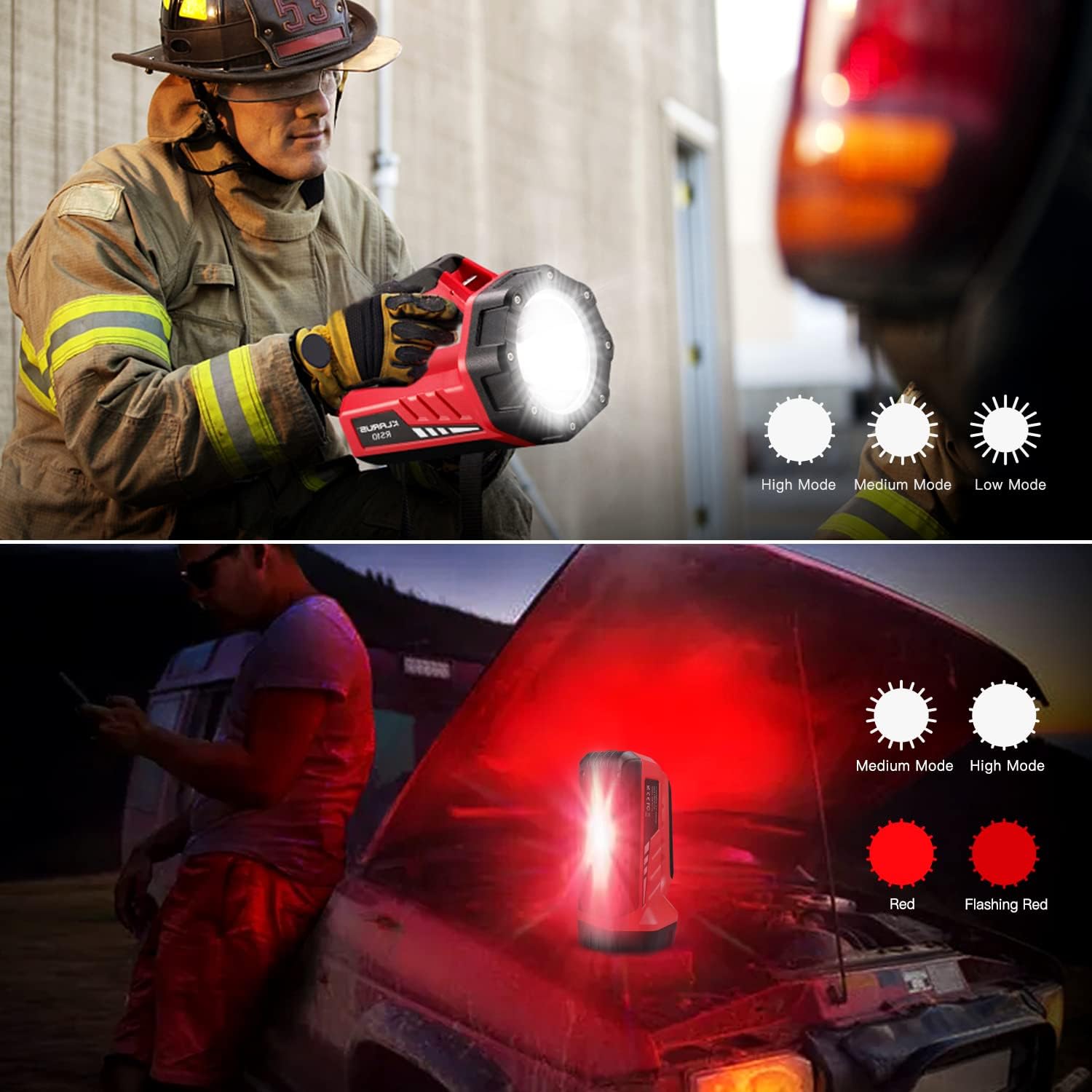
Image 4.2: A firefighter using the KLARUS RS10 spotlight (top) and the COB side light in red flashing mode (bottom) for emergency signaling.

Image 4.3: The KLARUS RS10 demonstrating its extra side light functions, including a red warning light on a road and white light for indoor use in a tent.
5. Maintenance
To ensure the longevity and optimal performance of your KLARUS RS10 flashlight, follow these maintenance guidelines:
- Cleaning: Wipe the flashlight body with a soft, damp cloth. Do not use abrasive cleaners or solvents.
- Storage: Store the flashlight in a cool, dry place away from direct sunlight and extreme temperatures.
- Battery Care: Recharge the battery regularly, even if not in use, to maintain battery health. Avoid fully depleting the battery for extended periods.
- Water Resistance: The RS10 is IPX6 waterproof. While it can withstand splashes and light rain, avoid submerging it in water for prolonged periods. Ensure the charging port cover is securely closed when exposed to moisture.

Image 5.1: The KLARUS RS10 flashlight being sprayed with water, illustrating its IPX6 waterproof rating.
6. Troubleshooting
If you encounter issues with your KLARUS RS10, please refer to the following common solutions:
- Light not turning on: Ensure the battery is charged. Connect the flashlight to a power source and check the charging indicator.
- Dim light output: The battery might be low. Recharge the flashlight fully.
- Charging issues: Ensure the USB-C cable is properly connected to both the flashlight and the power source. Try a different USB-C cable or power adapter.
- Power bank not charging devices: Ensure the RS10 has sufficient charge. Check the connection between the RS10 and the device being charged.
If problems persist, please contact KLARUS customer support for further assistance.
7. Specifications
| Feature | Specification |
|---|---|
| Model Number | RS10 |
| Brand | KLARUS |
| Material | ABS |
| Dimensions (L x W x H) | 20 x 13.1 x 18 cm (7.87 x 5.16 x 4.25 inches) |
| Weight | 113.4 Grams |
| Spotlight Brightness | 800 Lumens (Max) |
| Beam Distance | 532 Meters |
| Battery Type | Lithium-ion (8000 mAh) |
| Charging Time | Approx. 4.5 hours (USB-C) |
| Power Bank Output | 5V/2A |
| Water Resistance | IPX6 |
| Light Source | LED (Spotlight), COB (Side Light) |
| Run Time | Up to 7 hours (depending on mode) |

Image 7.1: Detailed dimensions of the KLARUS RS10 flashlight.
8. Warranty and Support
KLARUS products are manufactured to high-quality standards. For warranty information or technical support, please refer to the official KLARUS website or contact your local distributor.
You can visit the official KLARUS store for more information: KLARUS Store


