
Introduction
This manual provides instructions for the safe and effective use of your SLLEA Car Power Supply Cord Charger. This charger is designed to provide power to compatible Apex devices, including models PD-650, PD660, PD-700, PD-710, and PD-800 series. Please read this manual thoroughly before use and retain it for future reference.
Important Safety Information
To ensure safe operation and prevent damage, observe the following precautions:
- Compatibility Check: Before connecting, confirm that the output voltage, current, and plug size of this charger match the requirements of your Apex device. Incorrect specifications can damage your device.
- Protection Features: This AC adapter is equipped with Over Voltage Protection (OVP), Over Current Protection (OCP), Over Temperature Protection (OTP), and Short Circuit Protection (SCP) to safeguard your devices and the charger itself.
- Environmental Conditions: Use the charger in a well-ventilated area. Avoid exposing it to extreme temperatures, direct sunlight, moisture, or corrosive environments.
- Physical Integrity: Do not use the charger if the cord or plug is damaged. Ensure the cord is not bent excessively or pulled forcefully, as this can compromise its durability and safety.
- Children and Pets: Keep the charger out of reach of children and pets.
- Disassembly: Do not attempt to disassemble or modify the charger. This will void the warranty and may lead to electrical hazards.
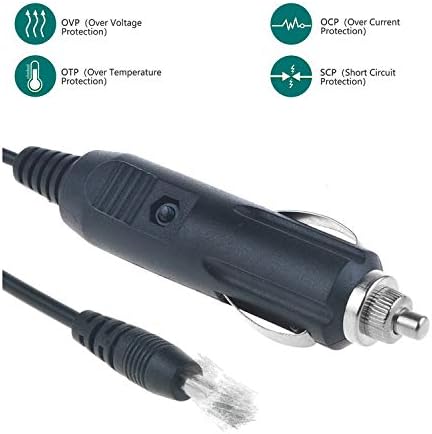
Image: The car charger plug illustrating its built-in protection features: Over Voltage Protection (OVP), Over Current Protection (OCP), Over Temperature Protection (OTP), and Short Circuit Protection (SCP).
Package Contents
Verify that all items are present in the package:
- 1 x SLLEA AC / DC Car Power Supply Cord Charger
Setup and Connection
- Verify Compatibility: Double-check that the charger's output specifications (voltage, amperage) and connector type match your Apex device's requirements.
- Connect to Device: Insert the DC output plug of the SLLEA car charger into the power input port of your Apex device. Ensure a secure connection.
- Connect to Vehicle Power: Insert the car charger's cigarette lighter plug into your vehicle's 12V accessory power outlet (cigarette lighter socket).
- Power On: If your vehicle's power outlet requires the ignition to be on, turn the ignition key to the accessory or ON position. The device should begin charging or receive power.

Image: The SLLEA car power supply cord charger, featuring a coiled cable for extended reach within a vehicle environment.
Operating Instructions
- Once connected, the charger will automatically supply power to your compatible Apex device.
- Monitor your device's charging indicator to confirm it is receiving power.
- Disconnect the charger from the vehicle's power outlet and your device when not in use or when the device is fully charged.
Care and Maintenance
- Cleaning: Use a soft, dry cloth to clean the charger. Do not use liquid cleaners or aerosols.
- Storage: Store the charger in a cool, dry place away from direct sunlight and moisture when not in use.
- Cable Management: Avoid sharp bends or kinks in the cable. Do not wrap the cable too tightly around the charger.
Troubleshooting
| Problem | Possible Cause | Solution |
|---|---|---|
| Device not charging/powering on. |
|
|
| Charger feels hot during use. |
|
|
Product Specifications
- Cable Length: Approximately 4 feet
- Connector Gender: Male-to-Male
- Weight: 3 ounces
- Safety Certifications: CE certified (Over Heat and Over Voltage Protection)
- Compatibility: Apex PD-650, PD660, PD-700, PD-710, PD-800 series (verify output and plug size before purchase)
Warranty and Customer Support
SLLEA provides the following warranty and support for this product:
- Money Back Guarantee: 30 Days Money Back Guarantee.
- Free Exchange: 60 Days Free Exchange with Paid Return Label.
- Worry-Free Warranty: 1080 Days Anytime Worry-Free Warranty.
- Contact Support: For any questions, concerns, or assistance, please do not hesitate to contact SLLEA customer support. We are committed to helping you.
You can find more information and contact details on the official SLLEA store page: SLLEA Store