1. Introduction
This manual provides essential information for the proper use and care of your GIGASTONE 32GB Micro SD Card 5-Pack. These MicroSDHC memory cards are designed for reliable data storage and high-speed performance, suitable for various devices requiring Full HD video recording and fast application loading.
2. Product Features
- High-Speed Performance: Read speeds up to 90 MB/s and write speeds up to 20 MB/s, supporting Full HD video recording and playback.
- Reliable Storage: Securely store your files, photos, videos, and music with confidence.
- Broad Compatibility: Ideal for use with laptops, tablets, PCs, smartphones, digital cameras, security cameras (e.g., Wyze Cam), e-readers, and Roku devices.
- Durable Design: Engineered to be waterproof, shockproof, temperature-proof, and X-Ray proof, ensuring data integrity in various environments.
- A1 App Performance: Optimized for faster application loading and smoother performance on compatible devices.
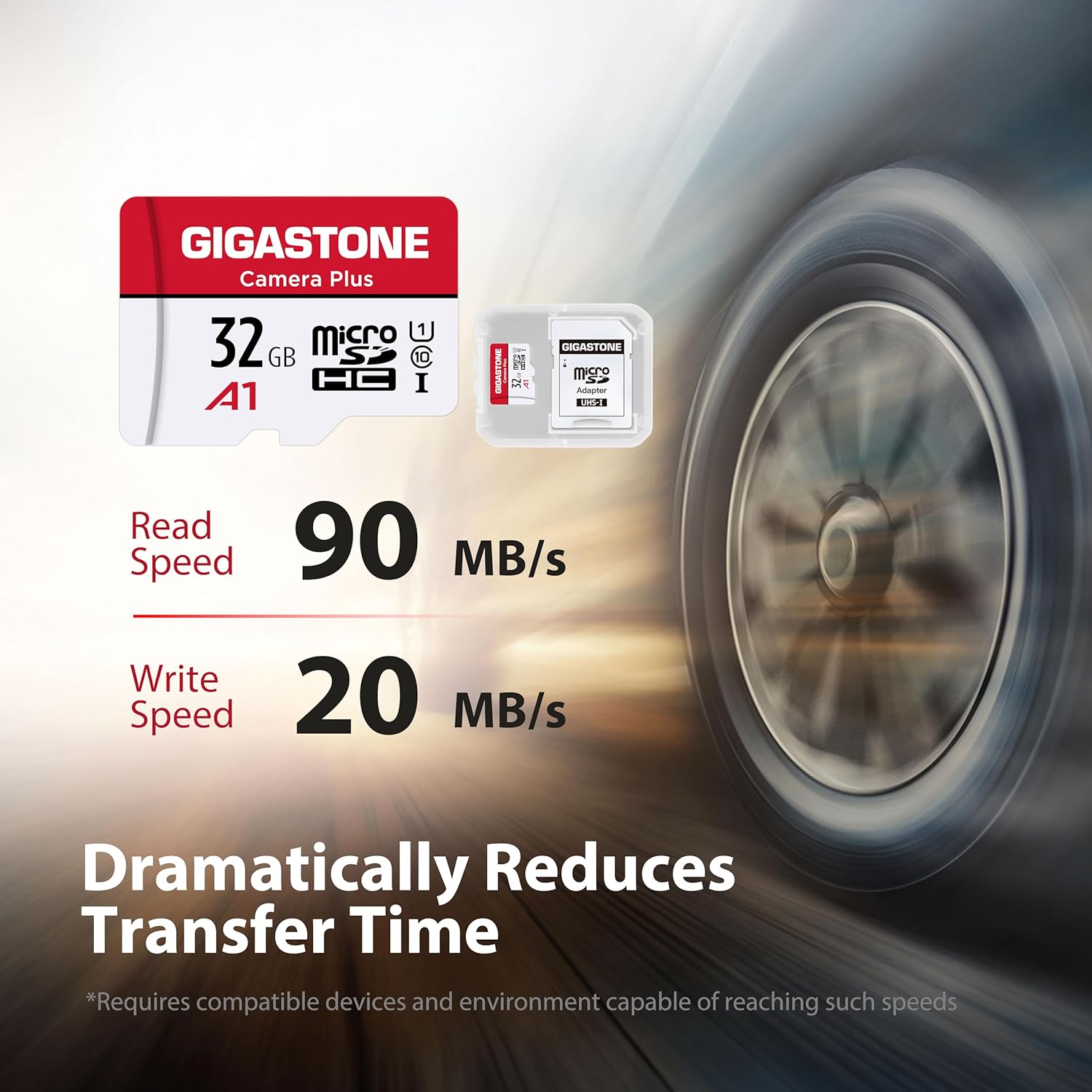
Image: A GIGASTONE 32GB Micro SD card shown next to its included SD adapter, highlighting the compact size of the Micro SD card and the versatility of the adapter.
3. Setup
- Inserting the Micro SD Card: Locate the Micro SD card slot on your device. Gently insert the Micro SD card with the gold contacts facing down (or as indicated by your device's manual) until it clicks into place.
- Using the SD Adapter: If your device requires a standard SD card, insert the Micro SD card into the provided SD adapter. Ensure the Micro SD card is fully seated in the adapter. Then, insert the adapter into your device's SD card slot.
- Initial Device Recognition: Upon first insertion, your device may prompt you to format the card. Follow the on-screen instructions. Formatting will erase all data on the card, so ensure it is new or backed up if it contains data.
- Formatting (if necessary): If your device does not automatically prompt for formatting, navigate to your device's storage settings and select the option to format the Micro SD card. This prepares the card for optimal use with your specific device.
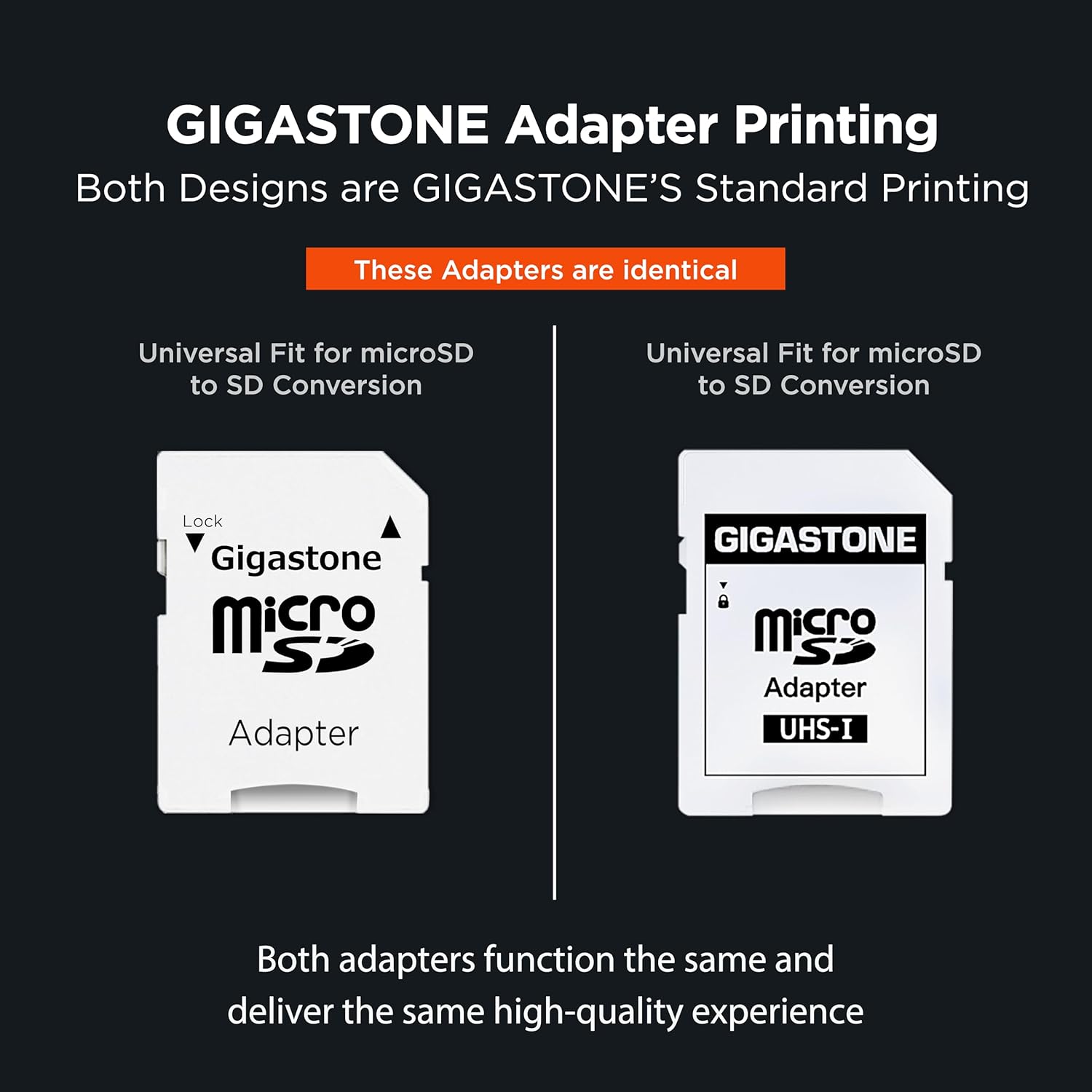
Image: Two GIGASTONE Micro SD to SD adapters are displayed, illustrating that both designs are standard and function identically for converting Micro SD to SD format.
4. Operating Instructions
- Data Storage: Once installed and formatted, the Micro SD card functions as expanded storage for your device. You can save photos, videos, documents, and applications directly to the card.
- Full HD Video Recording: For devices like security cameras or action cameras, ensure your device's settings are configured to record to the Micro SD card. The Class 10, UHS-I U1 rating supports smooth Full HD (1080p) video capture.
- App Performance (A1 Rated): For smartphones and tablets, the A1 rating ensures faster app loading and execution directly from the card, improving overall device responsiveness.
- Safe Removal: Always safely eject the Micro SD card from your device before physical removal to prevent data corruption. Refer to your device's operating system or manual for the correct ejection procedure.

Image: An action camera is shown recording a snowboarder, with a GIGASTONE 32GB Micro SD card and adapter in the foreground, illustrating its use for Full HD recording.

Image: Three people are taking a selfie, with a GIGASTONE 32GB Micro SD card and adapter in the foreground, emphasizing its A1 rating for faster app performance.

Image: A dashcam is shown recording a road scene, with a GIGASTONE 32GB Micro SD card and adapter in the foreground, highlighting its secure and reliable Full HD video recording capabilities.
5. Maintenance
- Regular Backups: Periodically back up important data from your Micro SD card to another storage device (e.g., computer hard drive, cloud storage) to prevent data loss.
- Proper Handling: Avoid touching the gold contacts on the card to prevent damage or corrosion. Always store the card in its protective case when not in use.
- Environmental Protection: While the card is waterproof, shockproof, temperature-proof, and X-Ray proof, prolonged exposure to extreme conditions should be avoided to ensure longevity.
- Avoid Physical Stress: Do not bend, drop, or apply excessive force to the card.
6. Troubleshooting
Card Not Recognized by Device:
- Ensure the card is fully and correctly inserted into the slot.
- If using an adapter, ensure the Micro SD card is properly seated within the adapter and the adapter's lock switch is in the 'unlocked' position.
- Try the card in another compatible device to determine if the issue is with the card or the device.
- Check your device's settings to ensure it supports the MicroSDHC format and 32GB capacity.
Slow Performance or Errors During Recording:
- Ensure the card is not nearly full. Performance can degrade when storage is almost exhausted.
- Reformat the card using your device's formatting utility. Warning: This will erase all data. Back up important files first.
- Verify that your device's firmware is up to date.
Data Loss:
- Immediately stop using the card to prevent further data overwriting.
- Consult a professional data recovery service if the data is critical.
7. Specifications
| Brand | Gigastone |
| Model Name | GS-2IN1-A1-32GB-B |
| Item Model Number | 32GB U1 C10 5pack |
| Flash Memory Type | Micro SD |
| Memory Storage Capacity | 32 GB |
| Read Speed | Up to 90 MB/s |
| Write Speed | Up to 20 MB/s |
| Secure Digital Association Speed Class | Class 10, UHS-I U1, A1 |
| Special Features | Waterproof, Shockproof, Temperature-proof, X-Ray proof |
| Hardware Interface | microSDHC |
| Compatible Devices | Camera, Digital Camera, Security Camera, Laptop, Tablet, PC, Smartphones, e-Reader |
| Item Weight | 1.13 ounces |
| Package Dimensions | 7.13 x 4.61 x 0.31 inches |
| UPC | 804272752861 |
8. Warranty and Support
The GIGASTONE 32GB Micro SD Card 5-Pack is covered by a Gigastone 5-year limited warranty. For warranty claims, technical assistance, or further inquiries, please contact Gigastone customer support through their official website or the retailer where the product was purchased.


