1. Introduction
This manual provides instructions for the safe and efficient use of your GreatPowerDirect USB Charging Cable, model GPD090126-30409. This cable is specifically designed to provide power and charge compatible devices, such as the Sony SRS-XB21 Portable Speaker, via a standard USB power source.
Please read this manual thoroughly before using the product and retain it for future reference.
2. Safety Information
- Do not expose the cable to water, moisture, or extreme temperatures.
- Do not attempt to modify, disassemble, or repair the cable. This may void the warranty and pose a safety risk.
- Ensure the cable is fully inserted into both the power source and the device to prevent poor connection or overheating.
- Keep out of reach of children and pets.
- Disconnect the cable from the power source when not in use or during electrical storms.
- Use only with compatible devices and power sources that meet the required voltage and current specifications.
3. Package Contents
The package contains the following item:
- 1 x GreatPowerDirect USB Charging Cable (Model: GPD090126-30409)
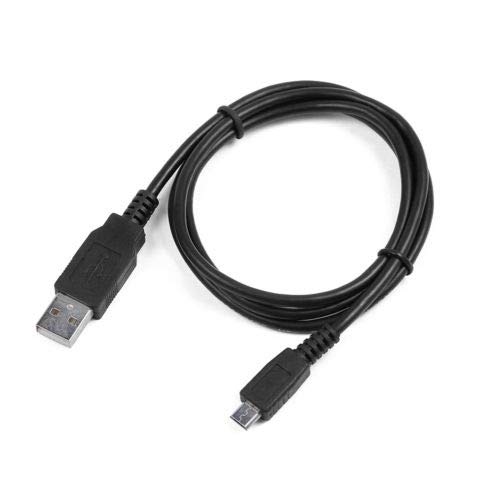
This image displays the black GreatPowerDirect USB charging cable. One end features a standard USB Type-A connector, typically used for power adapters or computer USB ports. The other end has a Micro-USB Type-B connector, designed to connect to compatible devices such as the Sony SRS-XB21 portable speaker.
4. Setup
- Identify Connectors: Locate the standard USB Type-A connector (the larger, rectangular end) and the Micro-USB Type-B connector (the smaller, trapezoidal end) on your cable.
- Connect to Power Source: Insert the USB Type-A connector into a compatible USB power source. This can be a USB wall adapter (not included), a computer's USB port, or a portable power bank. Ensure the power source provides adequate power for your device.
- Connect to Device: Carefully insert the Micro-USB Type-B connector into the charging port of your Sony SRS-XB21 Portable Speaker. Ensure it is oriented correctly and fully inserted to establish a secure connection. Do not force the connector.
5. Operating Instructions
Once the cable is properly connected to both the power source and your Sony SRS-XB21 Portable Speaker, the speaker should begin charging. Refer to your speaker's user manual for specific charging indicators (e.g., LED lights) that confirm it is receiving power.
- Charging time may vary depending on the power source's output and the speaker's battery level.
- It is safe to use the speaker while it is charging, though charging may be slower.
- Always disconnect the cable by gently pulling on the connector housing, not the cable itself.
6. Maintenance
- Cleaning: Use a soft, dry cloth to clean the cable and connectors. Do not use liquid cleaners or solvents.
- Storage: Store the cable in a cool, dry place away from direct sunlight and extreme temperatures. Avoid tightly coiling or bending the cable sharply to prevent internal damage.
- Handling: Always handle the cable by the connectors when plugging or unplugging. Avoid pulling or tugging on the cable itself.
7. Troubleshooting
| Problem | Possible Cause | Solution |
|---|---|---|
| Device not charging. | Loose connection, faulty power source, incompatible device, damaged cable. |
|
| Slow charging. | Low power output from source, device in use while charging. |
|
8. Specifications
- Brand: GreatPowerDirect
- Model Number: GPD090126-30409
- Connector Type (Source): USB Type A (Male)
- Connector Type (Device): Micro-USB Type B (Male)
- Cable Type: USB
- Color: Black
- Compatible Devices: Sony SRS-XB21 Portable Speaker and other devices with a Micro-USB charging port.
- Special Feature: Portable
- Compliance: FCC, CE, OEM (as per manufacturer)
9. Warranty Information
This product typically comes with a limited manufacturer's warranty against defects in materials and workmanship. Please refer to the product packaging or contact GreatPowerDirect customer support for specific warranty terms and conditions applicable to your purchase.
10. Customer Support
For technical assistance, troubleshooting, or warranty inquiries, please contact GreatPowerDirect customer support. Contact information can usually be found on the product packaging, the seller's website, or through your purchase platform.


