1. Introduction
Product Overview
The Sennheiser XSW-D XLR Base Set is a digital wireless system designed for effortless audio transmission. It offers plug-and-play operation, utilizing 2.4GHz digital technology for worldwide, license-free compatibility. This system is engineered for reliability in daily use, providing an operating range of up to 250 feet and approximately five hours of battery life per charge. Both the transmitter and receiver units include a convenient mute function.
Key Features
- Plug-and-play digital wireless system
- 2.4GHz operation for global, license-free use
- Up to 250-foot (75m) operating range
- Up to 5 hours of battery life on a single charge
- Integrated mute function on both transmitter and receiver
- Compact and robust design

Image 1.1: Sennheiser XSW-D Wireless Digital XLR Base Set components.
2. Package Contents
Verify that all items listed below are present in your package:
- 1 x Sennheiser XSW-D Female XLR Plug-On Transmitter
- 1 x Sennheiser XSW-D Male XLR Plug-On Receiver
- 1 x USB-A to USB-C Charging Cable
- Integrated Lithium-Ion Batteries (within transmitter and receiver)

Image 2.1: Labeled components of the XSW-D XLR Base Set.
3. Setup
3.1 Charging the Units
Before initial use, fully charge both the transmitter and receiver units.
- Connect the supplied USB-A to USB-C charging cable to the USB-C port on both the transmitter and receiver.
- Plug the USB-A end of the cable into a compatible USB power source (e.g., computer USB port, USB wall adapter).
- The LED indicator on each unit will illuminate to show charging status. A full charge typically takes approximately 3 hours.
- Once fully charged, the LED indicator will change, or turn off, depending on the unit's design.

Image 3.1: USB-A to USB-C charging cable.
3.2 Connecting and Pairing
The XSW-D system is designed for automatic pairing. Follow these steps to establish a connection:
- Connect the XSW-D Female XLR Plug-On Transmitter to your dynamic microphone's XLR output.
- Connect the XSW-D Male XLR Plug-On Receiver to the XLR input of your mixer, amplifier, or other audio device.
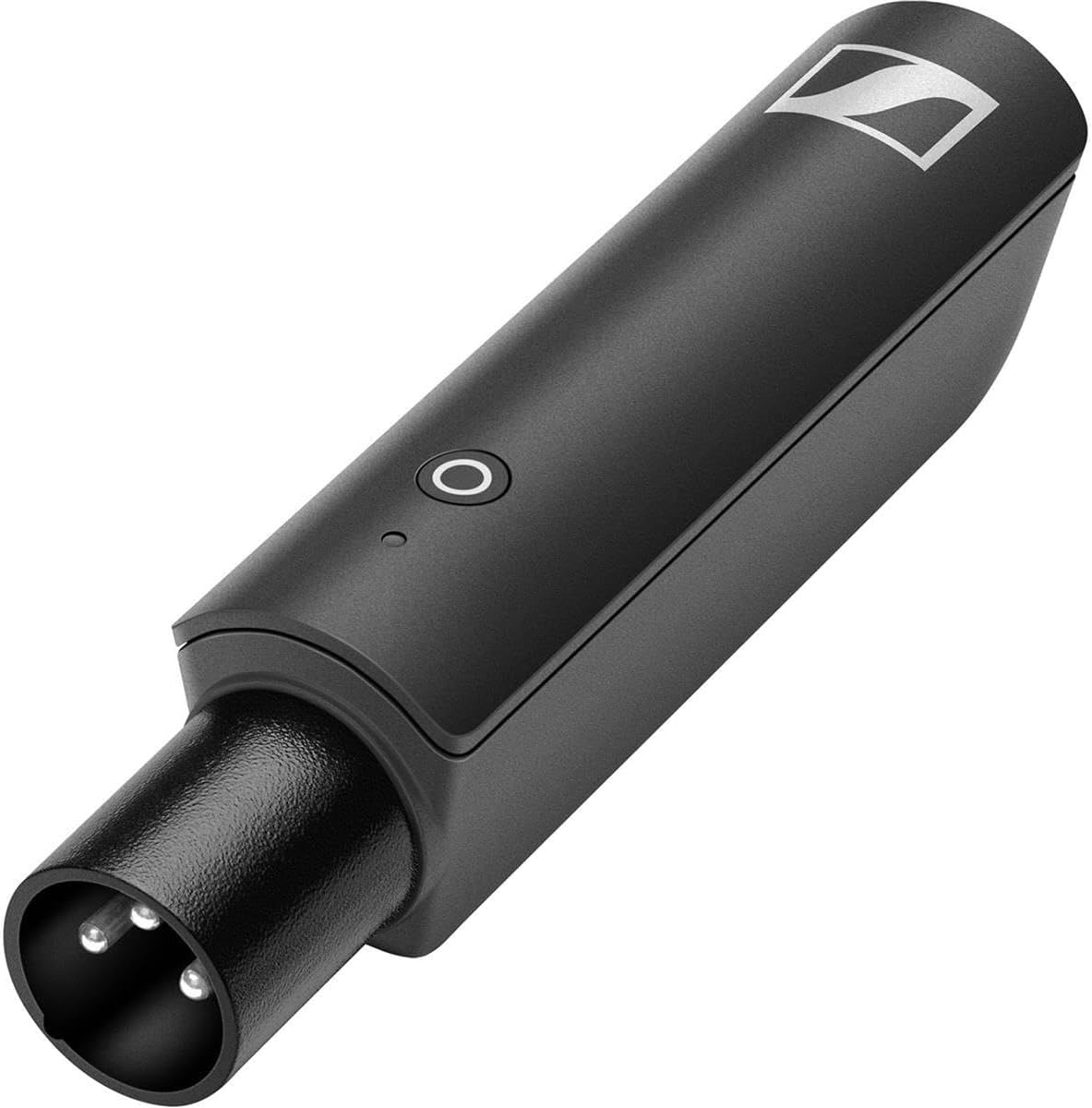
Image 3.2: XSW-D Female XLR Plug-On Transmitter.

Image 3.3: XSW-D Male XLR Plug-On Receiver.
- Press and hold the power button on both the transmitter and receiver simultaneously for approximately 2 seconds to power them on.
- The units will automatically search for and pair with each other. The LED indicators will show a solid green light once a connection is established.
- If pairing does not occur automatically, briefly press the power button on both units to initiate a manual pairing attempt.
4. Operating Instructions
4.1 Power On/Off
- To Power On: Press and hold the power button on each unit for approximately 2 seconds until the LED illuminates.
- To Power Off: Press and hold the power button on each unit for approximately 2 seconds until the LED turns off.
4.2 Mute Function
The XSW-D units feature a mute function for temporary audio interruption.
- To Mute: Briefly press the power button on either the transmitter or receiver. The LED will change color (e.g., red) to indicate mute status.
- To Unmute: Briefly press the power button again. The LED will return to its normal operating color (e.g., green).
4.3 Operating Range
The system operates reliably up to 250 feet (75 meters) in optimal conditions. Performance may vary depending on environmental factors such as obstacles, Wi-Fi interference, and other 2.4GHz devices. Maintain a clear line of sight between the transmitter and receiver for best results.
5. Maintenance
5.1 Cleaning
- Clean the units with a soft, dry cloth.
- Do not use liquid cleaners, solvents, or abrasive materials.
5.2 Battery Care
- Avoid fully discharging the batteries frequently to prolong their lifespan.
- Store the units in a cool, dry place when not in use for extended periods.
- Recharge the units periodically (e.g., every 3-6 months) even if not in use to maintain battery health.
- The integrated Lithium-Ion batteries are not user-replaceable. Contact Sennheiser service for battery-related issues.
6. Troubleshooting
Refer to the table below for common issues and their solutions.
| Problem | Possible Cause | Solution |
|---|---|---|
| No audio output | Units not powered on | Ensure both transmitter and receiver are powered on (solid green LED). |
| Units not paired | Briefly press the power button on both units to re-initiate pairing. | |
| Mute function active | Briefly press the power button to unmute (LED should be green). | |
| Low battery | Recharge both units. | |
| Intermittent audio / Dropouts | Out of range | Reduce distance between transmitter and receiver. |
| Interference from other 2.4GHz devices (Wi-Fi, Bluetooth) | Move units away from sources of interference. Ensure clear line of sight. | |
| Units not charging | Faulty USB cable or power source | Try a different USB-C cable or a different USB power adapter. |
| Short battery life | Battery degradation over time | Battery life naturally decreases with age and charge cycles. Ensure full charge before use. |
7. Specifications
| Feature | Detail |
|---|---|
| Model Number | XSW-D XLR |
| Connectivity Technology | XLR (Wireless Digital) |
| Operating Frequency | 2.4 GHz |
| Operating Range | Up to 250 feet (75 meters) |
| Battery Life | Up to 5 hours |
| Power Source | Battery Powered (1 Lithium Ion battery included per unit) |
| Signal-to-Noise Ratio | 110 dB |
| Number of Channels | 1 |
| Item Dimensions (L x W x H) | 5.7 x 2.9 x 11.7 inches |
| Item Weight | 2.4 ounces |
| Color | Black |
| UPC | 615104317802 |
| Manufacturer | Sennheiser |
8. Warranty and Support
Sennheiser products are manufactured to high quality standards. For detailed warranty information, please refer to the warranty card included with your product or visit the official Sennheiser website. For technical support, service, or replacement parts, please contact Sennheiser customer service directly through their official channels.