1. Introduction
This manual provides instructions for the SanDisk Extreme PRO 32GB SDHC UHS-I Memory Cards, High-Speed Memory Card Reader, and Memory Card Wallet bundle. This product is designed to offer reliable and high-speed storage solutions for various digital devices, including cameras and computers. Please read these instructions carefully to ensure proper use and optimal performance of your new products.
2. Package Contents
Verify that all items listed below are included in your package:
- Two (2) SanDisk Extreme PRO 32GB SDHC UHS-I Memory Cards
- One (1) High-Speed Memory Card Reader
- One (1) Memory Card Wallet

Image 1: Contents of the SanDisk Extreme PRO bundle, showing two 32GB SDHC cards, a blue USB card reader, and a black memory card wallet.
3. Setup
3.1. Memory Card Insertion
- Identify the SD Card Slot: Locate the SD card slot on your compatible device (e.g., camera, camcorder, laptop, or the included memory card reader).
- Insert the Card: Gently slide the SanDisk Extreme PRO SDHC card into the slot with the label facing the correct direction, usually upwards or towards the front of the device. Ensure it clicks into place. Do not force the card.
- Lock Switch: The memory card has a small lock switch on its side. Ensure this switch is in the "unlocked" (upward) position for writing data. If it is in the "locked" (downward) position, the card will be read-only, and you will not be able to save new files or delete existing ones.
3.2. Memory Card Reader Connection
- Insert Memory Card: Insert one of the SanDisk Extreme PRO SDHC cards into the appropriate slot on the high-speed memory card reader.
- Connect to Computer: Plug the USB connector of the memory card reader into an available USB port on your computer.
- Driver Installation: Most modern operating systems will automatically detect and install the necessary drivers for the card reader. If prompted, follow the on-screen instructions.
3.3. Initial Formatting (Optional)
For optimal performance and compatibility, especially when using a new card with a specific device, it is recommended to format the memory card within the device it will primarily be used with (e.g., camera). Formatting will erase all data on the card. Backup any important data before formatting.
- Refer to your device's user manual for specific instructions on how to format an SD card.
4. Operating Instructions
4.1. Using Memory Cards for Data Capture
Once the SanDisk Extreme PRO SDHC card is inserted and recognized by your device (e.g., camera), it is ready for use.
- Photography/Videography: Begin capturing photos or recording videos as per your device's operating instructions. The high-speed performance of these cards supports 4K UHD video recording and rapid burst-mode photography.
- Data Storage: For other devices, the card will appear as a removable storage drive, allowing you to save files directly to it.
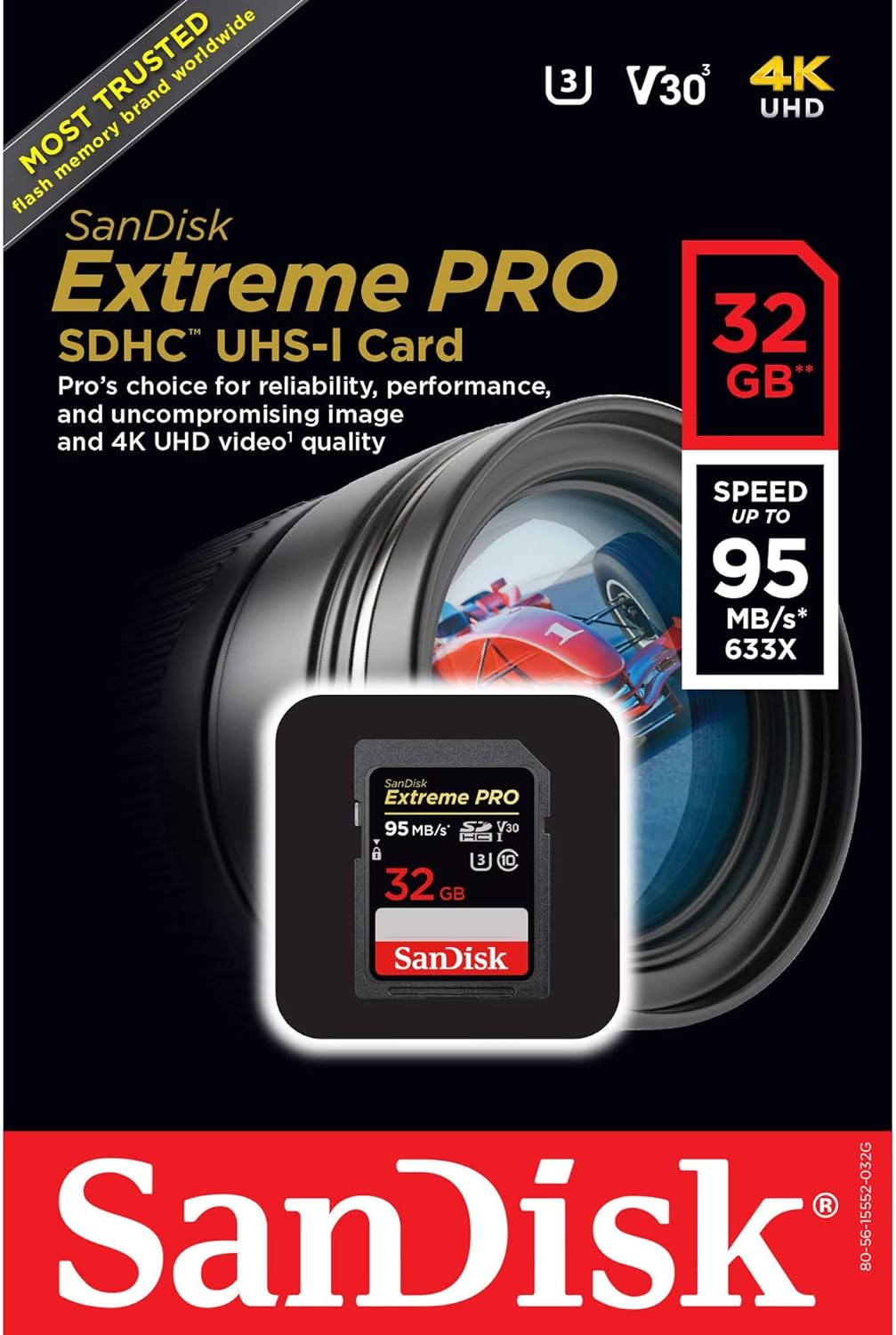
Image 2: Packaging for the SanDisk Extreme PRO SDHC UHS-I Card, highlighting 32GB capacity and 95 MB/s speed.
4.2. Transferring Data to a Computer
To transfer files from your memory card to a computer, you can use either the included memory card reader or your device's direct connection (if available).
- Using the Card Reader:
- Ensure the memory card is inserted into the card reader and the reader is connected to your computer's USB port.
- Open "My Computer" (Windows) or "Finder" (Mac) and locate the removable drive corresponding to the memory card.
- Drag and drop or copy and paste files from the memory card to your desired location on the computer.
- Safe Removal: Always safely eject the memory card or card reader from your computer before physically disconnecting it to prevent data corruption.
4.3. Using the Memory Card Wallet
The included memory card wallet is designed to protect and organize your memory cards.
- Insert your SDHC cards into the designated slots within the wallet.
- Close the wallet securely to protect cards from dust, moisture, and physical damage during transport or storage.
5. Maintenance
5.1. Cleaning
- Memory Cards: Use a soft, lint-free cloth to gently wipe the gold contact pins on the back of the card if they appear dirty. Avoid touching the pins directly with your fingers.
- Card Reader: Keep the card reader's slots free of dust and debris. Use compressed air if necessary.
5.2. Storage
- Always store memory cards in the provided wallet or a protective case when not in use. This protects them from physical damage, dust, and static electricity.
- Avoid exposing cards to extreme temperatures, direct sunlight, or strong magnetic fields.
5.3. Durability Features
SanDisk Extreme PRO cards are designed for durability:
- Waterproof: Designed to withstand immersion in water.
- Temperature Proof: Operates in extreme temperatures.
- X-ray Proof: Protected from airport X-ray scanners.
- Shock Proof: Resistant to impacts and vibrations.

Image 3: Diagram illustrating key features of SanDisk Extreme PRO cards, such as high speed, 4K UHD video support, and environmental resistance.
6. Troubleshooting
6.1. Memory Card Not Recognized
- Check Lock Switch: Ensure the lock switch on the side of the SD card is in the "unlocked" (upward) position.
- Reinsert Card: Remove the card and reinsert it firmly into the device or card reader.
- Try Another Device/Port: Test the card in a different compatible device or use a different USB port on your computer for the card reader.
- Check Compatibility: Verify that your device supports SDHC cards and the specified capacity (32GB).
- Clean Contacts: Gently clean the gold contact pins on the card with a soft, dry cloth.
6.2. Slow Transfer Speeds
- USB Port: Ensure the card reader is connected to a USB 3.0 port on your computer for optimal speeds. USB 2.0 ports will result in slower transfers.
- Computer Performance: Other running applications or system processes can affect transfer speeds.
- Card Reader: Verify the card reader is functioning correctly.
6.3. "Card Full" or Write Errors
- Check Lock Switch: Ensure the lock switch on the side of the SD card is in the "unlocked" (upward) position.
- Available Space: Verify that there is sufficient free space on the card. Delete unnecessary files or transfer them to your computer.
- Formatting: If the card is new or has been used in multiple devices, formatting it in the primary device may resolve write errors (Warning: This will erase all data).
7. Specifications
| Brand | SanDisk |
| Model Name | Extreme PRO |
| Flash Memory Type | SDHC |
| Memory Storage Capacity | 32 GB |
| Read Speed | Up to 95 MB/s |
| Write Speed | Up to 30 MB/s |
| Secure Digital Association Speed Class | Class 10, U3, V30 |
| Special Features | Temperature Proof, Water Proof, X-Ray Proof, Shock Proof |
| Hardware Interface | SDHC |
| Item Weight | Approximately 2.89 ounces (for the bundle) |
| Compatible Devices | Cameras, devices supporting SDHC |
Note: Specifications are subject to change without notice. Performance may vary based on host device, file attributes, and other factors.
8. Warranty and Support
This SanDisk product comes with a Limited Warranty. For detailed warranty information, terms, and conditions, please refer to the official SanDisk website or the warranty documentation included with your purchase.
For technical support, product registration, or further assistance, please visit the official SanDisk support website:


