
Introduction
Thank you for choosing SIMOLIO JH-711 Wireless Kids Headphones. These headphones are designed with children's safety and comfort in mind, featuring 3-level volume limiting for hearing protection, Bluetooth connectivity, and a durable, foldable design. This manual will guide you through the setup, operation, and maintenance of your new headphones.
Product Features
- 3-Level Volume Limiting: Protects children's hearing with selectable limits of 75dB (toddlers), 85dB (kids), and 94dB (adults).
- Wireless & Wired Modes: Connect via Bluetooth for wireless freedom or use the included 3.5mm audio cable when the battery is low or with non-Bluetooth devices.
- Built-in Microphone: Enables hands-free calling for convenience.
- Audio Sharing Port: Allows another headphone to connect and share audio from the same device.
- Durable & Flexible Design: Constructed with memory stainless steel strips in the headband to withstand bending and twisting.
- Foldable & Compact: Easy to fold and store in the included EVA hard carrying case, perfect for travel and school.
- Long Battery Life: Provides up to 15 hours of playtime on a single charge.

Image: Diagram illustrating the 3-level volume limiting feature (75dB, 85dB, 94dB) for different age groups.

Image: Hands bending the headphone headband, showcasing its flexible and durable construction.

Image: The headphones folded compactly, ready to be stored in their EVA hard carrying case.
What's in the Box
- SIMOLIO JH-711 Wireless Kids Headphones (2 Count)
- USB Charging Cable
- 3.5mm AUX Audio Cable
- User Manual (this document)
- EVA Hard Carrying Case
Setup
1. Charging the Headphones
- Locate the Micro USB charging port on the headphone earcup.
- Connect the provided USB charging cable to the headphone's charging port.
- Plug the other end of the USB cable into a compatible USB power source (e.g., computer, USB wall adapter).
- The LED indicator will illuminate during charging and turn off when fully charged. A full charge takes approximately 3 hours.

Image: The SIMOLIO JH-711 headphones with the charging cable inserted into the Micro USB port.
2. Bluetooth Pairing
- Ensure the headphones are fully charged.
- Press and hold the Power button (MFB) on the headphone earcup until the LED indicator flashes blue and red, indicating pairing mode.
- On your device (smartphone, tablet, etc.), enable Bluetooth and search for available devices.
- Select "SIMOLIO JH-711" from the list of devices.
- Once connected, the LED indicator will flash blue slowly.
3. Wired Connection (AUX Mode)
- Locate the 3.5mm AUX port on the headphone earcup.
- Connect one end of the provided 3.5mm AUX audio cable to the headphone's AUX port.
- Connect the other end of the AUX cable to the 3.5mm audio jack of your device.
- The headphones will automatically switch to wired mode. This mode works even if the headphone battery is depleted.
4. Adjusting Volume Limiter
The headphones feature a 3-level volume limiter switch (75dB, 85dB, 94dB) located on the earcup. Slide the switch to select the desired maximum volume level appropriate for the user's age and environment.

Image: Detail of the headphone earcup highlighting the 3-level volume limiter switch.
5. Headband Adjustment
The headband is adjustable to fit various head sizes. Gently slide the earcups up or down along the headband to achieve a comfortable and secure fit. The flexible design allows for minor reshaping.

Image: A person demonstrating how to adjust the headband for a proper fit.
Operating Instructions
1. Power On/Off
- Power On: Press and hold the Multi-Function Button (MFB) for approximately 3 seconds until the LED indicator lights up.
- Power Off: Press and hold the MFB for approximately 3 seconds until the LED indicator turns off.
2. Music Playback
- Play/Pause: Short press the MFB.
- Next Track: Long press the "Volume Up" button.
- Previous Track: Long press the "Volume Down" button.
- Volume Up: Short press the "Volume Up" button.
- Volume Down: Short press the "Volume Down" button.
3. Call Management
- Answer/End Call: Short press the MFB.
- Reject Call: Long press the MFB.
4. Audio Sharing
To share audio with another pair of headphones, connect a 3.5mm audio cable from the sharing jack on the right earcup of the SIMOLIO headphones to the audio input of another headphone. This allows two users to listen to the same audio source simultaneously.
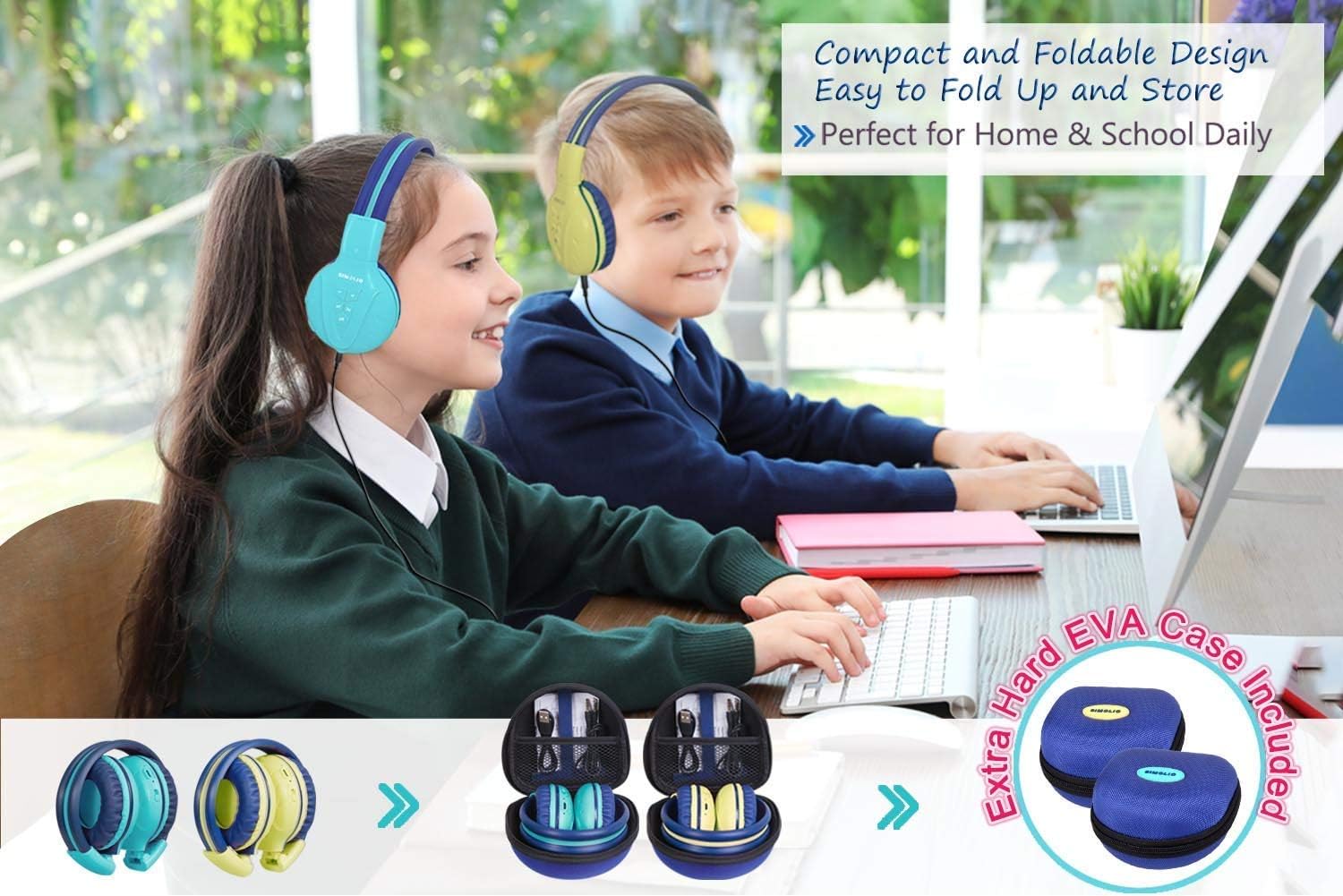
Image: Two pairs of headphones connected using the audio sharing feature, allowing simultaneous listening.
Maintenance
- Cleaning: Use a soft, dry cloth to clean the headphones. Do not use liquid cleaners or aerosols.
- Storage: When not in use, fold the headphones and store them in the provided EVA hard carrying case to protect them from dust and damage.
- Battery Care: To prolong battery life, avoid fully discharging the headphones frequently. Charge them regularly, even if not in constant use.
Troubleshooting
| Problem | Solution |
|---|---|
| Headphones won't turn on. | Ensure the headphones are charged. Connect to a power source using the USB cable. |
| Cannot pair via Bluetooth. | Make sure the headphones are in pairing mode (flashing blue/red LED). Ensure your device's Bluetooth is on and within range. Forget previous pairings on your device and try again. |
| No sound in wired mode. | Check that the 3.5mm AUX cable is securely connected to both the headphones and the audio source. Ensure the audio source's volume is not muted or too low. |
| Sound is too low/high. | Adjust the volume using the +/- buttons on the headphones and on your connected device. Check the 3-level volume limiter switch setting. |
Specifications
- Model Name: Kids Bluetooth Headphones JH-711MY
- Connectivity Technology: Wireless (Bluetooth), Wired (3.5mm AUX)
- Wireless Communication Technology: Bluetooth 4.0
- Bluetooth Range: 30 Feet
- Battery Life: Up to 15 Hours
- Charging Time: Approximately 3 Hours
- Audio Driver Type: Dynamic Driver
- Ear Placement: Over Ear
- Noise Control: Sound Isolation
- Special Features: 3 Adjustable Volume Limited, Built-in Microphone, Durable and Flexible, Foldable, Audio Share Port, EVA Case
- Product Dimensions: 5.51 x 3.15 x 5.31 inches
- Item Weight: 1.8 pounds (0.82 Kilograms)
- Material: Nylon, Stainless Steel (headband), EVA (carrying case)
Official Product Video
Video: An official product video from Simolio Direct showcasing the features and usage of the SIMOLIO Bluetooth Headphones for Kids with Case JH-711.
Warranty and Support
For warranty information or technical support, please refer to the contact details provided on the product packaging or visit the official SIMOLIO website.
