1. Product Overview
The Jettom J1 is a 7-inch tablet designed for children, featuring a durable yellow casing. It operates on the Android system and includes dual cameras, Bluetooth connectivity, and 2G cellular support. This manual provides essential information for setting up, operating, maintaining, and troubleshooting your Jettom J1 tablet.
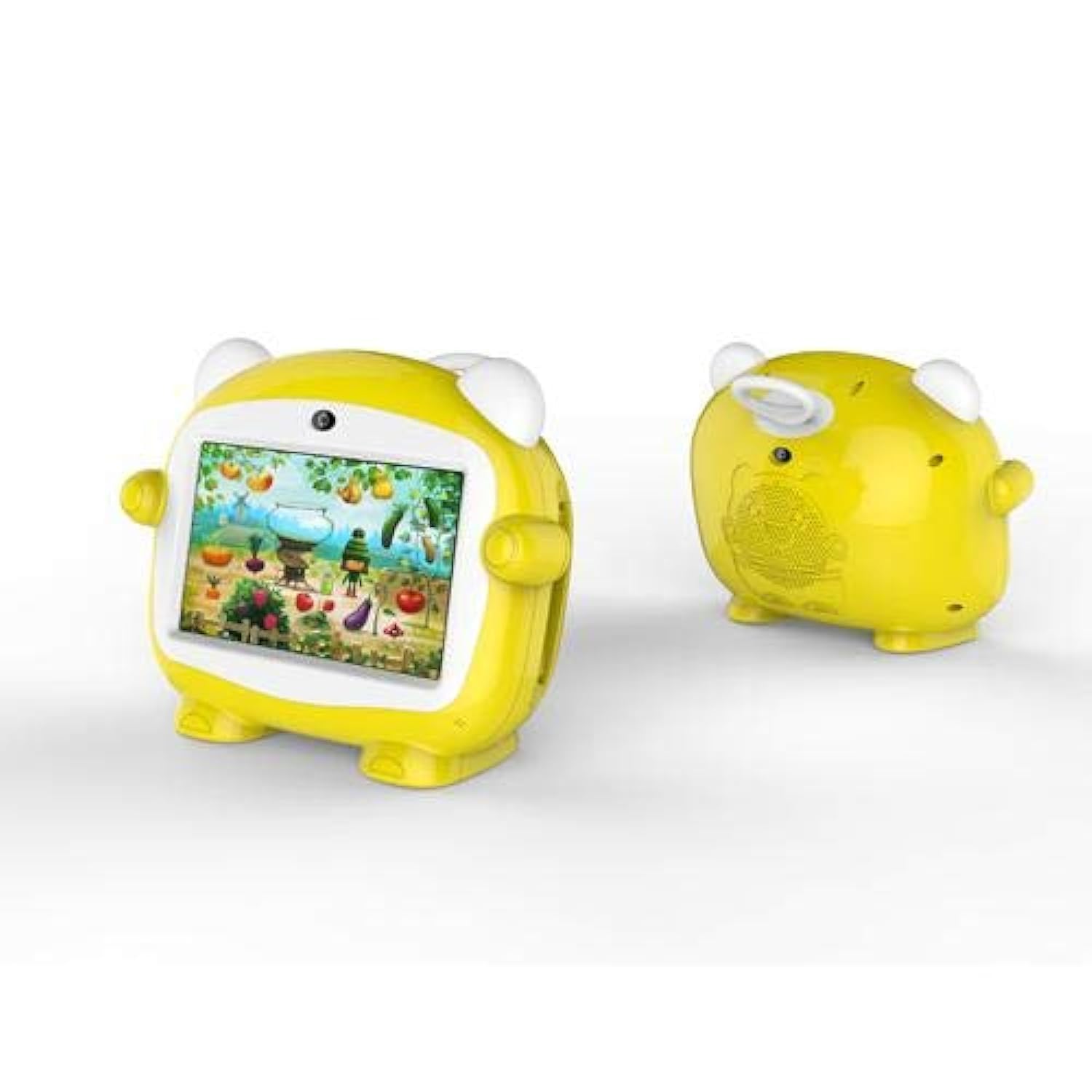
Figure 1: Front view of the Jettom J1 Kids Tablet.
2. Initial Setup
2.1 Charging the Tablet
Before first use, fully charge the tablet. Connect the provided charger to the tablet's charging port and plug it into a power outlet. The battery indicator on the screen will show charging status.
2.2 Powering On/Off
- To Power On: Press and hold the Power button located on the side of the tablet until the screen lights up.
- To Power Off: Press and hold the Power button, then select 'Power Off' from the options that appear on the screen.
2.3 Initial Configuration
Upon first startup, follow the on-screen prompts to configure basic settings:
- Select your preferred language.
- Connect to a Wi-Fi network.
- Set the date and time.
- Sign in with a Google account (optional, but recommended for app downloads).
2.4 Inserting a SIM Card (for 2G Cellular)
The Jettom J1 supports a single 2G SIM card for cellular connectivity. Locate the SIM card slot, typically on the side or back of the device. Carefully insert the SIM card with the gold contacts facing down, ensuring it is correctly oriented. Refer to the diagram below for slot location.

Figure 2: Back view of the Jettom J1 Kids Tablet, indicating potential SIM card slot area.
3. Operating Instructions
3.1 Basic Navigation
The tablet features a capacitive touchscreen. Use the following gestures:
- Tap: To select an item or open an application.
- Swipe: To scroll through pages or menus.
- Pinch: To zoom in or out on images or web pages.
3.2 Wi-Fi Connectivity
To connect to a Wi-Fi network:
- Go to Settings > Network & internet > Wi-Fi.
- Toggle Wi-Fi On.
- Select your desired network from the list and enter the password if prompted.
3.3 Using the Cameras
The tablet is equipped with a front (2MP) and rear (5MP) camera. Open the Camera application to take photos or record videos. You can switch between the front and rear cameras within the app interface.
3.4 Bluetooth Pairing
To pair with a Bluetooth device:
- Go to Settings > Connected devices > Bluetooth.
- Toggle Bluetooth On.
- The tablet will scan for available devices. Select the device you wish to pair with and confirm the pairing code if necessary.
4. Maintenance
4.1 Cleaning the Tablet
Use a soft, lint-free cloth to clean the screen and body of the tablet. Do not use abrasive cleaners or solvents, as these can damage the device. Avoid direct contact with liquids.
4.2 Battery Care
- Avoid exposing the tablet to extreme temperatures.
- Do not allow the battery to fully discharge frequently.
- Use only the original or certified compatible charger.
4.3 Software Updates
Periodically check for system updates to ensure optimal performance and security. Go to Settings > System > System update to check for and install available updates.
4.4 Storage Management
To manage the tablet's 4GB internal storage, go to Settings > Storage. You can clear cached data, uninstall unused apps, or move files to an external SD card (if supported and installed) to free up space.
5. Troubleshooting
| Problem | Solution |
|---|---|
| Tablet does not turn on | Ensure the battery is charged. Connect the charger and try again. If unresponsive, press and hold the power button for 10-15 seconds to force a restart. |
| Screen is unresponsive | Restart the tablet. If the issue persists, ensure the screen is clean and free of debris. |
| Cannot connect to Wi-Fi | Check if Wi-Fi is enabled in Settings. Restart your Wi-Fi router. Ensure you are entering the correct password. |
| Apps are crashing or freezing | Close and reopen the app. Clear the app's cache in Settings > Apps. Ensure the tablet has sufficient free storage space. |
| Slow performance | Close unused applications. Clear cache and temporary files. Consider a factory reset as a last resort (back up data first). |
6. Specifications
| Feature | Detail |
|---|---|
| Brand | Jettom |
| Model Number | J1 |
| Screen Size | 7 inches |
| Display Resolution | 1024 x 600 |
| Display Type | IPS LCD |
| Processor Brand | MediaTek |
| Processor Speed | 1.3 GHz Quad-Core |
| RAM Size | 512 MB |
| Storage Capacity | 4 GB |
| Rear Camera Resolution | 5 Megapixel |
| Front Camera Resolution | 2 Megapixel |
| Operating System | Android |
| Battery Capacity | 2000 mAh |
| Wireless Connectivity | Bluetooth |
| Cellular Network Technology | 2G (Single SIM) |
| Color | Yellow |
| Special Feature | Dual Camera |
| Age Range (Description) | Child |
7. Warranty and Support
Warranty information for the Jettom J1 tablet is typically provided at the point of purchase or within the product packaging. Please refer to these documents for details regarding coverage and terms.
For technical support, service, or inquiries regarding your product, please contact the seller or the manufacturer directly. Contact information can usually be found on the product packaging or the seller's website.