
Lewitt LCT 040 MATCH
Lewitt LCT 040 Match Small Diaphragm Condenser Microphone User Manual
Model: LCT 040 MATCH
Brand: Lewitt
1. Product Overview
The Lewitt LCT 040 Match is a small diaphragm condenser microphone designed for instrument recordings. It offers the definition and accuracy characteristic of the LCT range, featuring a custom-designed capsule optimized for instant transient response. This microphone is suitable for a variety of studio and live applications.
Key Features:
- Exceptional definition and accuracy in a compact design.
- Custom-designed capsule with optimized instant transient response.
- Ideal for capturing instrument recordings with clarity.
- Also available as an acoustically identical matched pair (LCT 040 Match Pair).
2. Box Contents
Upon opening the package, please verify that all the following items are included:
- LCT 040 MATCH Microphone
- Microphone Clip
- Windscreen
- Microphone Bag
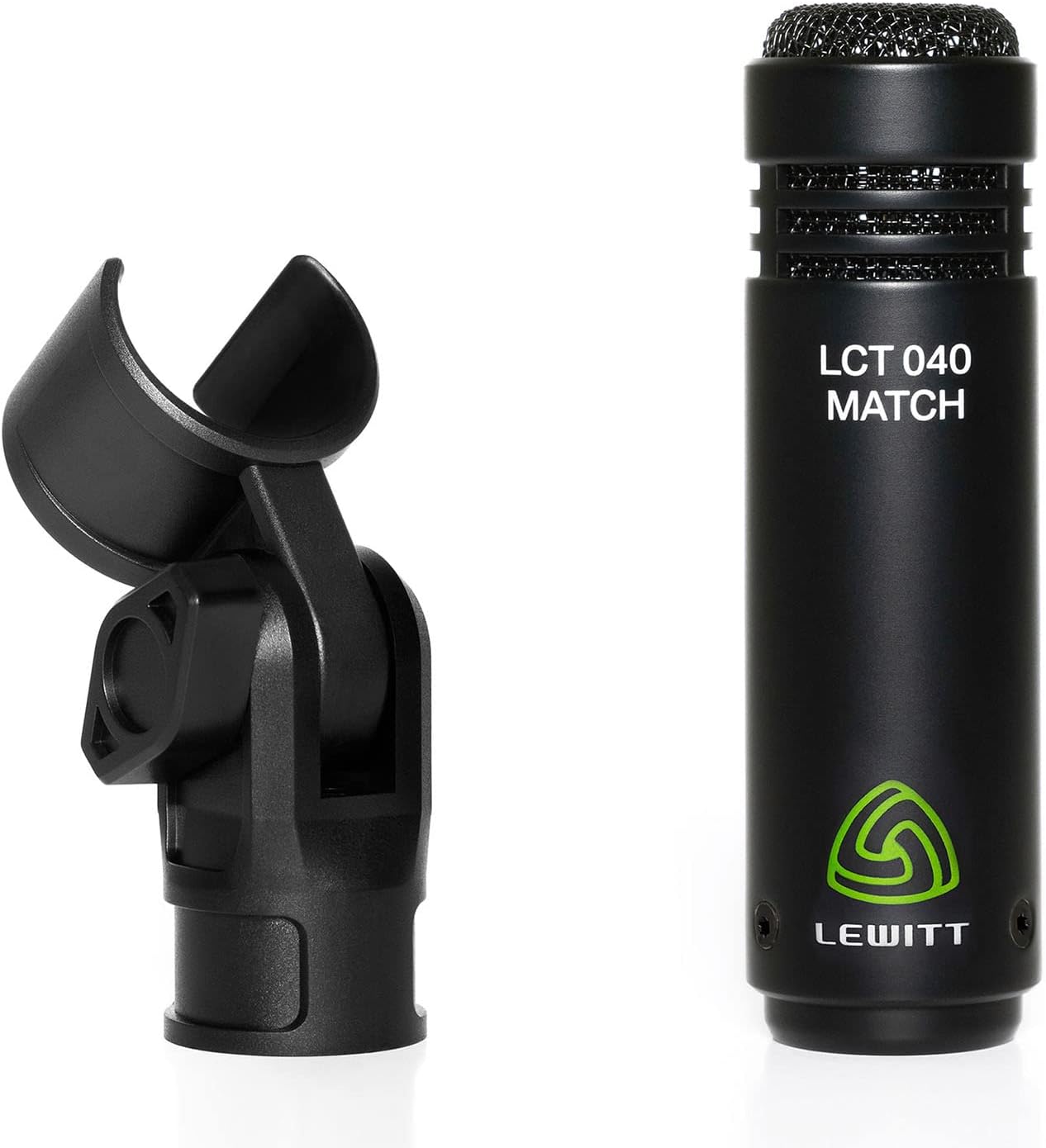
Figure 2.1: LCT 040 Match Box Contents. This image displays the LCT 040 Match microphone, its accompanying windscreen, microphone clip, and a black transport bag, illustrating all items included in the standard package.
3. Setup Guide
3.1 Connecting the Microphone
- Attach the provided microphone clip to a standard microphone stand.
- Securely insert the LCT 040 Match microphone into the microphone clip.
- Connect an XLR cable (not included) to the XLR connector at the base of the microphone.
- Connect the other end of the XLR cable to an audio interface, mixer, or preamplifier that provides +48V phantom power. The LCT 040 Match requires +48V phantom power for operation.
- For outdoor use or to reduce plosives and wind noise, place the included windscreen over the microphone capsule.

Figure 3.1: Microphone and Clip Assembly. This image shows the LCT 040 Match microphone alongside its dedicated microphone clip, demonstrating how the microphone is secured for use on a stand.

Figure 3.2: Phantom Power Indicator. A close-up of the microphone's base, clearly indicating 'P48', signifying its requirement for +48V phantom power to function correctly.
4. Operating Instructions
4.1 Recommended Uses
The LCT 040 Match is highly versatile and recommended for:
- Mic'ing drums (e.g., overheads, hi-hats, snare bottom).
- Acoustic guitar recording.
- Other acoustic instruments for both studio and live performance.
4.2 Microphone Placement
Optimal microphone placement is crucial for achieving the best sound quality. Due to its sensitive nature and high SPL handling, experimentation with distance and angle is encouraged.
- Acoustic Guitar: For a balanced sound, try placing the microphone 12-18 inches from the instrument, aiming towards the area where the neck meets the body, or slightly in front of the bridge.
- Drum Overheads: Position the microphones (if using a matched pair) above the drum kit to capture the overall sound of the cymbals and drums. Common configurations include spaced pair or ORTF.
- General Use: The LCT 040 Match has a unidirectional (cardioid) polar pattern, meaning it primarily picks up sound from the front, reducing unwanted noise from the sides and rear. Aim the microphone directly at the sound source.

Figure 4.1: Instrument Recording Setup. This image shows the LCT 040 Match microphone mounted on a stand, positioned to record an acoustic guitar, illustrating a typical recording scenario.

Figure 4.2: Optimal Placement for Acoustic Instruments. A detailed view of the LCT 040 Match microphone positioned closely to an acoustic guitar, highlighting its suitability for capturing nuanced instrument sounds.
5. Maintenance
Proper maintenance will ensure the longevity and optimal performance of your LCT 040 Match microphone.
- Cleaning: Use a soft, dry cloth to wipe down the microphone body. Avoid using liquid cleaners or solvents, as these can damage the finish or internal components.
- Storage: When not in use, store the microphone in the provided microphone bag to protect it from dust, moisture, and physical damage.
- Handling: Handle the microphone with care. Avoid dropping it or subjecting it to strong impacts, which can affect its delicate internal capsule.
6. Troubleshooting
If you encounter issues with your LCT 040 Match microphone, refer to the following common problems and solutions:
| Problem | Possible Cause | Solution |
|---|---|---|
| No sound output | No phantom power; faulty XLR cable; incorrect input selection on interface/mixer. | Ensure +48V phantom power is enabled. Test with a different XLR cable. Verify correct input channel is selected and gain is turned up. |
| Low volume or weak signal | Insufficient gain; microphone too far from source; incorrect polar pattern (not applicable for LCT 040 Match as it's fixed cardioid). | Increase gain on your preamplifier/interface. Move microphone closer to the sound source. |
| Unwanted noise or hum | Ground loop; electromagnetic interference; environmental noise; faulty cable. | Check for ground loops in your audio setup. Ensure microphone cables are not running parallel to power cables. Minimize environmental noise. Test with a different XLR cable. The microphone is highly sensitive, so ensure your recording environment is quiet. |
| Distorted sound | Input signal too hot (clipping); faulty preamplifier. | Reduce the gain on your preamplifier/interface. Ensure the input level is not peaking. |
7. Specifications
Detailed technical specifications for the Lewitt LCT 040 Match microphone:
| Specification | Value |
|---|---|
| Model Name | LCT 040 Match |
| Item Model Number | LCT 040 MATCH |
| Brand | Lewitt |
| Microphone Form Factor | Microphone Only |
| Polar Pattern | Unidirectional (Cardioid) |
| Connectivity Technology | XLR |
| Connector Type | XLR |
| Power Source | Corded Electric (+48V Phantom Power) |
| Frequency Response | 20 Hz - 20 kHz |
| Audio Sensitivity | 20 dB |
| Signal-to-Noise Ratio | 78 dB |
| Noise Level | 20 dB |
| Number of Channels | 1 |
| Item Weight | 0.82 Pounds (approx. 13.1 ounces) |
| Product Dimensions (L x W x H) | 0.94 x 0.94 x 5.5 inches |
| Color | Black |
| UPC | 847986002051, 847986002044 |
| Manufacturer | Lewitt |
| Date First Available | January 21, 2019 |
8. Warranty and Support
For information regarding warranty coverage, terms, and conditions, please refer to the official Lewitt website or the warranty card included with your product. For technical support, product registration, or further assistance, please visit the official Lewitt support page or contact their customer service directly.
You can find more information and contact details on the Lewitt Store on Amazon.
Related documentsLCT 040 MATCH


Ask a question about this manual
Ask about setup, troubleshooting, compatibility, parts, safety, or missing instructions. Manuals+ will review the question and use this page’s manual context to help answer it.