
1. Product Overview
This document provides instructions for the genuine Code Alarm 41800650 1-way replacement antenna, which includes the 41203880 cable. This antenna and cable assembly is designed to replace existing components in compatible Code Alarm remote start and alarm systems.
The antenna and cable are supplied as two separate pieces. If only the antenna requires replacement, the cable can be retained or discarded as needed. Ensure compatibility with your specific Code Alarm system before proceeding with installation.
2. Compatibility
The Code Alarm 41800650 replacement antenna and 41203880 cable are compatible with select Code Alarm remote start systems and alarm systems. It is crucial to verify the compatibility of this replacement part with your specific system model prior to installation to ensure proper function.
3. Package Contents
- Code Alarm 41800650 1-Way Replacement Antenna Module
- Code Alarm 41203880 Antenna Cable
4. Setup and Installation
Follow these steps to properly install the replacement antenna and cable:
- Disconnect Power: Before beginning any installation, ensure that the vehicle's battery is disconnected to prevent accidental short circuits or damage to the system.
- Locate Existing Antenna: Identify the location of the old antenna module and its connecting cable within your vehicle.
- Remove Old Components: Carefully disconnect the old antenna cable from both the main control unit and the antenna module. Remove the old antenna module from its mounting location.
- Connect New Cable to Antenna Module: Take the new 41203880 antenna cable. Connect the smaller, white 4-pin connector of the cable to the corresponding port on the 41800650 antenna module. Ensure the connection is secure.
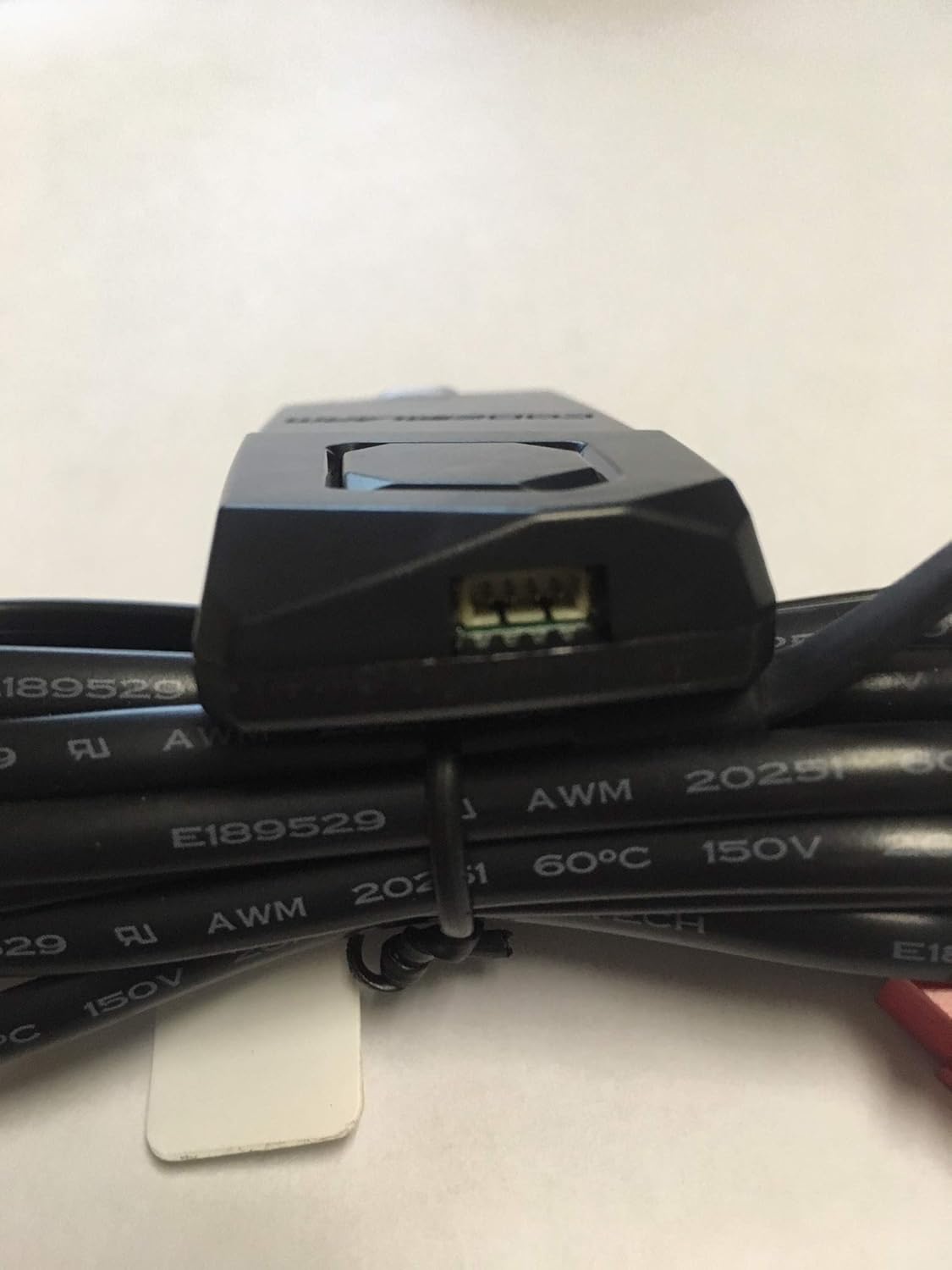
Image 4.1: The 41800650 antenna module showing the connection port for the cable.
- Connect Cable to Main Unit: Route the antenna cable to the main control unit of your Code Alarm system. Connect the larger, red 4-pin connector of the 41203880 cable to the designated antenna port on the main control unit.
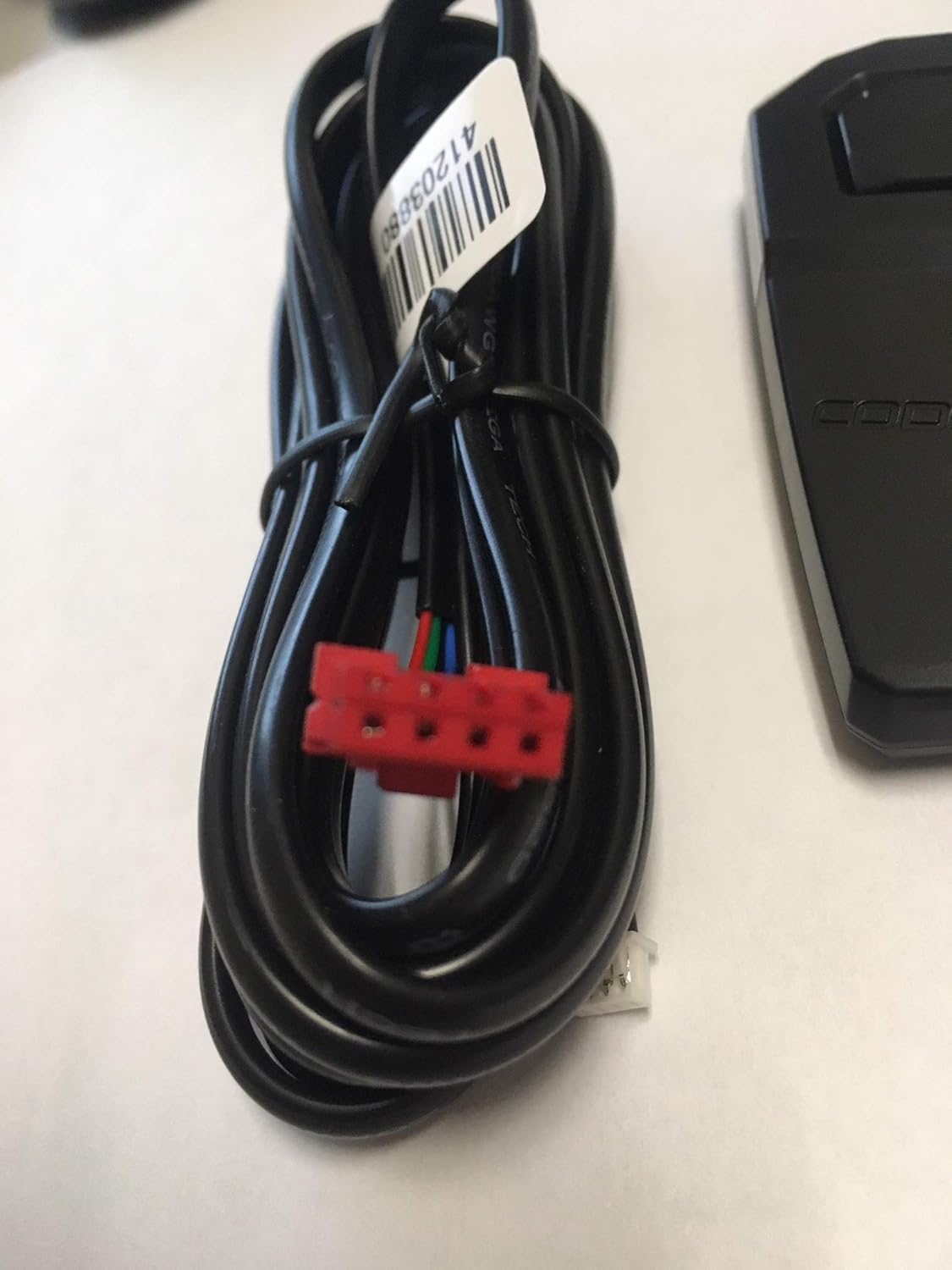
Image 4.2: The 41203880 antenna cable, showing both the red and white connectors.

Image 4.3: The coiled 41203880 antenna cable, illustrating its length and connectors.
- Mount Antenna Module: Securely mount the new antenna module in a suitable location, typically on the windshield or dashboard, ensuring it has a clear line of sight for optimal signal reception. Avoid placing it near metal obstructions.
- Reconnect Power: Once all connections are secure and the antenna is mounted, reconnect the vehicle's battery.
- Test System: Test the remote start and alarm system functions to confirm proper operation of the new antenna.
5. Operating Instructions
The Code Alarm 41800650 antenna is a passive component designed to receive radio frequency signals from your remote control and transmit them to the main control unit of your remote start or alarm system. It does not require any direct user operation. Its function is entirely dependent on being correctly installed and connected to a compatible Code Alarm system.
Once installed, the antenna continuously works to facilitate communication between your remote and the vehicle's system. Ensure the antenna is not obstructed by metal objects or tinted windows that may interfere with signal reception.
6. Maintenance
The Code Alarm 41800650 antenna requires minimal maintenance. To ensure optimal performance:
- Keep Clean: Periodically wipe the antenna module with a soft, dry cloth to remove dust or debris. Avoid using harsh chemicals or abrasive cleaners.
- Inspect Connections: Occasionally check that the cable connections to both the antenna module and the main control unit remain secure.
- Avoid Physical Damage: Protect the antenna and cable from physical impact, excessive bending, or exposure to extreme temperatures.
7. Troubleshooting
If you experience issues with your remote start or alarm system after installing the new antenna, consider the following troubleshooting steps:
- No Remote Response:
- Verify all cable connections are firmly seated at both the antenna module and the main control unit.
- Ensure the antenna module is mounted in a location free from metal obstructions.
- Check the remote control's battery.
- Reduced Range:
- Confirm the antenna is not obstructed by vehicle components or window tinting.
- Ensure the antenna cable is not pinched or damaged.
- System Malfunction:
- Re-verify that the 41800650 antenna and 41203880 cable are indeed compatible with your specific Code Alarm system model.
- If issues persist, it may indicate a problem with the main control unit or other components of your system.
For further assistance, please contact Code Alarm customer support.
8. Specifications
| Manufacturer | Code Alarm |
| Item Model Number | 41800650 |
| Product Dimensions | 15.24 x 7.62 x 3.81 cm; 45 g |
| ASIN | B07MZBDN7H |
9. Warranty and Support
For information regarding warranty coverage, technical support, or service for your Code Alarm product, please refer to the documentation provided with your original remote start or alarm system, or visit the official Code Alarm website. Contacting Code Alarm customer service directly will provide the most accurate and up-to-date support information.