
COLZER PD223A
COLZER 70 Pints Home Dehumidifier User Manual
Model: PD223A
For 4,000 SQ FT Basements & Large Rooms
1. Introduction & Safety Information
Thank you for choosing the COLZER 70 Pints Home Dehumidifier. This manual provides important information for the proper operation, maintenance, and troubleshooting of your appliance. Please read all instructions thoroughly before using the dehumidifier and retain this manual for future reference.
Important Safety Instructions:
- Always connect the dehumidifier to a properly grounded electrical outlet.
- Do not operate the unit with a damaged power cord or plug.
- Ensure the unit is placed on a level, stable surface to prevent water spillage.
- Maintain at least 8 inches (20 cm) of clearance around the air intake and outlet for proper airflow.
- Do not insert fingers or foreign objects into the air inlet or outlet.
- Unplug the unit before cleaning or performing any maintenance.
- Do not use the dehumidifier in areas where flammable liquids or gases are stored.
- Keep children and pets away from the operating unit.
2. Product Overview
The COLZER PD223A Dehumidifier is designed to efficiently remove excess moisture from your indoor environment, improving air quality and comfort. It features a high-capacity design suitable for large areas.
Key Features:
- High Dehumidification Capacity: Removes up to 70 Pints (33 Liters) of moisture per day.
- Large Water Tank: Equipped with a 7.4-Pint (4.5 Liters) removable water bucket.
- Continuous Drainage: Includes a drain hose for continuous, hassle-free operation.
- Wide Coverage: Effective in areas up to 4,000 square feet.
- Digital Control Panel: Intuitive touch controls with a clear digital display.
- Multiple Modes: Dehumidification (DH) and Dry Clothes (DRY) modes.
- Adjustable Fan Speed: Two fan speed settings (Slow, Fast).
- 24-Hour Timer: Programmable timer for automatic on/off operation.
- Automatic Humidity Sensor: Maintains desired humidity levels automatically.
Product Components:
- COLZER Dehumidifier Unit
- User Manual (this document)
- Continuous Drain Hose
Technical Specifications:
| Specification | Value |
|---|---|
| Brand | COLZER |
| Model Name | PD223A |
| Dehumidification Capacity | 70 Pints / 33 Liters per Day |
| Water Tank Capacity | 7.4 Pints / 4.5 Liters |
| Recommended Coverage Area | Up to 4,000 sq ft |
| Power Consumption | 300 Watts |
| Air Flow Capacity | 190 CMPH |
| Number of Speeds | 2 |
| Item Weight | 28.7 Pounds |
| Product Dimensions (L x W x H) | 11.4 x 11.4 x 23.8 inches |
| Upper Temperature Rating | 35 Degrees Celsius |

Figure 2.1: COLZER 70 Pints Home Dehumidifier (Model PD223A)

Figure 2.2: Dehumidifier dimensions and key specifications.
3. Setup
3.1 Unpacking
Carefully remove the dehumidifier from its packaging. Inspect the unit for any shipping damage. Retain the packaging materials for future storage or transport.
3.2 Placement
Place the dehumidifier on a firm, level surface in the area where dehumidification is desired. Ensure there is at least 8 inches (20 cm) of space on all sides of the unit to allow for proper air circulation. Do not block the air inlet or outlet.
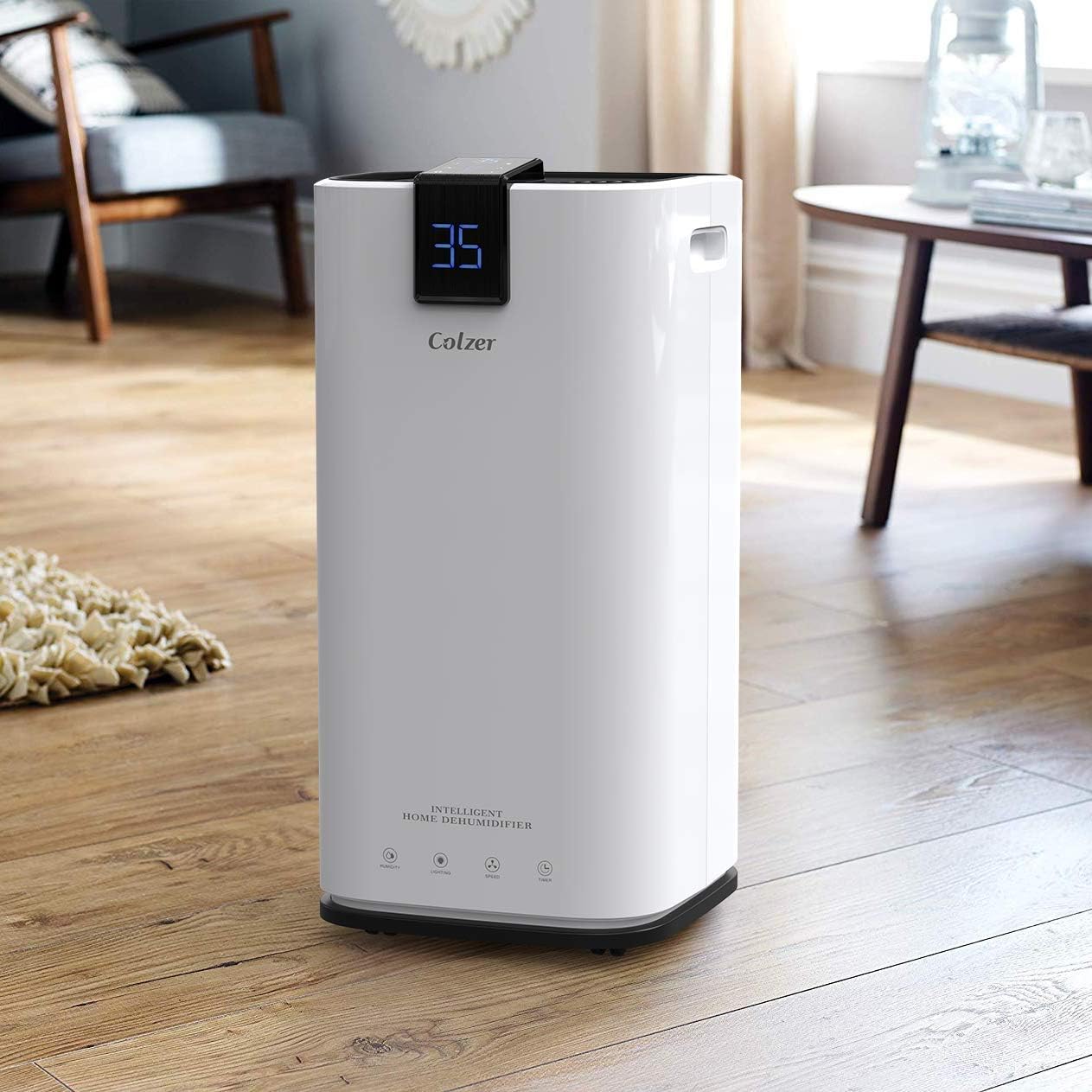
Figure 3.1: Proper placement of the dehumidifier in a room.
3.3 Power Connection
Plug the power cord into a grounded 115V/60Hz electrical outlet. The unit is now ready for operation.
3.4 Drainage Options
Your COLZER dehumidifier offers two drainage methods:
- Manual Drainage (Water Bucket): The unit will collect moisture in its internal 7.4-Pint (4.5L) water bucket. When the bucket is full, the unit will automatically shut off and display a 'FULL' indicator. Empty the bucket and reinsert it to resume operation.
- Continuous Drainage (Drain Hose): For extended operation without manual emptying, attach the included drain hose to the continuous drainage port on the back of the unit. Route the hose to a floor drain or a suitable receptacle, ensuring it is sloped downwards for gravity drainage.

Figure 3.2: Illustration of continuous drainage setup.
4. Operating Instructions
The control panel is located on the top of the unit and features touch-sensitive buttons and a digital display.

Figure 4.1: Overview of the control panel.
4.1 Control Panel Functions:
- ON/OFF Button (U): Press to turn the unit on or off.
- Humidity Button (💧): Press to set your desired humidity level (e.g., 35% to 80% RH). The unit will operate until the set humidity is reached.
- Mode Button (👤): Toggles between Dehumidification (DH) and Dry Clothes (DRY) modes.
- Speed Button (💨): Selects fan speed between Slow and Fast.
- Timer Button (🕒): Sets the auto-on or auto-off timer from 1 to 24 hours.
- Lighting Button (💡): Turns the control panel display light on or off.
4.2 Setting Desired Humidity:
- Turn on the unit using the ON/OFF button.
- Press the Humidity button repeatedly to cycle through desired humidity levels (e.g., 35, 40, 45... 80). The display will show the selected humidity.
- The unit will automatically stop when the room humidity reaches the set level and restart if the humidity rises above it.
4.3 Selecting Operating Mode:
- Press the Mode button.
- Choose between:
- DH (Dehumidification): Standard operation to reduce room humidity.
- DRY (Dry Clothes): Optimized setting for drying clothes quickly.

Figure 4.2: The Dry Clothes mode is ideal for quick drying.
4.4 Setting the Timer:
- Press the Timer button.
- Press the Timer button repeatedly to set the desired number of hours (1-24) for the unit to automatically turn on or off.
- The timer will activate after a few seconds of no button presses.
5. Maintenance
Regular maintenance ensures optimal performance and extends the lifespan of your dehumidifier.
5.1 Emptying the Water Bucket
When the water bucket is full, the unit will beep, display 'FULL' or an error code (e.g., E1), and automatically shut off. Carefully remove the water bucket from the front of the unit, empty the collected water, and then firmly reinsert the bucket. The unit will resume operation.
5.2 Cleaning the Air Filter
The air filter should be cleaned regularly (e.g., every two weeks or more often depending on usage and air quality) to ensure efficient operation.
- Turn off the dehumidifier and unplug it from the power outlet.
- Locate the air filter (usually at the back or side of the unit).
- Gently pull out the filter.
- Clean the filter with warm, soapy water or a vacuum cleaner. Rinse thoroughly and allow it to air dry completely before reinserting.
- Reinsert the dry filter into the unit.
5.3 Cleaning the Exterior
Wipe the exterior of the unit with a soft, damp cloth. Do not use harsh chemicals, abrasives, or solvents, as these can damage the surface.
5.4 Storage
If storing the unit for an extended period:
- Empty the water bucket and ensure the continuous drainage hose (if used) is completely drained.
- Clean the air filter and allow it to dry.
- Store the unit in an upright position in a cool, dry place, away from direct sunlight and extreme temperatures.
6. Troubleshooting
Before contacting customer support, please refer to the following troubleshooting guide for common issues.
| Problem | Possible Cause | Solution |
|---|---|---|
| Unit does not turn on. | No power supply. Power cord not properly connected. Water bucket full or not properly inserted. | Check power outlet and circuit breaker. Ensure power cord is firmly plugged in. Empty water bucket and ensure it is correctly seated. |
| No water collected. | Room temperature too low. Humidity setting too high. Air filter clogged. Unit size too small for the area. | Dehumidifiers operate best above 41°F (5°C). Lower the desired humidity setting. Clean the air filter. Ensure unit capacity matches room size. |
| Unit is noisy. | Unit not on a level surface. Air filter clogged. Obstruction in fan. | Place unit on a flat, stable surface. Clean the air filter. Check for and remove any obstructions. |
| Error Code 'E1' displayed. | Water bucket full or improperly seated. | Empty the water bucket and ensure it is correctly reinserted. |
7. Warranty and Support
For detailed warranty information, please refer to the original user manual included with your product or visit the official COLZER website. If you encounter issues not covered in this troubleshooting guide, please contact COLZER customer support for assistance.
For further details, you may refer to the official user guide PDF: COLZER Dehumidifier User Manual (PDF)
Related documentsPD223A


Ask a question about this manual
Ask about setup, troubleshooting, compatibility, parts, safety, or missing instructions. Manuals+ will review the question and use this page’s manual context to help answer it.