
1. Introduction
This manual provides essential information for the safe and efficient operation, maintenance, and troubleshooting of your Philips Series 3200 Super-Automatic Coffee Machine, model EP3221/40. Please read all instructions carefully before using the appliance and retain this manual for future reference.
2. Important Safety Information
Always follow basic safety precautions when using electrical appliances to reduce the risk of fire, electric shock, and injury. This appliance is intended for household use only.
- Do not immerse the appliance, power cord, or plug in water or other liquids.
- Ensure the voltage indicated on the appliance corresponds to your local mains voltage before connecting.
- Keep the appliance and its cord out of reach of children.
- Do not operate the appliance if the plug, power cord, or the appliance itself is damaged.
- Always unplug the appliance before cleaning, maintenance, or if it is not in use for an extended period.
- Use only original Philips accessories and parts.
3. Product Overview
The Philips Series 3200 Super-Automatic Coffee Machine EP3221/40 is designed to deliver a variety of fresh coffee beverages with ease. Key features include an intuitive touch display, a classic milk frother, and a durable ceramic grinder.
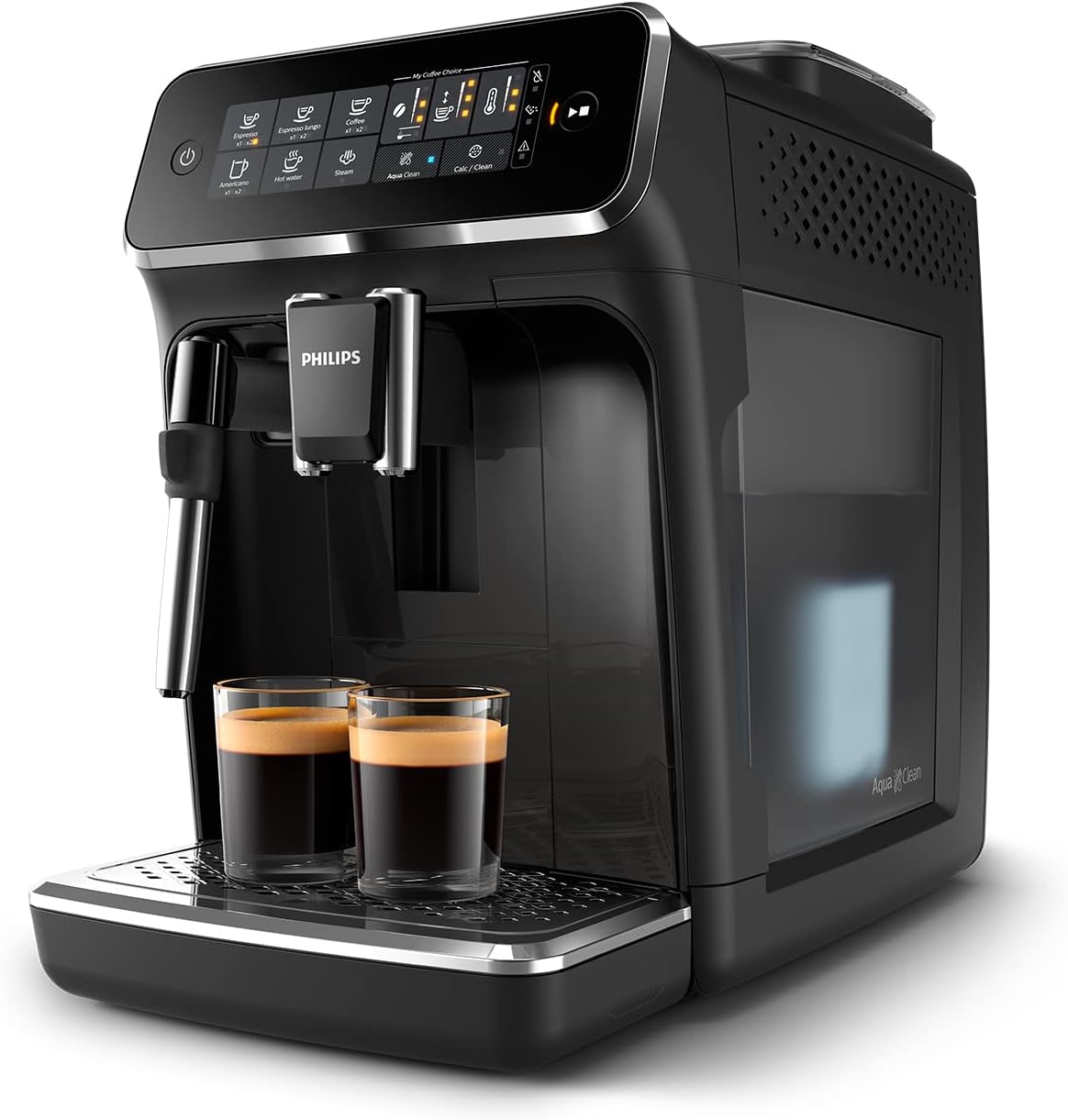
Image: Philips Series 3200 Super-Automatic Coffee Machine with two espresso cups on the drip tray.
4. Setup and First Use
4.1 Unpacking and Initial Cleaning
- Remove all packaging materials from the machine.
- Wash the water tank, drip tray, and coffee grounds container with warm water and a mild detergent. Rinse thoroughly.
- Wipe the exterior of the machine with a soft, damp cloth.
4.2 Filling the Water Tank
- Remove the water tank from the machine.
- Fill the tank with fresh tap water up to the MAX indication.
- Place the water tank back into the machine.
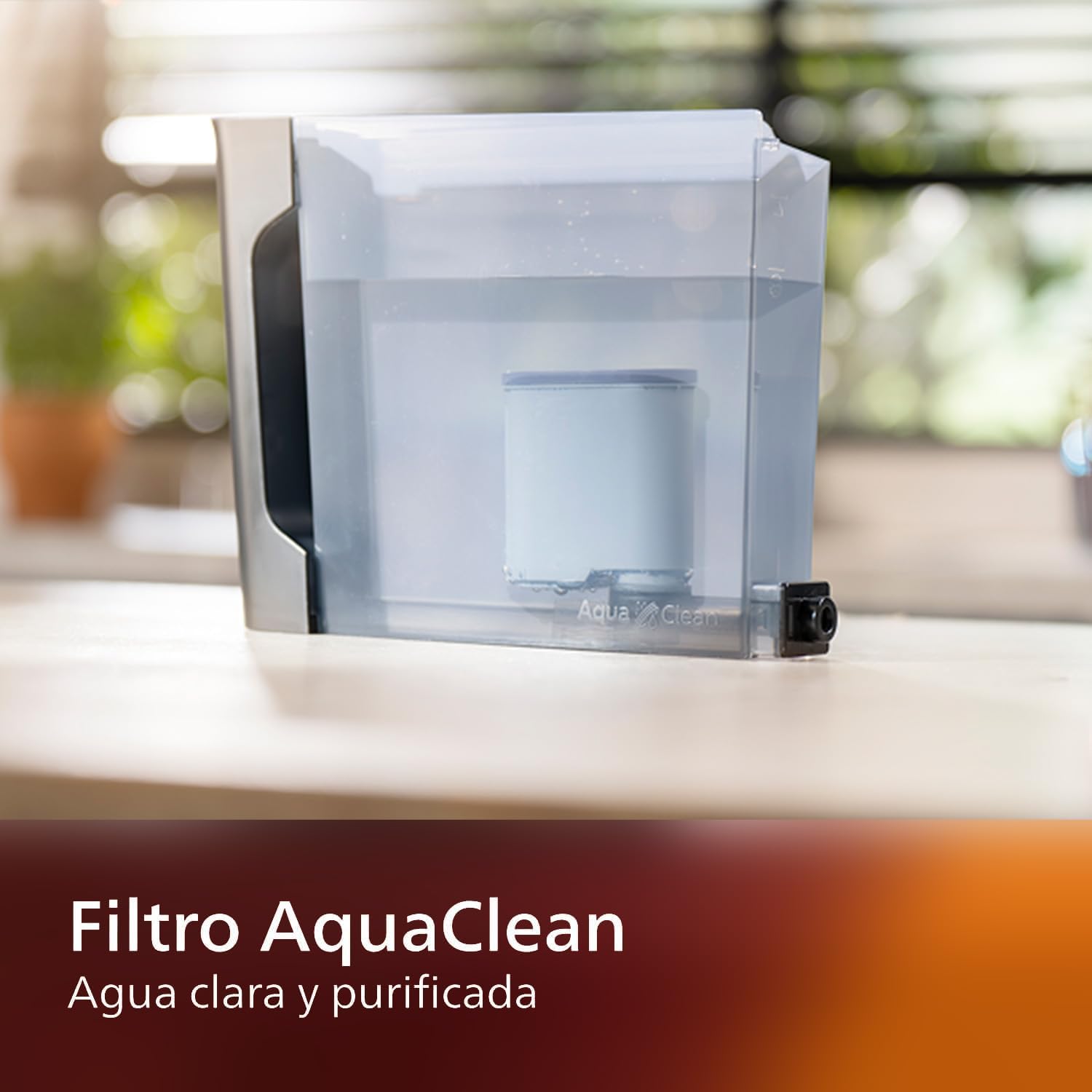
Image: AquaClean water filter installed in the water tank. The AquaClean filter helps ensure clear and purified water for your coffee.
4.3 Filling the Bean Hopper
- Open the coffee bean hopper lid.
- Pour fresh coffee beans into the hopper. Do not fill above the MAX level.
- Close the lid securely to preserve aroma.
4.4 Power Connection
- Plug the power cord into a grounded wall socket.
- Press the power button to turn on the machine. The machine will perform an automatic rinse cycle.
5. Operating Instructions
5.1 Making Coffee
The intuitive touch display allows for easy selection of your desired coffee beverage.
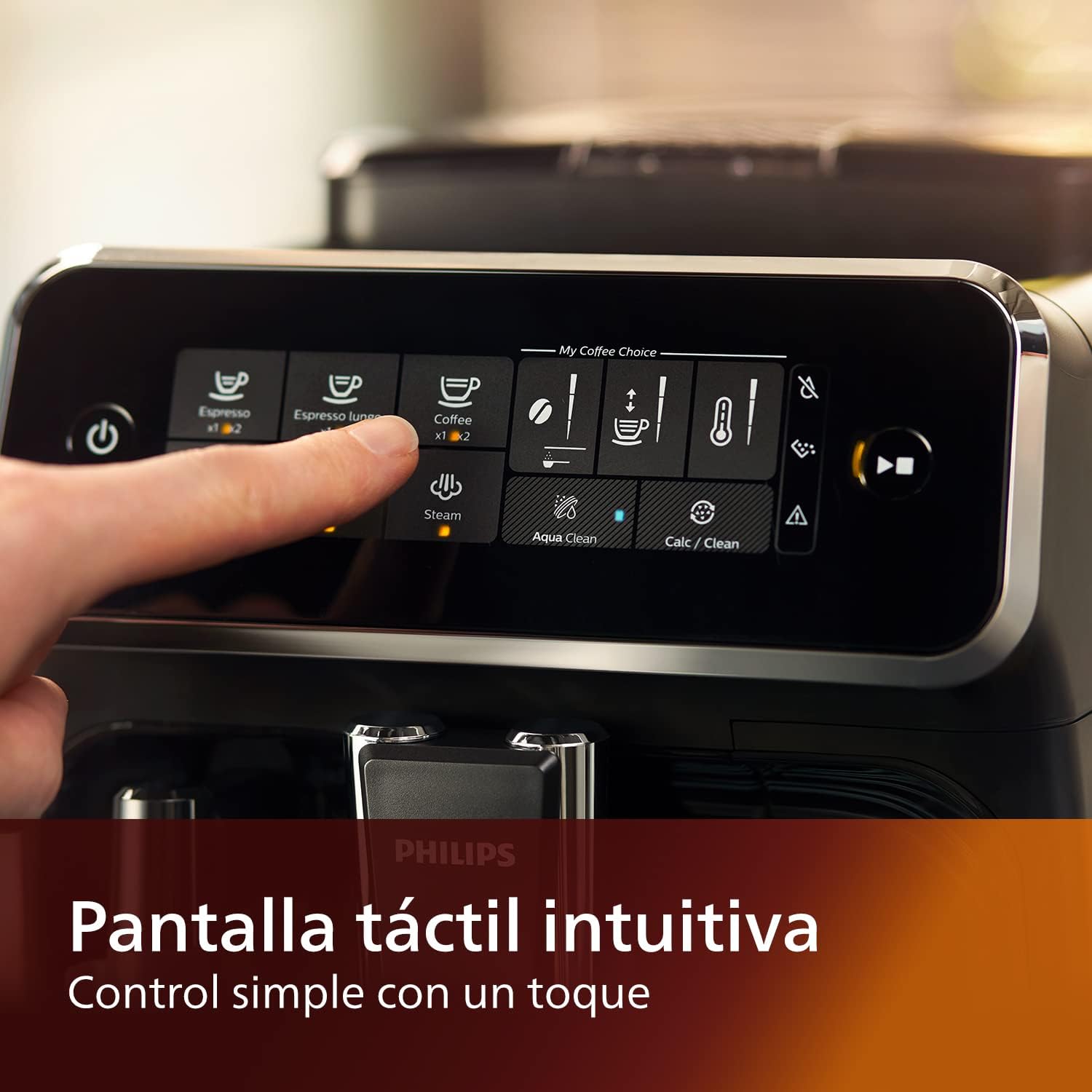
Image: Close-up of the intuitive touch display on the Philips Series 3200 coffee machine, showing various beverage options.
- Place a cup under the coffee spout.
- Select your desired coffee type (e.g., Espresso, Coffee, Americano) from the touch display.
- The machine will automatically grind the beans and brew your coffee.
5.2 Customizing Your Coffee (My Coffee Choice)
Use the My Coffee Choice menu to adjust intensity and quantity.

Image: The 'My Coffee Choice' screen on the touch display, illustrating options to adjust coffee intensity and volume.
- After selecting a beverage, tap the 'My Coffee Choice' icon.
- Adjust the coffee strength (intensity) and volume (quantity) using the on-screen controls. There are three settings for each.
- Confirm your selection to start brewing.
5.3 Using the Classic Milk Frother
The Panarello milk frother allows you to prepare smooth and silky milk foam for cappuccinos and lattes.

Image: The classic milk frother steaming milk directly into a glass cup, creating foam.
- Fill a milk jug with cold milk.
- Place the milk jug under the frother.
- Select the 'Steam' option on the touch display.
- Immerse the frother nozzle into the milk and turn the steam knob (if applicable) or press the steam button to start frothing.
- Once desired foam is achieved, turn off the steam.
- Clean the frother immediately after use by wiping it with a damp cloth and purging a small amount of steam.
6. Maintenance and Cleaning
Regular cleaning and maintenance ensure optimal performance and longevity of your coffee machine.
6.1 Daily Cleaning
- Empty and rinse the drip tray and coffee grounds container daily.
- Wipe the coffee spout and milk frother with a damp cloth.
- Rinse the water tank.
6.2 AquaClean Filter
The AquaClean filter ensures clear and purified water, reducing the need for frequent descaling. Replace the filter when indicated by the machine, typically after approximately 5000 cups, depending on water hardness.

Image: A demonstration of the AquaClean water filter, showing its effectiveness in purifying water.
6.3 Descaling
Even with the AquaClean filter, descaling will eventually be required. The machine will prompt you when descaling is necessary. Follow the on-screen instructions and use a Philips-approved descaling solution.
6.4 Dishwasher Safe Parts
Note that the main appliance is not dishwasher safe. However, some removable parts, such as the drip tray and coffee grounds container, may be dishwasher safe. Refer to the specific instructions for each component.
7. Troubleshooting
If you encounter issues with your coffee machine, consult the table below for common problems and solutions.
| Problem | Possible Cause | Solution |
|---|---|---|
| No coffee is dispensed. | Water tank is empty. | Fill the water tank. |
| Coffee is too weak. | Grind setting is too coarse. | Adjust the grinder to a finer setting. |
| Milk frother not producing foam. | Frother is clogged or not clean. | Clean the milk frother thoroughly. Ensure the nozzle is clear. |
| Machine displays a descaling alert. | Limescale buildup. | Perform a descaling cycle as instructed by the machine. |
8. Specifications
| Feature | Detail |
|---|---|
| Brand | Philips |
| Model Number | EP3221/40 |
| Coffee Bean Capacity | 275 Grams |
| Color | Glossy Black |
| Product Dimensions (D x W x H) | 25 x 36.6 x 32 centimeters |
| Special Features | Integrated coffee grinder, Milk Frother, Water Filter, Programmable |
| Coffee Maker Type | Espresso Machine |
| Material | Plastic |
| Operation | Fully Automatic |
| Power | 1500 Watts |
| Voltage | 230 Volts |
| Human Interface Input | Touch Screen |
| Coffee Input Type | Whole Beans |
| Filter Type | Reusable (AquaClean) |
| Dishwasher Safe | No (for main unit) |
| Manufacturing Year | 2022 |
9. Warranty and Support
9.1 Warranty Information
Your Philips Series 3200 Super-Automatic Coffee Machine is covered by a manufacturer's warranty. For detailed information regarding warranty terms, duration, and conditions, please refer to the warranty card included with your product or visit the official Philips website for your region.
9.2 Customer Support
For technical assistance, spare parts, or service, please contact Philips Customer Support. You can find contact details (phone numbers, email, and online support) on the official Philips website or in the documentation provided with your appliance.
When contacting support, please have your model number (EP3221/40) and purchase date ready.


