Introduction
This manual provides essential information for the proper installation, operation, and maintenance of the Eurodib 250L-28 Power On/Off Switch. This component is a genuine OEM replacement part designed for reliability and performance in compatible Eurodib equipment. Please read this manual thoroughly before installation and use to ensure safe and efficient operation.
Product Overview

Figure 1: Front-side view of the Eurodib 250L-28 Power On/Off Switch. This image shows the two clear buttons, one marked with 'I' for ON and the other with 'O' for OFF, set within a black rectangular housing.
The Eurodib 250L-28 is a robust power switch designed for industrial and commercial applications. It features distinct ON ('I') and OFF ('O') buttons for clear operational status. As a genuine OEM part, it ensures compatibility and maintains the original equipment's safety and performance standards.
What's in the Box
- One (1) Eurodib 250L-28 Power On/Off Switch (Replacement Part)
Setup and Installation
Installation of the 250L-28 Power On/Off Switch should only be performed by qualified personnel, adhering to all local electrical codes and safety regulations. Ensure the equipment is disconnected from its power source before beginning installation.
- Power Disconnection: Before attempting any installation, ensure the main power supply to the equipment is completely disconnected and locked out to prevent accidental startup.
- Access Existing Switch: Carefully open the equipment's control panel or housing to access the existing power switch.
- Wiring Identification: Note the wiring connections to the old switch. It is highly recommended to take a photograph or draw a diagram of the existing wiring configuration before disconnection.
- Remove Old Switch: Disconnect all wires from the old switch and carefully remove it from its mounting.
- Install New Switch: Insert the new Eurodib 250L-28 switch into the designated opening. Ensure it fits securely.
- Connect Wiring: Reconnect the wires to the new switch according to the diagram or photograph taken in step 3. Ensure all connections are secure and properly insulated.
- Secure Housing: Close and secure the equipment's control panel or housing.
- Test Functionality: Restore power to the equipment. Carefully test the ON and OFF functions of the new switch to ensure it operates correctly and safely.
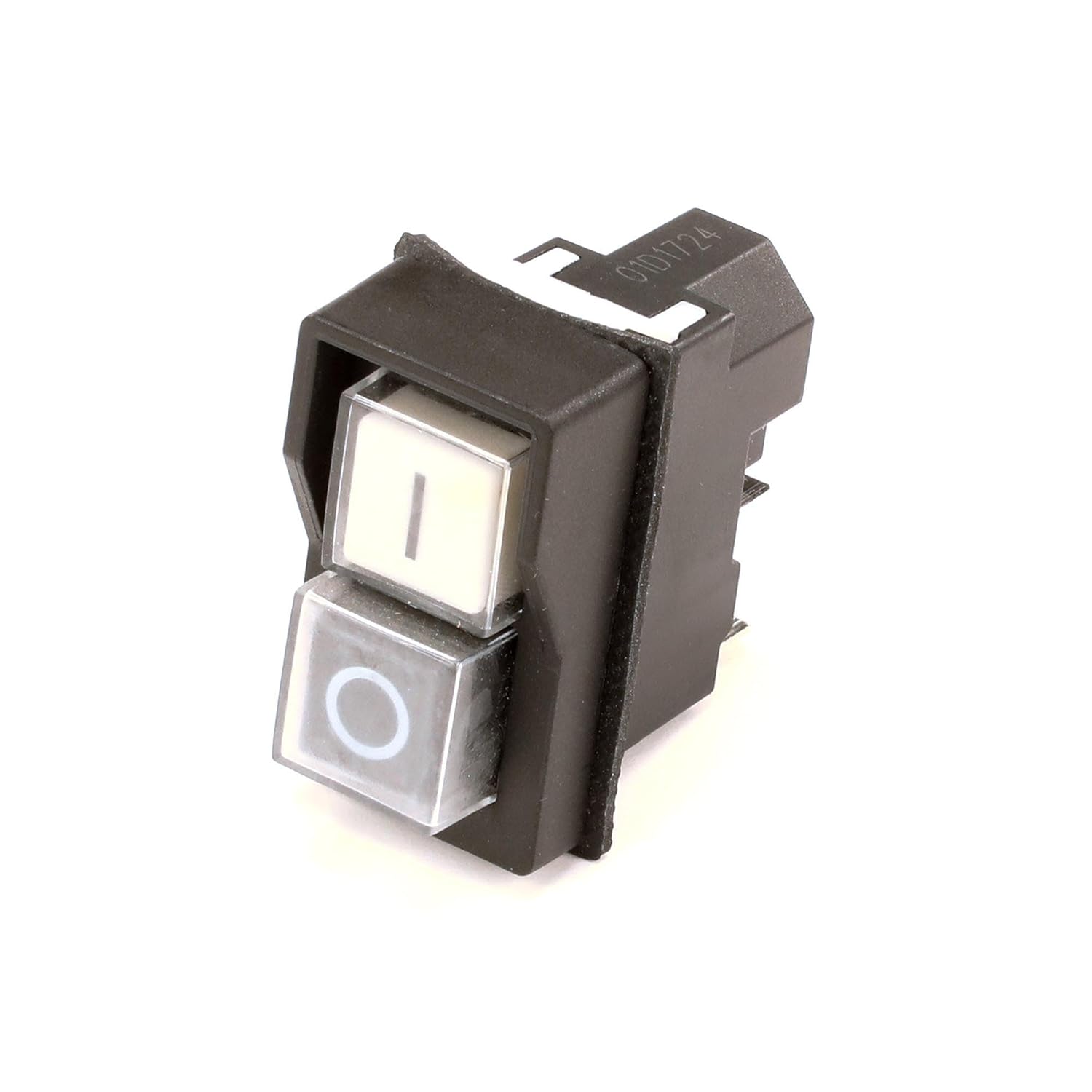
Figure 2: Side view of the Eurodib 250L-28 Power On/Off Switch, showing the electrical terminals. This view highlights the connection points for wiring, which are crucial for proper installation.
Operating Instructions
The Eurodib 250L-28 Power On/Off Switch is designed for straightforward operation.
- To Turn On: Press the button marked with 'I' (often illuminated or white). This will supply power to the connected equipment.
- To Turn Off: Press the button marked with 'O' (often illuminated or black). This will cut off power to the connected equipment.
Important Safety Note:
Always ensure your hands are dry before operating any electrical switch. Do not attempt to operate the switch if it appears damaged or if there is any visible electrical arcing or smoke.
Maintenance
The Eurodib 250L-28 Power On/Off Switch is a durable component designed for long-term use with minimal maintenance. However, periodic inspection is recommended to ensure continued safe and reliable operation.
- Visual Inspection: Regularly inspect the switch for any signs of physical damage, such as cracks, discoloration, or loose components.
- Connection Check: Periodically, and only when power is disconnected, check the wiring connections to ensure they remain tight and free from corrosion.
- Cleaning: If necessary, gently wipe the surface of the switch with a dry, soft cloth. Do not use abrasive cleaners or solvents, as these can damage the plastic components. Ensure no liquids enter the switch mechanism.
Caution:
Do not attempt to disassemble the switch. There are no user-serviceable parts inside. Any internal issues should be addressed by a qualified technician.
Troubleshooting
This section addresses common issues you might encounter with the 250L-28 Power On/Off Switch.
| Problem | Possible Cause | Solution |
|---|---|---|
| Switch does not turn on/off. | No power to the equipment; faulty wiring connection; internal switch failure. | Check main power supply. Verify wiring connections (with power off). If power and wiring are confirmed, the switch may need replacement by a qualified technician. |
| Switch feels loose or wobbly. | Improper installation; mounting clips damaged. | Ensure the switch is properly seated in its mounting hole. If mounting clips are damaged, the switch may need replacement. |
| Switch is discolored or shows burn marks. | Overload; short circuit; internal damage. | Immediately disconnect power. This indicates a serious electrical issue. The switch must be replaced, and the underlying electrical problem investigated by a qualified electrician. |
If you encounter issues not listed here, or if the suggested solutions do not resolve the problem, please contact a qualified service technician or Eurodib customer support.
Specifications
| Attribute | Detail |
|---|---|
| Model Number | 250L-28 |
| Brand | Eurodib |
| Material | Copper (internal components) |
| Unit Count | 1.0 Count |
| Number of Items | 1 |
| Package Dimensions | 5.94 x 3.7 x 1.89 inches |
| Item Weight | 3.07 ounces |
| Manufacturer | Eurodib |
| ASIN | B07MV4DG7K |
| Date First Available | January 15, 2019 |
Warranty and Support
As a genuine OEM replacement part, the Eurodib 250L-28 Power On/Off Switch is manufactured to high standards, ensuring reliability and performance. For specific warranty information, please refer to the documentation provided with your original Eurodib equipment or contact Eurodib customer support directly.
For technical assistance or inquiries regarding this product, please visit the official Eurodib website or contact their customer service department. When contacting support, please have your equipment's model number and the switch's part number (250L-28) ready.
Official Eurodib Website: www.eurodib.com


