Introduction
Thank you for purchasing the Supersonic IQ-1525BT Wireless Bluetooth Speaker. This manual provides essential information for the safe and efficient operation of your device. Please read it thoroughly before use and retain it for future reference.

Figure 1: Front view of the Supersonic IQ-1525BT Wireless Bluetooth Speaker.
Package Contents
Verify that all items listed below are included in your package:
- Supersonic IQ-1525BT Wireless Bluetooth Speaker
- USB Cable
- AUX Cable
- Carrying Strap
- Instruction Manual (this document)
Product Overview
Control Panel and Ports

Figure 2: Detailed view of the control panel, showing input ports and control knobs.
The front panel of the speaker features the main controls and input ports:
- IQ Sound Display: Digital display for mode, frequency, and other indicators.
- Micro SD Card Slot: For playing audio from a Micro SD card.
- USB Port: For playing audio from a USB flash drive.
- AUX Input: 3.5mm jack for connecting external audio devices.
- MIC Input: 6.35mm jack for connecting a microphone.
- DC 5V Input: Power input for charging the speaker.
- Bass Knob: Adjusts the bass level.
- Volume Knob (OFF/VOL/ON): Turns the speaker on/off and adjusts the master volume.
- Mode Button (M): Switches between input modes (Bluetooth, FM, USB, Micro SD, AUX).
- Previous/Rewind Button: Skips to the previous track or rewinds.
- Play/Pause Button: Plays or pauses audio.
- Next/Fast Forward Button: Skips to the next track or fast forwards.
Speakers and LED Lighting
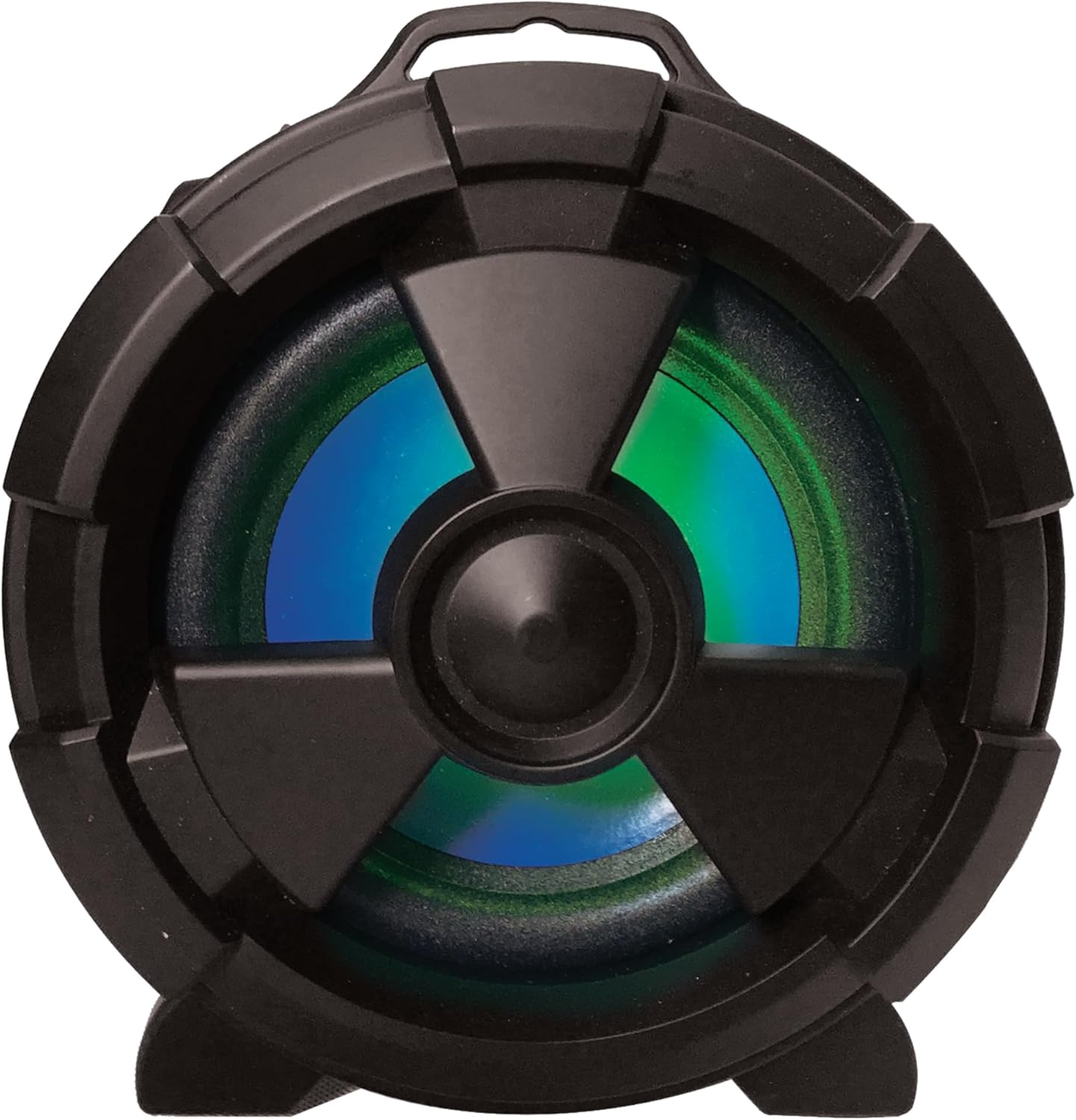
Figure 3: Side view highlighting the main speaker and its integrated LED lighting.
The speaker features one 5-inch main speaker and two 2-inch built-in speakers for stereo sound. The main speaker on the side includes integrated LED lighting that changes colors during operation.
Portability Features

Figure 4: The speaker's design allows for easy transport and use in various settings.
The IQ-1525BT is designed for portability, featuring a lightweight construction and a carrying strap for convenient transport.
Setup
Charging the Speaker
- Connect the provided USB cable to the DC 5V input port on the speaker.
- Connect the other end of the USB cable to a compatible USB power adapter (not included) or a USB port on a computer.
- The charging indicator will illuminate. Allow sufficient time for a full charge before first use.
Powering On/Off
- To turn on the speaker, rotate the Volume knob clockwise until it clicks and the display illuminates.
- To turn off the speaker, rotate the Volume knob counter-clockwise until it clicks and the display turns off.
Operating Instructions
Bluetooth Pairing

Figure 5: Illustrates connecting a device via Bluetooth to the speaker.
- Turn on the speaker. It will automatically enter Bluetooth pairing mode, indicated by a flashing "BLUE" on the display and an audible prompt.
- On your Bluetooth-enabled device (e.g., smartphone, tablet), enable Bluetooth and search for available devices.
- Select "IQ-1525BT" from the list of devices.
- Once paired, the speaker will emit an audible confirmation, and "BLUE" on the display will stop flashing.
- You can now play audio from your device through the speaker.
FM Radio Operation
- Turn on the speaker. Press the "M" (Mode) button repeatedly until "FM" appears on the display.
- Press and hold the Play/Pause button to initiate an automatic scan for FM stations. The speaker will save all found stations.
- Use the Previous/Rewind and Next/Fast Forward buttons to navigate between saved stations.
USB/Micro SD Playback
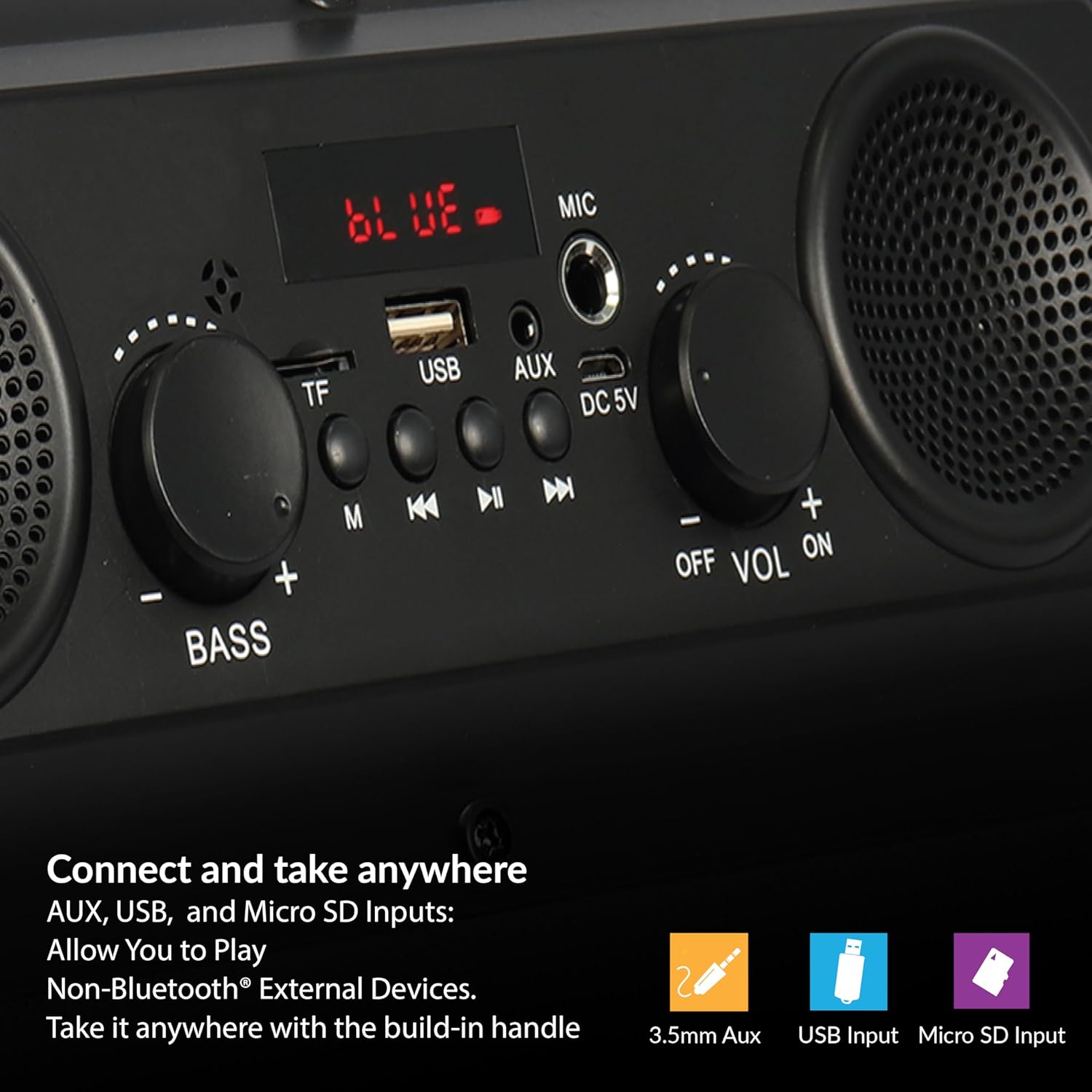
Figure 6: The speaker supports various input options for versatile audio playback.
- Insert a USB flash drive or Micro SD card (with pre-loaded audio files) into the corresponding port.
- The speaker will automatically switch to USB or Micro SD mode and begin playback. If not, press the "M" (Mode) button to select the correct mode.
- Use the Play/Pause, Previous/Rewind, and Next/Fast Forward buttons to control playback.
AUX Input
- Connect one end of the provided AUX cable to the AUX input port on the speaker.
- Connect the other end of the AUX cable to the audio output jack of your external device.
- Press the "M" (Mode) button until "AUX" appears on the display.
- Control audio playback from your external device.
Microphone Usage
- Connect a microphone (not included) to the MIC input port.
- Adjust the main volume using the Volume knob.
Adjusting Bass and Volume
- Rotate the Volume knob to increase or decrease the overall sound level.
- Rotate the Bass knob to adjust the low-frequency sound output.
Maintenance
- Cleaning: Use a soft, dry cloth to clean the speaker's exterior. Do not use liquid cleaners or abrasive materials.
- Storage: When not in use for extended periods, store the speaker in a cool, dry place away from direct sunlight and extreme temperatures.
- Battery Care: To prolong battery life, avoid fully discharging the battery frequently. Recharge the speaker regularly, even if not in active use.
- Water Exposure: This speaker is not waterproof. Avoid exposure to water or excessive moisture.
Troubleshooting
| Problem | Possible Cause | Solution |
|---|---|---|
| Speaker does not power on. | Battery is depleted. | Charge the speaker using the provided USB cable. |
| No sound. | Volume is too low or muted. Incorrect input mode. | Increase the volume. Press the 'M' button to select the correct input mode. |
| Bluetooth device not pairing. | Speaker not in pairing mode. Device too far. | Ensure speaker is in Bluetooth mode (flashing 'BLUE'). Move device closer (within 10 meters). |
| Poor FM reception. | Weak signal. | Reposition the speaker to improve signal reception. |
| USB/Micro SD not playing. | Incorrect file format. Corrupted media. | Ensure audio files are in a compatible format. Try a different USB drive or Micro SD card. |
Specifications
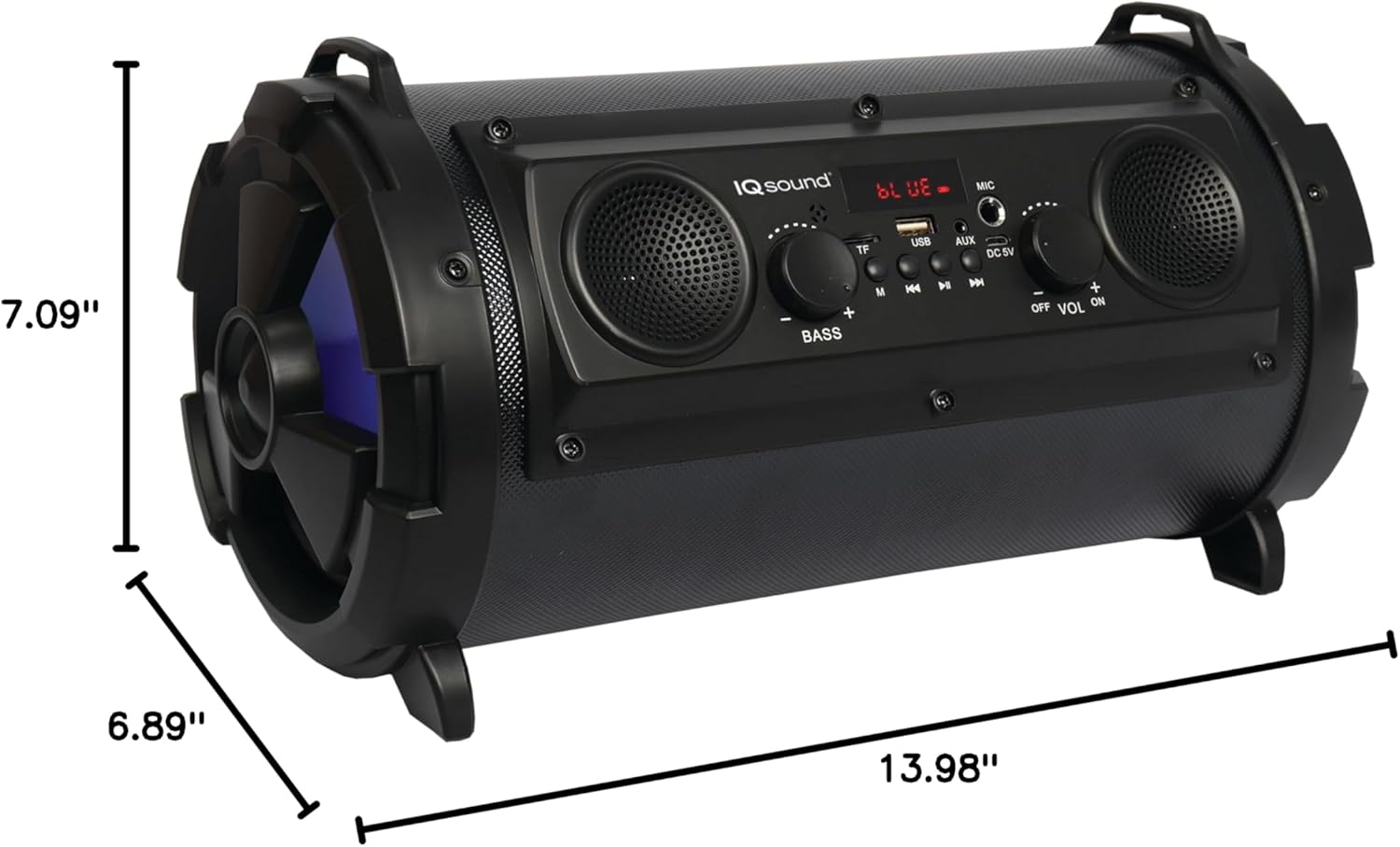
Figure 7: Product dimensions for the IQ-1525BT speaker.
| Feature | Detail |
|---|---|
| Model Name | IQ-1525BT |
| Brand | Supersonic |
| Speaker Type | Portable Bluetooth Speaker |
| Output Power | 16 Watts |
| Speaker Configuration | One 5-inch, Two 2-inch built-in speakers |
| Bluetooth Version | V4.0 |
| Wireless Range | Up to 10 meters (32.8 feet) |
| Frequency Response | 100 Hz to 20 kHz |
| Input Voltage | DC 5 Volts |
| Battery | 3.7-volt, 2,400 mAh rechargeable battery |
| Inputs | USB, Micro SD, AUX, Microphone |
| Special Features | FM Tuner (87.5 - 108.0MHz), Extra Bass (Passive Radiator), LED Lighting |
| Product Dimensions (D x W x H) | 6.89" x 7.09" x 13.98" |
| Item Weight | 1 Pound |
| Material | Plastic |
Warranty Information
This product comes with a Limited Warranty. For specific details regarding warranty coverage, terms, and conditions, please refer to the warranty card included in your product packaging or visit the official Supersonic website. Keep your proof of purchase for warranty claims.
Support
If you encounter any issues or have questions not covered in this manual, please contact Supersonic customer support for assistance. Contact information can typically be found on the product packaging or the official Supersonic website.