
Introduction
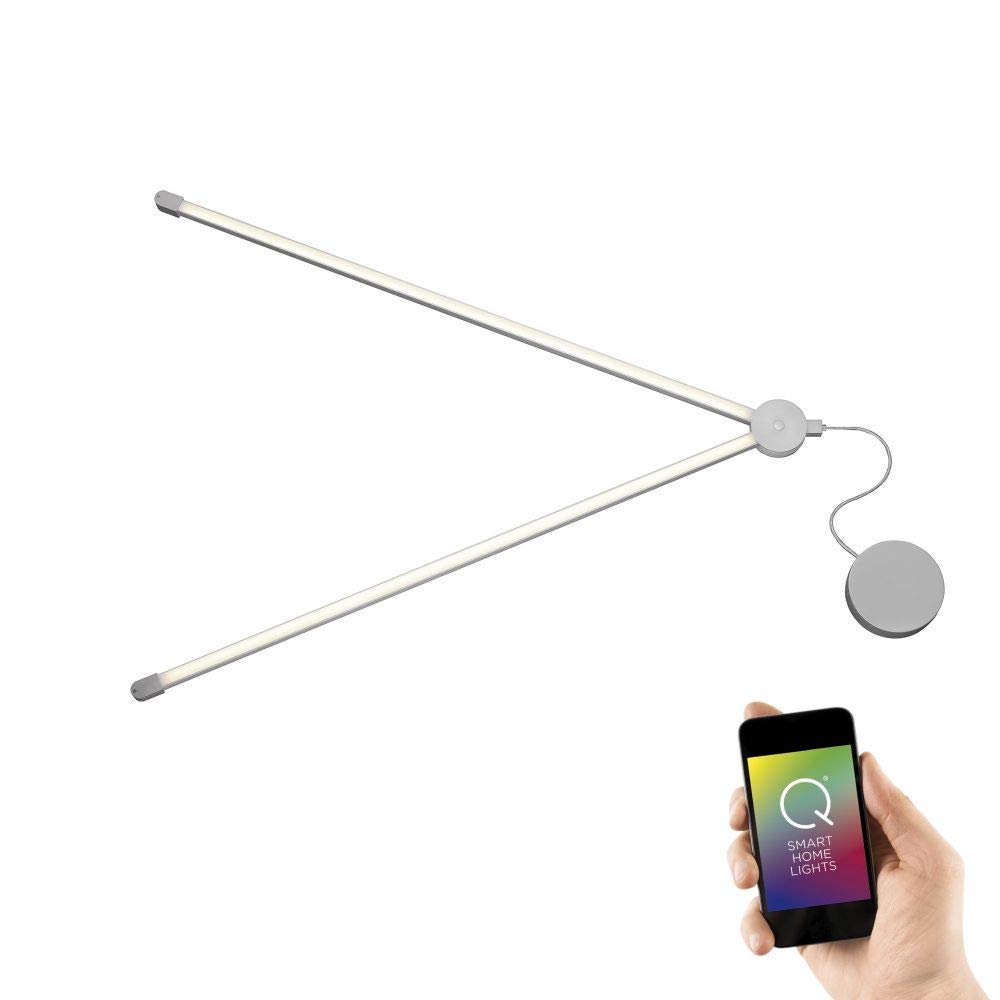
The Paul Neuhaus Q-SPIDER Modular LED Lighting System allows for flexible and customizable lighting arrangements. It consists of light profiles connected and powered by junction points on walls or ceilings. This system supports up to 5 light profiles per node point and up to 10 long or 18 short light profiles per power input. It features adjustable color temperature from warm white to daylight white, and over 16 million RGB color nuances, controllable via the included Q remote control or smart home systems.
Safety Instructions
- Read all instructions carefully before installation and use.
- Ensure power is disconnected before installation or maintenance.
- Installation should be performed by a qualified electrician if you are unsure.
- Do not modify the product.
- This product is for indoor use only.
- Keep out of reach of children.
Package Contents
The Q-SPIDER starter kit includes:
- Two long, straight light profiles
- One power supply unit
- One Q remote control
Setup and Installation
1. Planning Your Design: The Q-SPIDER system allows for flexible geometric arrangements using straight and curved light profiles. Up to 5 light profiles can be connected per junction point.
2. Power Connection: Electrical connection is made via input points and connection elements. Each power input can support up to 10 long light profiles or 18 short light profiles.
3. Mounting: Securely mount the junction points and light profiles to the wall or ceiling. Ensure all connections are firm.
4. Power On: Once installation is complete, connect the system to the main power supply.
Operating Instructions
The Q-SPIDER system can be controlled using the included Q remote control.
- Power On/Off: Use the "ON" and "OFF" buttons on the remote.
- Color Temperature Adjustment: Use the stepless color temperature adjustment feature to switch between warm white and daylight white.
- RGB Color Selection: Use the RGB Touch Ring to select from over 16 million colors.
- Dimming: Use the "dim up" and "dim down" buttons to adjust brightness.
- Group Control: The remote allows for programming 1-3 groups. All groups can be controlled together.
- Scene Control: Two memory locations are available for scene control.
- Basic Colors & Automatic Color Change: Select basic RGB colors or initiate an automatic color change.

Smart Home Integration
The Q-SPIDER lamps are compatible with existing Smart Home systems based on the ZigBee wireless standard.
- Direct Integration: Smart speakers like Echo Plus* and Echo Show (2nd Gen)* have an integrated Zigbee hub and can communicate directly with Q lamps.
- Gateway Required: For Echo Dot*, Echo*, Echo Spot*, Echo Show (1st Gen.)*, Google Home**, and Google Home mini**, an additional gateway is required.
- Third-Party Gateways: Connect to a compatible ZigBee third-party gateway (e.g., homee) to control the lamps via a smartphone, tablet, or PC using a corresponding application.
- Voice Control: In combination with Alexa* or Google Home**, voice control is possible, allowing commands like "Alexa, turn on the light."
*Amazon, Echo Plus, and Alexa are trademarks of Amazon Europe S.a r.l and serve only as an indication of compatibility and usage possibilities of our Q Smart Home lamps. The products and luminaires shown are not from Amazon.
**Google Home is a trademark of Google and serves only as an indication of compatibility and usage possibilities of our Q Smart Home lamps.
Maintenance
- Cleaning: Clean the light profiles and power supply unit with a soft, dry cloth. Do not use abrasive cleaners or solvents.
- Light Source: This product contains an LED light source. It is an ambient product, meaning it can be disassembled to check the contained light source(s) separately.
- Energy Efficiency: This product contains a light source of energy efficiency class F.

Troubleshooting
- Light not turning on:
- Check if the power supply is connected correctly.
- Ensure the remote control batteries are not depleted.
- Verify all light profiles are securely connected to the junction points.
- Remote control not responding:
- Replace remote control batteries.
- Ensure the remote is within range and not obstructed.
- Re-pair the remote with the lighting system if necessary (refer to specific pairing instructions in the full manual, if available).
- Smart Home integration issues:
- Ensure your Zigbee gateway is properly set up and connected to your network.
- Verify the Q-SPIDER system is within range of the Zigbee hub/gateway.
- Check the Smart Home application for device status and connection.
Specifications
| Feature | Detail |
|---|---|
| Model Number | 100.476.18 |
| Brand | Paul Neuhaus |
| Dimensions (L x W x H) | 206 x 2.5 x 3.2 cm (81.1 x 0.98 x 1.26 inches) |
| Weight | 1.7 Kilograms (3.75 lbs) |
| Material | Aluminum |
| Color | Silver (RGB color output) |
| Light Source Type | LED |
| Wattage | 14 Watts |
| Luminous Efficacy | 3080 Lumens |
| Light Color | CCT (Warm White to Daylight White) + RGB (16 million colors) |
| Beam Angle | Adjustable |
| Control Method | Remote Control, Smart Home App, Voice Control |
| Connectivity Protocol | Zigbee |
| Installation Type | Flush Mount (Ceiling/Wall) |
| Indoor/Outdoor Use | Indoor |
| Energy Efficiency Class | F |
| Assembly Required | Yes |
Warranty and Support
For warranty information and technical support, please refer to the documentation provided with your purchase or visit the official Paul Neuhaus website.